

v1.0.7
date_range_picker
日付範囲ピッカーは、モバイル端末で日付の範囲を選択するためにダイアログウィンドウを使用します。
119いいね 79630日間ダウンロード25Pub ポイント
プラットフォーム情報なし
Flutter の日付範囲ピッカーは、モバイルで日付範囲を選択するためにダイアログウィンドウを使用します。

以下は英語原文のスナップショットです。最新版は GitHub をご覧ください。


Currently Flutter has supported date range picker, so I think my mission is done. Thanks for using my lib. Link: https://api.flutter.dev/flutter/material/showDateRangePicker.html
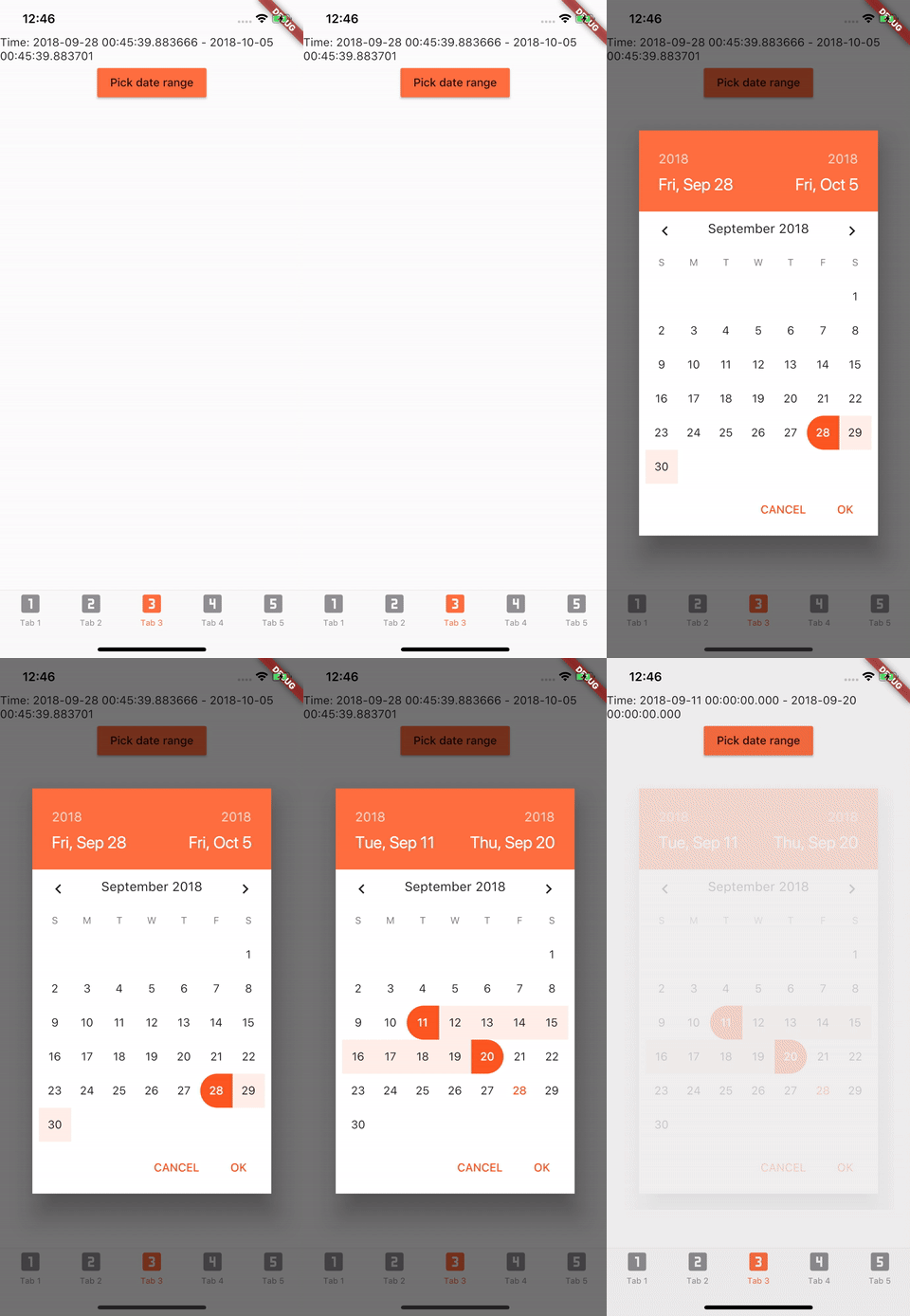
Add to pubspec.yaml in dependencies
date_range_picker: ^1.0.5
import 'package:date_range_picker/date_range_picker.dart' as DateRagePicker;
...
new MaterialButton(
    color: Colors.deepOrangeAccent,
    onPressed: () async {
      final List<DateTime> picked = await DateRagePicker.showDatePicker(
          context: context,
          initialFirstDate: new DateTime.now(),
          initialLastDate: (new DateTime.now()).add(new Duration(days: 7)),
          firstDate: new DateTime(2015),
          lastDate: new DateTime(DateTime.now().year + 2)
      );
      if (picked != null && picked.length == 2) {
          print(picked);
      }
    },
    child: new Text("Pick date range")
)
To change the colors to your preferred ones, you can wrap it in a Theme and a builder.
Theme(
    data: Theme.of(context).copyWith(
        accentColor: Colors.green,
        primaryColor: Colors.black,
        buttonTheme: ButtonThemeData(
        highlightColor: Colors.green,
        buttonColor: Colors.green,
        colorScheme: Theme.of(context).colorScheme.copyWith(
            secondary: Colors.red,
            background: Colors.white,
            primary: Colors.green,
            primaryVariant: Colors.green,
            brightness: Brightness.dark,
            onBackground: Colors.green),
            textTheme: ButtonTextTheme.accent)),
            child: Builder(
                builder: (context) => RaisedButton(
                    color: Color.fromRGBO(212, 20, 15, 1.0),
                    shape: RoundedRectangleBorder(borderRadius: BorderRadius.circular(30.0)),
                    child: Padding(
                        padding: const EdgeInsets.only(top: 10.0, bottom: 10.0, left: 30.0, right: 30.0),
                        child: Text(
                          "Date Picker",
                          style: TextStyle(
                            color: primaryColor,
                            fontSize: 28,
                            fontWeight: FontWeight.w300,
                          ),
                        ),
                      ),
                      onPressed: () async {
                        final List<DateTime> picked = await DateRangePicker.showDatePicker(
                            context: context,
                            initialFirstDate: new DateTime.now(),
                            initialLastDate: (new DateTime.now()).add(new Duration(days: 7)),
                            firstDate: new DateTime(2015),
                            lastDate: new DateTime(DateTime.now().year + 2));
                        if (picked != null && picked.length == 2) {
                          print(picked);
                        }
                      },
                    ),
                ),
            )
依存関係一覧 2 件
{"sdk":"flutter"}{"sdk":"flutter"}用途で絞り込み、開発状況を比較し、採用前に元のリポジトリで要件を確認しましょう。
“A repository is the most basic element of GitHub.”
GitHub Docs — About repositories ↗