
 v1.0.0
secure_app_switcher
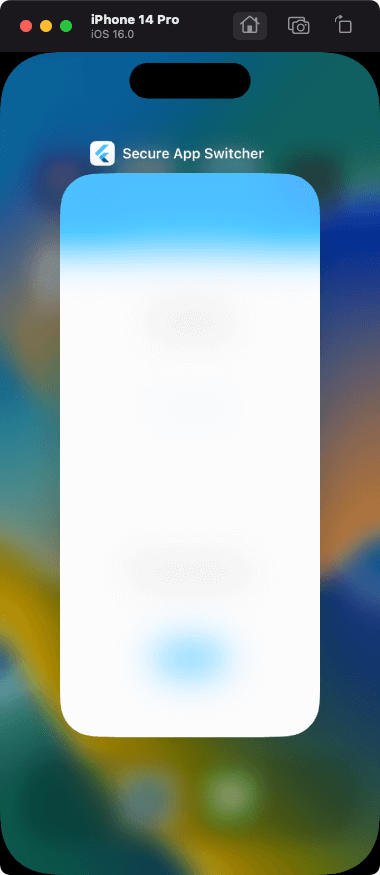
アプリスイッチャーまたはタスクリストでアプリ画面に安全なマスキング効果を適用します。
37いいね 95830日間ダウンロード150Pub ポイント
AndroidiOS
arkwycr/secure_app_switcher open-source repository details.

依存関係一覧 4 件
{"sdk":"flutter"}^2.0.2{"sdk":"flutter"}^4.0.0以下は英語原文のスナップショットです。最新版は GitHub をご覧ください。
Apply a safe masking effect to the app screen on the app switcher or task list.
Functions can be enabled/disabled within any process. It also provides a mechanism for switching functions on a screen-by-screen basis.
The effect is different for iOS and Android.
import 'package:secure_app_switcher/secure_app_switcher.dart';

// ON
SecureAppSwitcher.on();

// OFF
SecureAppSwitcher.off();
It is necessary to set secureAppSwitcherRouteObserver to switch the function at the time of screen transition.
Wrap the target screen widget with MaterialPageRoute and SecureAppSwitcherPage.
@override
  Widget build(BuildContext context) {
    return MaterialApp(
      title: 'Secure App Switcher',
      onGenerateRoute: generateRoute,
      navigatorObservers: [secureAppSwitcherRouteObserver], // add
      initialRoute: '/',
    );
  }
// Example: Case where the function is enabled on screen A

Route<dynamic> generateRoute(RouteSettings settings) {
  switch (settings.name) {
    case "/":
      return MaterialPageRoute(builder: (context) {
        return const HomeScreen();
      });
    case "/screenA":
      return MaterialPageRoute(builder: (context) {
        return const SecureAppSwitcherPage( // add
          style: SecureMaskStyle.dark,
          child: ScreenA(),
        );
      });
  }
}
For iOS, you can specify the type of mask effect.
SecureAppSwitcher.on(iosStyle: SecureMaskStyle.blurLight);
| Light | Dark | BlurLight | BlurDark |
|---|---|---|---|
| https://user-images.githubusercontent.com/113876527/192409757-3289a563-b0df-43a5-9993-bea528019da6.png | https://user-images.githubusercontent.com/113876527/192409756-0484c91c-e8c2-4289-89ef-a23522a26a5d.png | https://user-images.githubusercontent.com/113876527/192409751-335f586e-89d7-4e13-8099-b15903065227.png | https://user-images.githubusercontent.com/113876527/192409701-57af88e0-35eb-4e25-ae38-f96fe6d0a664.png |
FLAG_SECURE of WindowManager LayoutParams is used.
| switching apps | screenshot disabled |
|---|---|
| https://user-images.githubusercontent.com/113876527/192409761-960d19ea-0b41-40eb-bbab-bd2a3c4cd2f9.png | https://user-images.githubusercontent.com/113876527/192409760-5ae06e9a-7d47-4352-9b59-f0efa81a5064.png |
Please file feature requests and bugs on the issue tracker.