

 v0.5.2
flutter_redux_dev_tools
Flutter用のタイムトラベル可能なReduxデバッガー
14いいね 215030日間ダウンロード60Pub ポイント
プラットフォーム情報なし
Flutter用のタイムトラベル可能なReduxデバッガー

以下は英語原文のスナップショットです。最新版は GitHub をご覧ください。


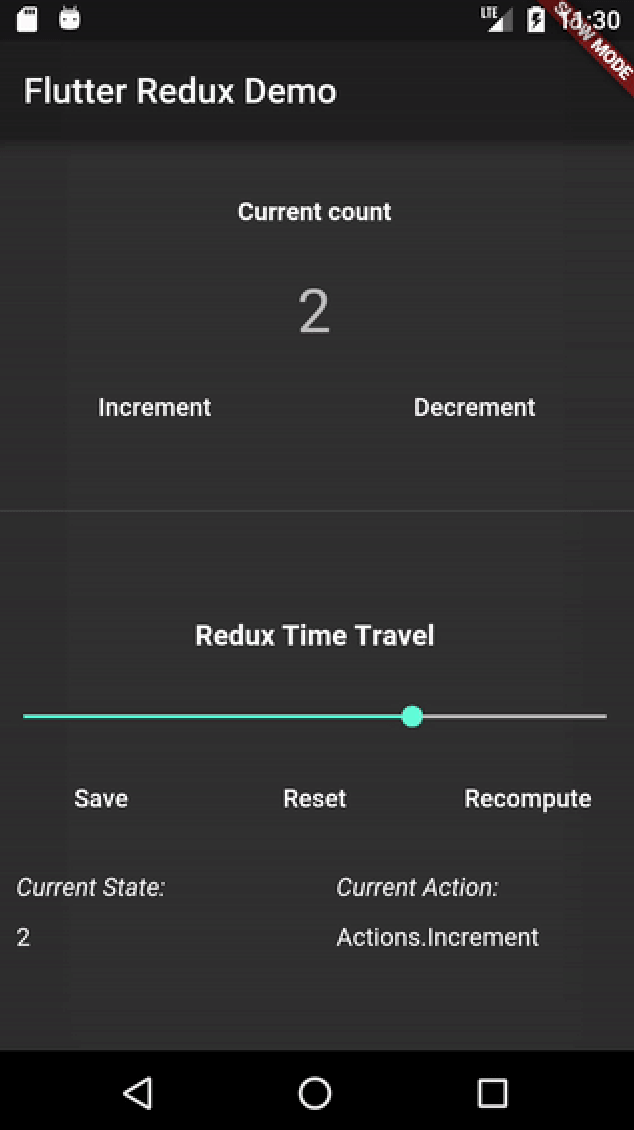
A Widget you can use to show a Redux Time Travel UI. Simply put it in a part of your UI that makes sense (Such as a Dev Tools Drawer), pass it a DevToolsStore and you'll be good to go!
Note: This Widget does not work with a normal Redux Store. It is meant to work with the redux_dev_tools package, which provides a DevToolsStore. The DevToolsStore is a drop-in replacement for your Store during Development!
A simple Flutter app that allows you to Increment and Decrement a counter.

main_dev.dart fileDevToolsStore in place of a normal redux StoreReduxDevTools widget, passing through the Store. You can place this Widget wherever makes sense in your app! One good suggestion: In a "Dev Tools Drawer." This is generally the endDrawer in your Scaffold, and can contain different types of tools for a Dev Build of your app.This example paints only a broad outline of how to use the ReduxDevTools. For a complete example, see the example folder.
int addReducer(int state, action) => state + 1;

// Create a DevToolsStore instead of a normal Store during Development
final store = DevToolsStore<int>(
  addReducer,
  initialState: 0,
);

// Finally, create your app with a Redux Dev Tools
main() {
  runApp(MaterialApp(
    home: Scaffold(
      endDrawer: ReduxDevTools<int>(store),
    ),
  ));
}
All of this is inspired by the original Redux Devtools.
依存関係一覧 6 件
{"sdk":"flutter"}>=0.8.2 <0.11.0>=5.0.0 <6.0.0>=0.7.0 <0.8.0{"sdk":"flutter"}1.11.0用途で絞り込み、開発状況を比較し、採用前に元のリポジトリで要件を確認しましょう。
“A repository is the most basic element of GitHub.”
GitHub Docs — About repositories ↗