

v3.7.0
async_wallpaper
Androidで非同期に壁紙を設定します。また、動画ライブ壁紙もサポートしています。
91いいね 244030日間ダウンロード160Pub ポイント
Android
codenameakshay/async_wallpaper open-source repository details.

以下は英語原文のスナップショットです。最新版は GitHub をご覧ください。

Flutter plugin to set wallpapers on Android and save them to Photos on iOS.
| Static wallpaper | Capabilities | More APIs | iOS |
|---|---|---|---|
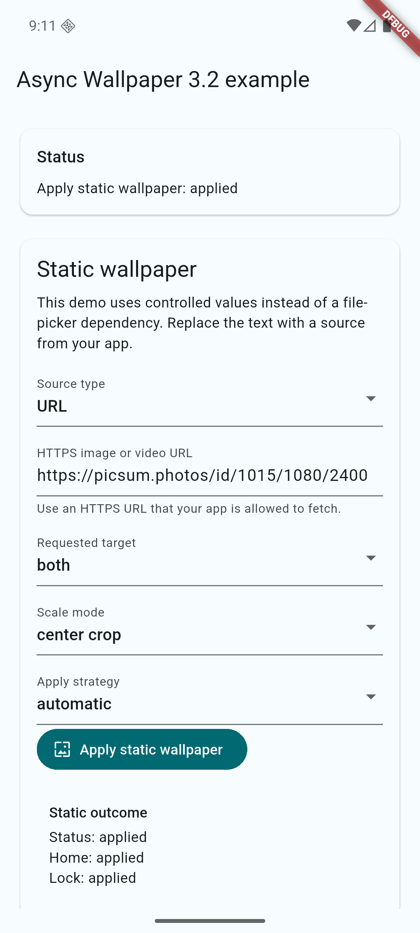 |
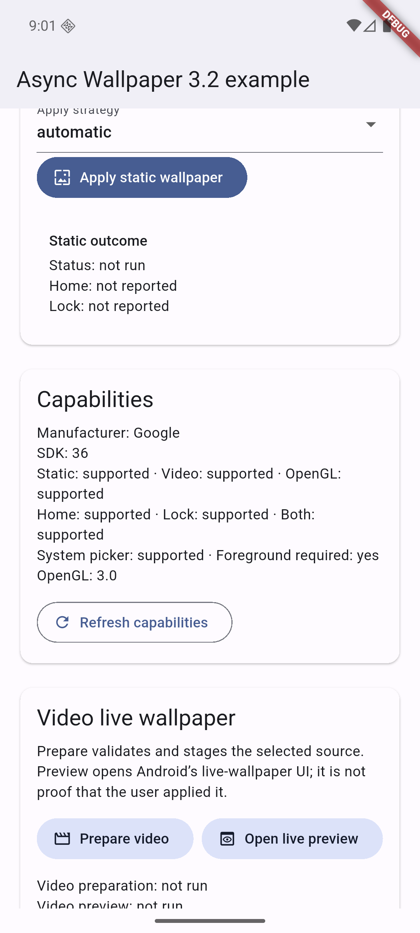 |
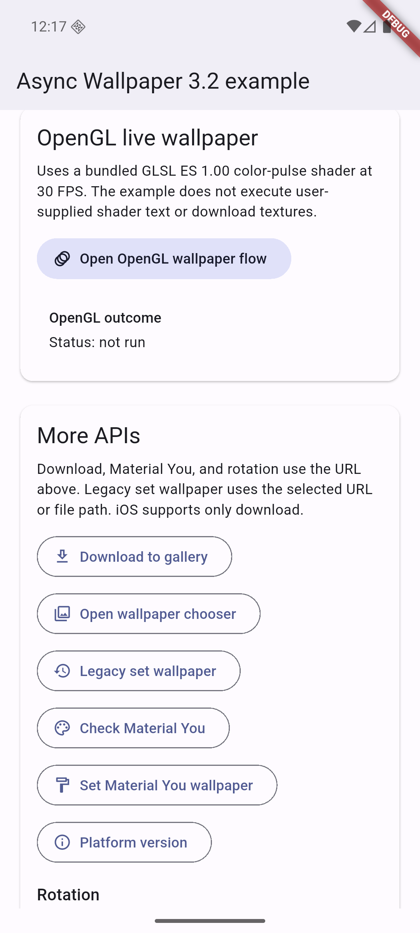 |
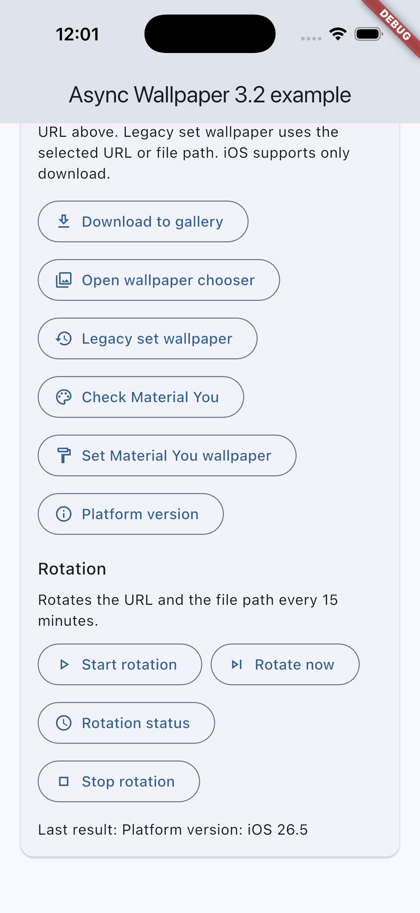 |
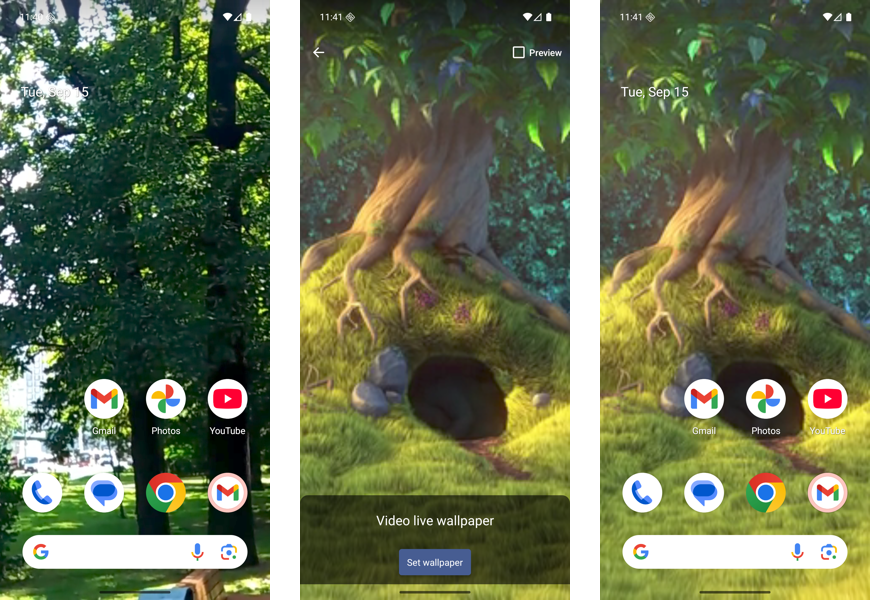
Video live wallpaper: home screen before, the system preview, and the applied video.
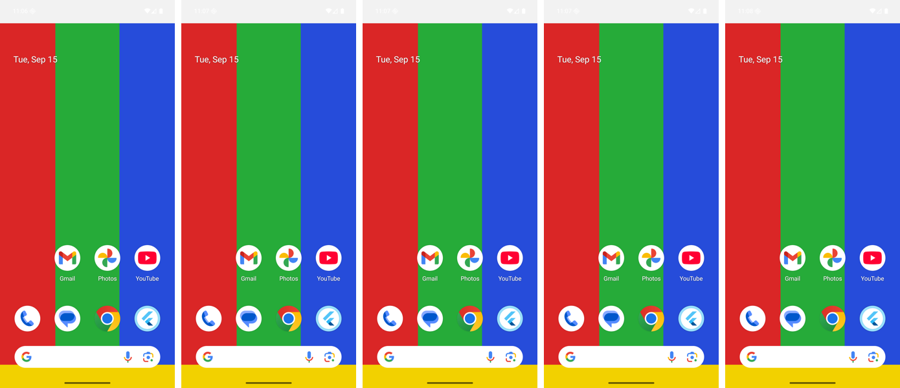
Scale modes: centerCrop, fitCenter, center, fill, and stretch on a 1080x2400 phone.
>=3.41.4, Dart >=3.9.0minSdk 2413.0+ (download only)dependencies:
async_wallpaper: ^3.3.0
import 'package:async_wallpaper/async_wallpaper.dart';
final c = await AsyncWallpaper.getCapabilities();
if (c.supportsStaticWallpaper && c.canSetWallpaper) {
  // Show the action.
}
final result = await AsyncWallpaper.applyWallpaper(
  const StaticWallpaperRequest(
    source: WallpaperSource.url('https://example.com/wallpaper.jpg'),
    target: WallpaperTarget.both,
    scaleMode: WallpaperScaleMode.centerCrop,
    strategy: WallpaperApplyStrategy.direct,
  ),
);
if (result.status == WallpaperOperationStatus.applied) {
  // For `both`, read `result.home` and `result.lock`.
}
Sources: WallpaperSource.url (HTTPS), filePath, contentUri, bytes.
final req = VideoWallpaperRequest(
  source: WallpaperSource.filePath('/storage/emulated/0/Download/loop.mp4'),
  target: WallpaperTarget.home,
);
final prepared = await AsyncWallpaper.setVideoWallpaper(req);
if (prepared.status == WallpaperOperationStatus.awaitingUserConfirmation) {
  await AsyncWallpaper.openLiveWallpaperPreview(req);
}
previewOpened means the system preview opened, not that the user applied it.
Check supportsOpenGlLiveWallpaper first, then call setOpenGlLiveWallpaper with a GLSL ES 1.00 fragment shader (1-60 FPS).
await AsyncWallpaper.startWallpaperRotation(
  const WallpaperRotationRequest(
    sources: <WallpaperRotationSource>[
      WallpaperRotationSource(sourceType: WallpaperSourceType.url, source: 'https://example.com/1.jpg'),
      WallpaperRotationSource(sourceType: WallpaperSourceType.file, source: '/storage/emulated/0/Download/2.jpg'),
    ],
    target: WallpaperTarget.both,
    intervalMinutes: 60,
    order: WallpaperRotationOrder.shuffle,
    triggers: <WallpaperRotationTrigger>{
      WallpaperRotationTrigger.interval,
      WallpaperRotationTrigger.charging,
      WallpaperRotationTrigger.timeOfDay,
    },
    activeHoursStart: 6,
    activeHoursEnd: 23,
  ),
);
await AsyncWallpaper.getWallpaperRotationStatus();
await AsyncWallpaper.rotateWallpaperNow();
await AsyncWallpaper.stopWallpaperRotation();
The minimum interval is 15 minutes. URLs must be HTTPS. Rotation uses WorkManager and needs no foreground service.
await AsyncWallpaper.downloadWallpaper(
  const DownloadWallpaperRequest(url: 'https://example.com/wallpaper.jpg'),
);
NSPhotoLibraryAddUsageDescription to Info.plist.WRITE_EXTERNAL_STORAGE with android:maxSdkVersion="28" and request it before you call downloadWallpaper.| Android | iOS | Web/desktop | |
|---|---|---|---|
| Static, live, OpenGL, rotation | Yes | unsupported |
unsupported |
| Download | Yes | Yes | unsupported |
WorkManager): use WallpaperApplyStrategy.direct. The cropper, picker, and live previews need a foreground Activity and return foregroundRequired otherwise.Report bugs with the bug report template and include the device model, Android version, and steps to reproduce. Request features with the feature request template. Read CONTRIBUTING.md before you open a PR.
MIT
依存関係一覧 4 件
{"sdk":"flutter"}{"sdk":"flutter"}^6.0.0^25.3.0用途で絞り込み、開発状況を比較し、採用前に元のリポジトリで要件を確認しましょう。
“A repository is the most basic element of GitHub.”
GitHub Docs — About repositories ↗