
flutter_tiqlo_clock
モバイル、デスクトップ、Web向けの最小限のピクセルUIを備えたオープンソースのFlutterフリップクロック、デジタル卓上時計、集中タイマー、カウントダウンアプリ。

- スター
- 4
- フォーク
- 0
- 最終プッシュ(UTC)
- 2026/09/26
- プロジェクト状態
- 公開中
元の README
以下は英語原文のスナップショットです。最新版は GitHub をご覧ください。
Tiqlo — Flutter Flip, Digital & Bubble Clock
An open-source clock app with Flip, Digital, and Bubble faces, a distinctive pixel interface, and built-in Focus and Timer modes for mobile, desktop, and Web.




App Store · Live Demo · Website · English · 简体中文 · 繁體中文
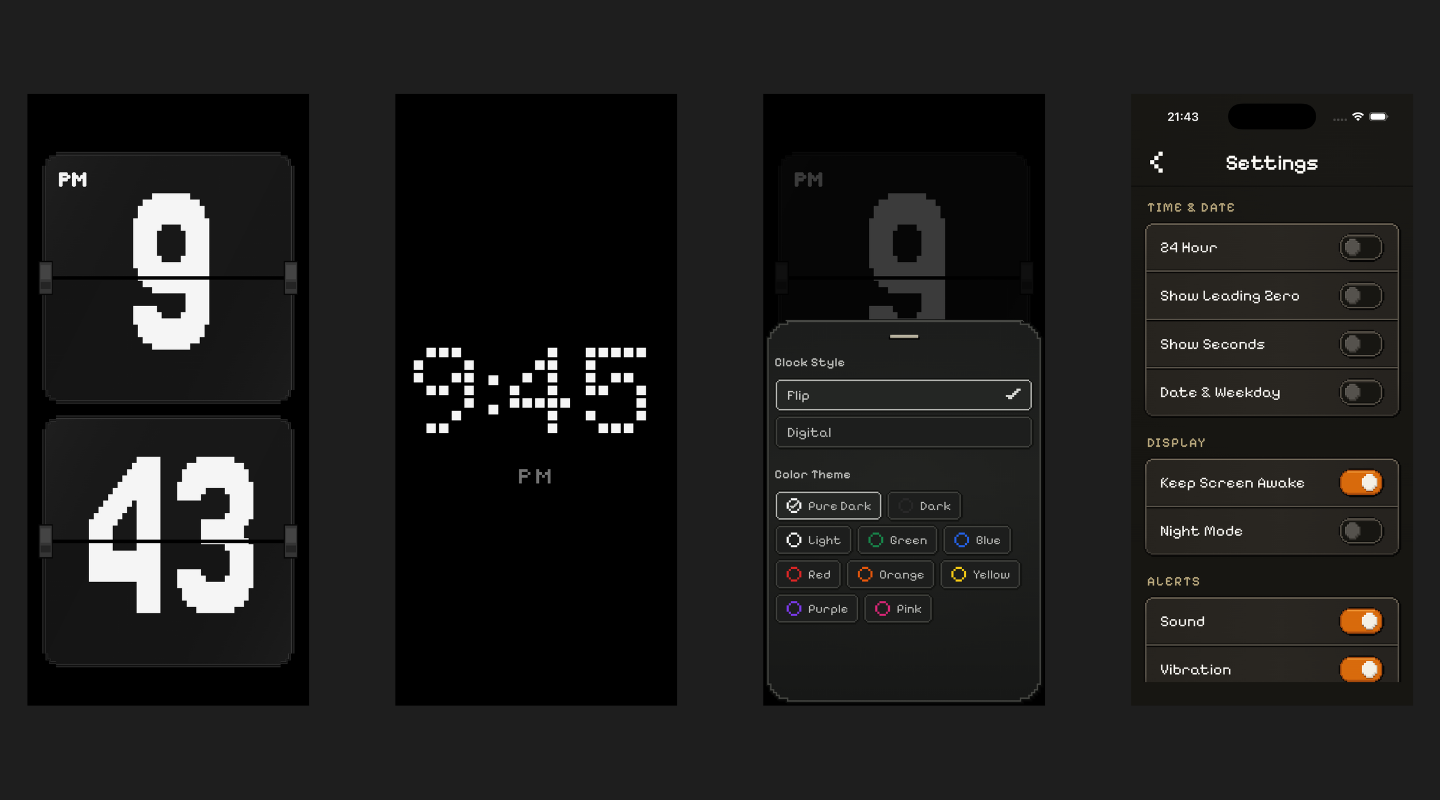
Pixel style (default)
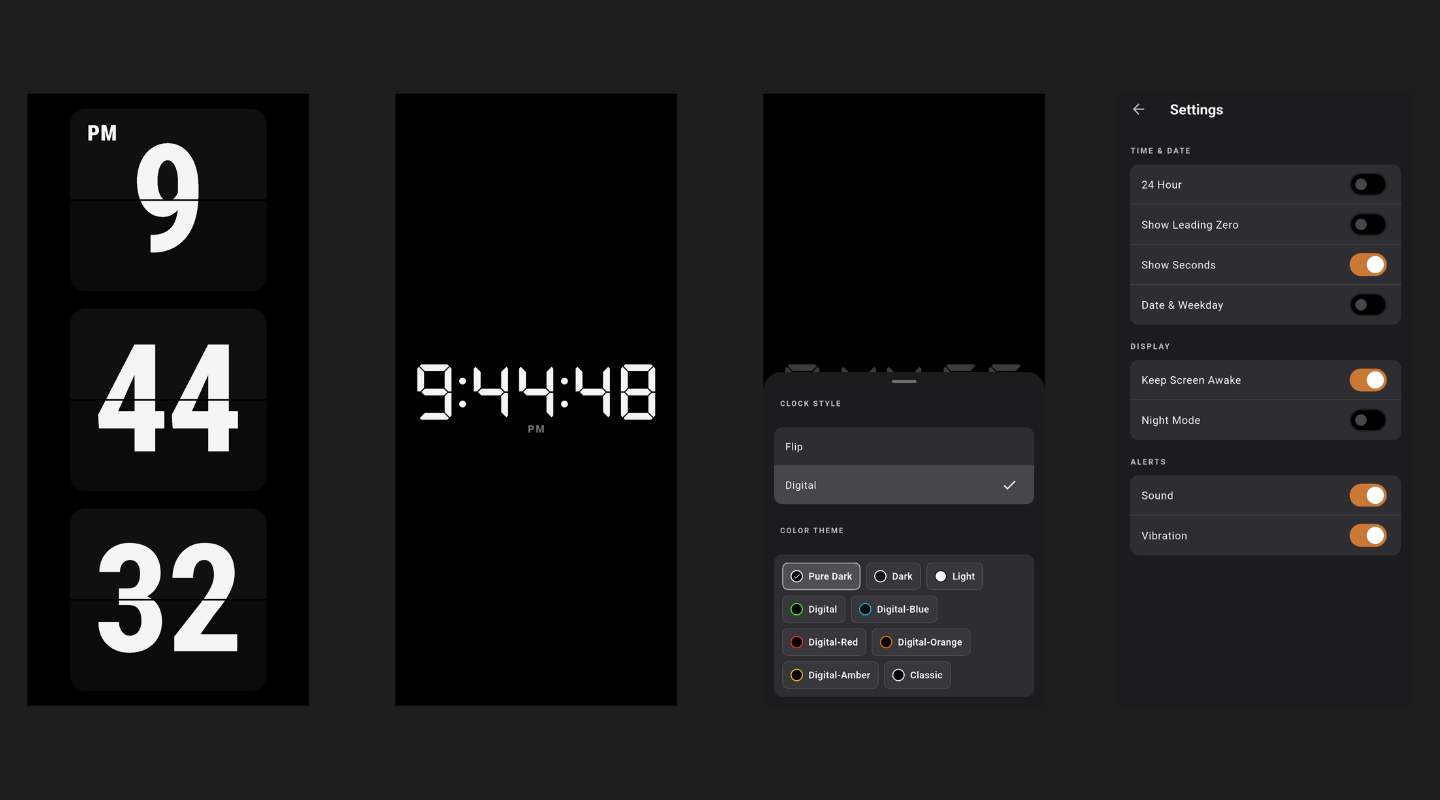
Standard style
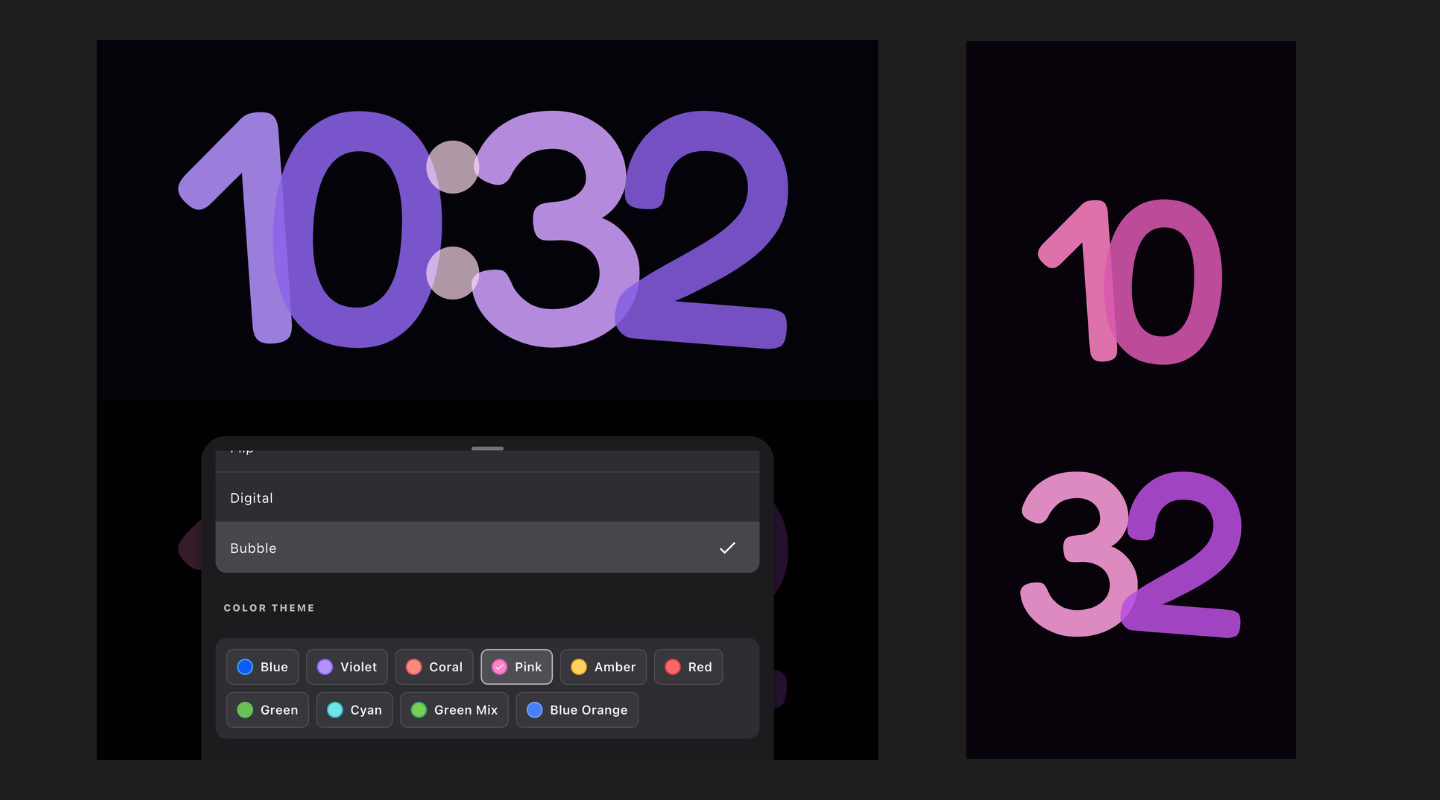
Bubble clock face
Tiqlo is an open-source Flutter clock app for mobile, desktop, and Web. Choose a Pixel or Standard interface, then switch between Flip, Digital, and Bubble clock faces. The Pixel style carries crisp pixel geometry across clocks, controls, and panels; the Bubble theme pairs oversized rounded digits with individually coloured numbers and ten palettes. Use it as a full-screen desk clock, or start a built-in Focus or Timer session when you need to concentrate. Its responsive layouts keep the time clear in portrait or landscape mode.
Try Tiqlo
Tiqlo is now on the App Store. You can also open the live Web app in your browser—no clone, account, or installation required. Tap the clock to reveal its controls.
Clock Features
- Three clock faces: Flip, Digital, and Bubble. Choose one from the Clock Style panel in either interface style.
- Two interface styles: Pixel (default) and Standard.
- Bubble's rounded display has individually coloured digits and ten selectable colour palettes.
- The Pixel style carries its pixel aesthetic across clock faces, typography, controls, panels, and transitions.
- Free, ad-free, and open source under the MIT License; no account required.
- Flip and Digital clock faces, each with its own colour palettes.
- Responsive portrait and landscape layouts; full-screen support on Web and desktop.
- 12/24-hour time, leading zero, seconds, date, and weekday options.
- Night Mode dims the display, temporarily hides the date and seconds, and changes Bubble to a deep red palette.
- Focus and Timer sessions with pause, resume, stop, and completion alerts.
- Completed Focus sessions contribute to today's count and minutes.
- Configurable keep-awake, sound, and vibration preferences.
- Settings persist locally across launches.
Pixel Style Is More Than a Font
- Four purpose-built pixel fonts give Flip digits, Digital digits, interface copy, and compact HUD labels their own visual character.
- Grid-aligned spacing, staircase-cut corners, crisp outlines, and zero-blur hard shadows carry the pixel language through every component—not just the clock face.
- A restrained dark palette and high-contrast clock faces keep time readable from across a room.
- Dynamic Flutter widgets preserve responsive layouts, accessible touch targets, keyboard focus states, and smooth Flip transitions without rasterising the interface.
Bubble Clock Theme
- Oversized Fredoka digits and a circular two-dot colon give Bubble its soft, colourful clock face.
- Ten palettes colour the hour and minute digits individually, with the selected palette saved locally.
- Portrait and landscape layouts adapt the clock face to the screen; changing digits animate smoothly.
Run the Flutter Clock App
Flutter SDK is required. The project's Dart SDK constraint is ^3.12.2.
flutter pub get
flutter run -d chrome
Run tests:
flutter test
Build a production Web bundle:
flutter build web --release
Deploy the entire generated build/web/ directory to a static server. When serving the app from a subpath, provide the matching --base-href while building.
Flutter Packages
- State and navigation:
flutter_riverpod,riverpod_annotation,go_router - Models and local data:
freezed_annotation,json_annotation,shared_preferences,intl,logger - Alerts and device features:
flutter_local_notifications,timezone,wakelock_plus,screen_brightness,flutter_fullscreen - UI, assets, and links:
cupertino_icons,image,path,url_launcher,flutter_native_splash - Development and testing:
flutter_test,build_runner,riverpod_generator,freezed,json_serializable,flutter_lints,riverpod_lint,icons_launcher,shared_preferences_platform_interface
See pubspec.yaml for current versions and complete configuration.
Pixel and Bubble Fonts Used by Tiqlo
| Font | Flutter family | Weight / file | Usage |
|---|---|---|---|
| Pixelify Sans | PixelifySans |
400 PixelifySans-Regular.ttf600 PixelifySans-SemiBold.ttf |
Interface headings, buttons, settings, and short copy |
| Tiny5 | Tiny5 |
400 Tiny5-Regular.ttf |
Compact HUD labels such as AM/PM, FOCUS, TIMER, and PAUSED |
| Jersey 25 | Jersey25 |
400 Jersey25-Regular.ttf |
Flip clock digits |
| DotGothic16 | DotGothic16 |
400 DotGothic16-Regular.ttf |
Digital clock digits |
| Fredoka | BubbleClock |
500 Fredoka-Medium.ttf |
Bubble clock digits |
The listed fonts use the SIL Open Font License 1.1. Pixel font sources, fixed checksums, and license files are recorded in fonts/licenses; Fredoka's license is included at assets/fonts/bubble/OFL.txt.
Development Skills
This project uses development skills from:
Principles
- Clock always represents wall-clock time; Focus and Timer temporarily replace the display only while active.
- Sessions use monotonic time, so device clock changes do not affect countdowns.
- Portrait and landscape are layouts of one Clock, not separate pages.
See docs/adr for design decisions.
License
Licensed under the MIT License.

独立开发者_猫哥 ↗
カテゴリー
使用している依存関係
依存関係一覧 29 件
- flutter
{"sdk":"flutter"} - cupertino_icons
^1.0.8 - image
^4.8.0 - path
^1.9.1 - flutter_riverpod
3.3.2 - riverpod_annotation
4.0.3 - go_router
^17.5.0 - freezed_annotation
^3.1.0 - json_annotation
^4.12.0 - shared_preferences
^2.5.5 - logger
^2.7.0 - intl
^0.20.2 - flutter_local_notifications
^22.3.0 - timezone
^0.11.1 - wakelock_plus
^1.7.0 - screen_brightness
^2.1.11 - flutter_fullscreen
^1.2.0 - url_launcher
^6.3.2 - package_info_plus
^10.2.1 - flutter_native_splash
^2.4.8 - flutter_test開発用
{"sdk":"flutter"} - flutter_lints開発用
^6.0.0 - riverpod_lint開発用
3.1.4 - build_runner開発用
^2.15.1 - riverpod_generator開発用
4.0.4 - freezed開発用
^3.2.3 - json_serializable開発用
^6.14.1 - icons_launcher開発用
^3.1.0 - shared_preferences_platform_interface開発用
^2.4.2
プロジェクトに合うリポジトリを選ぶには?
用途で絞り込み、開発状況を比較し、採用前に元のリポジトリで要件を確認しましょう。
- 名前・作者・説明で検索し、技術トピックで絞り込みます。
- スター、フォーク、最近のプッシュを比較します。スターは関心の目安であり、品質の保証ではありません。
- 利用前に GitHub で README、ライセンス、Issues を確認します。
情報源と管理
“A repository is the most basic element of GitHub.”
GitHub Docs — About repositories ↗