
skills
猫哥のFlutterエージェントスキル:Codex、Claude Code、Cursor対応 — Riverpod、GetX、自動化およびコードレビュー。

- スター
- 3
- フォーク
- 0
- 最終プッシュ(UTC)
- 2026/09/23
- プロジェクト状態
- 公開中
元の README
以下は英語原文のスナップショットです。最新版は GitHub をご覧ください。
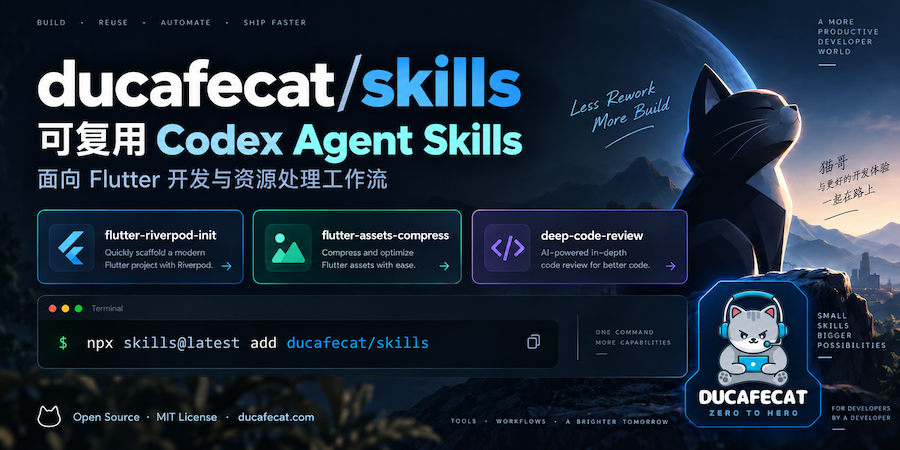
Flutter Agent Skills for Codex, Claude Code & Cursor
Reusable Flutter Agent Skills by 猫哥 (ducafecat) for AI coding workflows: Riverpod and GetX scaffolding, asset automation, and deep code review.
Bootstrap existing Flutter apps with go_router, Dio, Freezed, storage, and themes, or automate image assets and review code changes with repository-aware instructions.
Website: ducafecat.com
Quick Start
Run in your project directory:
npx skills@latest add ducafecat/skills
Select the skills and target AI coding agents in the installer. Skills are installed as ordinary files that you can inspect and customize.
To update installed skills:
npx skills update
The initialization skills require an existing Flutter project with pubspec.yaml and lib/main.dart. The image asset skill requires source images in assets/images/3.0x/. Running project commands requires the Flutter or Dart SDK; dependency installation may require network access.
Why Flutter Agent Skills?
- Repeatable app setup: apply documented Riverpod or GetX architecture, file templates, and starter page flows.
- Automated asset workflows: generate density variants and maintain an
AppImagesindex with pure Dart. - Code review grounded in your repository: inspect changes against repository standards and review rules.
- Editable workflows: each skill keeps its instructions, references, and supporting files in the repository.
Available Flutter Skills
| Skill | What it does | Documentation |
|---|---|---|
flutter-riverpod-init |
Adds Riverpod, go_router, Dio, Freezed/JSON, SharedPreferences, Logger, AdaptiveTheme, and starter pages to an existing Flutter project. | Guide |
flutter-getx-init |
Adds GetX app infrastructure, routing, networking, storage, themes, English/Simplified Chinese/Traditional Chinese translations, and DucafeUI components with offline docs. | Guide |
flutter-assets-compress |
Generates Flutter 1x and 2x image assets from assets/images/3.0x/, compresses supported outputs, and updates the AppImages index using pure Dart. |
Guide |
flutter-rename |
Sets Android/iOS Bundle ID or App Name in the current Flutter project from a single value, using the rename CLI. |
Guide |
flutter-app-icon |
Configures and runs flutter_launcher_icons from existing assets/icons resources to update Android, iOS, macOS, Windows, and Web app icons. |
Skill instructions |
design-logo |
Designs brand logos for websites and apps via Q&A, real logo case research, six original SVGs, interactive HTML gallery selection, and export. | Guide |
deep-code-review |
Reviews branch, PR, fixed-base, or workspace code changes using repository standards and review rules; automatically selects review depth by change size and risk. | Skill instructions |
Supported AI Coding Agents
Install with the skills CLI for OpenAI Codex, Claude Code, or Cursor, selecting the target agents offered by the installer. Invocation and automatic discovery depend on the agent you use.
The examples below use Codex-style $skill-name invocation. In other agents, use their skill selection mechanism or ask explicitly to use the skill by name. Individual workflows may require agent capabilities such as command execution or sub-agents; check the corresponding SKILL.md before use.
Flutter Tech Stack
| Area | Libraries and tools |
|---|---|
| Language and framework | Dart, Flutter |
| State management | Riverpod or GetX |
| Routing and networking | go_router, Dio |
| Models and code generation | Freezed, JSON serialization, build_runner |
| Storage, logging, and themes | SharedPreferences, Logger, AdaptiveTheme |
| GetX UI and localization | DucafeUI, GetX translations (en / zh-CN / zh-TW) |
| Image asset automation | Pure Dart image processing, AppImages index |
Usage Examples
Flutter Riverpod app scaffolding
$flutter-riverpod-init
See the architecture and file templates.
Flutter GetX app scaffolding
$flutter-getx-init
See the architecture and file templates. The workflow includes splash, welcome, login, and home pages, plus offline component and style documentation.
Flutter image asset generation
$flutter-assets-compress
See the asset generation guide.
Flutter rename (Bundle ID / App Name)
$flutter-rename
See the rename guide.
Flutter app icon
$flutter-app-icon
See the skill instructions.
Brand logo design
$design-logo
See the logo design guide.
Deep code review
$deep-code-review
You can also specify a branch or fixed base such as main. See the review standards. This skill excludes Markdown and documentation paths from review.
How Agent Skills Work
Each directory under skills/ contains a SKILL.md with its purpose, trigger conditions, and workflow. Skills may also include references, templates, assets, or helper scripts. The coding agent reads these instructions and applies them to your project; agents with automatic discovery can select a matching skill from the task context.
Read the selected skill's instructions before use. Workflows may edit project files and run local commands such as flutter pub add, dart run, flutter analyze, flutter test, or build_runner.
Repository Structure
.
├── skills/
│   ├── flutter-riverpod-init/   # SKILL.md, README.md, references/
│   ├── flutter-getx-init/       # SKILL.md, README.md, assets/, references/
│   ├── flutter-assets-compress/ # SKILL.md, README.md
│   ├── flutter-rename/          # SKILL.md, README.md
│   ├── flutter-app-icon/        # SKILL.md
│   ├── design-logo/             # SKILL.md, README.md, assets/, examples/, references/, scripts/
│   └── deep-code-review/        # SKILL.md, agents/, references/, scripts/
├── CHANGELOG.md
├── CONTRIBUTING.md
├── LICENSE
├── README.md                   # English
├── README.zh-CN.md              # Simplified Chinese
└── README.zh-TW.md              # Traditional Chinese
Contributing
See CONTRIBUTING.md for skill structure and validation requirements. Before publishing skill changes, validate front matter, match directory names to skill names, check reference links, and synchronize skill versions with CHANGELOG.md.
When updating these READMEs, keep the English, Simplified Chinese, and Traditional Chinese versions aligned. Linked skill documentation remains in its original language.
License
Released under the MIT License.

独立开发者_猫哥 ↗
カテゴリー
プロジェクトに合うリポジトリを選ぶには?
用途で絞り込み、開発状況を比較し、採用前に元のリポジトリで要件を確認しましょう。
- 名前・作者・説明で検索し、技術トピックで絞り込みます。
- スター、フォーク、最近のプッシュを比較します。スターは関心の目安であり、品質の保証ではありません。
- 利用前に GitHub で README、ライセンス、Issues を確認します。
情報源と管理
“A repository is the most basic element of GitHub.”
GitHub Docs — About repositories ↗