

 v2.0.0
custom_sliding_segmented_control
コントロールを表示するウィジェットを柔軟に構成できます。色、速度、サイズ、初期値、アニメーションなどを追加できます。
232いいね 6.3万30日間ダウンロード150Pub ポイント
AndroidiOSWebmacOSWindowsLinux
カスタムスライディングセグメントコントロール

以下は英語原文のスナップショットです。最新版は GitHub をご覧ください。
Allows you to flexibly configure the widget for displaying controls. You can add color, speed, size, initial value, animation and more.
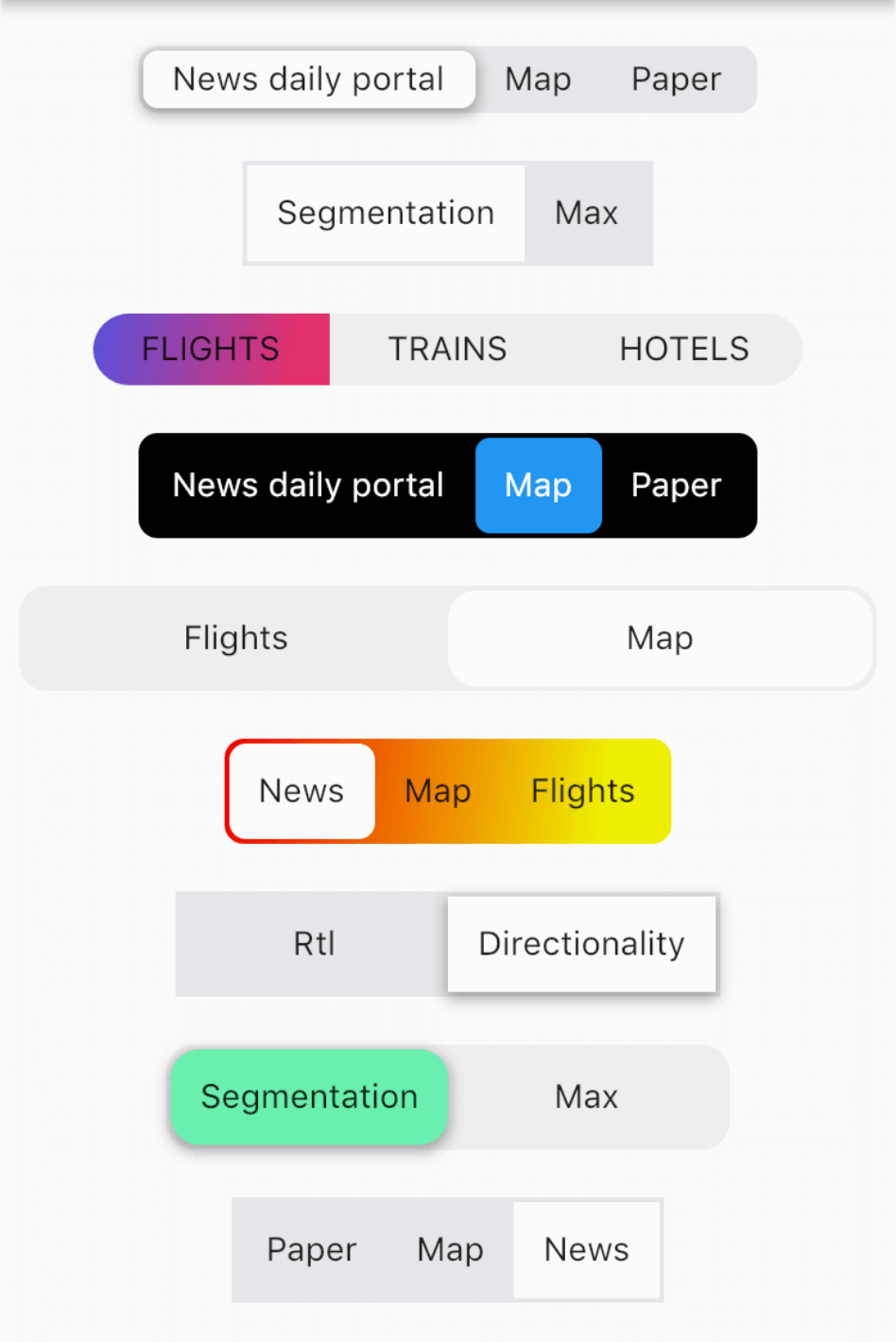
import 'package:custom_sliding_segmented_control/custom_sliding_segmented_control.dart';

CustomSlidingSegmentedControl<int>(
  initialValue: 2,
  children: {
    1: Text('News daily portal'),
    2: Text('Map'),
    3: Text('Paper'),
  },
  decoration: BoxDecoration(
    color: CupertinoColors.lightBackgroundGray,
    borderRadius: BorderRadius.circular(8),
  ),
  thumbDecoration: BoxDecoration(
    color: Colors.white,
    borderRadius: BorderRadius.circular(6),
    boxShadow: [
      BoxShadow(
        color: Colors.black.withOpacity(.3),
        blurRadius: 4.0,
        spreadRadius: 1.0,
        offset: Offset(
          0.0,
          2.0,
        ),
      ),
    ],
  ),
  duration: Duration(milliseconds: 300),
  curve: Curves.easeInToLinear,
  onValueChanged: (v) {
    print(v);
  },
),
依存関係一覧 5 件
^1.0.1{"sdk":"flutter"}^1.1.0{"sdk":"flutter"}^2.8.0用途で絞り込み、開発状況を比較し、採用前に元のリポジトリで要件を確認しましょう。
“A repository is the most basic element of GitHub.”
GitHub Docs — About repositories ↗