

v4.1.7
google_map_location_picker
🌍 google_maps_flutter を基盤とした Flutter 用マップロケーションピッカー
238いいね 15830日間ダウンロード35Pub ポイント
プラットフォーム情報なし
🌍 google_maps_flutter を基にした Flutter 用マップ位置選択コンポーネント

以下は英語原文のスナップショットです。最新版は GitHub をご覧ください。

Location picker using the official google_maps_flutter.
I made This plugin because google deprecated Place Picker.

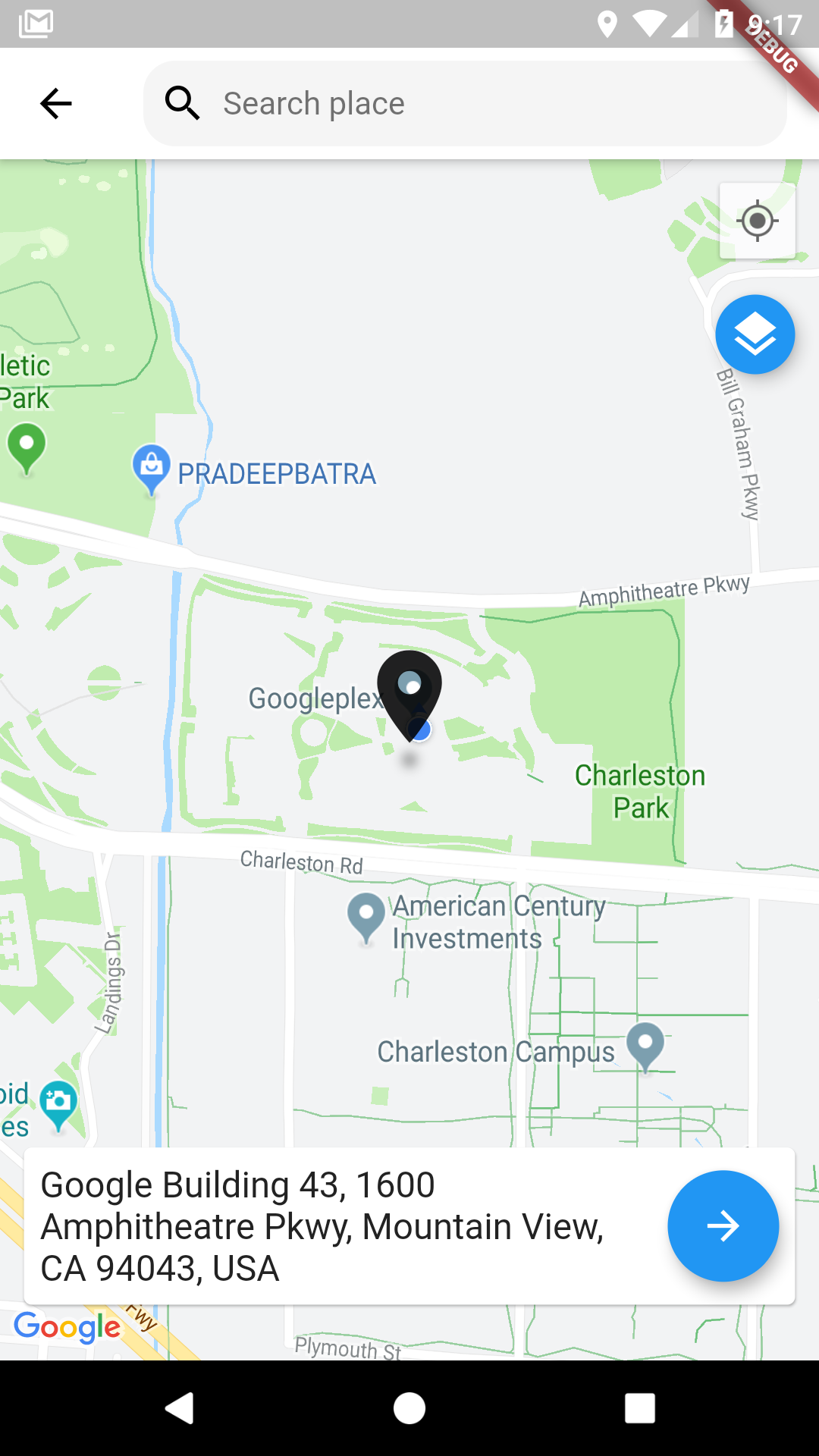
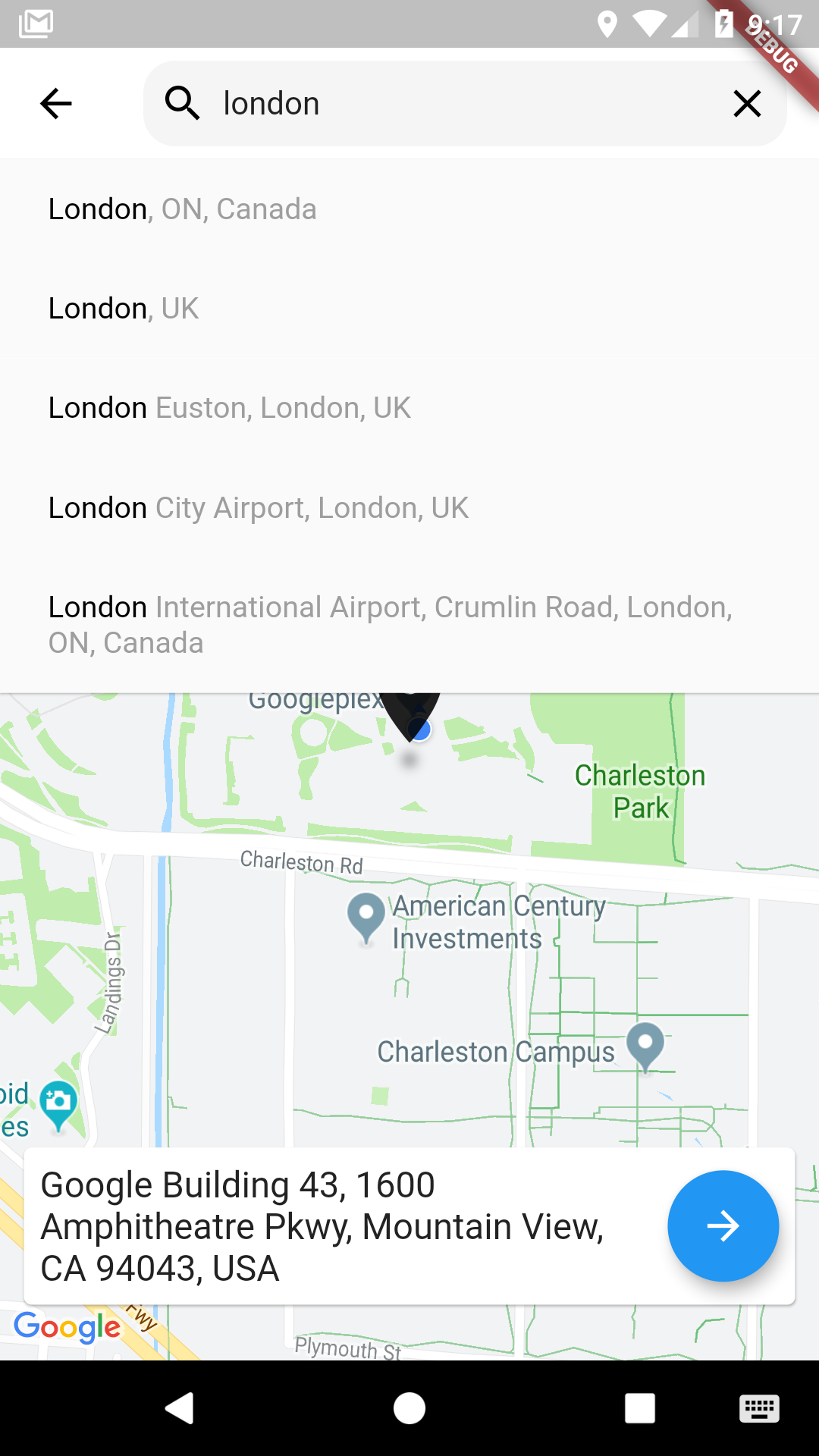
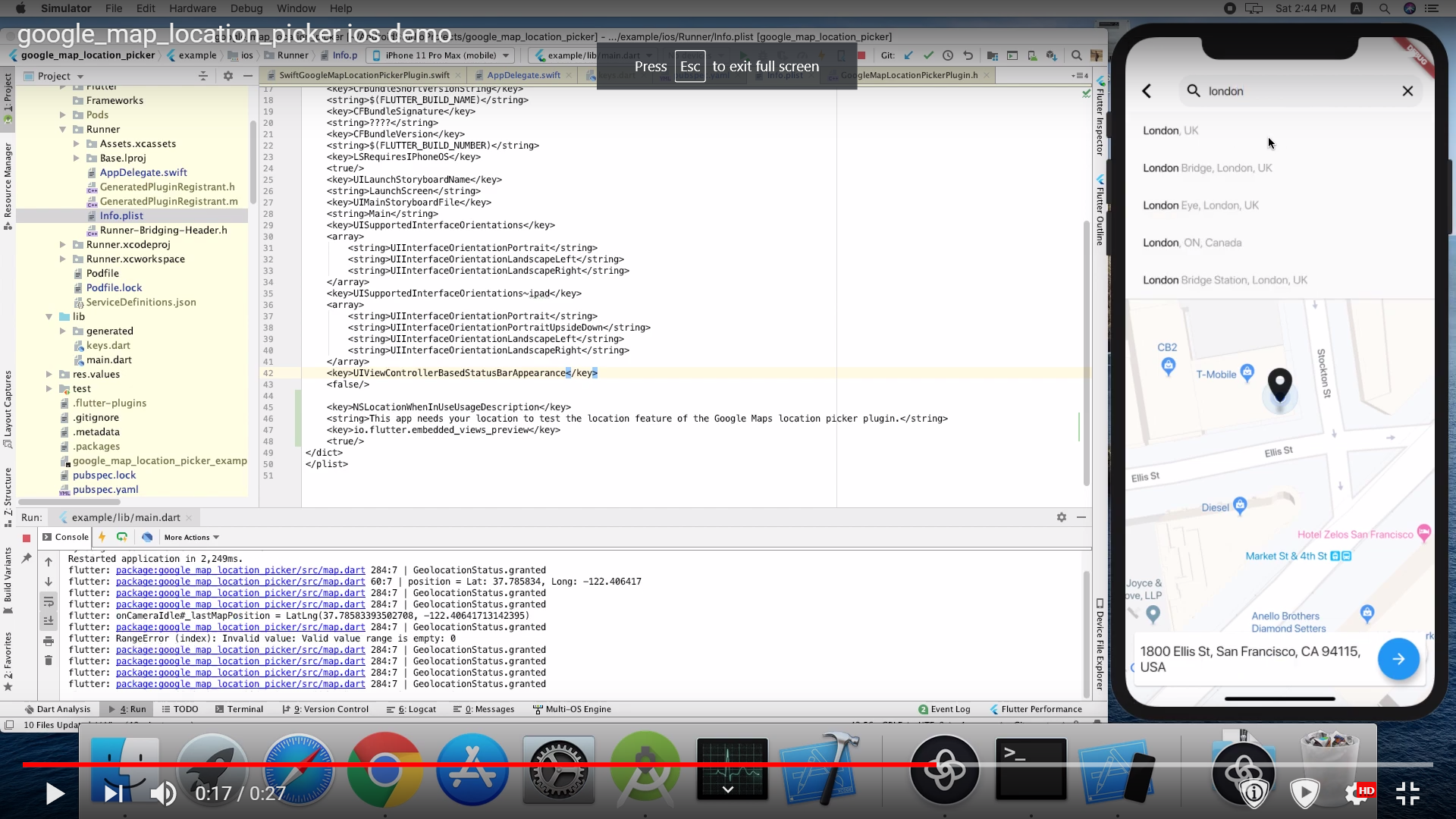
Pubspec changes:
      dependencies:

        google_maps_flutter: ^0.5.30
        google_map_location_picker: ^3.3.4
        flutter_localizations:
          sdk: flutter
For message localization inside the library please add in MaterialApp
import 'package:google_map_location_picker/generated/l10n.dart' as location_picker;
import 'package:flutter_localizations/flutter_localizations.dart';

MaterialApp(
  localizationsDelegates: const [
    location_picker.S.delegate,
    GlobalMaterialLocalizations.delegate,
    GlobalWidgetsLocalizations.delegate,
    GlobalCupertinoLocalizations.delegate,
  ],
  supportedLocales: const <Locale>[
    Locale('en', ''),
    Locale('ar', ''),
  ],
  home: ...
)
import 'package:google_map_location_picker/google_map_location_picker.dart';
import 'package:google_maps_flutter/google_maps_flutter.dart';

LocationResult result = await showLocationPicker(context, apiKey);
Get an API key at https://cloud.google.com/maps-platform/.
And don't forget to enable the following APIs in https://console.cloud.google.com/google/maps-apis/
And ensure to enable billing for the project.
Specify your API key in the application manifest android/app/src/main/AndroidManifest.xml:
<manifest ...
  <application ...
    <meta-data android:name="com.google.android.geo.API_KEY"
               android:value="YOUR KEY HERE"/>
Specify your API key in the application delegate ios/Runner/AppDelegate.m:
#include "AppDelegate.h"
#include "GeneratedPluginRegistrant.h"
#import "GoogleMaps/GoogleMaps.h"

@implementation AppDelegate

- (BOOL)application:(UIApplication *)application
    didFinishLaunchingWithOptions:(NSDictionary *)launchOptions {
  [GMSServices provideAPIKey:@"YOUR KEY HERE"];
  [GeneratedPluginRegistrant registerWithRegistry:self];
  return [super application:application didFinishLaunchingWithOptions:launchOptions];
}
@end
Or in your swift code, specify your API key in the application delegate ios/Runner/AppDelegate.swift:
import UIKit
import Flutter
import GoogleMaps

@UIApplicationMain
@objc class AppDelegate: FlutterAppDelegate {
  override func application(
    _ application: UIApplication,
    didFinishLaunchingWithOptions launchOptions: [UIApplicationLaunchOptionsKey: Any]?
  ) -> Bool {
    GMSServices.provideAPIKey("YOUR KEY HERE")
    GeneratedPluginRegistrant.register(with: self)
    return super.application(application, didFinishLaunchingWithOptions: launchOptions)
  }
}
you need also to define NSLocationWhenInUseUsageDescription
  <key>NSLocationWhenInUseUsageDescription</key>
  <string>This app needs your location to test the location feature of the Google Maps location picker plugin.</string>
The following permissions are not required to use Google Maps Android API v2, but are recommended.
android.permission.ACCESS_COARSE_LOCATION Allows the API to use WiFi or mobile cell data (or both) to determine the device's location. The API returns the location with an accuracy approximately equivalent to a city block.
android.permission.ACCESS_FINE_LOCATION Allows the API to determine as precise a location as possible from the available location providers, including the Global Positioning System (GPS) as well as WiFi and mobile cell data.
You must also explicitly declare that your app uses the android.hardware.location.network or android.hardware.location.gps hardware features if your app targets Android 5.0 (API level 21) or higher and uses the ACCESS_COARSE_LOCATION or ACCESS_FINE_LOCATION permission in order to receive location updates from the network or a GPS, respectively.
<uses-feature android:name="android.hardware.location.network" android:required="false" />
<uses-feature android:name="android.hardware.location.gps" android:required="false"  />
The following permissions are defined in the package manifest, and are automatically merged into your app's manifest at build time. You don't need to add them explicitly to your manifest:
android.permission.INTERNET Used by the API to download map tiles from Google Maps servers.
android.permission.ACCESS_NETWORK_STATE Allows the API to check the connection status in order to determine whether data can be downloaded.
The LocationResults returned can be restricted to certain countries by passing an array of country codes into the countries parameter of showLocationPicker(). Countries must be two character, ISO 3166-1 Alpha-2 compatible.
You can find code information at Wikipedia: List of ISO 3166 country codes or the ISO Online Browsing Platform.
The example below restricts Autocomplete Search to the United Arab Emirates and Nigeria
showLocationPicker(
context, "YOUR API KEY HERE",
initialCenter: LatLng(31.1975844, 29.9598339),
myLocationButtonEnabled: true,
layersButtonEnabled: true,
countries: ['AE', 'NG'],
);
The google map from Flutter's google_maps_flutter package
current location and permission from BaseflowIT's flutter-geolocator package.
The search bar from Degreat's locationpicker package.
依存関係一覧 11 件
{"sdk":"flutter"}{"sdk":"flutter"}^0.17.0^2.0.1^6.1.14^2.0.0^5.0.0^0.13.0^1.10.0^2.0.0{"sdk":"flutter"}用途で絞り込み、開発状況を比較し、採用前に元のリポジトリで要件を確認しましょう。
“A repository is the most basic element of GitHub.”
GitHub Docs — About repositories ↗