

 v2.6.1
sms_autofill
SMS コードのオートフィル機能を提供する Flutter プラグイン
881いいね 20.7万30日間ダウンロード140Pub ポイント
AndroidiOS
SMS コードのオートフィル機能を提供する Flutter プラグイン

以下は英語原文のスナップショットです。最新版は GitHub をご覧ください。
 Flutter plugin to provide SMS code autofill support.
For iOS, this package is not needed as the SMS autofill is provided by default, but not for Android, that's where this package is useful.
No permission to read SMS messages is asked to the user as there no need thanks to SMSRetriever API.
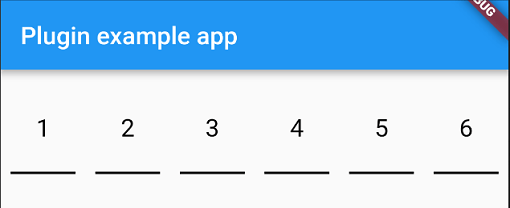
You have two widgets at your disposable for autofill an SMS code, PinFieldAutoFill and TextFieldPinAutoFill.
Just before you sent your phone number to the backend, you need to let the plugin know that it needs to listen for the SMS with the code.
To do that you need to do:
await SmsAutoFill().listenForCode();
This will listen for the SMS with the code during 5 minutes and when received, autofill the following widget.
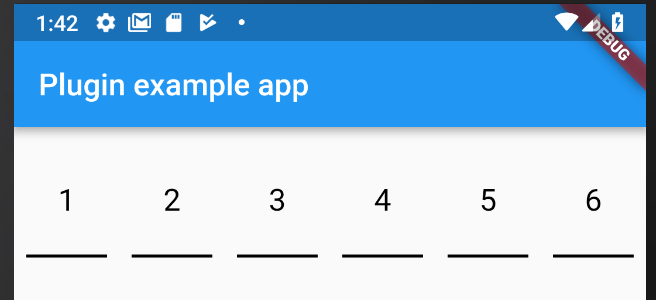
PinFieldAutoFill(
                decoration: // UnderlineDecoration, BoxLooseDecoration or BoxTightDecoration see https://github.com/TinoGuo/pin_input_text_field for more info,
                currentCode: // prefill with a code
                onCodeSubmitted: //code submitted callback
                onCodeChanged: //code changed callback
                codeLength: //code length, default 6
              ),
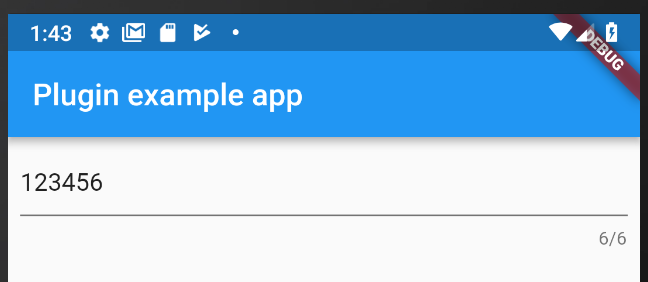
TextFieldPinAutoFill(
                decoration: // basic InputDecoration
                currentCode: // prefill with a code
                onCodeSubmitted: //code submitted callback
                onCodeChanged: //code changed callback
                codeLength: //code length, default 6
              ),
For the code to be receive, it need to follow some rules as describe here: https://developers.google.com/identity/sms-retriever/verify
One example of SMS would be:
ExampleApp: Your code is 123456
FA+9qCX9VSu
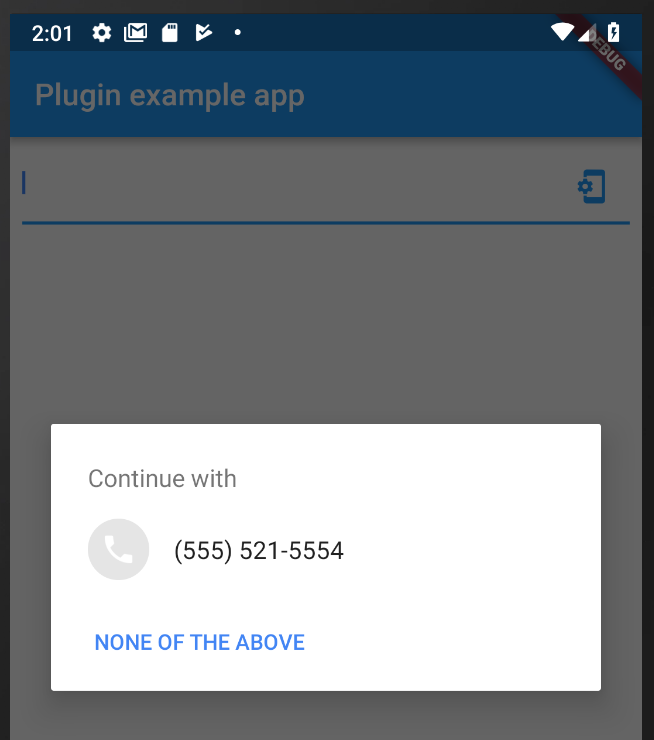
PhoneFieldHint is a widget that will allow you ask for system phone number and autofill the widget if a phone is choosen by the user.
If you want to create a custom widget that will autofill with the sms code, you can use the CodeAutoFill mixin that will offer you:
listenForCode() to listen for the SMS code from the native plugin when SMS is received, need to be called on your initState.cancel() to dispose the subscription of the SMS code from the native plugin, need to be called on your dispose.codeUpdated() called when the code is received, you can access the value with the field code.unregisterListener() to unregister the broadcast receiver, need to be called on your dispose.To get the app signature at runtime just call the getter getAppSignature on SmsAutoFill. You can also find the sample code in example app.
依存関係一覧 2 件
>=4.2.0 <5.0.0{"sdk":"flutter"}用途で絞り込み、開発状況を比較し、採用前に元のリポジトリで要件を確認しましょう。
“A repository is the most basic element of GitHub.”
GitHub Docs — About repositories ↗