
pip_flutter
kesmitopiwala/pip_flutter open-source repository details.

- スター
- 15
- フォーク
- 39
- 最終プッシュ(UTC)
- 2023/05/09
- プロジェクト状態
- 公開中
元の README
以下は英語原文のスナップショットです。最新版は GitHub をご覧ください。
pip_flutter
A Flutter plugin for Android and ios for make video in picture in picture mode.
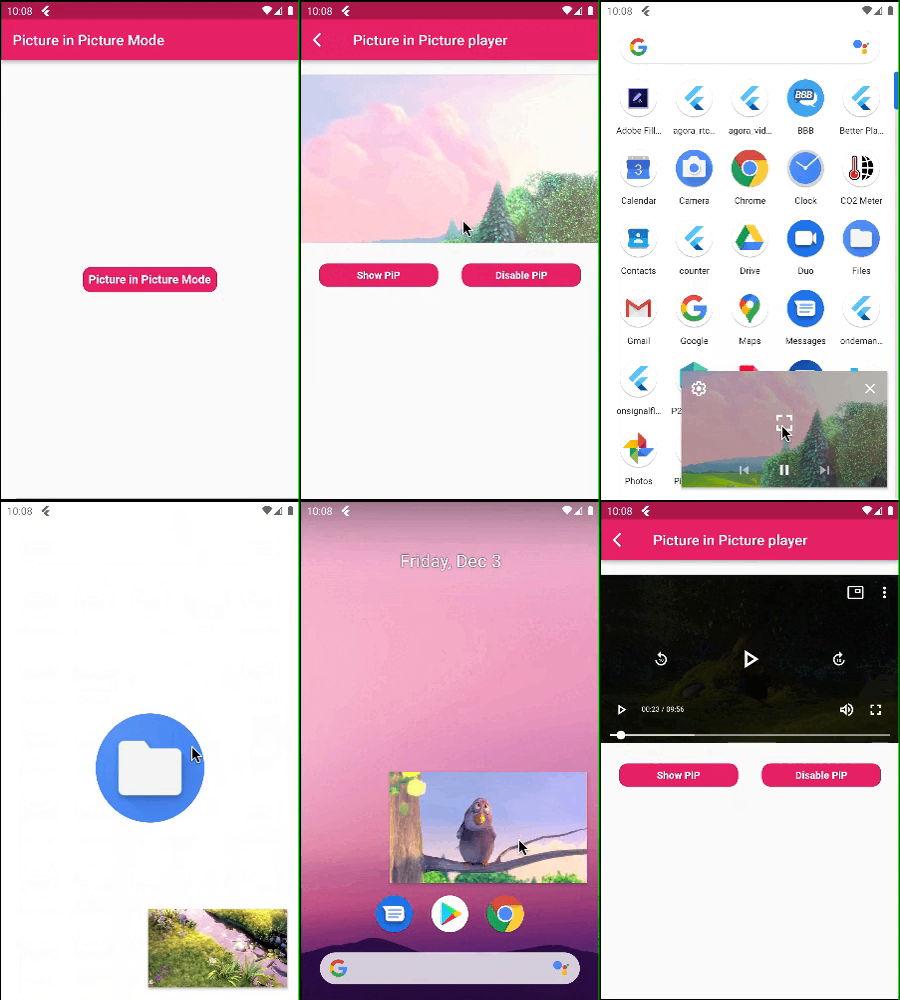
Picture in Picture Mode Flutter
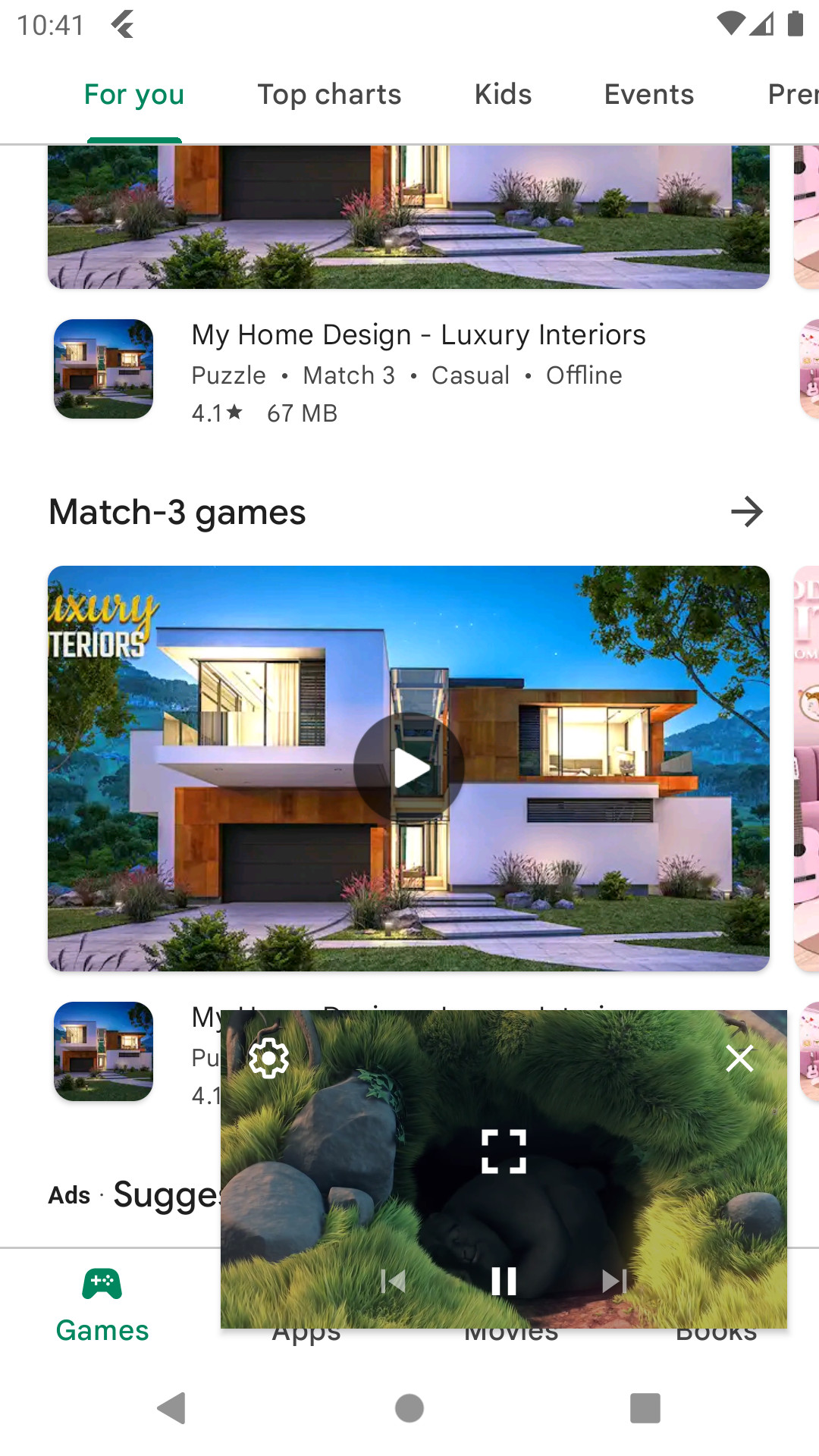
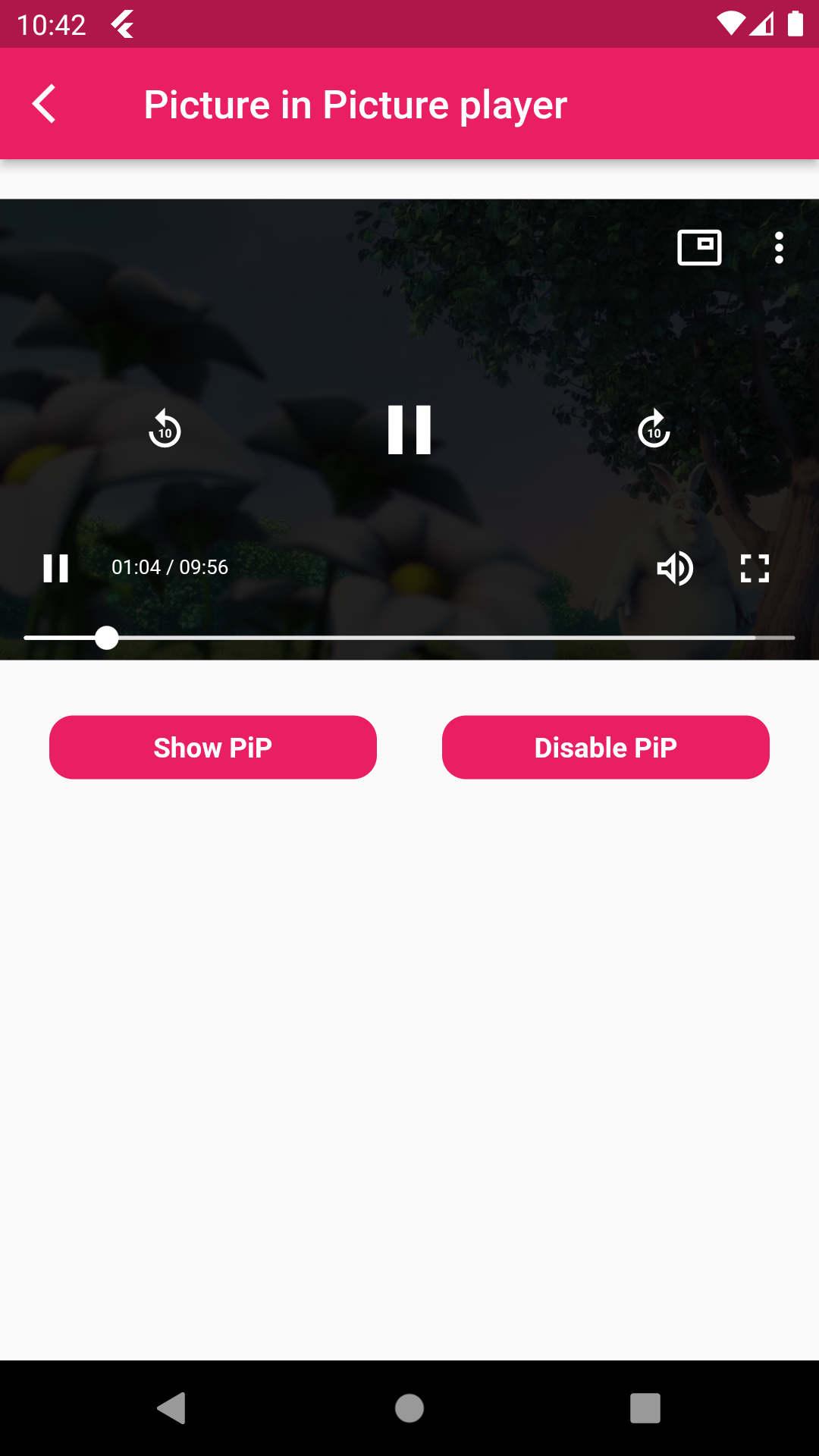
| Picture in Picture Mode | Disable Picture in Picture Mode |
|---|---|
 |
 |
A flutter package pip flutter which will help to put your video in pip mode.
Features 💚
- Put your video in Picture in Picture mode.
- Also mute sound and play and pause the video.
- Make video in full screen mode,set play back speed of video
Installation
First, add pip_flutter as a dependency in your pubspec.yaml file.
Android
Add below permission in your AndroidManifest.xml file ,also specified picture in picture mode in your activity tag and add foreground service for when app is not in background that time app not kill and running in foregorund and also add update code of MainActivity.kt and add PipFlutterPlayerService.
    <uses-permission android:name="android.permission.INTERNET"/>
    <uses-permission android:name="android.permission.FOREGROUND_SERVICE" />

    <activity
            android:name=".MainActivity"
            android:supportsPictureInPicture="true"
            android:launchMode="singleTop"
            android:theme="@style/LaunchTheme"
            android:configChanges="orientation|keyboardHidden|keyboard|screenSize|smallestScreenSize|locale|layoutDirection|fontScale|screenLayout|density|uiMode"
            android:hardwareAccelerated="true"
            android:windowSoftInputMode="adjustResize"
            android:exported="true"/>

    <service
           android:name=".PipFlutterPlayerService"
           android:stopWithTask="false" />
IOS
In Xcode of your project set ios deployment info 11.0 and set in below code in your Info.plist file.
<key>NSAppTransportSecurity</key>
<dict>
<key>NSAllowsArbitraryLoads</key>
<true/>
</dict>
<key>NSBonjourServices</key>
<array>
<string>_dartobservatory._tcp</string>
</array>
<key>UIBackgroundModes</key>
<array>
<string>audio</string>
<string>processing</string>
<string>remote-notification</string>
</array>
How to use
- PipFlutterPlayerConfiguration : Put this class for your video configuration.
PipFlutterPlayerConfiguration pipFlutterPlayerConfiguration =
const PipFlutterPlayerConfiguration(
  aspectRatio: 16 / 9,
  fit: BoxFit.contain,
);
- PipFlutterPlayerDataSource : Put this class for declare your video type url and url.
PipFlutterPlayerDataSource dataSource = PipFlutterPlayerDataSource(
  PipFlutterPlayerDataSourceType.network,
  'http://commondatastorage.googleapis.com/gtv-videos-bucket/sample/BigBuckBunny.mp4',
);
- PipFlutterPlayer :
PipFlutterPlayer(
controller: pipFlutterPlayerController,
key: pipFlutterPlayerKey,
),
- Make your video in Pip mode put this code on your onTap.
pipFlutterPlayerController.enablePictureInPicture(pipFlutterPlayerKey);
- And make your video in disable mode put this code on your onTap.
pipFlutterPlayerController.disablePictureInPicture();
Run the example app in the exmaple folder to find out more about how to use it.

Kesmi Topiwala ↗
使用している依存関係
依存関係一覧 10 件
- flutter
{"sdk":"flutter"} - wakelock
^0.5.6 - visibility_detector
^0.2.0 - xml
^5.3.0 - pedantic
^1.11.1 - flutter_widget_from_html_core
^0.8.2 - path_provider
^2.0.5 - collection
^1.15.0 - flutter_test開発用
{"sdk":"flutter"} - flutter_lints開発用
^1.0.0
プロジェクトに合うリポジトリを選ぶには?
用途で絞り込み、開発状況を比較し、採用前に元のリポジトリで要件を確認しましょう。
- 名前・作者・説明で検索し、技術トピックで絞り込みます。
- スター、フォーク、最近のプッシュを比較します。スターは関心の目安であり、品質の保証ではありません。
- 利用前に GitHub で README、ライセンス、Issues を確認します。
情報源と管理
“A repository is the most basic element of GitHub.”
GitHub Docs — About repositories ↗