
 v3.2.2
multi_dropdown
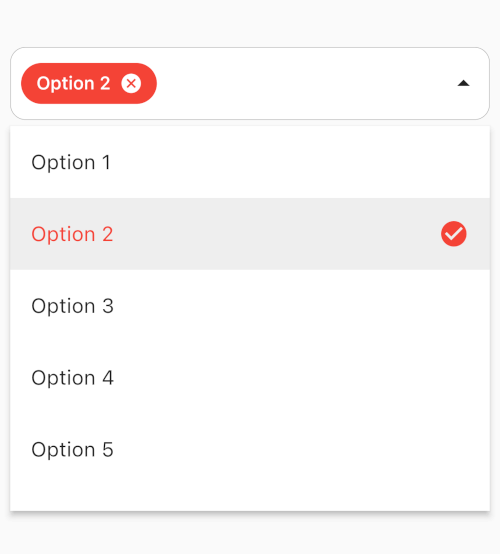
広範なカスタマイズが可能な、多様なマルチセレクションに対応したスムーズなFlutterウィジェット。
384いいね 4.3万30日間ダウンロード140Pub ポイント
AndroidiOSmacOSWindowsLinux
Harmony Forgeは、FlaskとFlutterを統合した音楽生成プラットフォームです。Flaskは音楽生成、ユーザー認証、モデル監視などのバックエンドタスクを管理し、FlutterのAndroidアプリは使いやすいインターフェースを提供します。これらが連携することで、ユーザーは機械学習モデルと現代的なデザイン原則を通じて、スムーズに音楽を作成できます。
 v3.2.2
広範なカスタマイズが可能な、多様なマルチセレクションに対応したスムーズなFlutterウィジェット。
HTMLのエスケープを解除するための小さなライブラリです。すべての名前付き文字参照、10進数文字参照、16進数文字参照をサポートしています。
JSON Web Token をデコードし、有効期限を確認して提供する簡単な Dart パッケージ
Android および iOS でさまざまな設定画面を開くための最も包括的な Flutter プラグインパッケージ
以下は英語原文のスナップショットです。最新版は GitHub をご覧ください。
Harmony Forge Logo
Harmony Forge is a music generation platform that combines the power of a Flask server for backend processing, a Flutter app for the Android client interface, and allows users to generate music seamlessly.
The Flask server acts as the backend for the Harmony Forge project. It handles music generation requests, manages user authentication and accounts, provides an admin panel for model management, and ensures a secure environment. Additionally, Harmony Forge leverages LSTM networks for MIDI generation, enabling users to create diverse musical compositions.
Music Generation with LSTM: Utilizes LSTM (Long Short-Term Memory) networks trained on MIDI datasets to generate music based on user preferences and inputs. The LSTM model can capture complex musical patterns and nuances, resulting in diverse and expressive MIDI outputs.
Multiple Instrument Support: Harmony Forge supports multiple instruments for MIDI generation, allowing users to specify instrument tracks and arrangements to create rich and varied musical compositions.
Custom Model Creation: Users have the flexibility to create custom LSTM models tailored to their musical style and preferences. By training the LSTM network on specific MIDI datasets, users can fine-tune the model to generate music that aligns with their artistic vision.
Clone the repository:
git clone https://github.com/jztchl/Harmony-Forge.git
Navigate to the Flask server directory:
cd Harmony-Forge/server
Install dependencies:
pip install -r needs.txt
Set up Configuration variables: Configure the following in the config.py after adding it:
import os
from datetime import timedelta
class Config:
    SECRET_KEY = 'your_secret_key_here'
    SQLALCHEMY_DATABASE_URI = 'sqlite:///users.db'
    JWT_ACCESS_TOKEN_EXPIRES = timedelta(hours=3)
    JWT_REFRESH_TOKEN_EXPIRES = timedelta(days=30)
    MAIL_SERVER = 'smtp.example.com'
    MAIL_PORT = 587
    MAIL_USE_TLS = True
    MAIL_DEFAULT_SENDER = your_email@example.com
    MAIL_USERNAME = your_email@example.com
    MAIL_PASSWORD = your_email_password
Run the Flask server:
python flask_app.py
The Flask server will run on http://localhost:5000.
Or you could run the project in the command line:
python control.py
By integrating LSTM networks for MIDI generation, Harmony Forge offers users the ability to create sophisticated and personalized musical pieces with rich instrumentation and customized model training.
The Harmony Forge project includes an Android Flutter app that serves as the client-side interface for users. Here are some key points about the Flutter app:
Install Flutter SDK and set up your development environment: Flutter Installation Guide
Clone the repository:
git clone https://github.com/jztchl/Harmony-Forge.git
Navigate to the Flutter app directory:
cd Harmony-Forge/flutter_app
Install dependencies:
flutter pub get
Configure the urls in api lib/api_endpoints.dart:
const String BASE_URL = 'server url';
note:be in same network running locally
Run the Flutter app:
flutter run
The Flutter app will build and run on your connected Android device or emulator.
Feel free to explore the full potential of Harmony Forge by setting up both the Flask server and Flutter app and experimenting with music generation and user interactions!