
 v0.0.6
circular_motion
円形に配置されたウィジェットを作成し、スクロールして目的の円形の方法で回転させることができるパッケージ。
31いいね 11930日間ダウンロード160Pub ポイント
AndroidiOSWebmacOSWindowsLinux
バウンデッド領域内に円形リスト/モーションスクロール効果を作成するためのFlutterパッケージ。

{"sdk":"flutter"}{"sdk":"flutter"}^3.0.1以下は英語原文のスナップショットです。最新版は GitHub をご覧ください。
easy dashboard
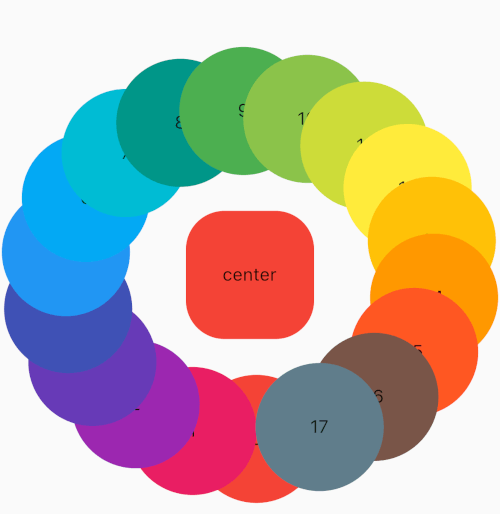
This package provides a way to create widgets in a circular position and able to scroll and make them rotate.
API
centerWidget
The centerWidget is the widget that will be in the center of the circular motion.
centerWidget: Text('Center'),
behavior
The behavior is used to control how the gesture should behave during interaction .
behavior: HitTestBehavior.translucent,
speedRunEnabled
The speedRunEnabled is used to determine if after a scroll gesture is completed , the items should rotate in a velocity similar to the gesture . If false the items will not rotate after the gesture is completed . It defaults to true .
speedRunEnabled: true,
Example:
CircularMotion(
    centerWidget: Text('Center'),
    children: [
     Text('0'),
     Text('1'),
     Text('2'),
     Text('3'),
  ],
)
Example
CircularMotion.builder(
    itemCount: 18,
    centerWidget: Text('Center'),
    builder: (context, index) {
      return Text('$index');
    }
)
Please feel free to report any issues you face
Also PR's and additional feedback is appreciated
Enjoy 💫