
flutter_flipperkit
Flutter用のFlipper(拡張可能なモバイルアプリデバッガー)。

- スター
- 367
- フォーク
- 58
- 最終プッシュ(UTC)
- 2023/07/18
- プロジェクト状態
- アーカイブ済み
元の README
以下は英語原文のスナップショットです。最新版は GitHub をご覧ください。
flutter_flipperkit

Table of Contents generated with DocToc
Introduction
Flipper (Extensible mobile app debugger) for flutter. View document
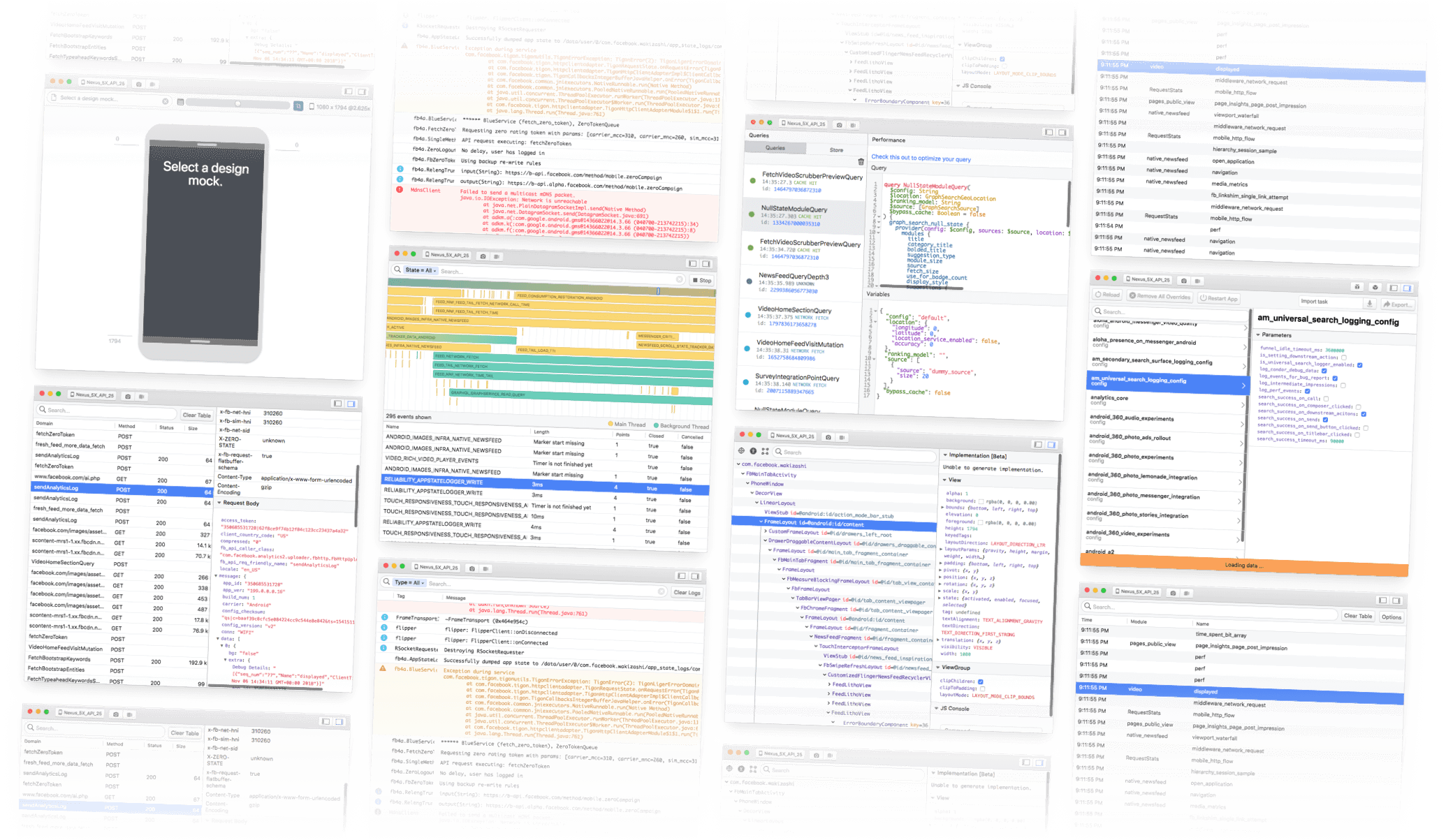
Features
- Network inspector
- Shared preferences inspector
- Redux inspector
- Database Browser
Quick Start
Prerequisites
Before starting make sure you have:
- Installed Flipper Desktop
Installation
Add this to your package's pubspec.yaml file:
dependencies:
  flutter_flipperkit: ^0.0.29
Or
dependencies:
  flutter_flipperkit:
    git:
      url: https://github.com/leanflutter/flutter_flipperkit
      ref: main
Android
Change your project files according to the example:
android/settings.gradle:
include ':app'

def localPropertiesFile = new File(rootProject.projectDir, "local.properties")
def properties = new Properties()

assert localPropertiesFile.exists()
localPropertiesFile.withReader("UTF-8") { reader -> properties.load(reader) }

def flutterSdkPath = properties.getProperty("flutter.sdk")
assert flutterSdkPath != null, "flutter.sdk not set in local.properties"
apply from: "$flutterSdkPath/packages/flutter_tools/gradle/app_plugin_loader.gradle"

+ def flutterProjectRoot = rootProject.projectDir.parentFile.toPath()
+ def plugins = new Properties()
+ def pluginsFile = new File(flutterProjectRoot.toFile(), '.flutter-plugins')
+ assert pluginsFile.exists()
+ pluginsFile.withReader("UTF-8") { reader -> plugins.load(reader) }
+ plugins.each { name, path ->
+     def pluginDirectory = flutterProjectRoot.resolve(path).resolve('android').toFile()
+     if (name == 'flutter_flipperkit') {
+         include ':flipper-no-op'
+         project(':flipper-no-op').projectDir = new File(pluginDirectory, 'flipper-no-op')
+     }
+ }
iOS
Open
ios/Runner.xcworkspaceAdd a empty Swift file (e.gRunner-Noop.swift) intoRunnerGroup And make sure theRunner-Bridging-Header.hfile is created.
Change your project ios/Podfile file according to the example:
# Uncomment this line to define a global platform for your project
# platform :ios, '11.0'

# CocoaPods analytics sends network stats synchronously affecting flutter build latency.
ENV['COCOAPODS_DISABLE_STATS'] = 'true'

project 'Runner', {
  'Debug' => :debug,
  'Profile' => :release,
  'Release' => :release,
}

def flutter_root
  generated_xcode_build_settings_path = File.expand_path(File.join('..', 'Flutter', 'Generated.xcconfig'), __FILE__)
  unless File.exist?(generated_xcode_build_settings_path)
    raise "#{generated_xcode_build_settings_path} must exist. If you're running pod install manually, make sure flutter pub get is executed first"
  end

  File.foreach(generated_xcode_build_settings_path) do |line|
    matches = line.match(/FLUTTER_ROOT\=(.*)/)
    return matches[1].strip if matches
  end
  raise "FLUTTER_ROOT not found in #{generated_xcode_build_settings_path}. Try deleting Generated.xcconfig, then run flutter pub get"
end

require File.expand_path(File.join('packages', 'flutter_tools', 'bin', 'podhelper'), flutter_root)

flutter_ios_podfile_setup

target 'Runner' do
  flutter_install_all_ios_pods File.dirname(File.realpath(__FILE__))
end

post_install do |installer|
  installer.pods_project.targets.each do |target|
    flutter_additional_ios_build_settings(target)
  end
end
Usage
import 'package:flutter_flipperkit/flutter_flipperkit.dart';

void main() {
  FlipperClient flipperClient = FlipperClient.getDefault();

  flipperClient.addPlugin(new FlipperNetworkPlugin(
    // If you use http library, you must set it to false and use https://pub.dev/packages/flipperkit_http_interceptor
    // useHttpOverrides: false,
    // Optional, for filtering request
    filter: (HttpClientRequest request) {
      String url = '${request.uri}';
      if (url.startsWith('https://via.placeholder.com') || url.startsWith('https://gravatar.com')) {
        return false;
      }
      return true;
    }
  ));
  flipperClient.addPlugin(new FlipperReduxInspectorPlugin());
  flipperClient.addPlugin(new FlipperSharedPreferencesPlugin());
  flipperClient.start();

  runApp(MyApp());
}

...
Please refer to examples, to integrate
flutter_flipperkitinto your project.
You can install packages from the command line:
$ flutter clean
$ flutter packages get
Run the app
$ flutter run
Related Links
- https://github.com/facebook/flipper
- https://github.com/leanflutter/flipper-plugin-dbbrowser
- https://github.com/leanflutter/flipper-plugin-reduxinspector
Discussion
If you have any suggestions or questions about this project, you can discuss it by Telegram Group with me.
License
MIT License

Copyright (c) 2019-2023 LiJianying <lijy91@foxmail.com>

Permission is hereby granted, free of charge, to any person obtaining a copy
of this software and associated documentation files (the "Software"), to deal
in the Software without restriction, including without limitation the rights
to use, copy, modify, merge, publish, distribute, sublicense, and/or sell
copies of the Software, and to permit persons to whom the Software is
furnished to do so, subject to the following conditions:

The above copyright notice and this permission notice shall be included in all
copies or substantial portions of the Software.

THE SOFTWARE IS PROVIDED "AS IS", WITHOUT WARRANTY OF ANY KIND, EXPRESS OR
IMPLIED, INCLUDING BUT NOT LIMITED TO THE WARRANTIES OF MERCHANTABILITY,
FITNESS FOR A PARTICULAR PURPOSE AND NONINFRINGEMENT. IN NO EVENT SHALL THE
AUTHORS OR COPYRIGHT HOLDERS BE LIABLE FOR ANY CLAIM, DAMAGES OR OTHER
LIABILITY, WHETHER IN AN ACTION OF CONTRACT, TORT OR OTHERWISE, ARISING FROM,
OUT OF OR IN CONNECTION WITH THE SOFTWARE OR THE USE OR OTHER DEALINGS IN THE
SOFTWARE.

lijy91-archives-repos ↗
カテゴリー
使用している依存関係
依存関係一覧 3 件
- flutter
{"sdk":"flutter"} - uuid
^3.0.4 - flutter_test開発用
{"sdk":"flutter"}
プロジェクトに合うリポジトリを選ぶには?
用途で絞り込み、開発状況を比較し、採用前に元のリポジトリで要件を確認しましょう。
- 名前・作者・説明で検索し、技術トピックで絞り込みます。
- スター、フォーク、最近のプッシュを比較します。スターは関心の目安であり、品質の保証ではありません。
- 利用前に GitHub で README、ライセンス、Issues を確認します。
情報源と管理
“A repository is the most basic element of GitHub.”
GitHub Docs — About repositories ↗