
 v0.9.7
pip_view
浮動ウィジェットの下にウィジェットを表示するためのウィジェット。
202いいね 492030日間ダウンロード160Pub ポイント
AndroidiOSWebmacOSWindowsLinux
lslv1243/pip_view open-source repository details.

{"sdk":"flutter"}以下は英語原文のスナップショットです。最新版は GitHub をご覧ください。
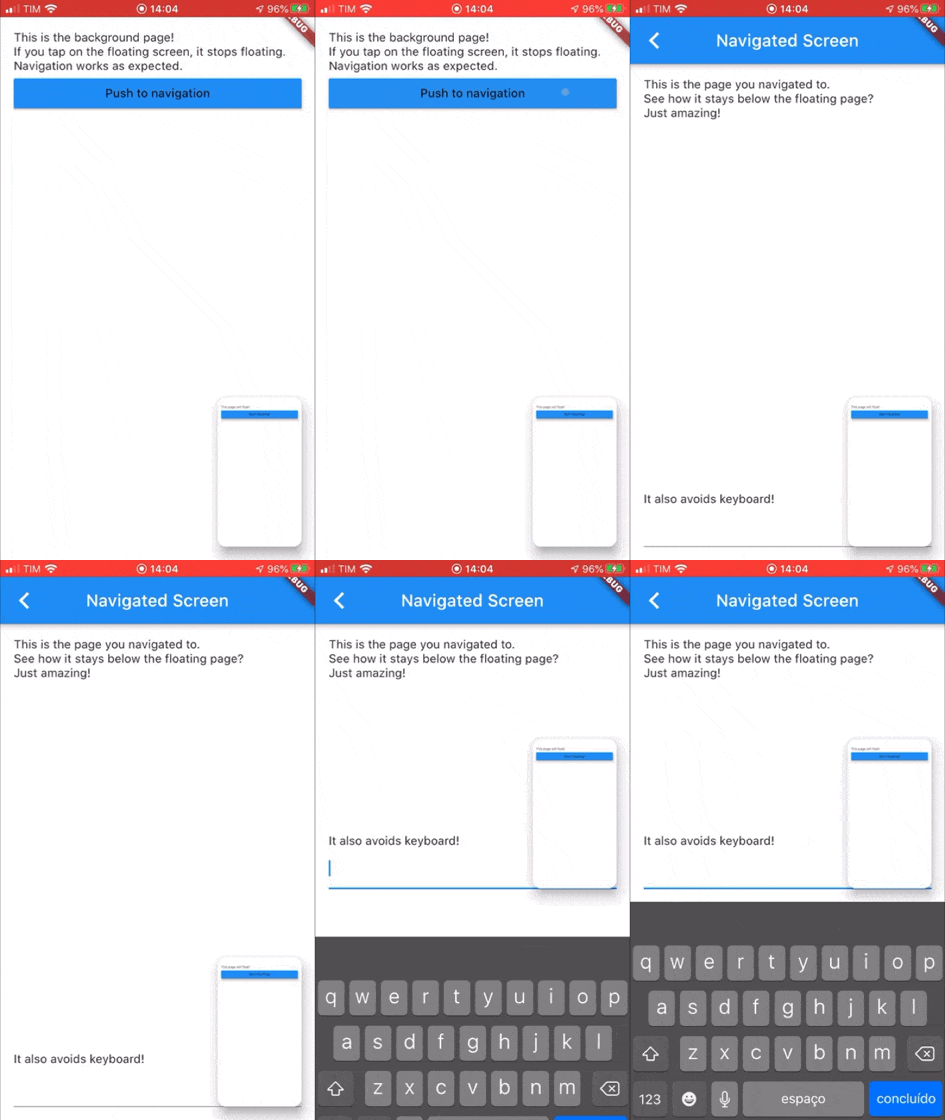
Widget to allow the presentation of a widget below a floating one. It supports moving the floating widget around which sticks to the corners.
Example GIF
Create a PIPView widget, the prop builder will be the view rendered floating when requested. To present a view below the floating view use PIPView.of(context).presentBelow(MyWidget()).
avoidKeyboard: whether the floating view should avoid the keyboard;builder: a builder for the widget to float, the second parameter indicates if the view is floating;initialCorner: the corner in which the floating view will be sticked initially
PIPViewCorner.topLeft, PIPViewCorner.topRight, PIPViewCorner.bottomLeft, PIPViewCorner.bottomRight;floatingHeight: the height of the foreground view when floating. If not set is calculated from the floatingWidth to keep aspect ratio of the screen;floatingWidth: the width of the foreground view when floating. If not set and floatingHeight is set, it is calculated from the floatingHeight value to keep aspect ratio of the screen. If not set and floatingHeight is not set, defaults to 100.0;class MyScreen extends StatelessWidget {
@override
Widget build(BuildContext context) {
return PIPView(
builder: (context, isFloating) {
return Scaffold(
body: Column(
children: [
Text('This is the screen that will float!');
MaterialButton(
child: Text('Start floating');
onPressed: () {
PIPView.of(context).presentBelow(MyBackgroundScreen());
},
),
],
);
);
},
);
}
}
class MyBackgroundScreen extends StatelessWidget {
@override
Widget build(BuildContext context) {
return Scaffold(
body: Text('This is my background screen!');
);
}
}
NOTE: If you want a more declarative way of using the PIPView, you can use RawPIPView instead.