
v13.0.1
firebase_analytics
Google Analytics for Firebase 向けの Flutter プラグイン。Android および iOS 上でのアプリ使用状況とユーザー参加度に関する洞察を提供するアプリ測定ソリューションです。
1310いいね 259万30日間ダウンロード160Pub ポイント
AndroidiOSWebmacOS
Medito アプリは、Flutterで作成された完全無料の瞑想アプリです。このアプリはAndroidおよびiOSで利用可能です。

Google Analytics for Firebase 向けの Flutter プラグイン。Android および iOS 上でのアプリ使用状況とユーザー参加度に関する洞察を提供するアプリ測定ソリューションです。
複数の Firebase アプリに接続できる Firebase Core 用 Flutter プラグイン。
Firebase Crashlytics用のFlutterプラグイン。未処理のエラーをFirebaseコンソールに報告します。
Firebase Cloud Messaging用のFlutterプラグイン。AndroidおよびiOSで信頼性のあるメッセージ配信を可能にするクロスプラットフォームメッセージングソリューションです。
リアクティブなキャッシュおよびデータバインディングフレームワーク。Riverpod は非同期コードの扱いを簡単にする。
riverpod_generator 用のアノテーションを公開するパッケージ
Riverpod用のコードジェネレーターです。構文を簡略化し、状態付きホットリロードなどの機能を強化します。
Flutter とホストプラットフォーム間の通信を型安全かつ簡単にするためのコードジェネレーターツール。
システムの WebView をバックエンドとして使用する WebView ウィジェットを提供する Flutter プラグインです。
RxDart は、非同期プログラミングのための人気のある ReactiveX API の実装であり、ネイティブな Dart Streams API を活用しています。
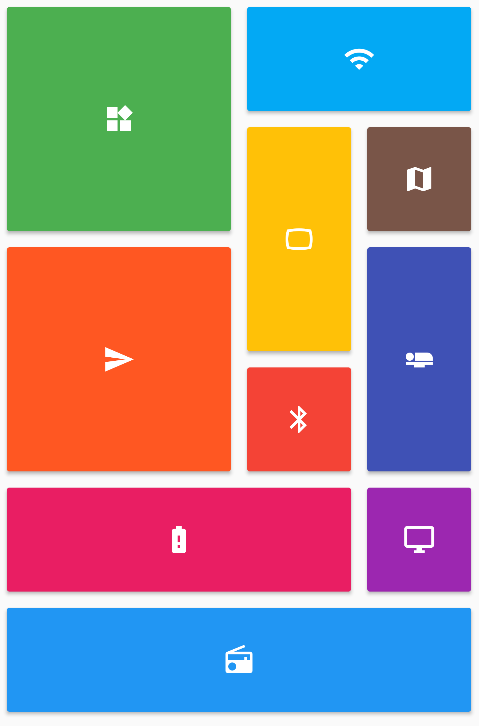 v0.7.0
Flutter グリッドレイアウト(スタガード、マーソンリー、クイルテッド、ウェーブンなど)のコレクションを提供します。
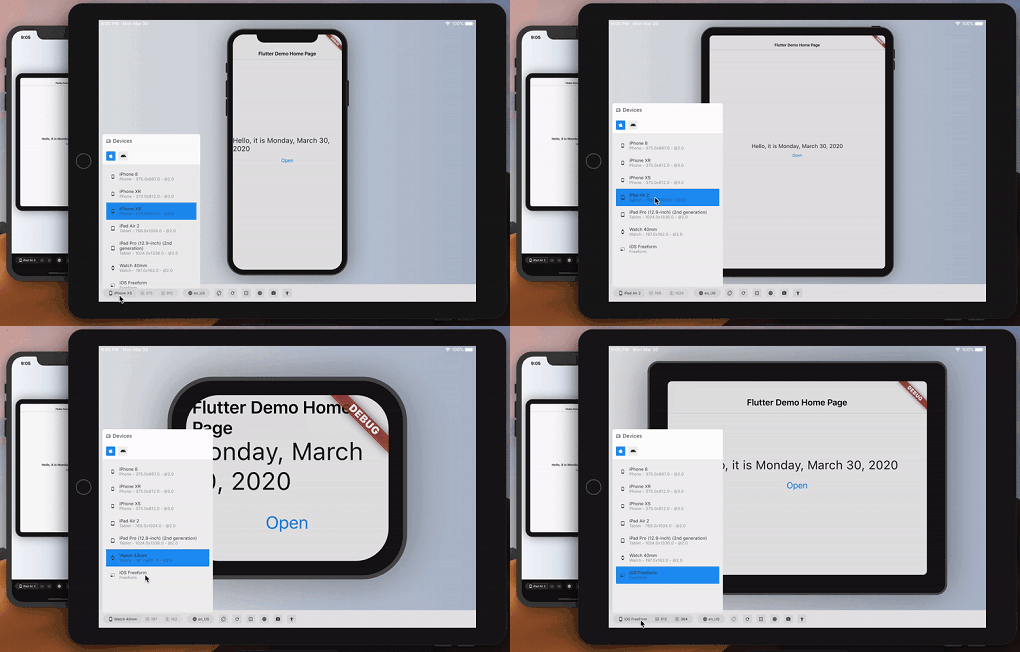 v3.0.0
別のデバイスでのFlutterアプリの外観とパフォーマンスを概算します。
依存関係一覧 65 件
{"sdk":"flutter"}{"sdk":"flutter"}^7.0.0^2.0.6+1^0.18.18^0.2.3^3.4.1^3.0.7^12.3.0^1.1.2^1.0.3^3.0.0^2.0.8^12.2.0^4.6.0^5.2.1^16.1.3^21.0.0^0.7.7+1^3.3.13.2.1^10.0.0^0.7.012.6.0^2.2.4^0.27.1^3.1.0^13.3.1^1.6.0^4.8.0^2.0.11^0.20.2^4.11.0^0.10.5^9.0.1^2.1.5^12.0.1^0.6.0^4.0.2^0.28.0^12.0.2^2.5.5^3.0.0^3.2.0^0.11.0^6.3.2^4.5.3^4.10.0^6.6.1^6.2.7^0.9.1^0.0.8{"sdk":"flutter"}^2.14.1^3.0.0^6.0.0^3.2.5^6.13.0any^1.0.5^5.6.4any^26.3.2^4.0.3{"sdk":"flutter"}以下は英語原文のスナップショットです。最新版は GitHub をご覧ください。
Meditation can positively transform people's lives, and we believe no one should have to pay for it. We are the Medito Foundation, and we've built the Medito App for people who have never meditated before or want to deepen their meditation practice.
The app is free, forever: no ads, no spam, no need to sign up or pay. Medito App is a Flutter project available on Android and iOS maintained by the Medito Foundation and its community.
NOTE: If you install the Medito app using the APK file, please make sure to verify that the APK file is signed by Medito Foundation. See VERIFY_APK for more information.
Contributors can run the app without any API keys or Firebase setup using mock mode. All network calls are intercepted and return hardcoded sample data — no real credentials are needed.
Clone the repository and install dependencies:
git clone https://github.com/meditohq/medito-app.git
cd medito-app
flutter pub get
Generate required code (Pigeon + Riverpod):
flutter pub run pigeon --input pigeon_conf.dart
dart run build_runner build --delete-conflicting-outputs
Create android/keystore.properties using your own debug keystore. The Android SDK auto-creates one at ~/.android/debug.keystore with default credentials:
cp android/keystore.properties.example android/keystore.properties
Then edit android/keystore.properties with your keystore details:
storePassword=<your-keystore-password>
keyPassword=<your-key-password>
keyAlias=<your-key-alias>
storeFile=<absolute-path-to-your-keystore>
appId=meditofoundation.medito
versionCode=1
versionName=1.0.0
For the default Android debug keystore the password, key password, and alias are android, android, and androiddebugkey respectively.
Create a placeholder android/app/google-services.json (Firebase is skipped in mock mode, but Gradle requires the file)
Run the app using the "Flutter (Mock)" run configuration in VS Code or Android Studio, or from the terminal:
flutter run --flavor dev --dart-define=MOCK_MODE=true -d <device-id>
In mock mode, Firebase, the paywall webview, Stripe, and Meta SDK are all skipped. The app runs with sample content so you can work on UI and logic without real credentials.
Clone the repository:
git clone https://github.com/meditohq/medito-app.git
cd medito-app
Install dependencies:
flutter pub get
Set up environment files:
.env.staging and .env.production files in the root directory.Set up Firebase:
google-services.json (for Android) and GoogleService-Info.plist (for iOS) from the Firebase console./lib/firebase_options.dart file.To generate Pigeon code. This is required to communicate with native iOS and Android code.
flutter pub run pigeon --input pigeon_conf.dart
To generate API and state management code with Riverpod:
dart run build_runner build --delete-conflicting-outputs
This project supports separate development and production configurations. Here's how to set up and use them in different IDEs:
Add the following to your .vscode/launch.json (this file is gitignored, so each developer maintains their own):
{
  "version": "0.2.0",
  "configurations": [
    { "name": "Flutter (Dev)", "request": "launch", "type": "dart", "args": ["--flavor", "dev", "--dart-define-from-file=../.staging.json"] },
    { "name": "Flutter (Prod)", "request": "launch", "type": "dart", "args": ["--flavor", "prod"] },
    { "name": "Flutter (Mock)", "request": "launch", "type": "dart", "args": ["--flavor", "dev", "--dart-define=MOCK_MODE=true"] }
  ]
}
These configurations are defined in .run/Flutter (Dev).run.xml, .run/Flutter (Prod).run.xml, and .run/Flutter (Mock).run.xml.
Ensure that your android/app/build.gradle file has the corresponding flavor configurations set up correctly.
For Android APK signing, you need to create a keystore.properties file in the android/ directory:
android/keystore.properties.example to android/keystore.properties.jks) for signing APKsNote: Never commit keystore.properties or your .jks files to version control.
Medito Foundation: https://meditofoundation.org/.