
v0.0.1
flutter_ticket_widget
アプリにチケットウィジェットを実装するのを支援する新しいFlutterパッケージです。
63いいね 3830日間ダウンロード30Pub ポイント
プラットフォーム情報なし
アプリにチケットウィジェットを実装するのを支援する新しいFlutterパッケージです。
以下は英語原文のスナップショットです。最新版は GitHub をご覧ください。


A new Flutter package which helps you to implement Ticket Widget in your app.
The source code is 100% Dart, and everything resides in the /lib folder.



In the dependencies: section of your pubspec.yaml, add the following line:
flutter_ticket_widget: <latest_version>
Import in your project:
import 'package:flutter_ticket_widget/flutter_ticket_widget.dart';
class HomeScreen extends StatefulWidget {
  @override
  _HomeScreenState createState() => _HomeScreenState();
}

class _HomeScreenState extends State<HomeScreen> {
  @override
  Widget build(BuildContext context) {
    return Scaffold(
      backgroundColor: Colors.black,
      body: Center(
        child: FlutterTicketWidget(
          width: 350.0,
          height: 500.0,
          isCornerRounded: true,
          child: Padding(
            padding: const EdgeInsets.all(20.0),
            child: Column(
              crossAxisAlignment: CrossAxisAlignment.start,
              children: <Widget>[
                Row(
                  mainAxisAlignment: MainAxisAlignment.spaceBetween,
                  children: <Widget>[
                    Container(
                      width: 120.0,
                      height: 25.0,
                      decoration: BoxDecoration(
                        borderRadius: BorderRadius.circular(30.0),
                        border: Border.all(width: 1.0, color: Colors.green),
                      ),
                      child: Center(
                        child: Text(
                          'Business Class',
                          style: TextStyle(color: Colors.green),
                        ),
                      ),
                    ),
                    Row(
                      children: <Widget>[
                        Text(
                          'SLM',
                          style: TextStyle(
                              color: Colors.black, fontWeight: FontWeight.bold),
                        ),
                        Padding(
                          padding: const EdgeInsets.only(left: 8.0),
                          child: Icon(
                            Icons.flight_takeoff,
                            color: Colors.pink,
                          ),
                        ),
                        Padding(
                          padding: const EdgeInsets.only(left: 8.0),
                          child: Text(
                            'BTL',
                            style: TextStyle(
                                color: Colors.black,
                                fontWeight: FontWeight.bold),
                          ),
                        )
                      ],
                    )
                  ],
                ),
                Padding(
                  padding: const EdgeInsets.only(top: 20.0),
                  child: Text(
                    'Flight Ticket',
                    style: TextStyle(
                        color: Colors.black,
                        fontSize: 20.0,
                        fontWeight: FontWeight.bold),
                  ),
                ),
                Padding(
                  padding: const EdgeInsets.only(top: 25.0),
                  child: Column(
                    children: <Widget>[
                      ticketDetailsWidget(
                          'Passengers', 'Ilona', 'Date', '24-12-2018'),
                      Padding(
                        padding: const EdgeInsets.only(top: 12.0, right: 40.0),
                        child: ticketDetailsWidget(
                            'Flight', '76836A45', 'Gate', '66B'),
                      ),
                      Padding(
                        padding: const EdgeInsets.only(top: 12.0, right: 40.0),
                        child: ticketDetailsWidget(
                            'Class', 'Business', 'Seat', '21B'),
                      ),
                    ],
                  ),
                ),

                Padding(
                  padding: const EdgeInsets.only(top: 80.0, left: 30.0, right: 30.0),
                  child: Container(
                    width: 250.0,
                    height: 60.0,
                    decoration: BoxDecoration(
                        image: DecorationImage(
                            image: AssetImage('assets/barcode.png'),
                            fit: BoxFit.cover)),
                  ),
                ),
                Padding(
                  padding:
                      const EdgeInsets.only(top: 10.0, left: 75.0, right: 75.0),
                  child: Text(
                    '9824 0972 1742 1298',
                    style: TextStyle(
                      color: Colors.black,
                    ),
                  ),
                )
              ],
            ),
          ),
        ),
      ),
    );
  }

  Widget ticketDetailsWidget(String firstTitle, String firstDesc,
      String secondTitle, String secondDesc) {
    return Row(
      mainAxisAlignment: MainAxisAlignment.spaceBetween,
      children: <Widget>[
        Padding(
          padding: const EdgeInsets.only(left: 12.0),
          child: Column(
            crossAxisAlignment: CrossAxisAlignment.start,
            children: <Widget>[
              Text(
                firstTitle,
                style: TextStyle(
                  color: Colors.grey,
                ),
              ),
              Padding(
                padding: const EdgeInsets.only(top: 4.0),
                child: Text(
                  firstDesc,
                  style: TextStyle(
                    color: Colors.black,
                  ),
                ),
              )
            ],
          ),
        ),
        Padding(
          padding: const EdgeInsets.only(right: 20.0),
          child: Column(
            crossAxisAlignment: CrossAxisAlignment.start,
            children: <Widget>[
              Text(
                secondTitle,
                style: TextStyle(
                  color: Colors.grey,
                ),
              ),
              Padding(
                padding: const EdgeInsets.only(top: 4.0),
                child: Text(
                  secondDesc,
                  style: TextStyle(
                    color: Colors.black,
                  ),
                ),
              )
            ],
          ),
        )
      ],
    );
  }
}
| Flutter Ticket Widget | Example UI |
|---|---|
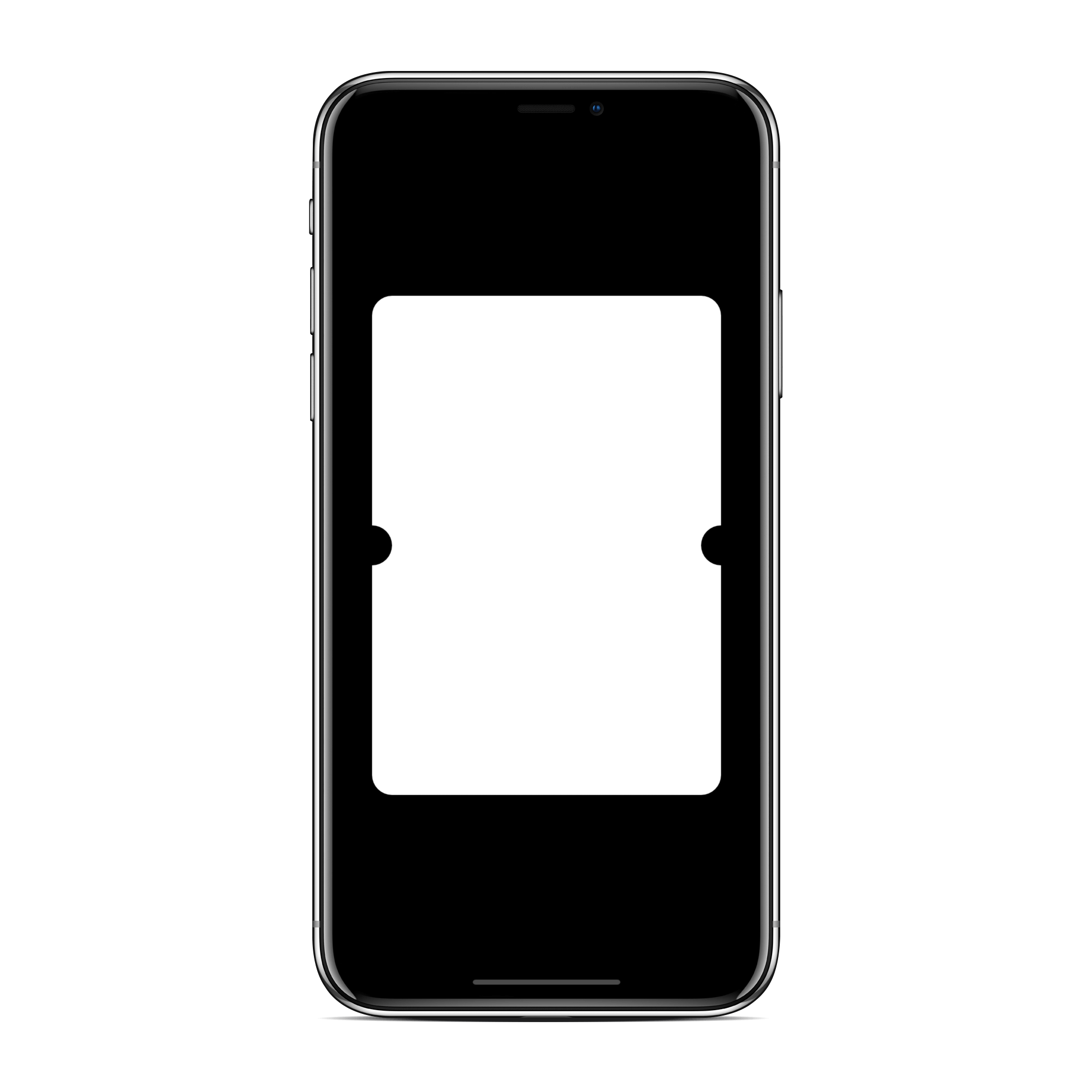 |
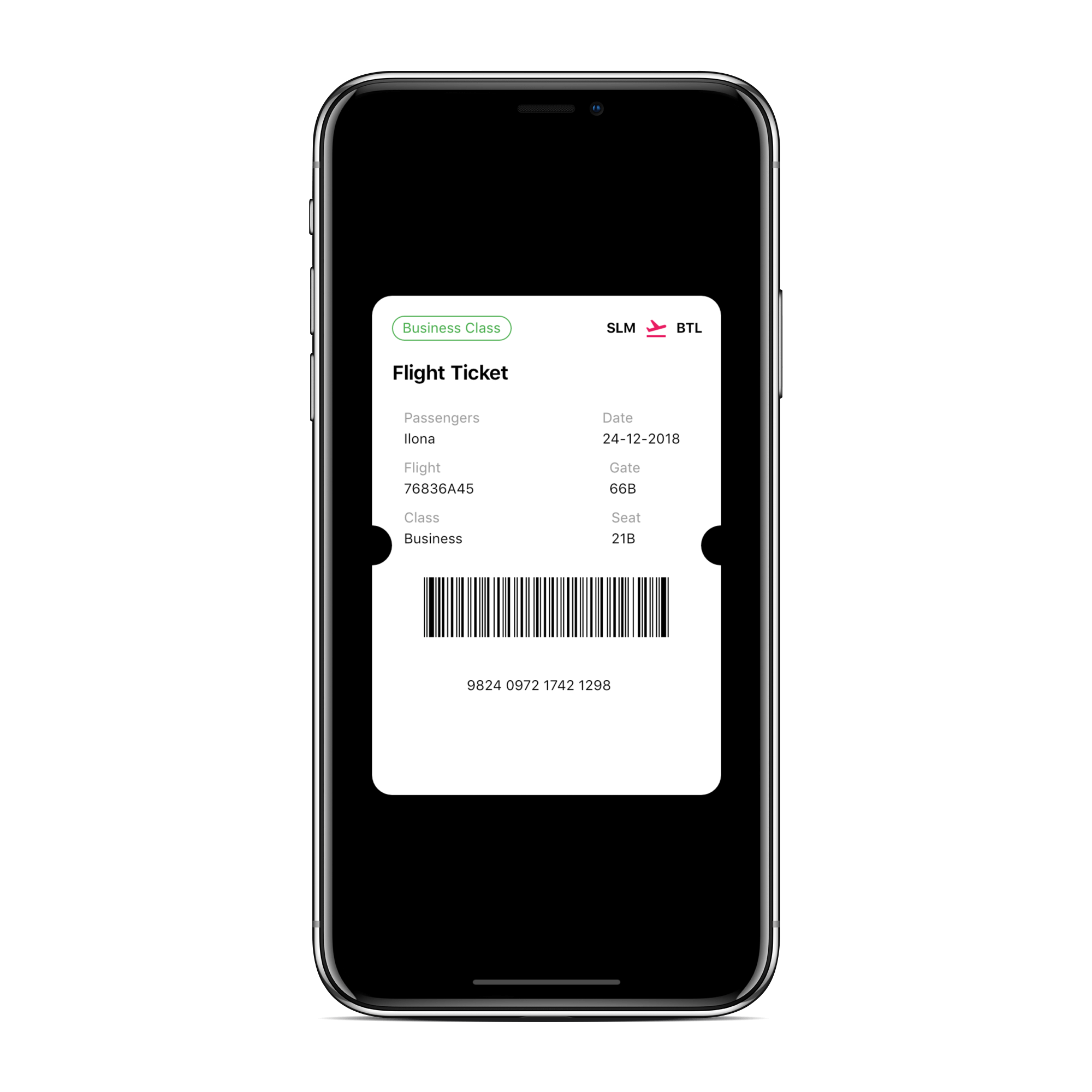 |
This project needs you! If you would like to support this project's further development, the creator of this project or the continuous maintenance of this project, feel free to donate. Your donation is highly appreciated (and I love food, coffee and beer). Thank you!
PayPal
Of course, you can also choose what you want to donate, all donations are awesome!
Mohak Gupta


Copyright (c) 2019 Mohak Gupta

Permission is hereby granted, free of charge, to any person obtaining a copy of this software and associated documentation files (the "Software"), to deal in the Software without restriction, including without limitation the rights to use, copy, modify, merge, publish, distribute, sublicense, and/or sell copies of the Software, and to permit persons to whom the Software is furnished to do so, subject to the following conditions:

The above copyright notice and this permission notice shall be included in all copies or substantial portions of the Software.

THE SOFTWARE IS PROVIDED "AS IS", WITHOUT WARRANTY OF ANY KIND, EXPRESS OR IMPLIED, INCLUDING BUT NOT LIMITED TO THE WARRANTIES OF MERCHANTABILITY, FITNESS FOR A PARTICULAR PURPOSE AND NONINFRINGEMENT. IN NO EVENT SHALL THE AUTHORS OR COPYRIGHT HOLDERS BE LIABLE FOR ANY CLAIM, DAMAGES OR OTHER LIABILITY, WHETHER IN AN ACTION OF CONTRACT, TORT OR OTHERWISE, ARISING FROM, OUT OF OR IN CONNECTION WITH THE SOFTWARE OR THE USE OR OTHER DEALINGS IN THE SOFTWARE.
For help getting started with Flutter, view our online documentation.
For help on editing package code, view the documentation.

依存関係一覧 2 件
{"sdk":"flutter"}{"sdk":"flutter"}用途で絞り込み、開発状況を比較し、採用前に元のリポジトリで要件を確認しましょう。
“A repository is the most basic element of GitHub.”
GitHub Docs — About repositories ↗