
v2.0.2
mpesa
これはMpesa Daraja APIのDartラッパーです。純粋なDartで書かれており、フレームワークに依存しない(iOS、Android、Web、純粋なDart、Fuchsia)ため、すぐに動作します。
36いいね 4130日間ダウンロード140Pub ポイント
AndroidiOSWebmacOSWindowsLinux
Mpesa Daraja API の Dartラッパー
以下は英語原文のスナップショットです。最新版は GitHub をご覧ください。
A dart wrapper around mpesa daraja api.
Ready Methods/APIs
You Will need a few things from Safaricom before development.
Add dependency in pubspec.yaml
dependencies:
  mpesa: [ADD_LATEST_VERSION_HERE]
Import in your Flutter app or plain dart app.
import 'package:mpesa/mpesa.dart';

class MYClass {

    Mpesa mpesa = Mpesa(
        clientKey: "YOUR_CONSUMER_KEY_HERE",
        clientSecret: "YOUR_CONSUMER_SECRET_HERE",
        passKey: "YOUR_LNM_PASS_KEY_HERE",
        environment: "sandbox",
    );

}
Environment should be either sandbox or production
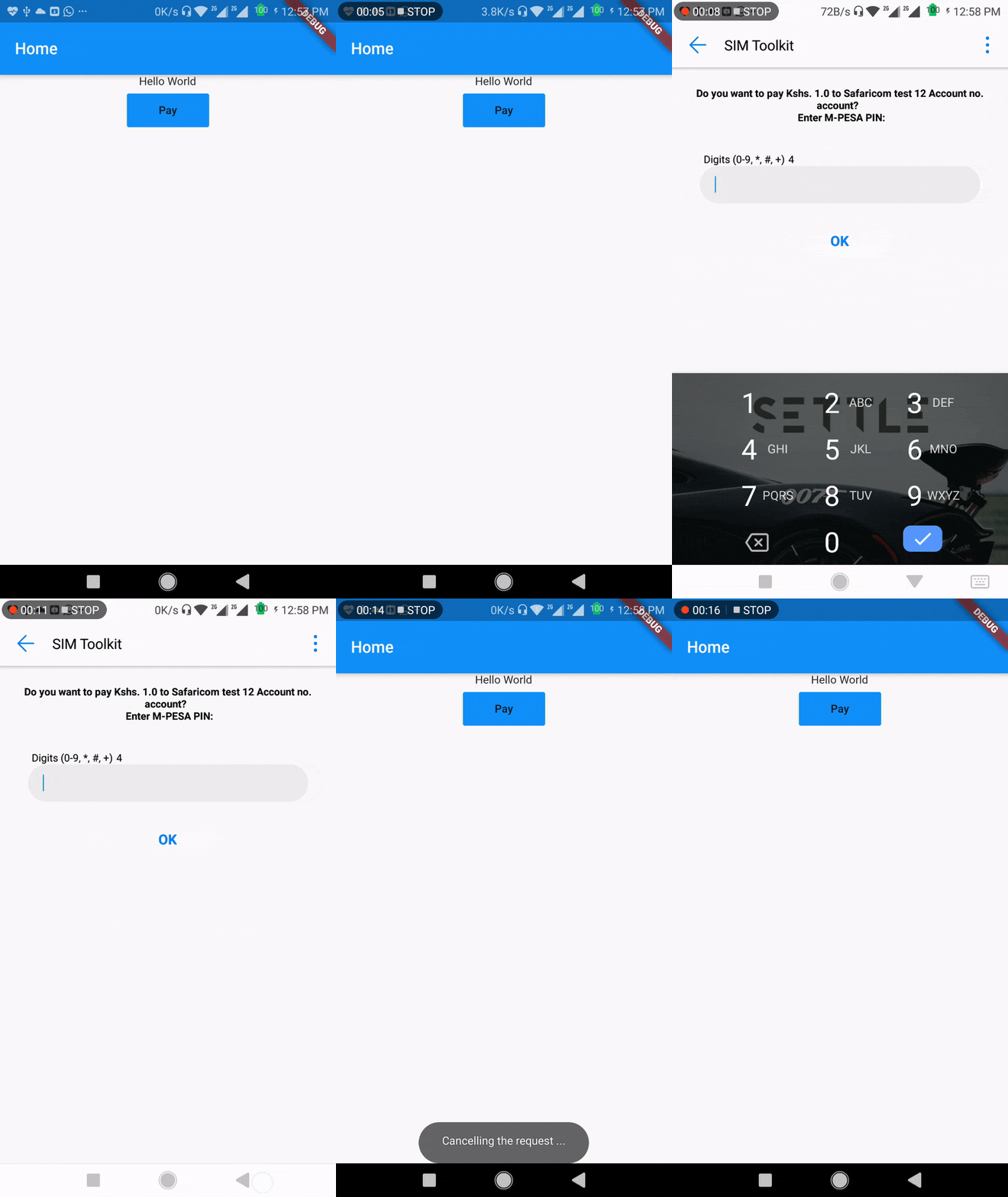
Lipa na M-Pesa Online Payment API is used to initiate a M-Pesa transaction on behalf of a customer using STK Push. This is the same technique mySafaricom App uses whenever the app is used to make payments.
import 'package:mpesa/mpesa.dart';

class MYClass {

    myMethod(){
        mpesa
            .lipaNaMpesa(
                phoneNumber: "",
                amount: 1,
                businessShortCode: "",
                callbackUrl: "",
            )
            .then((result) {})
            .catchError((error) {});
    }
}
Please file feature requests and bugs at the issue tracker.
git checkout -b my-new-featuregit commit -m 'Add some feature'git push origin my-new-feature| Contributors |
| Kevin Oduor |
|---|
| Newton Munene |
For help getting started with Flutter, view their online documentation, which offers tutorials, samples, guidance on mobile development, and a full API reference.

用途で絞り込み、開発状況を比較し、採用前に元のリポジトリで要件を確認しましょう。
“A repository is the most basic element of GitHub.”
GitHub Docs — About repositories ↗