

 v1.0.1
o_popup
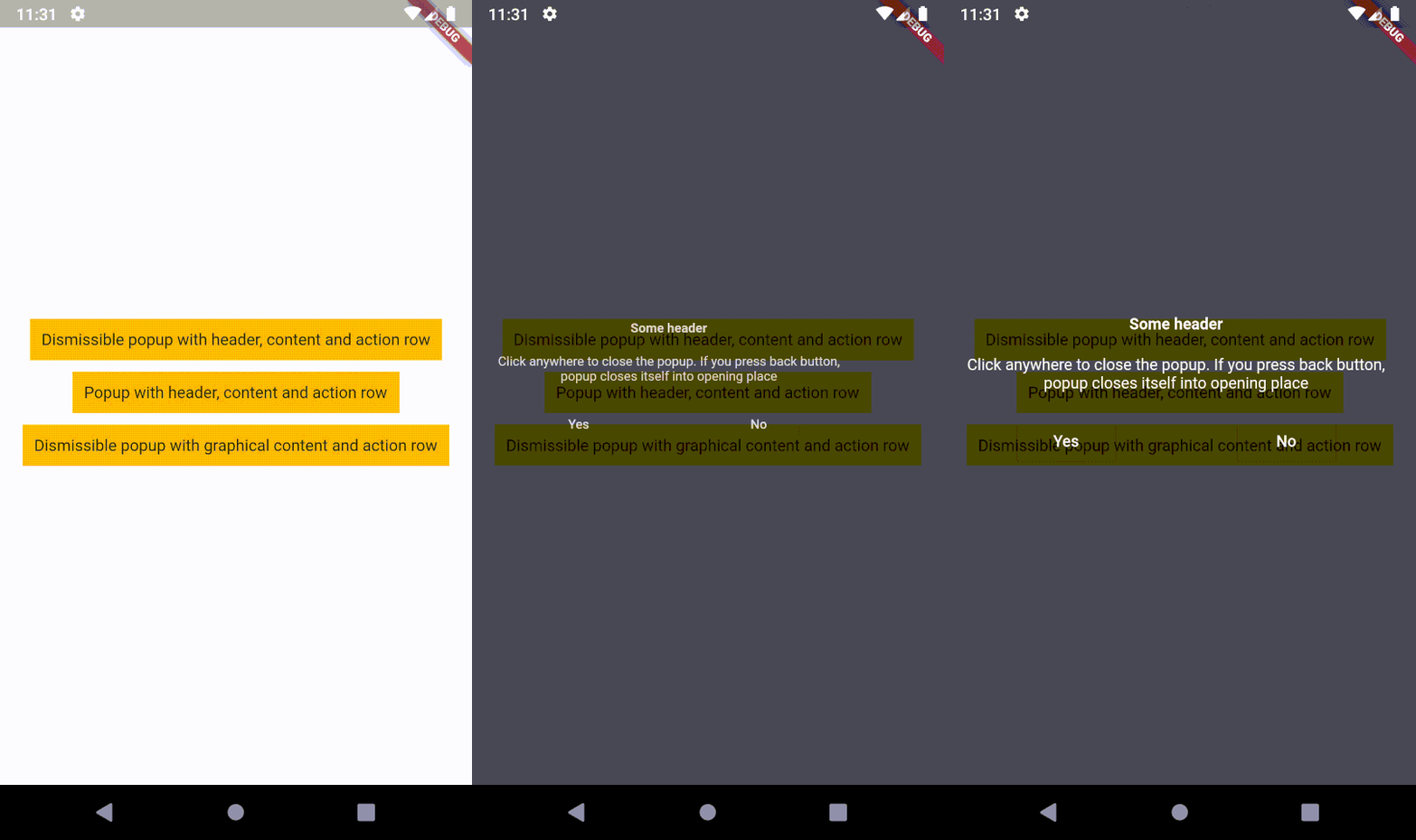
戻るボタンを押すと、開いた場所またはポインターが画面に触れられた位置に戻って閉じられるオーバーレイコンテンツです。これは、ポップアップがタップジェスチャーをサポートしていることを意味します。
26いいね 4130日間ダウンロード140Pub ポイント
AndroidiOSWebmacOSWindowsLinux
戻るボタンを押すと、開いた場所またはポインターが画面に触れられた位置に戻って閉じられるオーバーレイコンテンツです。つまり、ポップアップはタップジェスチャーをサポートしています!

以下は英語原文のスナップショットです。最新版は GitHub をご覧ください。



An overlaid content, which closes itself into opening place (on back button) or into the position where the pointer contacted the screen. It means, popup supports tap gesture!

First of all, you need to install the package.
The second step is to create a popup.
I recommend to use OPopupTrigger class
in order to simply create the popup as in the example.
It pushes OPopupOverlay widget
into Navigation stack, thus a user can dismiss the popup by back button
or by tapping anywhere on a screen.
In the OPopupTrigger class you can also set barrierDismissible
to false (to prevent dismissing popup by taping anywhere)
and for example create a button,
which pops the popup from Navigator stack (Navigator.of(context).pop())
in order to close the popup - like buttons in the example.
If you do not want to use OPopupContent class as a content of a popup triggered by OPopupTrigger
you should skip popupHeader and popupActionRow fields and set your own widget to
popupContent field. It gives you an ability to fully customize the content of the popup:
size, alignment etc.
You can also overwrite OPopupContent (create a class which extends OPopupContent),
customize it inside your own class and set your version of OPopupContent
to OPopupTrigger.popupContent
(also do not set popupHeader and popupActionRow in order to omit original OPopupContent).
Extended documentation is available on pub.dev.
If you use this code in commercial project, please donate me via GitHub Sponsors. I do the same for packages which I use, because it ensures stable development for all of us!
依存関係一覧 3 件
{"sdk":"flutter"}^1.3.2{"sdk":"flutter"}用途で絞り込み、開発状況を比較し、採用前に元のリポジトリで要件を確認しましょう。
“A repository is the most basic element of GitHub.”
GitHub Docs — About repositories ↗