
v7.0.1
firebase_remote_config
Firebase Remote Config 用の Flutter プラグイン。再リリースせずにアプリの見た目や動作を更新できます。
655いいね 144万30日間ダウンロード160Pub ポイント
AndroidiOSWebmacOSWindows
ノールは、『ヒスヌル・ムスリム』および他の参考文献を参照することで、ムスリムに快適な読書体験を提供することを目的としたモバイルアプリです。

Firebase Remote Config 用の Flutter プラグイン。再リリースせずにアプリの見た目や動作を更新できます。
 v0.6.0
並べ替え可能なテーブル、行、列、ラップ、スリバー一覧で、子要素のドラッグアンドドロップが可能になります。
 v1.5.1
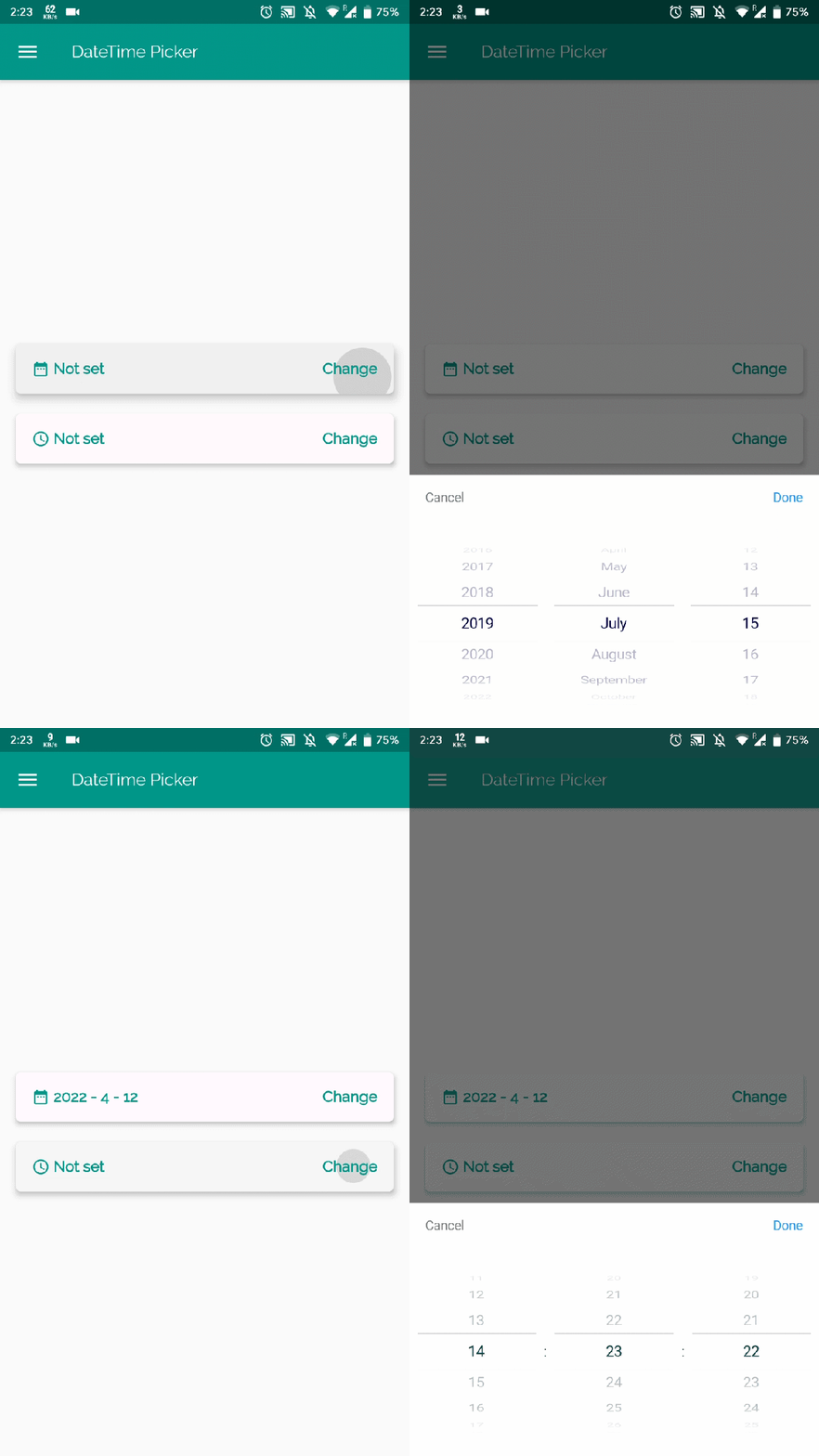
Flutter用の日時ピッカーで、英語、オランダ語、中国語で日付/時刻/日付と時刻を選択でき、独自のピッカー内容もカスタマイズできます
依存関係一覧 23 件
^2.0.11^3.3.0^15.0.4^5.0.4{"sdk":"flutter"}^1.5.1^17.2.2{"sdk":"flutter"}^2.0.10+1^2.5.2^7.7.0^0.19.0^2.1.3^6.1.2^0.6.0^0.3.8^9.0.0^2.2.3^2.3.3+1^6.3.0^0.13.1^1.0.4{"sdk":"flutter"}以下は英語原文のスナップショットです。最新版は GitHub をご覧ください。
https://user-images.githubusercontent.com/41123719/117558302-db848980-b084-11eb-8ef8-1dac2eb5ea56.png https://user-images.githubusercontent.com/41123719/117558323-243c4280-b085-11eb-857d-219e2c9d88c6.png
Noor is an islamic mobile app, consists of four main pages: home, favorite, alsabha, and settings. The data is structured in Cards that are easy to read, and has some actions that can be performed with the card content. Noor is designed to help in providing a comfortable reading experience for Muslims, by referencing the book "Hisnul Muslim", and some other references.
This project contains the codebase for the Android version that is on Play Store, it can run on iOS as well. Built with Flutter, and Firebase.
https://user-images.githubusercontent.com/41123719/118995957-3759e700-b990-11eb-99dc-2964369af25a.gif https://user-images.githubusercontent.com/41123719/118996008-40e34f00-b990-11eb-86ac-e82c3c99b61d.gif
Note: the assets were replaced by placeholders, so the version you will run locally is different in look than the version in stores.
It's important to put your own Firebase service file in order to run the app, as it uses Remote Config and Firebase Messaging.
noorThker, with any value of your choice.NOTE: You can't really run the app without it, so make sure to set it up.
The app needs some files generated the
flutterfire_cli, specificallylib/firebase_options.dart,android/app/google-services.json, andios/Runner/GoogleService-Info.plist.So make sure to follow the link in step 2 if you haven't already.
FVM is used to make sure everyone working on the project uses the same version. It is also easier to maintain since the .fvmrc file has the config you need to get started quickly.
It also makes it easy for Noor to stay on an older version without needing to do lots of upgrades and downgrades, since developers usually work on projects with different versions.
FVM website: https://fvm.app/
Once FVM is installed, run the following command to get things ready:
fvm use 3.22.1
Be sure to check
.fvmrcfor the correct version this project uses, in case the version above is old.
git clone https://github.com/pr-Mais/noor.git
flutter pub get
android/app/build.gradle:This will allow you to sign the app with the debug keystore, no need to make a keystore just for development :D
- // signingConfig signingConfigs.debug
- signingConfig signingConfigs.release
+ signingConfig signingConfigs.debug
+ // signingConfig signingConfigs.release
flutter run
If you encounter any bug while using the apps in store, or running it locally, please file an issue.
Contribution for enhancments are also welcome! just create a PR, and describe precisly what is your contribution.
For features request, contact us on [noorathkarapplication@gmail.com](mailto:noorathkarapplication@gmail.com?subject=%D8%A7%D9%82%D8%AA%D8%B1%D8%A7%D8%AD&body=%D8%A7%D9%84%D8%B3%D9%84%D8%A7%D9%85%20%D8%B9%D9%84%D9%8A%D9%83%D9%85%D8%8C)
Shout out to the amazing designer Shaikha Alqahtani.
The iOS version from Noor was made with native Swift by Maryam Aljamea.