


v0.0.4
flutter_material_symbols
Material Symbols イコンのセットを提供する Flutter パッケージ。
29いいね 73030日間ダウンロード60Pub ポイント
AndroidiOSWebmacOSWindowsLinux
Material Symbols イコンのセットを提供する Flutter パッケージ。

以下は英語原文のスナップショットです。最新版は GitHub をご覧ください。
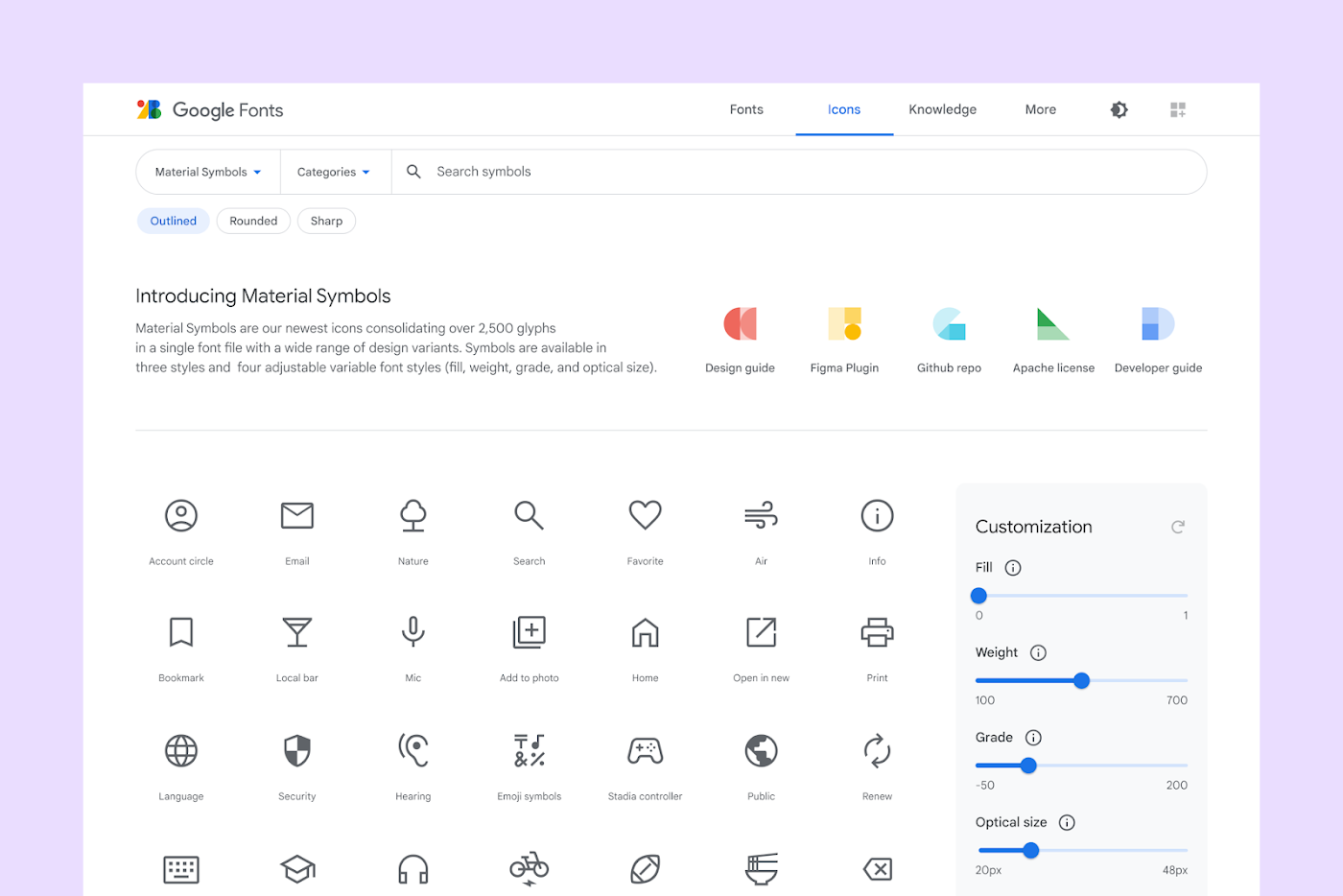 Image Source: material.io

This Flutter package aims to add all icons from Material Symbols introduced by Google along with the Material 3.
Read Google's official announcement here.
To use this package, add flutter_material_symbols as a dependency in your pubspec.yaml file.
Using the command line:
flutter pub add flutter_material_symbols
Or, if you prefer to add directly to your pubspec.yaml file:
dependencies:
  flutter_material_symbols: ^0.0.1
Import the package:
import 'package:flutter_material_symbols/flutter_material_symbols.dart';
Use the MaterialSymbols class to access the icons:
Icon(MaterialSymbols.favorite),
IconButton(
  icon: Icon(MaterialSymbols.add),
  onPressed: () {},
)
This package also supports filled, outlined, and sharp icons, which can be used by adding the filled, outlined, or sharp suffix to the icon name:
 Image Source: material.io
Icon(MaterialSymbols.favorite_filled),
Icon(MaterialSymbols.favorite_outlined),
Icon(MaterialSymbols.favorite_sharp),
If you find any bugs or misplaced icons, please open an issue here.
This package is licensed under the MIT License
依存関係一覧 3 件
{"sdk":"flutter"}{"sdk":"flutter"}^2.0.0用途で絞り込み、開発状況を比較し、採用前に元のリポジトリで要件を確認しましょう。
“A repository is the most basic element of GitHub.”
GitHub Docs — About repositories ↗