

 v8.1.0
dropdown_search
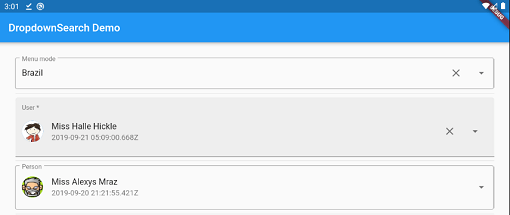
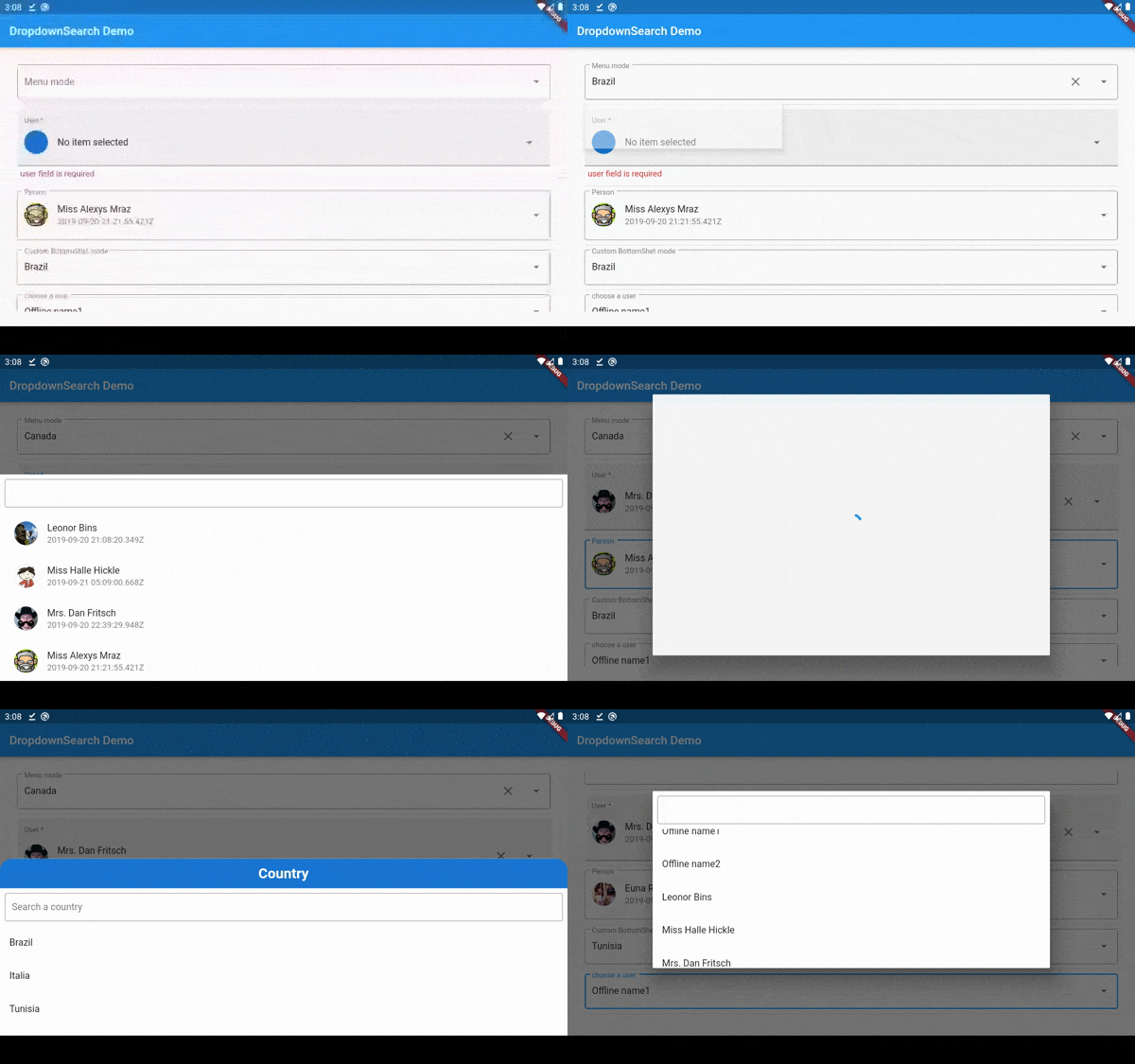
検索、ポップアッププラットフォーム、同期/非同期など多くの機能を備えた、シンプルで反応性があり、非常にカスタマイズ可能なFlutterドロップダウン。メニュー、ダイアログ、ボトムシートなどのマルチモードに対応しています。
1970いいね 23.5万30日間ダウンロード150Pub ポイント
AndroidiOSWebmacOSWindowsLinux
アイテム検索機能を備えたシンプルで堅牢なドロップダウン。オフラインのアイテムリストまたはフィルターリストのURLを使用して、簡単にカスタマイズ可能です。

以下は英語原文のスナップショットです。最新版は GitHub をご覧ください。


Key Features • Examples • License


|
 |
 |


|
dropdown_search: <lastest version>
import 'package:dropdown_search/dropdown_search.dart';
To use Material ui (by default) use DropdownSearch<T>(...) or DropdownSearch<T>.multiSelection(...)
for the cupertino mode use CupertinoDropdownSearch<T>(...) or CupertinoDropdownSearch<T>.multiSelection(...)
To let the package pick the suitable platform UI based on the used platform, use AdaptiveDropdownSearch<T>(...) or AdaptiveDropdownSearch<T>.multiSelection(...)
Bonus Tip: with adaptive platform ui you can use different PopupMode depending on platform type:
AdaptiveDropdownSearch<T>(
    popupProps: AdaptivePopupProps(
        cupertinoProps: CupertinoPopupProps.bottomSheet(),
        materialProps: PopupProps.dialog()
    ),
)
To enable infinite scroll all you have to do is to declare infiniteScrollProps and of course don't forget to pass loadProps to your API like this:
DropdownSearch<T>(
    items: (filter, loadProps) => _getDataFromAPI(filter, loadProps!.skip, loadProps!.take),
    popupProps: PopupProps.dialog(
        infiniteScrollProps: InfiniteScrollProps(
            loadProps: LoadProps(skip: 0, take: 10),
        ),
    ),
)
DropdownSearch<String>(
  items: (f, cs) => ["Item 1", 'Item 2', 'Item 3', 'Item 4'],
  popupProps: PopupProps.menu(
    disabledItemFn: (item) => item == 'Item 3',
    fit: FlexFit.loose
  ),
),
DropdownSearch<String>.multiSelection(
  mode: Mode.CUSTOM,
  items: (f, cs) => ["Monday", 'Tuesday', 'Wednesday', 'Thursday', 'Friday', 'Saturday', 'Sunday'],
  dropdownBuilder: (ctx, selectedItem) => Icon(Icons.calendar_month_outlined, size: 54),
),

DropdownSearch<(String, Color)>(
  clickProps: ClickProps(borderRadius: BorderRadius.circular(20)),
  mode: Mode.CUSTOM,
  items: (f, cs) => [
    ("Red", Colors.red),
    ("Black", Colors.black),
    ("Yellow", Colors.yellow),
    ('Blue', Colors.blue),
  ],
  compareFn: (item1, item2) => item1.$1 == item2.$1,
  popupProps: PopupProps.menu(
  menuProps: MenuProps(align: MenuAlign.bottomCenter),
    fit: FlexFit.loose,
    itemBuilder: (context, item, isDisabled, isSelected) => Padding(
      padding: const EdgeInsets.all(8.0),
      child: Text(item.$1, style: TextStyle(color: item.$2, fontSize: 16)),
    ),
  ),
  dropdownBuilder: (ctx, selectedItem) => Icon(Icons.face, color: selectedItem?.$2, size: 54),
),
DropdownSearch<(IconData, String)>(
  selectedItem: (Icons.person, 'Your Profile'),
  compareFn: (item1, item2) => item1.$1 == item2.$2,
  items: (f, cs) => [
    (Icons.person, 'Your Profile'),
    (Icons.settings, 'Setting'),
    (Icons.lock_open_rounded, 'Change Password'),
    (Icons.power_settings_new_rounded, 'Logout'),
  ],
  decoratorProps: DropDownDecoratorProps(
    decoration: InputDecoration(
      contentPadding: EdgeInsets.symmetric(vertical: 6),
      filled: true,
      fillColor: Color(0xFF1eb98f),
      border: OutlineInputBorder(
        borderSide: BorderSide(color: Colors.transparent),
        borderRadius: BorderRadius.circular(8),
      ),
      focusedBorder: OutlineInputBorder(
        borderSide: BorderSide(color: Colors.transparent),
        borderRadius: BorderRadius.circular(8),
      ),
      enabledBorder: OutlineInputBorder(
        borderSide: BorderSide(color: Colors.transparent),
        borderRadius: BorderRadius.circular(8),
      ),
    ),
  ),
  dropdownBuilder: (context, selectedItem) {
    return ListTile(
      leading: Icon(selectedItem!.$1, color: Colors.white),
      title: Text(
        selectedItem.$2,
        style: TextStyle(color: Colors.white, fontSize: 18, fontWeight: FontWeight.bold),
      ),
    );
  },
  popupProps: PopupProps.menu(
    itemBuilder: (context, item, isDisabled, isSelected) {
      return ListTile(
        contentPadding: EdgeInsets.symmetric(vertical: 8, horizontal: 12),
        leading: Icon(item.$1, color: Colors.white),
        title: Text(
          item.$2,
          style: TextStyle(color: Colors.white, fontSize: 18, fontWeight: FontWeight.bold),
        ),
      );
    },
    fit: FlexFit.loose,
    menuProps: MenuProps(
      backgroundColor: Colors.transparent,
      elevation: 0,
      margin: EdgeInsets.only(top: 16),
    ),
    containerBuilder: (ctx, popupWidget) {
      return Column(
        mainAxisSize: MainAxisSize.min,
        crossAxisAlignment: CrossAxisAlignment.end,
        children: [
          Padding(
            padding: const EdgeInsets.only(right: 12),
            child: Image.asset(
              'assets/images/arrow-up.png',
              color: Color(0xFF1eb98f),
              height: 14,
            ),
          ),
          Flexible(
            child: Container(
              decoration: BoxDecoration(
                color: Color(0xFF1eb98f),
                shape: BoxShape.rectangle,
                borderRadius: BorderRadius.circular(8),
              ),
              child: popupWidget,
            ),
          ),
        ],
      );
    },
  ),
),
DropdownSearch<String>(
  items: (filter, infiniteScrollProps) => ['Item 1', 'Item 2', 'Item 3'],
  suffixProps: DropdownSuffixProps(
    dropdownButtonProps: DropdownButtonProps(
      iconClosed: Icon(Icons.keyboard_arrow_down),
      iconOpened: Icon(Icons.keyboard_arrow_up),
    ),
  ),
  decoratorProps: DropDownDecoratorProps(
    textAlign: TextAlign.center,
    decoration: InputDecoration(
      contentPadding: EdgeInsets.symmetric(vertical: 20),
      filled: true,
      fillColor: Colors.white,
      border: OutlineInputBorder(
        borderSide: BorderSide(color: Colors.transparent),
        borderRadius: BorderRadius.circular(12),
      ),
      focusedBorder: OutlineInputBorder(
        borderSide: BorderSide(color: Colors.transparent),
        borderRadius: BorderRadius.circular(12),
      ),
      enabledBorder: OutlineInputBorder(
        borderSide: BorderSide(color: Colors.transparent),
        borderRadius: BorderRadius.circular(12),
      ),
      hintText: 'Please select...',
      hintStyle: TextStyle(fontWeight: FontWeight.bold, fontSize: 18, color: Colors.grey),
    ),
  ),
  popupProps: PopupProps.menu(
    itemBuilder: (context, item, isDisabled, isSelected) {
      return Padding(
        padding: const EdgeInsets.symmetric(vertical: 12.0),
        child: Text(
          item,
          style: TextStyle(fontWeight: FontWeight.bold, fontSize: 18),
          textAlign: TextAlign.center,
        ),
      );
    },
    constraints: BoxConstraints(maxHeight: 160),
    menuProps: MenuProps(
      margin: EdgeInsets.only(top: 12),
      shape: const RoundedRectangleBorder(borderRadius: BorderRadius.all(Radius.circular(12))),
    ),
  ),
),
DropdownSearch<UserModel>.multiSelection(
  items: (filter, s) => getData(filter),
  compareFn: (i, s) => i.isEqual(s),
  popupProps: PopupPropsMultiSelection.bottomSheet(
    bottomSheetProps: BottomSheetProps(backgroundColor: Colors.blueGrey[50]),
    showSearchBox: true,
    itemBuilder: userModelPopupItem,
    suggestedItemProps: SuggestedItemProps(
      showSuggestedItems: true,
      suggestedItems: (us) {
        return us.where((e) => e.name.contains("Mrs")).toList();
      },
    ),
  ),
),
DropdownSearch<int>(
  items: (f, cs) => List.generate(30, (i) => i + 1),
  decoratorProps: DropDownDecoratorProps(
    decoration: InputDecoration(labelText: "Dialog with title", hintText: "Select an Int"),
  ),
  popupProps: PopupProps.dialog(
    title: Container(
      decoration: BoxDecoration(color: Colors.deepPurple),
      alignment: Alignment.center,
      padding: EdgeInsets.symmetric(vertical: 16),
      child: Text(
        'Numbers 1..30',
        style: TextStyle(fontSize: 21, fontWeight: FontWeight.bold, color: Colors.white70),
      ),
    ),
    dialogProps: DialogProps(
      clipBehavior: Clip.antiAlias,
      shape: OutlineInputBorder(
        borderSide: BorderSide(width: 0),
        borderRadius: BorderRadius.circular(25),
      ),
    ),
  ),
),
You can customize the layout of the DropdownSearch and its items. click here for more examples.
Full documentation here

If this plugin was useful to you, helped you to deliver your app, saved you a lot of time, or you just want to support the project, I would be very grateful if you buy me a cup of coffee.

MIT
依存関係一覧 5 件
^1.0.9{"sdk":"flutter"}{"sdk":"flutter"}^6.1.0^0.23.12用途で絞り込み、開発状況を比較し、採用前に元のリポジトリで要件を確認しましょう。
“A repository is the most basic element of GitHub.”
GitHub Docs — About repositories ↗