 v2.2.2
macos_ui
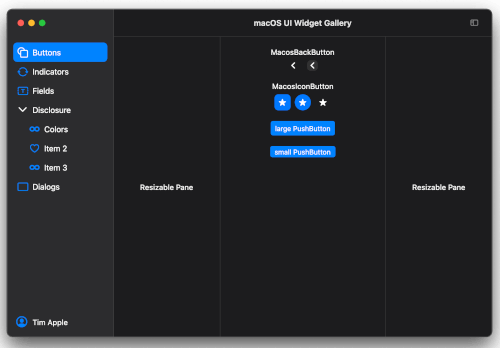
現在のmacOSデザイン言語を実装するFlutterウィジェットとテーマ。
1070いいね 4.2万30日間ダウンロード140Pub ポイント
macOS
1日あたり少なくとも1回のコミットがある連続日数を表示するツールです。

以下は英語原文のスナップショットです。最新版は GitHub をご覧ください。
A tool that shows how many days there are uninterrupted commits
This is a second tool made from a starter project created by mason using macosui_tool_starter.
It scans all git repositories below the selected directory and reads the git log to collect all commits done in last 240 days. From this data a "heatmap" and the commit streak is created. The heatmap is a color coded calendar. The darker the green color the more changes were committed on that day. The streak is the number of consecutive days with at least one commit per day.
Create your own version if you have Flutter installed on macOS anyway.
git clone github.com/schilken/git_commit_streak
flutter pub get
flutter build macos
You find the built app here: git_commit_streak/build/macos/Build/Products/Release/GitCommitStreak

In the settings, you can activate reminders at a specified time, as notifications, and as iMessage. For example, I get a notification and an iMessage at 19h if I have not yet committed anything.
On a MacBook:

On the iPhone:

On a Apple Watch:

Currrently there is only a release build for [macOS] (https://github.com/schilken/git_commit_streak/releases/)
The cron package can only schedule the commit checks at the specified time, when the Mac is not powered off and the app is running in der background.
By default, a new Mac is–at least in Europe–configured to power down after some delay being in sleep mode (standy 1). I use this app to remind me at 19:00, when I haven't committed anything yet. And that shall work also when the MacBook is closed. With the pmset -c command, I switch off the auto-power-off only when the Mac is connected to the power grid. Use man pmsetto look up other options, for example -a.
$ sudo pmset -c standby 0
<enter root password>

$ pmset -g
System-wide power settings:
Currently in use:
 standby              0
...
I generated a starter project using mason. If you want to create a similar tool you can generate a starter project like so:
Several ideas are taken from https://github.com/bizz84/complete-flutter-course, a great source for learning advanced Flutter created by Andrea Bizzotto (bizz84). Also, thanks to Reuben Turner (GroovinChip) for his great package at https://github.com/GroovinChip/macos_ui
現在のmacOSデザイン言語を実装するFlutterウィジェットとテーマ。
cronに似たタイムベースのジョブスケジューラ。固定時刻または間隔でタスクを定期的に実行します。
pubspec.yaml ファイルを型安全な API と豊富なエラーレポートでパースするためのシンプルなパッケージ。
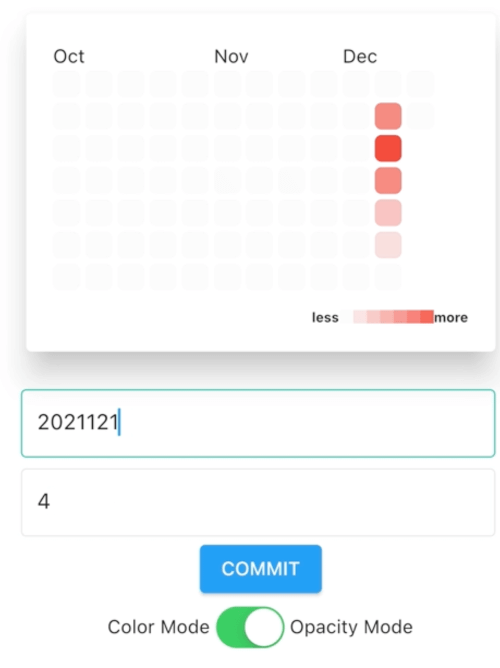
GitHubのコントリビューションチャートを参考にしたFlutterのヒートマップカレンダーで、従来モード/カレンダーモードを含む。
依存関係一覧 20 件
^1.16.0^0.5.1^1.0.5^5.2.5{"sdk":"flutter"}^1.0.5^0.18.5+1^13.0.0^0.6.14^2.1.3^0.18.0^1.11.1^0.0.3^1.8.2^1.2.1^2.0.17^0.3.2^2.0.1{"sdk":"flutter"}^1.1.6用途で絞り込み、開発状況を比較し、採用前に元のリポジトリで要件を確認しましょう。
“A repository is the most basic element of GitHub.”
GitHub Docs — About repositories ↗