

 v2.0.0
simple_timer
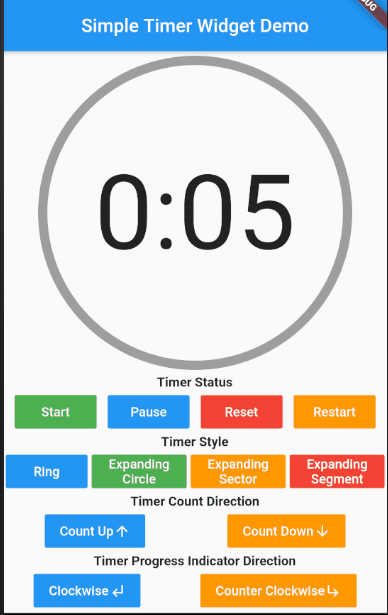
さまざまなカスタマイズ可能なオプションを備えた、タイマーの進行状況を表示するシンプルなタイマー用ウィジェットです。
55いいね 6930日間ダウンロード70Pub ポイント
プラットフォーム情報なし
さまざまなカスタマイズ可能な機能を備えたシンプルなFlutterタイマー小道具。

以下は英語原文のスナップショットです。最新版は GitHub をご覧ください。
A Simple Timer Widget that displays the timer progress with various customizable options.
To Start using this library include simple_timer as a dependency in your puspec.yaml file. Make sure to include the latest version.
Pub link: https://pub.dev/packages/simple_timer
To use the widget, import the package in your project
import 'package:simple_timer/simple_timer.dart';
The timer can be controlled in two ways:
Using a TimerController (preferred) - The TimerController is a convenience wrapper (subclass) of an AnimationController and needs a TickerProvider, so be sure to extend a TickerProvider in your class. Declare and instantiate your timer controller like below:
// declaration
TimerController _timerController;

// instantiation
_timerController = TimerController(this);
Note: Remember to dispose the TimerController
and set the controller property to the TimerController object like below:
Container(
    child: SimpleTimer(
        controller: _timerController,
        duration: Duration(seconds: 10),
    )
)
TimerController methods:
| Method | Description |
|---|---|
| start | Starts the timer e.g. (_timerController.start()) |
| pause | Pauses the timer e.g. (_timerController.pause()) |
| reset | Resets the timer e.g. (_timerController.reset()) |
| restart | Restarts the timer e.g. (_timerController.restart()) |
| add | Increases time left by the specified duration i.e. allows more time e.g. (_timerController.add(Duration(seconds: 10))) |
| subtract | Decreases time left by the specified duration i.e. reduces the time e.g. (_timerController.subtract(Duration(seconds: 10))) |
Setting the Status - The timer can also be controler by passing a TimerStatus value to the status property; like below:
Container(
    child: SimpleTimer(
        status: TimerStatus.start,
        duration: Duration(seconds: 10),
    )
)
Note: The SimpleTimer widget uses its parent size.
There are various customizable options provided by the SimpleTimer widget, see below:
| Property | Description | Value Type | Default Value |
|---|---|---|---|
| duration | The duration of the timer | Duration | |
| controller | A TimerController to control the timer. If this is provided then status must be null. | TimerController | |
| status | An alternative to the controller that sets the status of the timer. If provided, controller must be null | TimerStatus | |
| timerStyle | Sets the look of the animated timer widget | TimerStyle | ring |
| delay | Sets a start delay for timer - i.e. delays the start of the timer by the specified duration | Duration | Duration(seconds: 0) |
| backgroundColor | The background color of the inner shape (circle) of the timer | Color | grey |
| progressIndicatorColor | The color of the animating progress indicator. | Color | green |
| progressIndicatorDirection | The rotating direction of the timer's progress indicator | TimerProgressIndicatorDirection | clockwise |
| displayProgressIndicator | Sets whether to show the progress indicator | bool | true |
| displayProgressText | Sets whether to show the progress text | bool | true |
| progressTextStyle | The TextStyle used by the progress text. | TextStyle | |
| progressTextCountDirection | The counting direction of the text displayed by the timer | TimerProgressTextCountDirection | count_down |
| progressTextFormatter | A callback function to format the text displayed by this Timer. | String Function(Duration) | displays duration in MM:SS format |
| onStart | Callback executed when the timer starts counting | VoidCallback | |
| onEnd | Callback executed when the timer has finished counting | VoidCallback | |
| valueListener | The callback executed for each change in the time elapsed | void Function(Duration) |
Pub link: https://pub.dev/packages/simple_timer


依存関係一覧 2 件
{"sdk":"flutter"}{"sdk":"flutter"}用途で絞り込み、開発状況を比較し、採用前に元のリポジトリで要件を確認しましょう。
“A repository is the most basic element of GitHub.”
GitHub Docs — About repositories ↗