

v0.1.0
slider_side_menu
スライダー式サイドメニューは画面の側面に隠れており、ユーザーがコントロールボタンをタップしたときにのみ開きます。
20いいね 25230日間ダウンロード150Pub ポイント
AndroidiOSLinuxmacOSWebWindows
画面の側に隠れているスライダーサイドメニューや、ユーザーがコントロールボタンを押したときにのみ開かれるもの

以下は英語原文のスナップショットです。最新版は GitHub をご覧ください。
Slider Side Menu that is hidden to the side of the screen, and only open when user taps on the controller button.
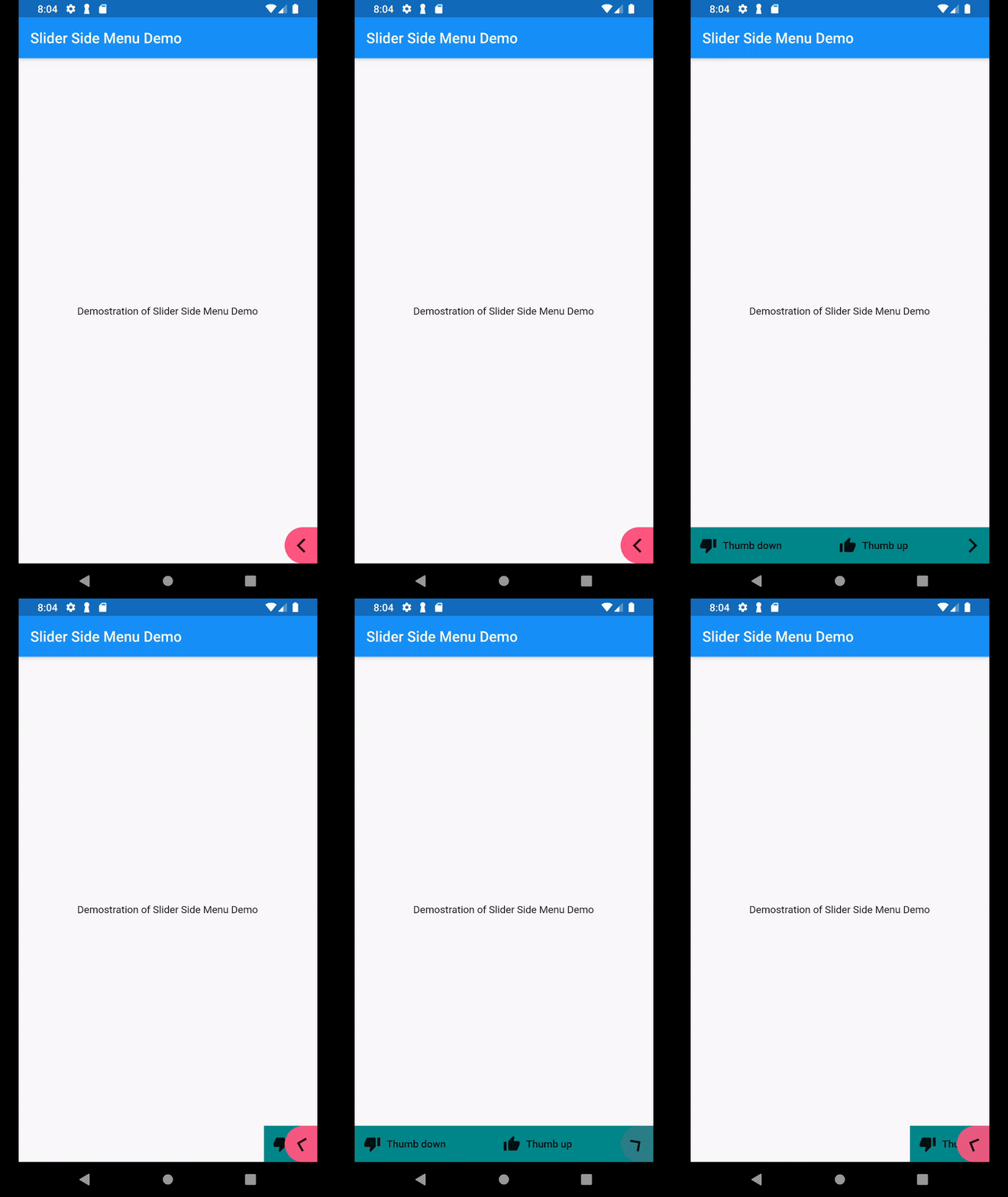
In your pubspec.yaml, include the package dependencies into your pubspec.yaml
In your code, add import
import 'package:slider_side_menu/slider_side_menu.dart';
Then add the widget to your screen
            SliderSideMenu(childrenData: [
              MenuItem(
                  icon: Icon(Icons.thumb_up),
                  label: Text("Thumb up"),
                  onPressed: _thumbUp
              ),
              MenuItem(
                  icon: Icon(Icons.thumb_down),
                  label: Text("Thumb down"),
                  onPressed: _thumbDown
              )
            ], description: "Sample tooltip message")
Sample code: https://github.com/suesitran/slider_side_menu/blob/master/example/lib/main.dart
依存関係一覧 2 件
{"sdk":"flutter"}{"sdk":"flutter"}用途で絞り込み、開発状況を比較し、採用前に元のリポジトリで要件を確認しましょう。
“A repository is the most basic element of GitHub.”
GitHub Docs — About repositories ↗