
 v1.0.0
alt_sms_autofill
代替SMSの自動入力
57いいね 16730日間ダウンロード130Pub ポイント
AndroidiOS
tazik561/alt_sms_auto_fill open-source repository details.

{"sdk":"flutter"}{"sdk":"flutter"}以下は英語原文のスナップショットです。最新版は GitHub をご覧ください。
Alt Sms Autofill.
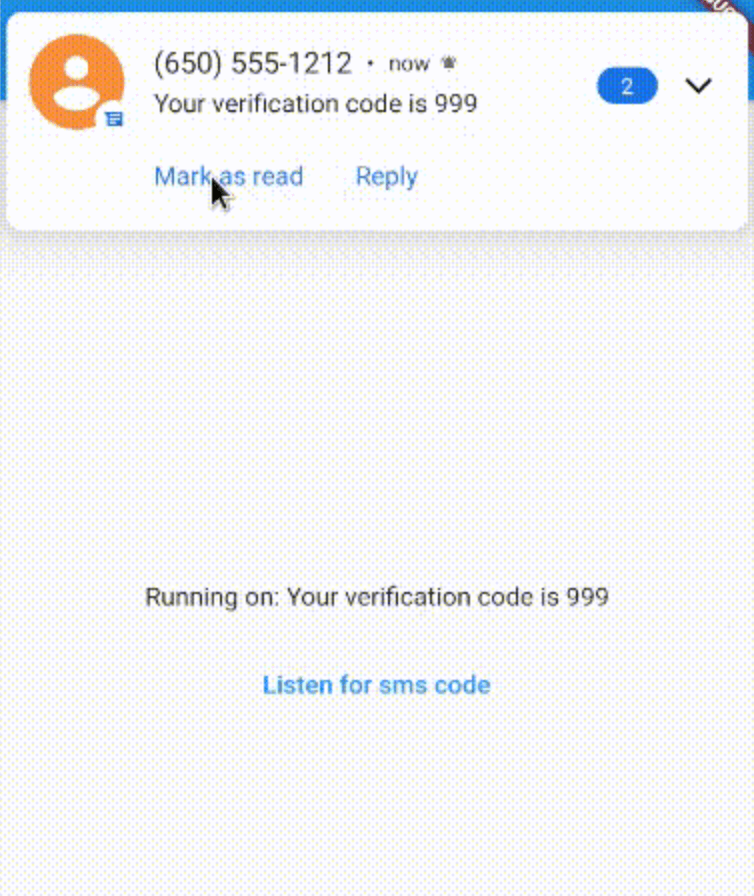
This project is for getting new arrived sms and shows on application. Sms completely return into application and you can split it as you want.
https://raw.githubusercontent.com/tazik561/alt_sms_auto_fill/main/images/alt_sms_autofill.gif?raw=true
Add it to your pubspec.yaml file:
dependencies:

alt_sms_autofill: version
In your library add the following import:
import 'package:alt_sms_autofill/alt_sms_autofill.dart';
Here is an example how to use:
class _MyAppState extends State<MyApp> {
  String _commingSms = 'Unknown';

  Future<void> initSmsListener() async {

    String commingSms;
    try {
      commingSms = await AltSmsAutofill().listenForSms;
    } on PlatformException {
      commingSms = 'Failed to get Sms.';
    }
    if (!mounted) return;

    setState(() {
      _commingSms = commingSms;
    });

  }

  @override
  void dispose() {

    AltSmsAutofill().unregisterListener();
    super.dispose();

  }

  @override
  Widget build(BuildContext context) {

    return MaterialApp(
      home: Scaffold(
        appBar: AppBar(
          title: const Text('AltAutoFill example app'),
        ),
        body: Column(
          mainAxisAlignment: MainAxisAlignment.center,
          children: [
            Center(
              child: Text('Running on: $_commingSms\n'),
            ),
            TextButton(
              child: Text('Listen for sms code'),
              onPressed: initSmsListener,
            ),
          ],
        ),
      ),
    );

  }
listenForCode() to listen for the SMS code from the native plugin when SMS is received.unregisterListener() to unregister the broadcast receiver, need to be called on your dispose.#ff packages pub publish