
v_keyboard
Flutter用のカスタマイズ可能なネイティブ感覚の画面キーボード(モバイル・デスクトップ・ウェブ)。

- スター
- 0
- フォーク
- 0
- 最終プッシュ(UTC)
- 2026/08/20
- プロジェクト状態
- 公開中
元の README
以下は英語原文のスナップショットです。最新版は GitHub をご覧ください。
flutter_v_keyboard
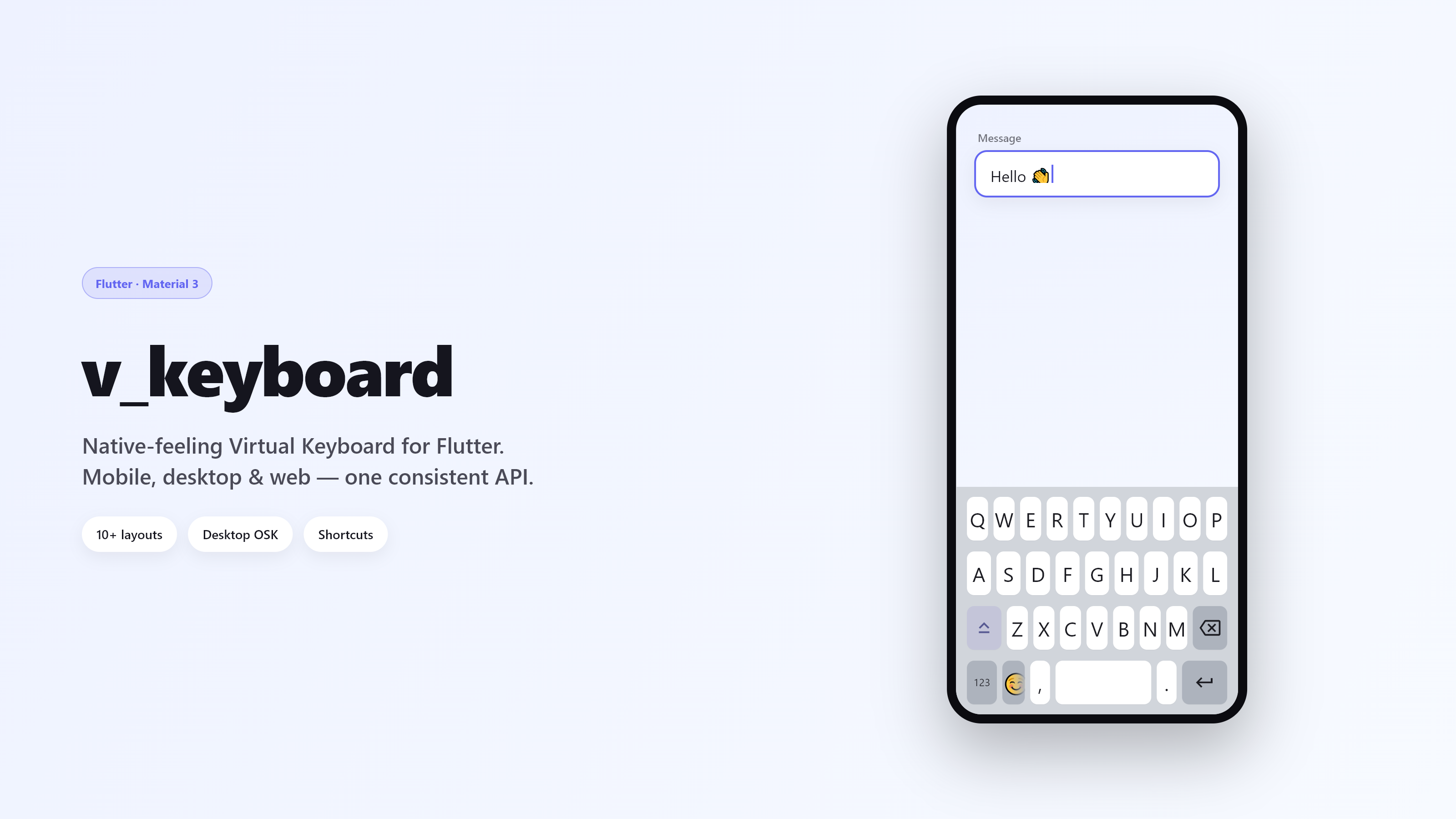
A customizable virtual keyboard and text-input system for Flutter, built for mobile, desktop, and web.


Unlike simple keyboard widgets, flutter_v_keyboard pairs a drop-in VTextField with an on-screen text input engine. It delivers precise cursor management, multi-character selection replacement, multiline editing, layout switching, and focus traversal without invoking the host operating system's software keyboard.
Showcase
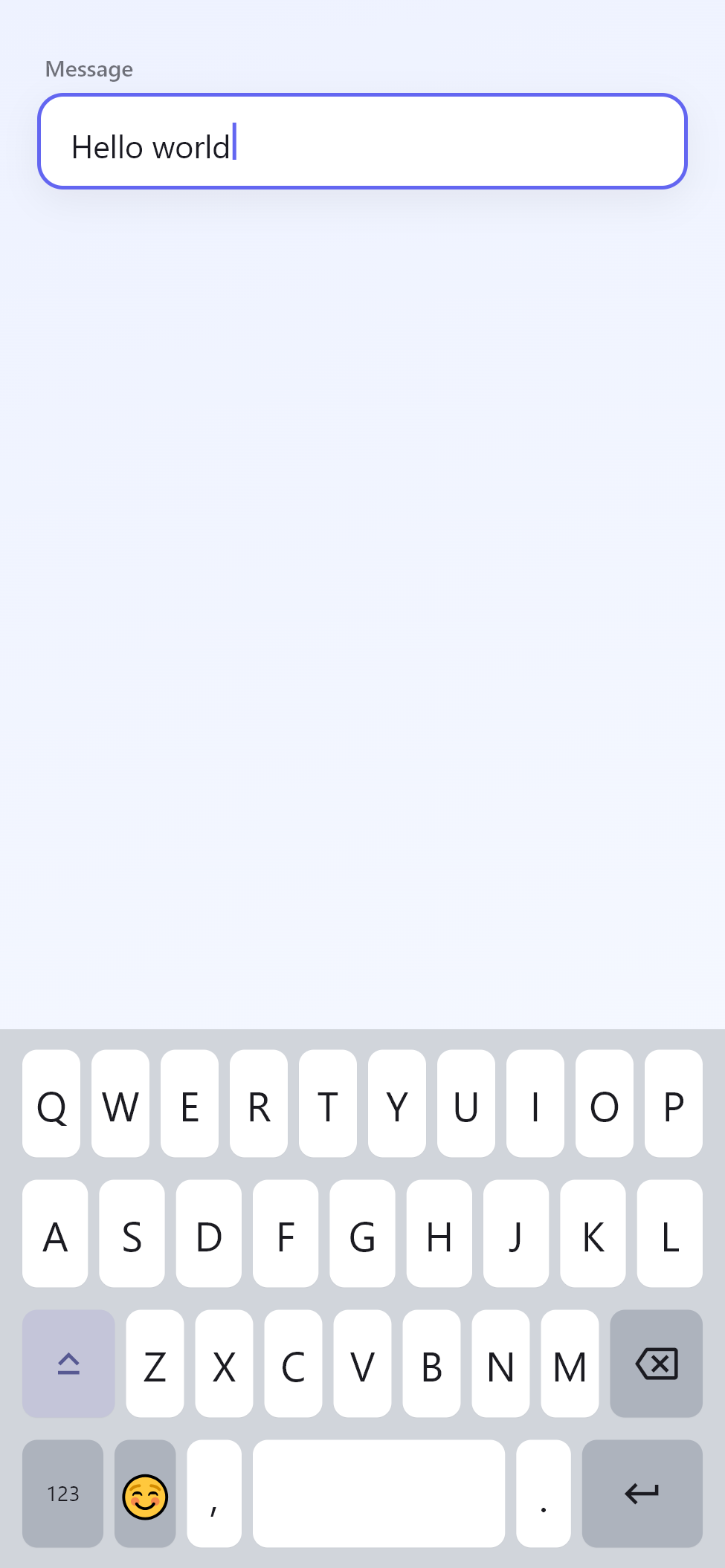
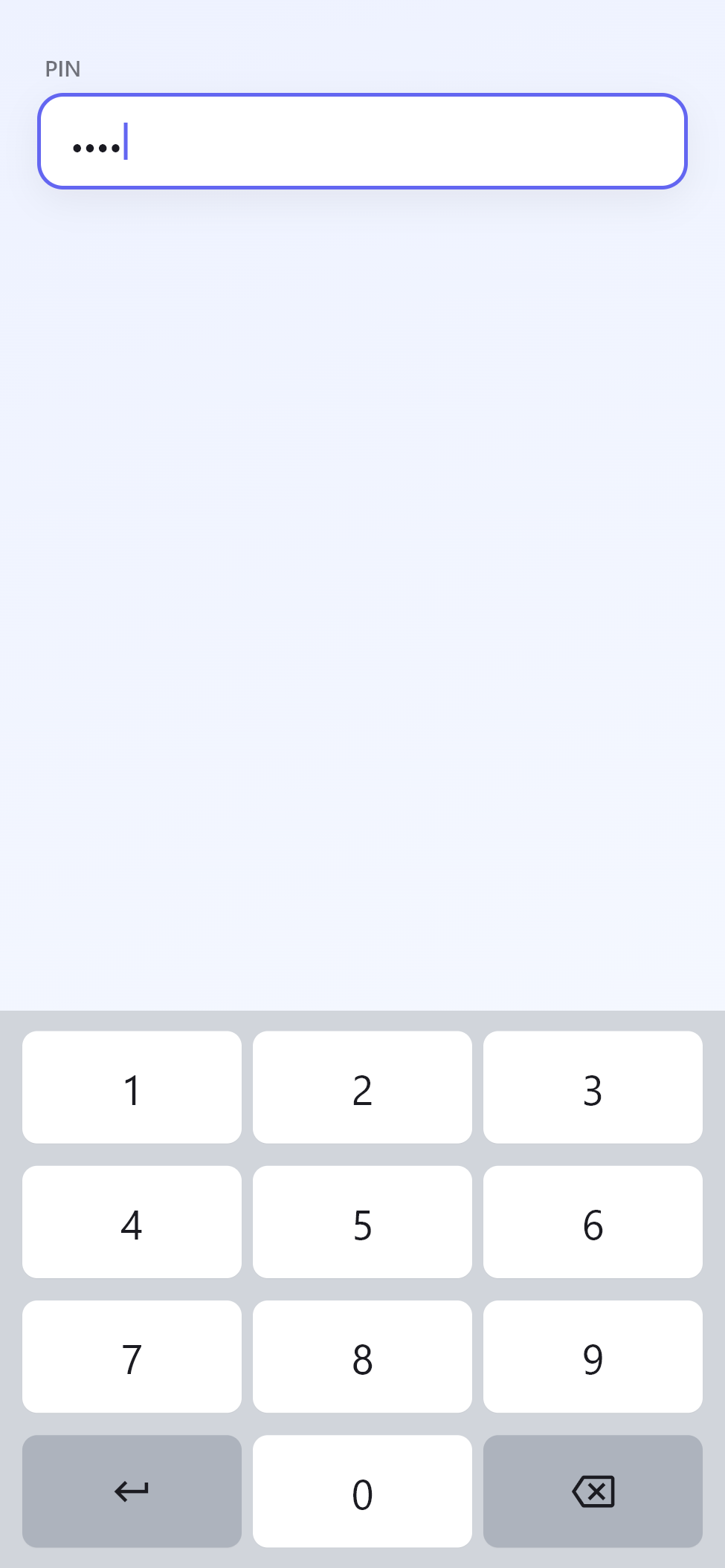
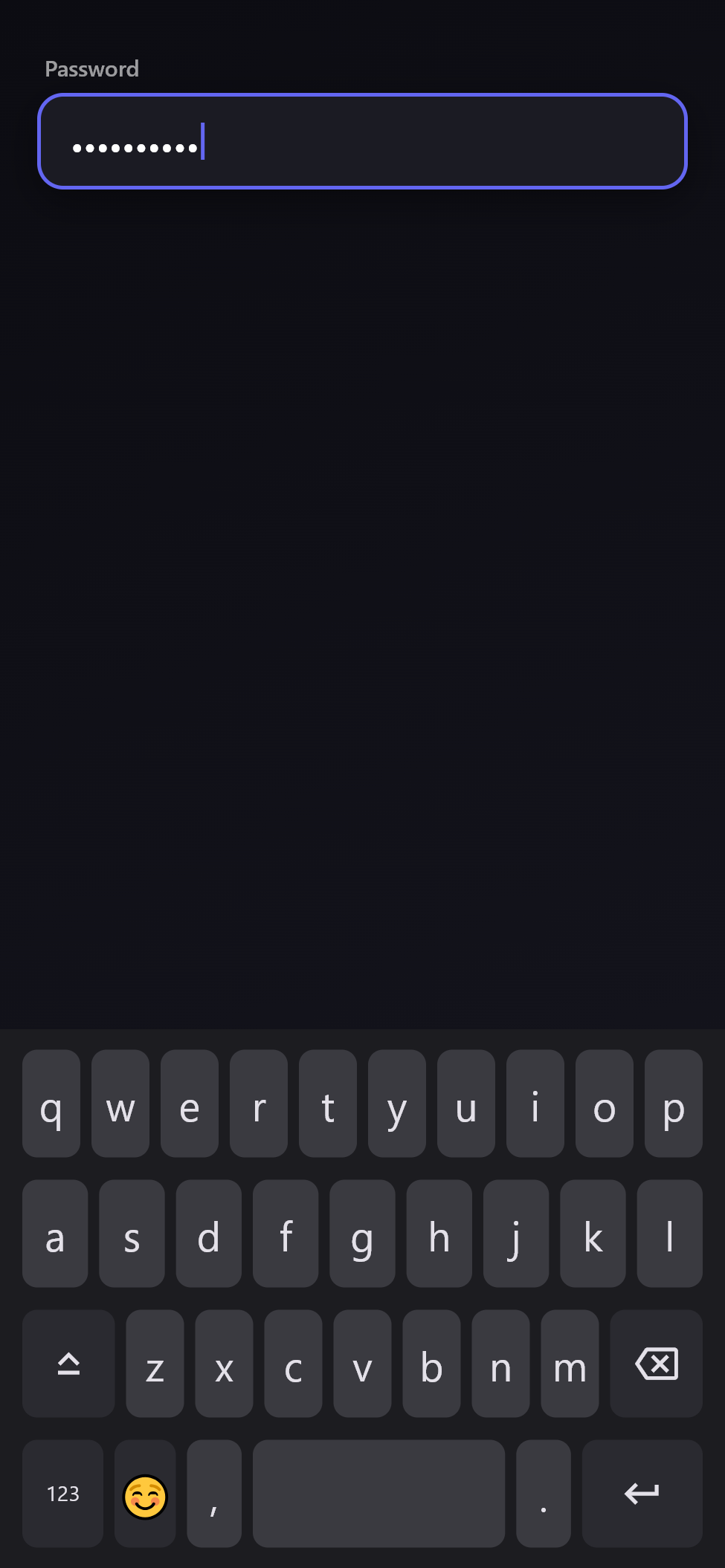
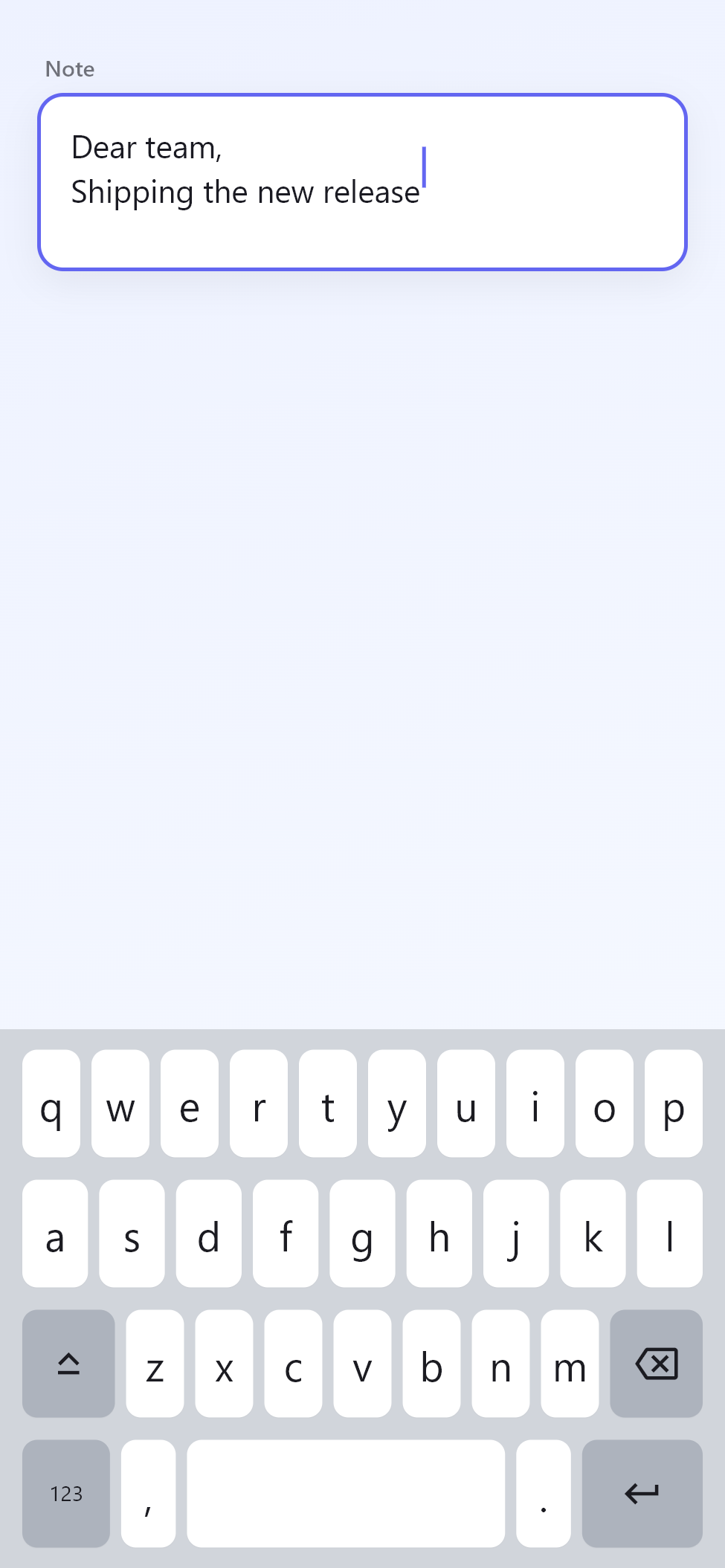
Everyday Typing
| Standard | Number / PIN | Password | Multiline |
|---|---|---|---|
 |
 |
 |
 |
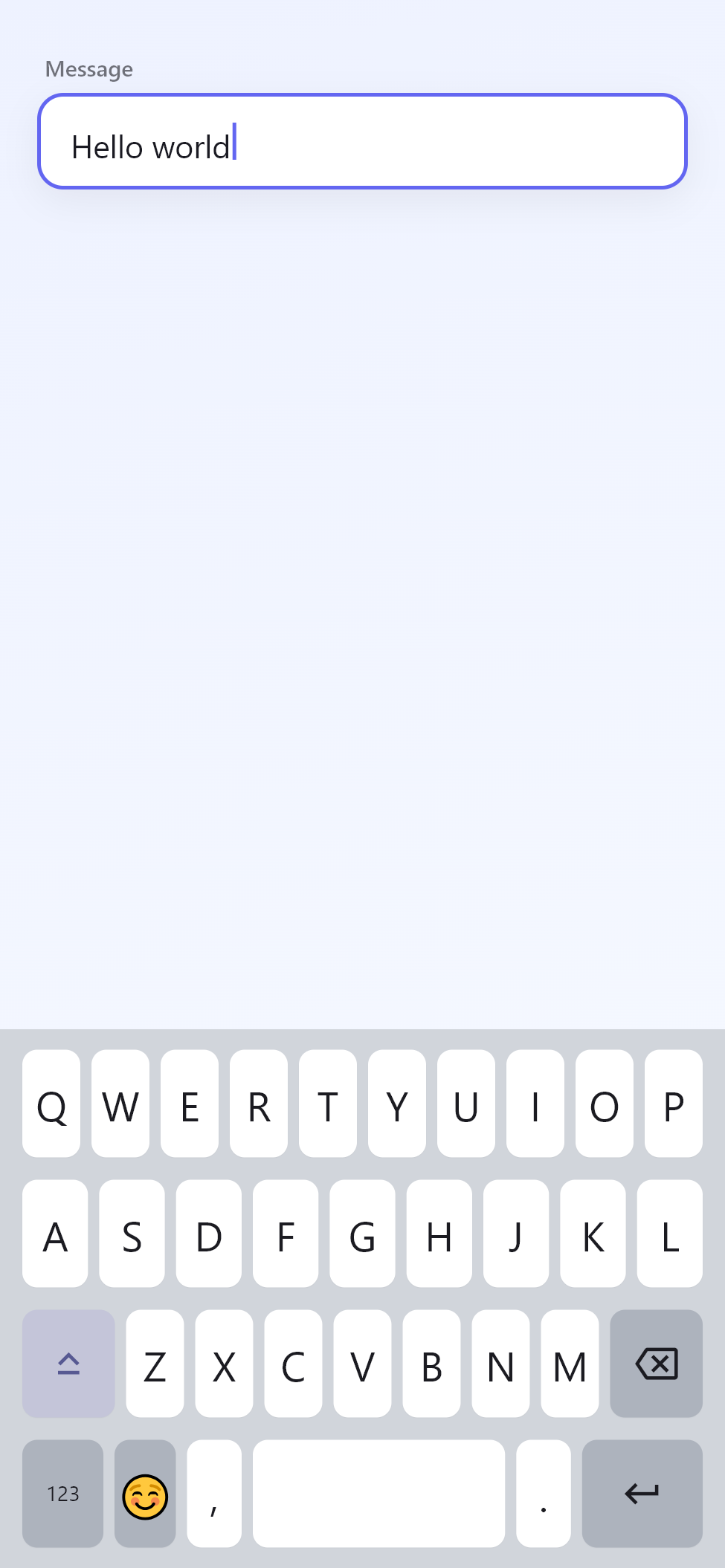
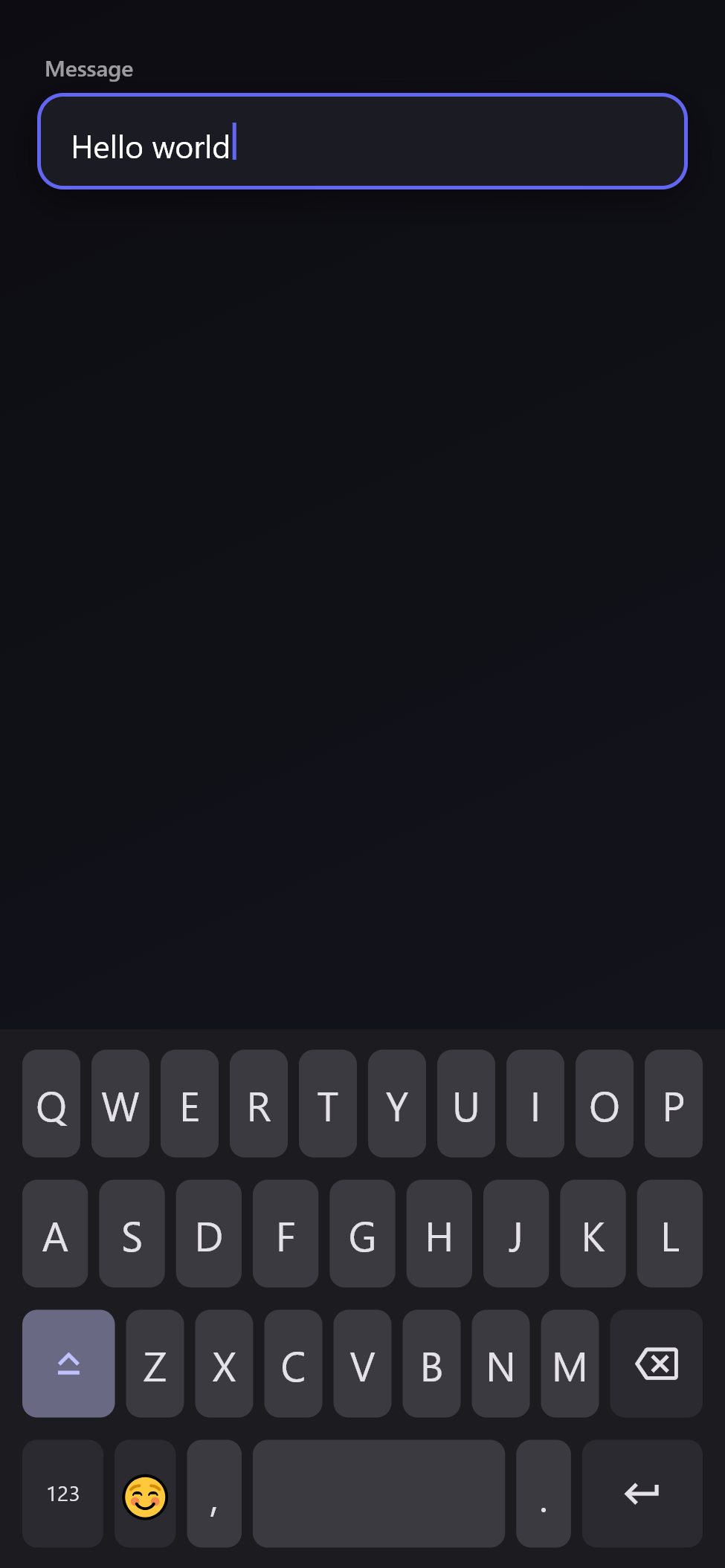
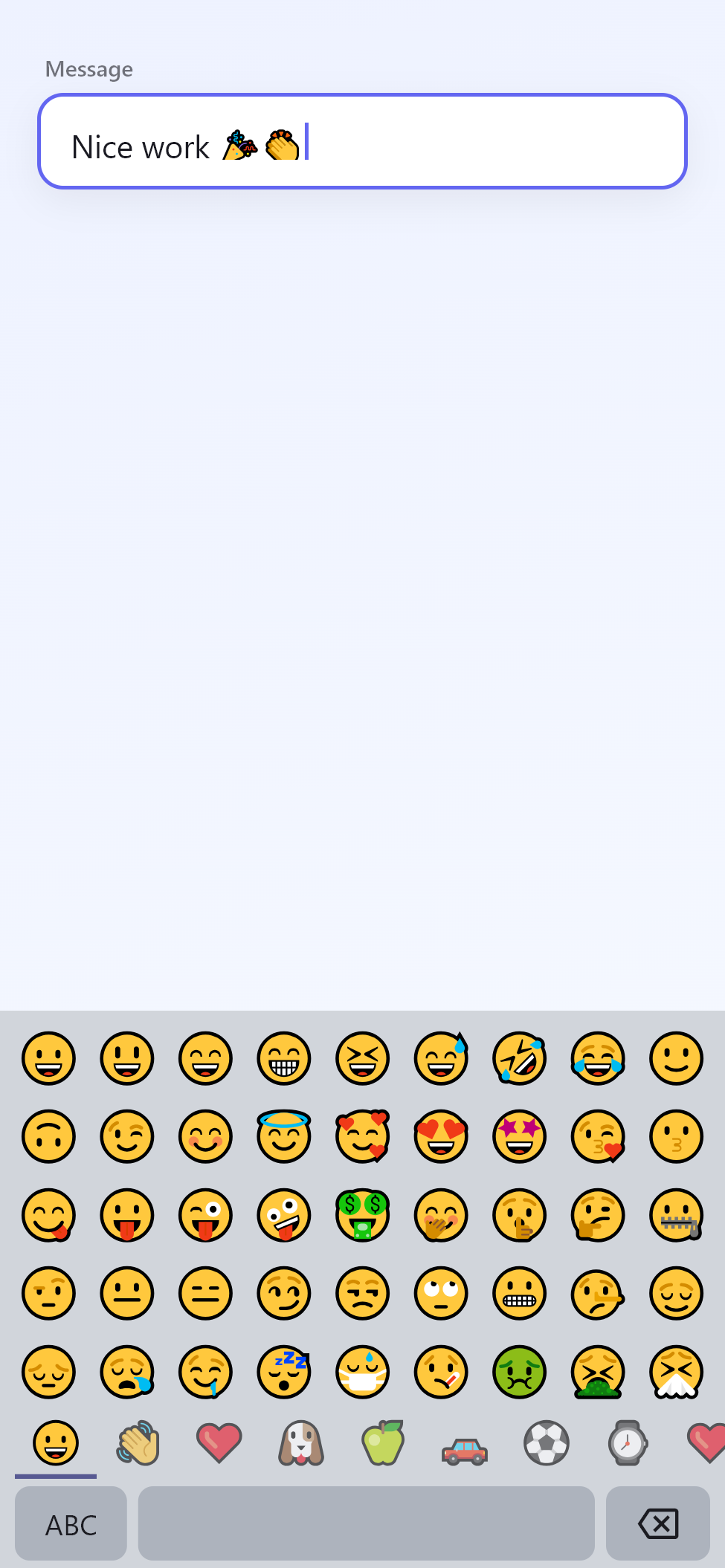
Customization
| Light Theme | Dark Theme | Emoji Panel |
|---|---|---|
 |
 |
 |
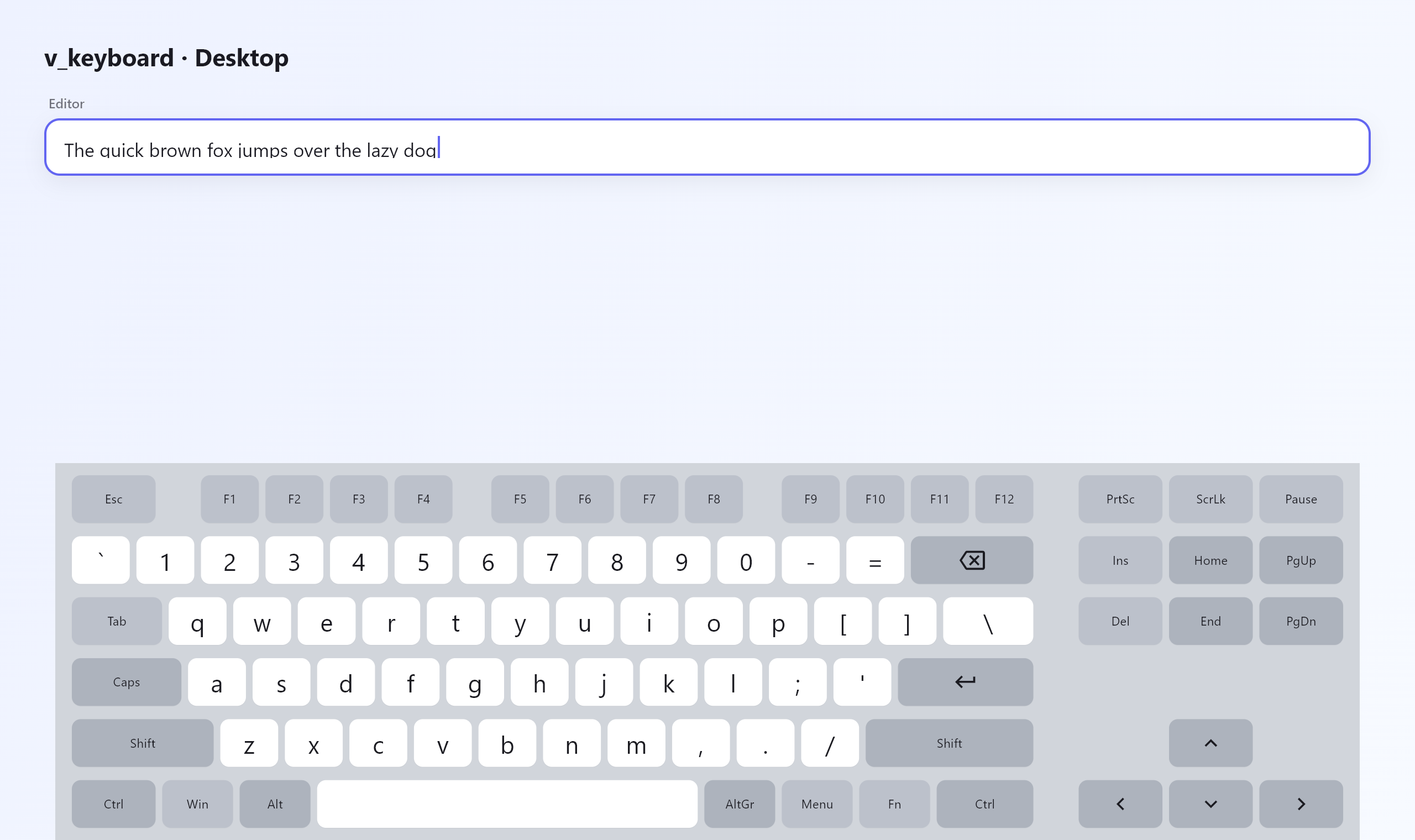
Desktop
Full physical desktop layout featuring function keys, navigation clusters, and responsive collapsing sections.
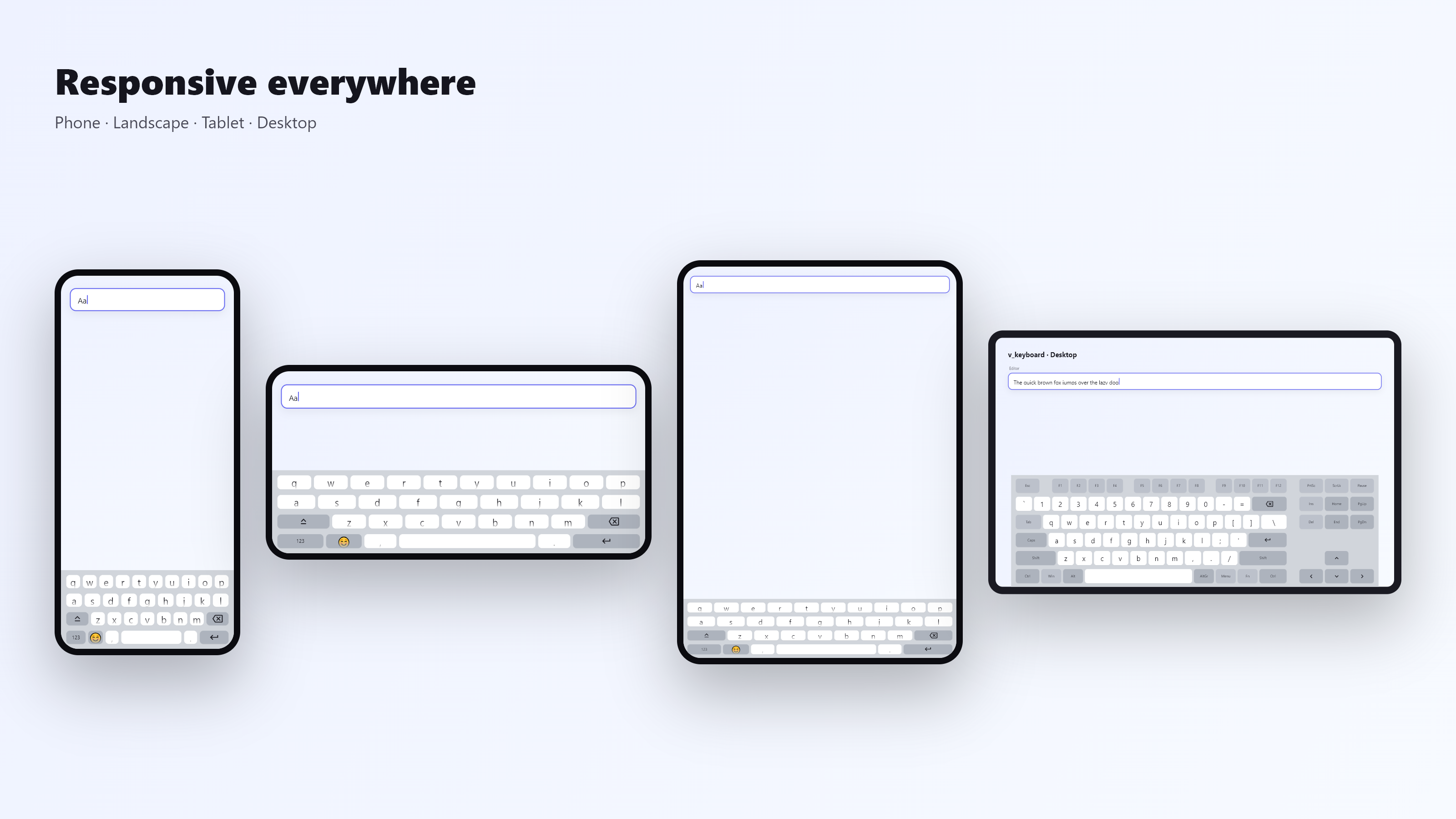
Responsive scaling across phones, landscape mode, tablets, and wide desktop windows.
Clipboard History
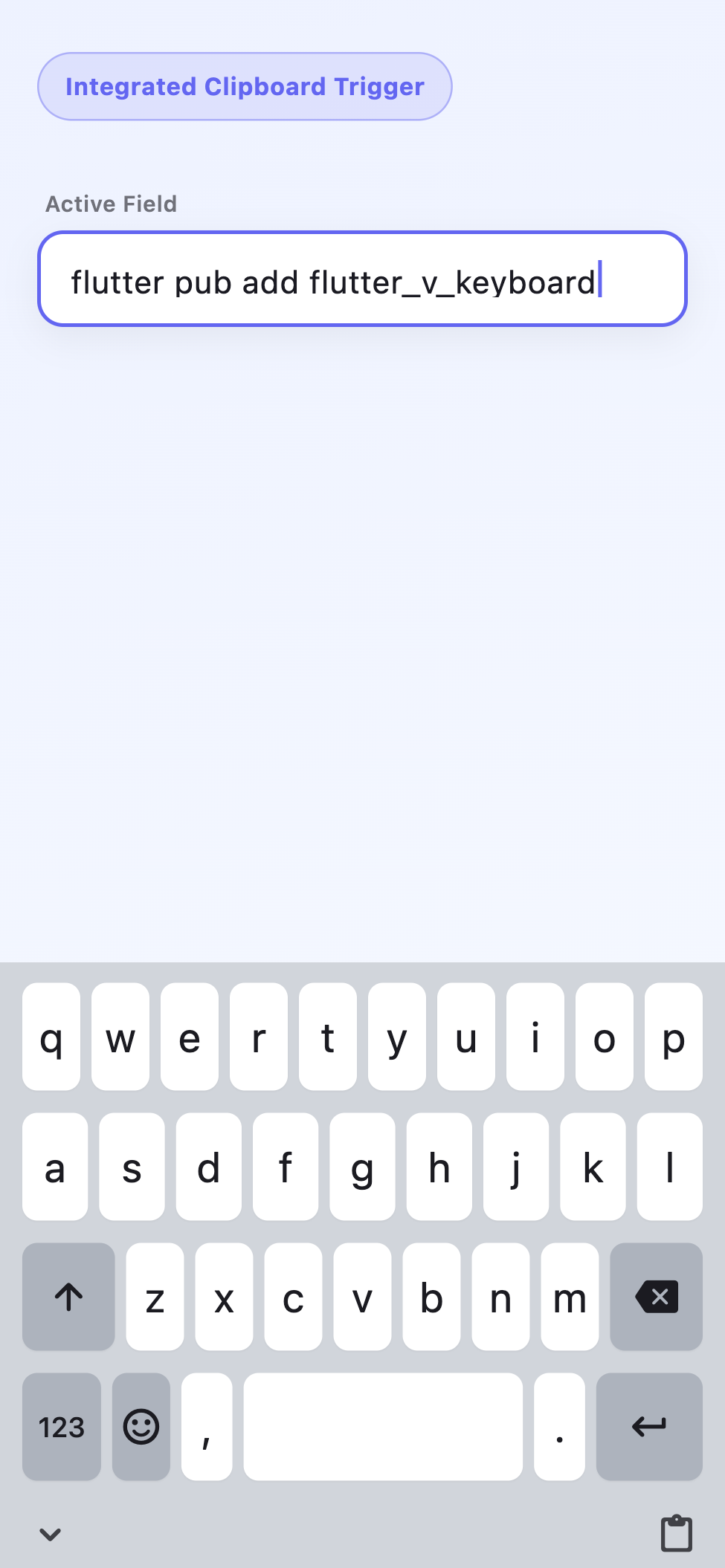
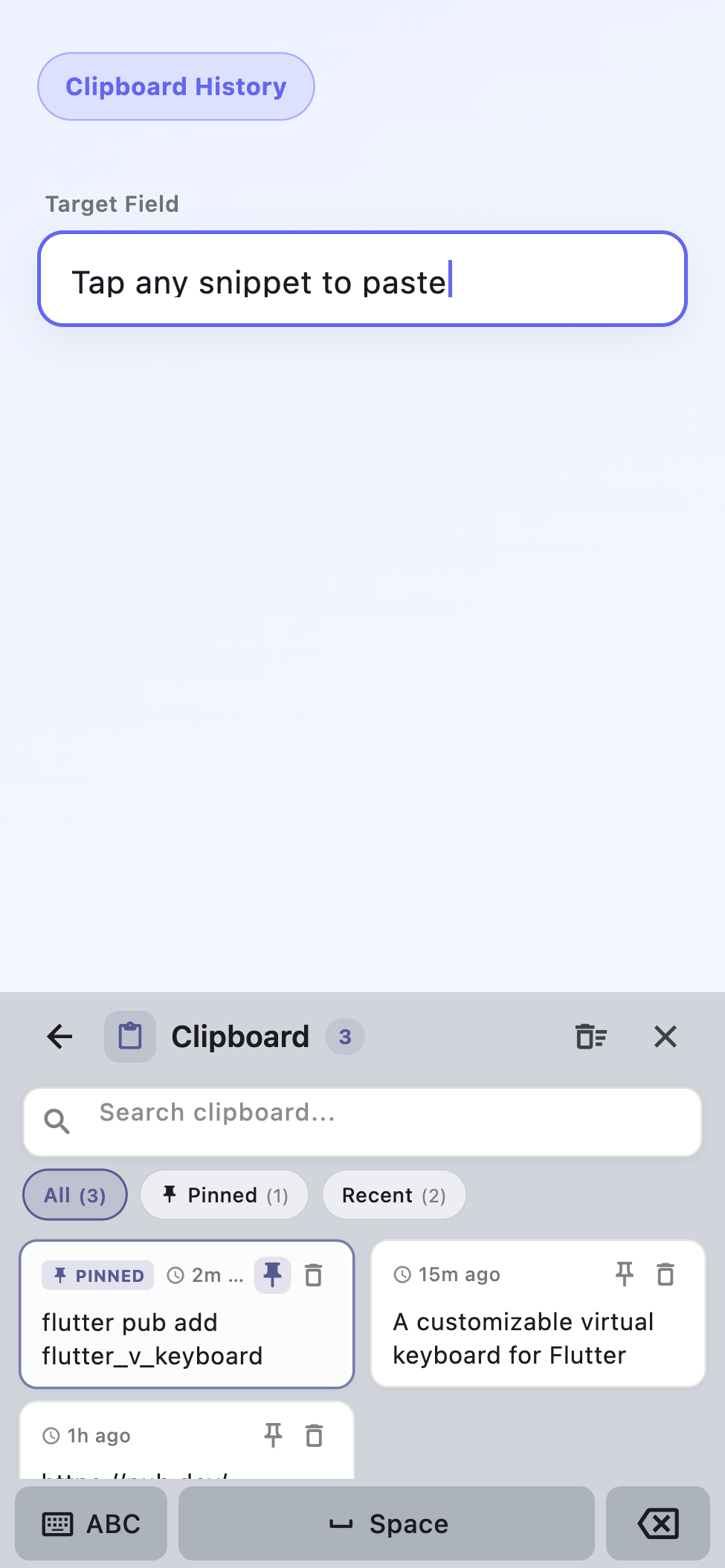
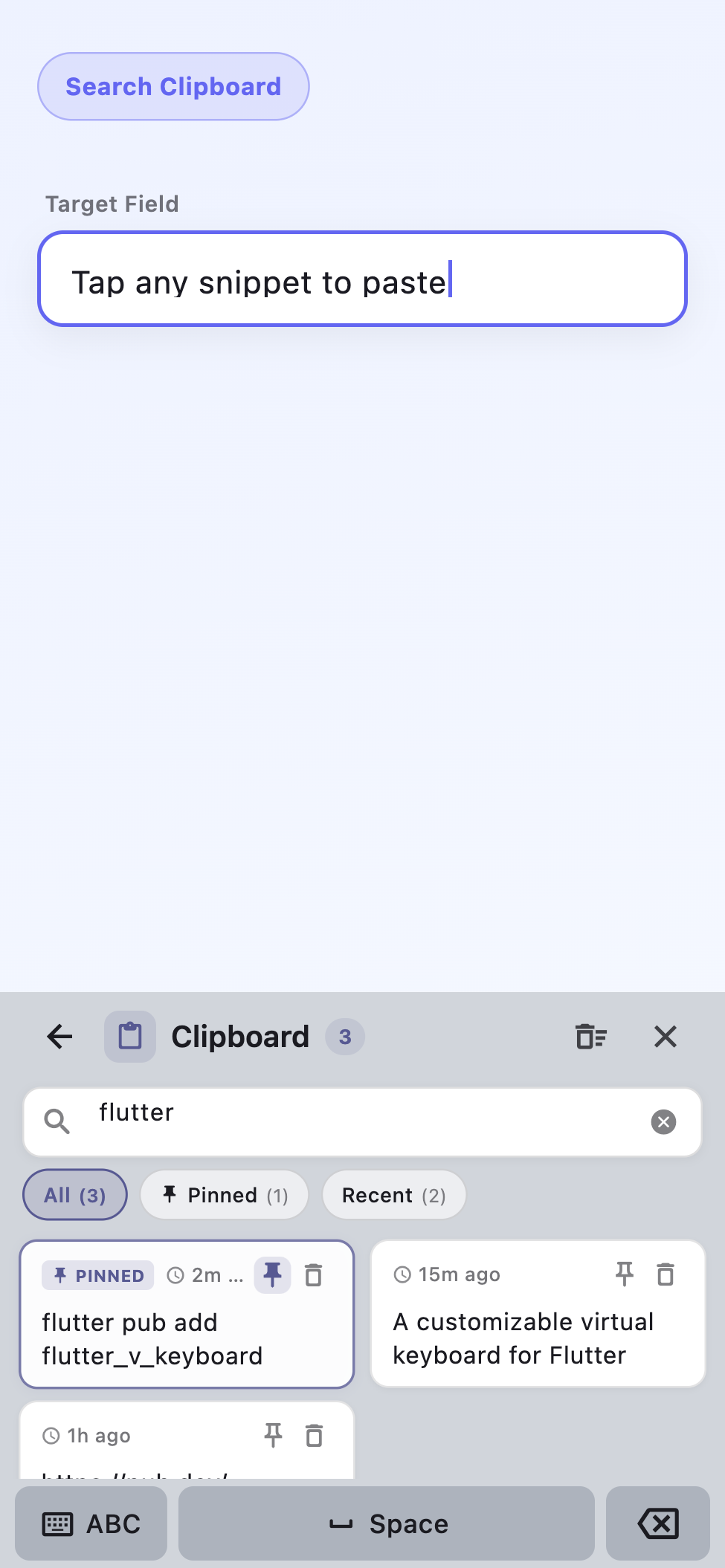
Production-ready clipboard history integrated directly into the virtual keyboard. Tap the clipboard key on the keyboard, search snippets, pin frequent items, and paste directly into the active field.
| Integrated Key | History Panel | Search & Filter |
|---|---|---|
 |
 |
 |
Features
Text Input
- Real cursor positioning, drag selection, and multi-character replacement.
- Multiline editing with newline handling and text overflow wrapping.
- Flutter focus system integration with
TextInputAction(next,done,go,search). - Native keyboard avoidance by pushing application UI via
viewInsets.bottom. - Full respect for
inputFormatters,maxLength, andreadOnlyconfigurations.
Keyboard Layouts
- Alphabetic: Standard QWERTY and Text (clean layout without emoji switch).
- Specialized: Number, decimal, phone, PIN, password, email, and URL layouts.
- Symbols: Multi-page switching (
123,#+=) with sticky shift and double-tap caps lock. - Emoji: Built-in categorized emoji picker with zero external dependencies.
- Custom: Declarative layout definition and custom key widget builders.
Desktop Experience
- Windows On-Screen Keyboard style layout with function keys (F1–F12) and numpad.
- Full modifier handling: Shift, Ctrl, Alt, AltGr, Meta, Caps Lock, Num Lock, and Scroll Lock.
- Navigation clusters: Arrow keys, Home, End, Page Up, and Page Down.
- Word-by-word navigation (
Ctrl + Arrow) and word deletion (Ctrl + Backspace). - Hardware keyboard fallback on desktop and web targets.
- Desktop shortcut registration via
VKeyboardShortcuts.
Clipboard History
- Automatic recording of copied and cut text snippets within the virtual keyboard pipeline.
- Instant synchronization with the host operating system clipboard upon opening.
- Persistent local storage surviving application restarts.
- Deduplication with position bumping and original timestamp preservation.
- Snippet pinning to protect critical items from eviction.
- Search filtering with quick filter chips (
All,Pinned,Recent). - Privacy protection: Password, PIN, and sensitive fields are never saved.
- Hardware shortcut support (
Win + V,Ctrl + Shift + V).
Installation
Add flutter_v_keyboard to your pubspec.yaml:
flutter pub add flutter_v_keyboard
Or add it manually under dependencies:
dependencies:
  flutter_v_keyboard: ^0.2.2
Quick Start
Wrap your application tree once with VKeyboardScope:
import 'package:flutter/material.dart';
import 'package:flutter_v_keyboard/flutter_v_keyboard.dart';

void main() => runApp(const MyApp());

class MyApp extends StatelessWidget {
  const MyApp({super.key});

  @override
  Widget build(BuildContext context) {
    return MaterialApp(
      builder: (context, child) => VKeyboardScope(
        child: child!,
      ),
      home: const FormPage(),
    );
  }
}
Replace TextField with VTextField:
class FormPage extends StatefulWidget {
  const FormPage({super.key});

  @override
  State<FormPage> createState() => _FormPageState();
}

class _FormPageState extends State<FormPage> {
  final _controller = TextEditingController();

  @override
  void dispose() {
    _controller.dispose();
    super.dispose();
  }

  @override
  Widget build(BuildContext context) {
    return Scaffold(
      appBar: AppBar(title: const Text('Virtual Keyboard Example')),
      body: Padding(
        padding: const EdgeInsets.all(16),
        child: VTextField(
          controller: _controller,
          keyboardType: VKeyboardType.standard,
          textInputAction: TextInputAction.done,
          decoration: const InputDecoration(
            labelText: 'Your message',
            border: OutlineInputBorder(),
          ),
        ),
      ),
    );
  }
}
Customization
Themes
Choose between built-in presets or inherit colors and typography from your application's ThemeData:
// Built-in presets
VKeyboardScope(
  theme: VKeyboardTheme.light(accentColor: Colors.teal),
  child: child!,
);

VKeyboardScope(
  theme: VKeyboardTheme.dark(accentColor: Colors.deepOrange),
  child: child!,
);

// Ambient ThemeData inheritance (with native OS font fallback stack)
VKeyboardScope(
  theme: VKeyboardTheme.fromTheme(Theme.of(context)),
  child: child!,
);
Runtime Configuration
Adjust keyboard behavior and clipboard limits through VKeyboardConfig:
VKeyboardScope(
  config: const VKeyboardConfig(
    hideOnDone: true,
    moveFocusOnNext: true,
    closeOnOutsideTap: true,
    enableLongPressDelete: true,
    enableKeyRepeat: true,
    enableClipboardHistory: true,
    maxClipboardHistoryItems: 50,
  ),
  child: child!,
);
Custom Layouts
Define custom layouts declaratively without modifying package internals:
final greekLayout = KeyboardLayout(
  id: 'greek',
  initialPage: 'main',
  pages: {
    'main': [
      'αβγδεζηθ'.split('').map(KeyData.char).toList(),
      'ικλμνξοπ'.split('').map(KeyData.char).toList(),
      [
        KeyData.shift(flex: 1.5),
        ...'ρστυφχψ'.split('').map(KeyData.char),
        KeyData.backspace(flex: 1.5),
      ],
      [
        KeyData.space(flex: 5),
        KeyData.enter(flex: 2),
      ],
    ],
  },
);

VTextField(
  keyboardType: VKeyboardType.custom,
  customLayout: greekLayout,
);
Custom Keys
Insert custom widget keys using KeyData.custom:
KeyData.custom(
  builder: (context) => Container(
    alignment: Alignment.center,
    decoration: BoxDecoration(
      color: Colors.amber.shade200,
      borderRadius: BorderRadius.circular(8),
    ),
    child: const Icon(Icons.mic, size: 20),
  ),
  text: '[voice]',
  flex: 1.2,
);
Desktop Keyboard and Shortcuts
Render a full physical keyboard layout with VKeyboardType.desktop and bind custom global shortcuts with VKeyboardShortcuts:
VKeyboardShortcuts(
  shortcuts: {
    LogicalKeySet(LogicalKeyboardKey.control, LogicalKeyboardKey.keyS): () {
      debugPrint('Save command invoked');
    },
  },
  onMedia: (intent) => debugPrint('Media key: $intent'),
  onMetaKey: () => debugPrint('Meta / Windows key tapped'),
  child: child!,
);
Sensitive Fields
Exclude sensitive information from clipboard history by setting sensitive: true:
VTextField(
  controller: _pinController,
  keyboardType: VKeyboardType.pin,
  sensitive: true, // Content will never be recorded to clipboard history
);
Architecture
flutter_v_keyboard is designed around single-responsibility layers:
| Component | Responsibility |
|---|---|
VKeyboardScope |
Injects keyboard overlay, manages bottom safe-area insets (viewInsets.bottom), and handles tap-outside dismissal. |
VKeyboardController |
Coordinates keyboard state, page switches, active modifiers, and clipboard history. |
KeyboardSession |
Links the focused VTextField to the controller, synchronizing selection and cursor updates. |
TextInputEngine |
Core text manipulation engine handling insertions, deletions, formatters, and length constraints. |
KeyboardView |
Computes responsive layout metrics and renders keys with per-key repaint boundaries. |
ClipboardHistoryManager |
Records snippets, enforces storage limits, handles pinning, and syncs with system clipboard. |
VKeyboardTheme |
Defines visual colors, elevation, border radii, and system font fallback stacks. |
VKeyboardConfig |
Controls runtime keyboard behavior flags and feature toggles. |
Platform Support
| Platform | Support | Status |
|---|---|---|
| Android | Supported | Verified via automated widget tests and example runner. |
| iOS | Supported | Verified via automated widget tests and example runner. |
| macOS | Supported | Verified via automated widget tests, integration tests, and desktop example. |
| Windows | Supported | Verified via automated widget tests and desktop example. |
| Linux | Supported | Verified via automated widget tests and desktop example. |
| Web | Supported | Verified via automated widget tests and Chrome target (storage runs in-memory). |
SDK Requirements
- Flutter:
>=3.22.0 - Dart:
>=3.4.0 <4.0.0
Contributing & Links
- Example App: Explore
example/lib/main.dartfor a comprehensive demonstration of all layouts, themes, and interactions. - Changelog: Review recent updates and breaking changes in
CHANGELOG.md. - Issue Tracker: Report bugs or propose new features on GitHub Issues.
- License: Released under the MIT License.

Tegar ↗
カテゴリー
使用している依存関係
依存関係一覧 3 件
- flutter
{"sdk":"flutter"} - flutter_test開発用
{"sdk":"flutter"} - flutter_lints開発用
^4.0.0
プロジェクトに合うリポジトリを選ぶには?
用途で絞り込み、開発状況を比較し、採用前に元のリポジトリで要件を確認しましょう。
- 名前・作者・説明で検索し、技術トピックで絞り込みます。
- スター、フォーク、最近のプッシュを比較します。スターは関心の目安であり、品質の保証ではありません。
- 利用前に GitHub で README、ライセンス、Issues を確認します。
情報源と管理
“A repository is the most basic element of GitHub.”
GitHub Docs — About repositories ↗