

 v4.1.0
flutter_countdown_timer
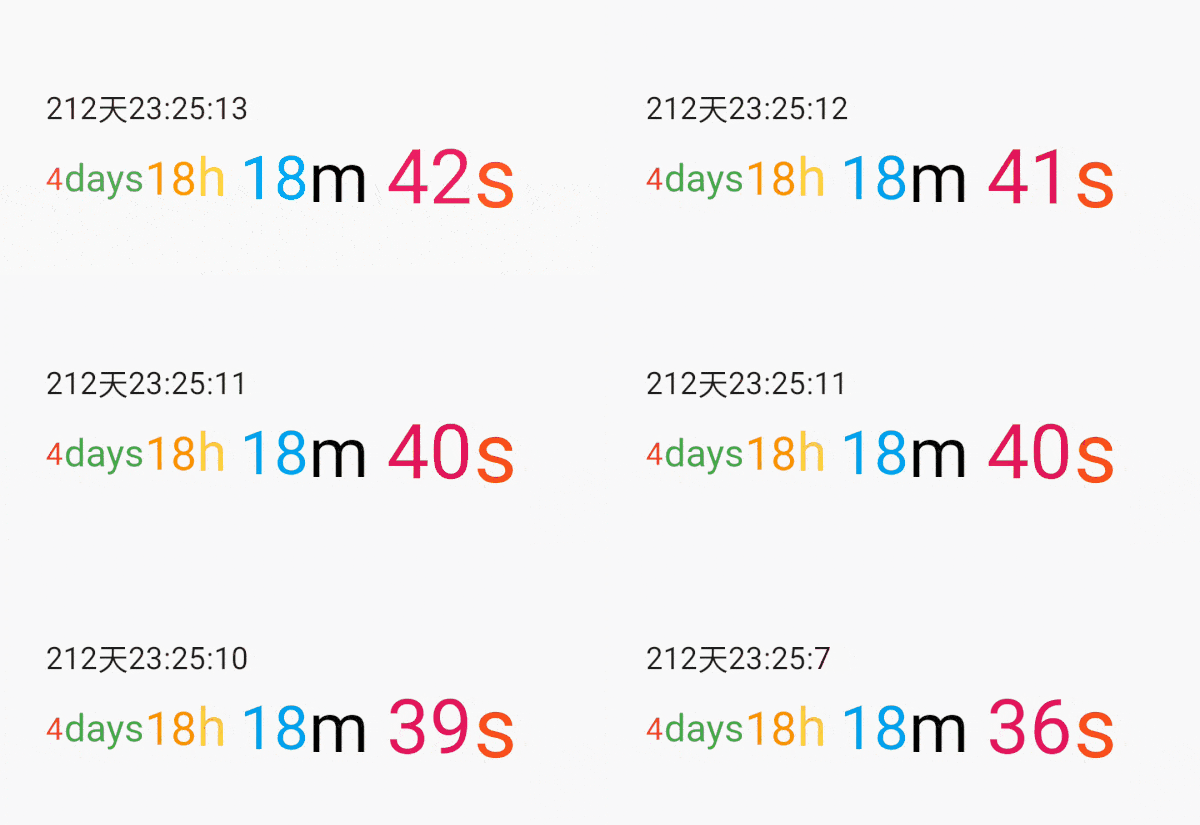
Flutterカウントダウンタイマー。[10日5:30:46] ⬇⬇⬇⬇
315いいね 2.8万30日間ダウンロード130Pub ポイント
AndroidiOSWebmacOSWindowsLinux
Flutterカウントダウンタイマー。[10日5:30:46] ⬇⬇⬇⬇ | flutterカウントダウン

以下は英語原文のスナップショットです。最新版は GitHub をご覧ください。
A simple flutter countdown timer widget.Count down through the end timestamp,Trigger an event after the countdown ends.
Add this to your package's pubspec.yaml file:
dependencies:
  flutter_countdown_timer: ^4.1.0
Install it
$ flutter pub get
| name | description |
|---|---|
| endWidget | The widget displayed at the end of the countdown |
| widgetBuilder | Widget Function(BuildContext context, CurrentRemainingTime time) |
| controller | CountdownTimer start and dispose controller |
| endTime | Countdown end time stamp |
| onEnd | Countdown end event |
| textStyle | Text color |
| name | description |
|---|---|
| endTime | Countdown end time stamp |
| onEnd | Countdown end event |
int endTime = DateTime.now().millisecondsSinceEpoch + 1000 * 30;

...
CountdownTimer(
  endTime: endTime,
),
int endTime = DateTime.now().millisecondsSinceEpoch + 1000 * 30;

void onEnd() {
  print('onEnd');
}

...
CountdownTimer(
  endTime: endTime,
  onEnd: onEnd,
),
  CountdownTimerController controller;
  int endTime = DateTime.now().millisecondsSinceEpoch + 1000 * 30;

  @override
  void initState() {
    super.initState();
    controller = CountdownTimerController(endTime: endTime, onEnd: onEnd);
  }

  void onEnd() {
    print('onEnd');
  }

  @override
  Widget build(BuildContext context) {
    return Scaffold(
      body: Center(
          CountdownTimer(
              controller: controller,
              onEnd: onEnd,
              endTime: endTime,
          ),
      ),
      floatingActionButton: FloatingActionButton(
        child: Icon(Icons.stop),
        onPressed: () {
          onEnd();
          controller.disposeTimer();
        },
      ),
    );
  }

  @override
  void dispose() {
    controller.dispose();
    super.dispose();
  }
  int endTime = DateTime.now().millisecondsSinceEpoch + 1000 * 30;

  @override
  Widget build(BuildContext context) {
    return Scaffold(
      body: Center(
          CountdownTimer(
            endTime: endTime,
            widgetBuilder: (_, CurrentRemainingTime time) {
              if (time == null) {
                return Text('Game over');
              }
              return Text(
                  'days: [ ${time.days} ], hours: [ ${time.hours} ], min: [ ${time.min} ], sec: [ ${time.sec} ]');
            },
          ),
      ),
    );
  }
class _CountdownTimerPageState extends State<CountdownTimerPage>
    with SingleTickerProviderStateMixin {
  late CountdownTimerController controller;
  int endTime = DateTime.now().millisecondsSinceEpoch +
      Duration(seconds: 30).inMilliseconds;

  @override
  void initState() {
    super.initState();
    controller =
        CountdownTimerController(endTime: endTime, onEnd: onEnd, vsync: this);
  }

  @override
  Widget build(BuildContext context) {
    return Scaffold(
      body: Column(
        mainAxisAlignment: MainAxisAlignment.spaceEvenly,
        children: <Widget>[
          CountdownTimer(
            controller: controller,
            widgetBuilder: (BuildContext context, CurrentRemainingTime? time) {
              if (time == null) {
                return Text('Game over');
              }
              List<Widget> list = [];
              if (time.sec != null) {
                list.add(Row(
                  children: <Widget>[
                    Icon(Icons.sentiment_very_satisfied),
                    Text(time.sec.toString()),
                  ],
                ));
              }
              if (time.milliseconds != null) {
                list.add(Row(
                  children: <Widget>[
                    Icon(Icons.sentiment_very_satisfied),
                    AnimatedBuilder(
                      animation: time.milliseconds!,
                      builder: (context, child) {
                        return Text("${(time.milliseconds!.value * 1000).toInt()}");
                      },
                    )
                  ],
                ));
              }
              return Row(
                mainAxisAlignment: MainAxisAlignment.center,
                children: list,
              );
            },
          ),
        ],
      ),
    );
  }

}
class ListViewPage extends StatefulWidget {
  static final String rName = "ListView";

  @override
  _ListViewPageState createState() => _ListViewPageState();
}

class _ListViewPageState extends State<ListViewPage> {
  int endTime = DateTime.now().millisecondsSinceEpoch + 1000 * 60 * 60;

  @override
  Widget build(BuildContext context) {
    return Scaffold(
      body: ListView.builder(
        itemCount: 200,
        itemBuilder: (context, index) {
          if (index == 0) {
            return _CountdownDemo(endTime);
          } else {
            return Container(
              height: 200,
              color: Colors.blue,
              margin: EdgeInsets.all(10),
            );
          }
        },
      ),
    );
  }
}

class _CountdownDemo extends StatefulWidget {
  final int endTime;

  _CountdownDemo(this.endTime);

  @override
  __CountdownDemoState createState() => __CountdownDemoState();
}

class __CountdownDemoState extends State<_CountdownDemo> {
  CountdownTimerController countdownTimerController;

  @override
  Widget build(BuildContext context) {
    return CountdownTimer(
      controller: countdownTimerController,
    );
  }

  @override
  void initState() {
    super.initState();
    countdownTimerController =
        CountdownTimerController(endTime: widget.endTime);
  }
}
CountdownController countdownController = CountdownController(duration: Duration(minutes: 1));


Scaffold(
      body: Center(
        child: Countdown(countdownController: countdownController),
      ),
      floatingActionButton: FloatingActionButton(
        child: Icon(countdownController.isRunning ? Icons.stop : Icons.play_arrow),
        onPressed: () {
          if(!countdownController.isRunning) {
          ///start
            countdownController.start();
          } else {
          ///pause
            countdownController.stop();
          }
          setState(() {
            ///change icon
          });
        },
      ),
    )




依存関係一覧 2 件
{"sdk":"flutter"}{"sdk":"flutter"}用途で絞り込み、開発状況を比較し、採用前に元のリポジトリで要件を確認しましょう。
“A repository is the most basic element of GitHub.”
GitHub Docs — About repositories ↗