
esc_pos_printer
Flutter & Dart 用の ESC/POS(熱転写、レシート)印刷

- スター
- 400
- フォーク
- 337
- 最終プッシュ(UTC)
- 2024/08/19
- プロジェクト状態
- 公開中
元の README
以下は英語原文のスナップショットです。最新版は GitHub をご覧ください。
esc_pos_printer

The library allows to print receipts using an ESC/POS thermal WiFi/Ethernet printer. For Bluetooth printers, use esc_pos_bluetooth library.
It can be used in Flutter or pure Dart projects. For Flutter projects, both Android and iOS are supported.
To scan for printers in your network, consider using ping_discover_network package. Note that most of the ESC/POS printers by default listen on port 9100.
TODO (PRs are welcomed!)
- Print QR Codes using the
GS ( kcommand (printing QR code from an image already supported) - PDF-417 Barcodes using the
GS ( kcommand - Line spacing using the
ESC 3 <n>command
How to Help
- Test your printer and add it in the table: Wifi/Network printer or Bluetooth printer
- Test and report bugs
- Share your ideas about what could be improved (code optimization, new features...)
- PRs are welcomed!
Tested Printers
Here are some printers tested with this library. Please add the models you have tested to maintain and improve this library and help others to choose the right printer.
Generate a Receipt
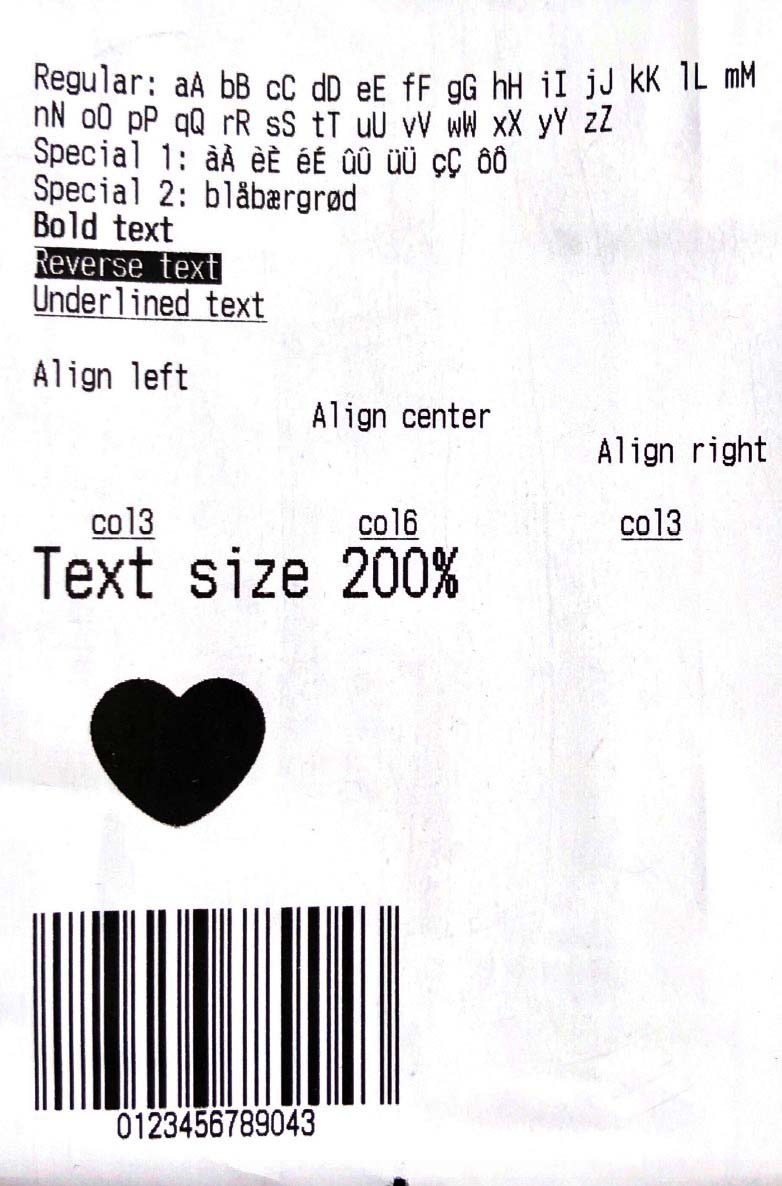
Simple Receipt with Styles:
void testReceipt(NetworkPrinter printer) {
  printer.text(
        'Regular: aA bB cC dD eE fF gG hH iI jJ kK lL mM nN oO pP qQ rR sS tT uU vV wW xX yY zZ');
  printer.text('Special 1: àÀ èÈ éÉ ûÛ üÜ çÇ ôÔ',
      styles: PosStyles(codeTable: 'CP1252'));
  printer.text('Special 2: blåbærgrød',
      styles: PosStyles(codeTable: 'CP1252'));

  printer.text('Bold text', styles: PosStyles(bold: true));
  printer.text('Reverse text', styles: PosStyles(reverse: true));
  printer.text('Underlined text',
      styles: PosStyles(underline: true), linesAfter: 1);
  printer.text('Align left', styles: PosStyles(align: PosAlign.left));
  printer.text('Align center', styles: PosStyles(align: PosAlign.center));
  printer.text('Align right',
      styles: PosStyles(align: PosAlign.right), linesAfter: 1);

  printer.text('Text size 200%',
      styles: PosStyles(
        height: PosTextSize.size2,
        width: PosTextSize.size2,
      ));

  printer.feed(2);
  printer.cut();
}
You can find more examples here: esc_pos_utils.
Print a Receipt
import 'package:esc_pos_printer/esc_pos_printer.dart';

const PaperSize paper = PaperSize.mm80;
final profile = await CapabilityProfile.load();
final printer = NetworkPrinter(paper, profile);

final PosPrintResult res = await printer.connect('192.168.0.123', port: 9100);

if (res == PosPrintResult.success) {
  testReceipt(printer);
  printer.disconnect();
}

print('Print result: ${res.msg}');
For a complete example, check example/example.dart and example/discover_printers.
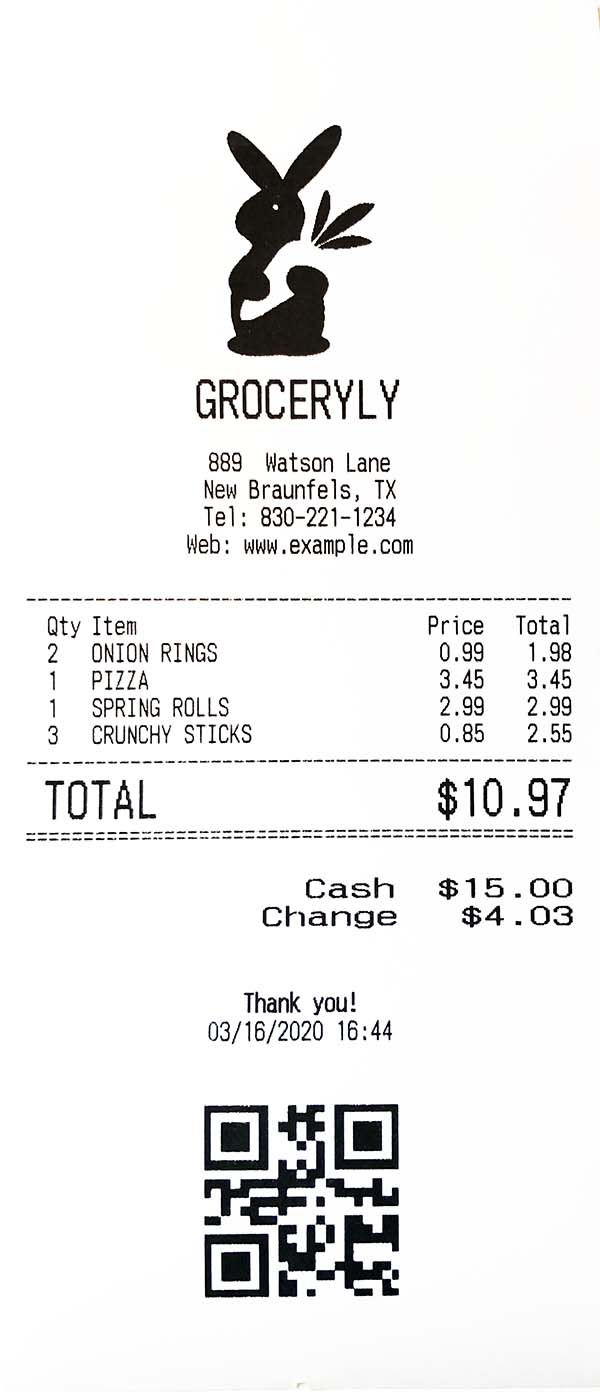
Test Print

wwandreww ↗
カテゴリー
使用している依存関係
依存関係一覧 5 件
- charset_converter
^2.0.0 - esc_pos_utils
^1.1.0 - flutter
{"sdk":"flutter"} - image
^3.0.2 - flutter_test開発用
{"sdk":"flutter"}
プロジェクトに合うリポジトリを選ぶには?
用途で絞り込み、開発状況を比較し、採用前に元のリポジトリで要件を確認しましょう。
- 名前・作者・説明で検索し、技術トピックで絞り込みます。
- スター、フォーク、最近のプッシュを比較します。スターは関心の目安であり、品質の保証ではありません。
- 利用前に GitHub で README、ライセンス、Issues を確認します。
情報源と管理
“A repository is the most basic element of GitHub.”
GitHub Docs — About repositories ↗