
flutter_story_editor
이 패키지는 WhatsApp 스토리 이미지/비디오 편집기의 스타일을 사용하며, 이미지와 비디오를 편집할 수 있습니다. 텍스트, 스티커, 손가락 그림, 필터 적용 및 되돌리기를 할 수 있습니다.

- 스타
- 30
- 포크
- 33
- 최근 푸시(UTC)
- 2024. 7. 23.
- 프로젝트 상태
- 활성
원본 README
아래는 영문 원문 스냅샷입니다. 최신 내용은 GitHub에서 확인하세요.
flutter_story_editor 
This package is created using style of the WhatsApp story image/video editor, with which you can edit images and videos both together. You can add texts, stickers, freehand finger drawing, apply filter, and undo. The edited images will be returned in a onSave call back as List of Files. You can then upload it to some storage or save it locally to your gallery.
Video editing for now only support trimming. In future more video editing features will be added.
Features
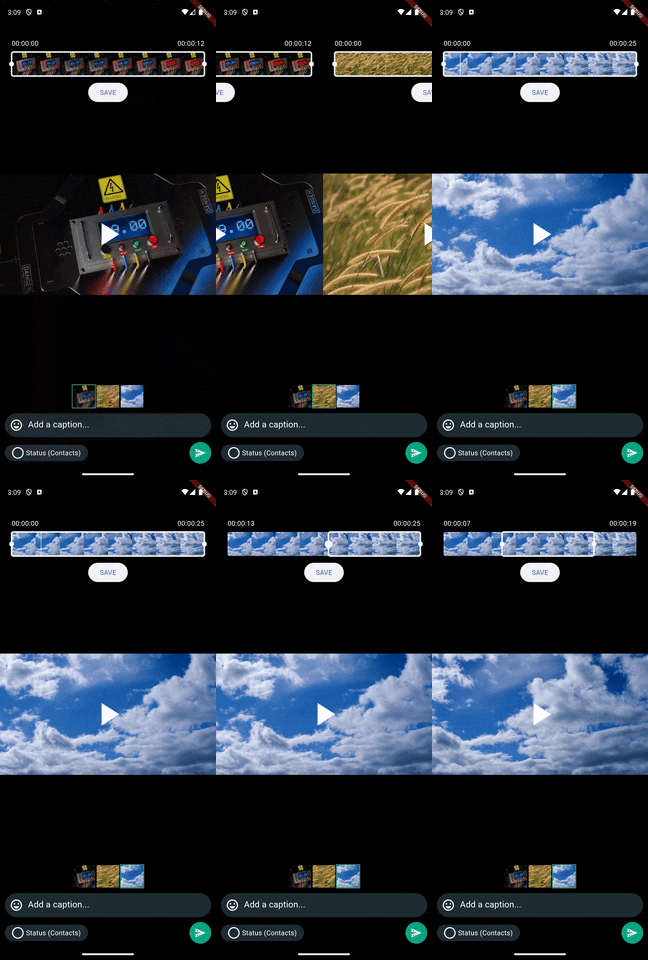
✅ You can edit Images, and videos both together.
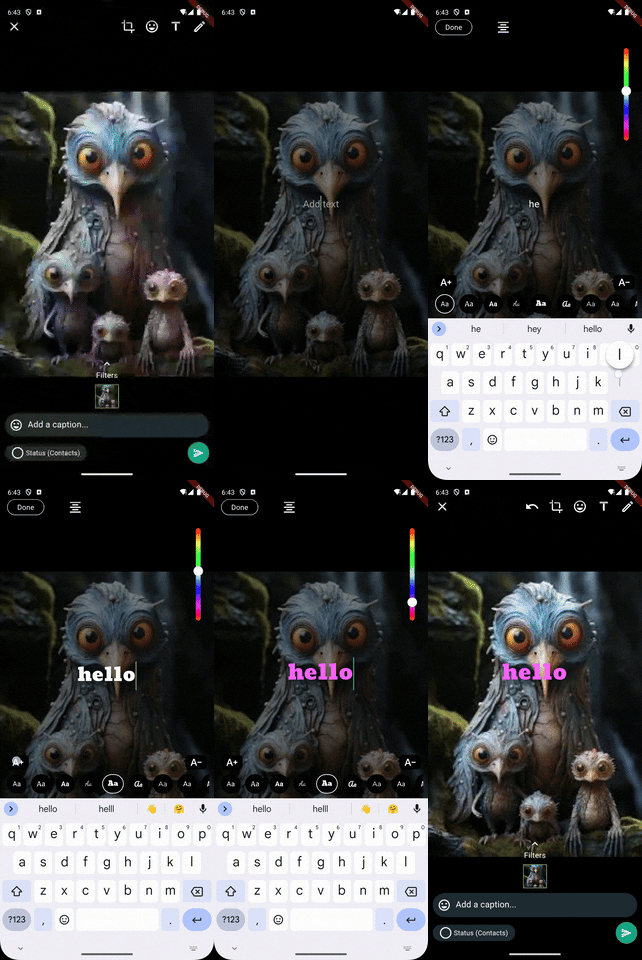
✅ Draggable fancy text with (custom colors, font families, and resize)
✅ Draggable stickers & emojis
✅ Apply filters to images
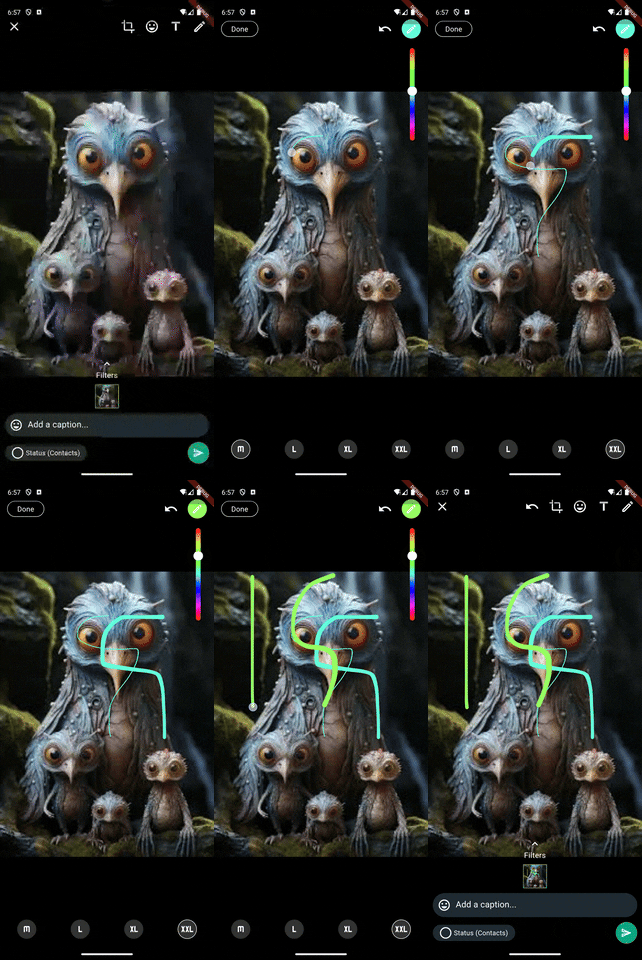
✅ Freehand drawing over images
✅ Trimming video frames
Future features
🚀 Drawing painting over video frames (requires platform specific work)
🚀 More image and video editing functionality like (WhatsApp & Instagram) stories
🚀 The UI is currently like WhatsApp, but I think we should go with something unique for flutter (your contribution & ideas will be very invaluable)
🚀 improve and enhance performance and existing features.
Package Demo
Installation
Add flutter_story_editor: latest_version to your pubspec.yaml and then import it.
dartimport 'package:stories_editor/stories_editor.dart';
Android
add the following code to your AndroidMAnifest.xml file
<activity
 android:name="com.yalantis.ucrop.UCropActivity"
 android:screenOrientation="portrait"
 android:theme="@style/Theme.AppCompat.Light.NoActionBar"/>
iOS
add the following code to your info.plist file
<key>NSCameraUsageDescription</key>
<string>Used to demonstrate image picker plugin</string>
<key>NSMicrophoneUsageDescription</key>
<string>Used to capture audio for image picker plugin</string>
<key>NSPhotoLibraryUsageDescription</key>
<string>Used to demonstrate image picker plugin</string>
How to use
  // Inialize controllers within the state
  FlutterStoryEditorController controller = FlutterStoryEditorController();
  final TextEditingController _captionController = TextEditingController();

  // TODO: create a method to pick files (videos and images) either separate or together.


    // Select files
    selectMedia().then((value) {
                  if (_selectedMedia != null && _selectedMedia!.isNotEmpty) {
                    showModalBottomSheet(
                      isScrollControlled: true,
                      isDismissible: false,
                      enableDrag: false,
                      context: context,
                      builder: (context) {

                        return FlutterStoryEditor(
                            controller: controller,
                            captionController: _captionController,
                            selectedFiles: _selectedMedia,
                            onSaveClickListener: (files) {
                              // Here you go with your edited files.
                            }
                        );
                      },
                    );
                  }
                },
              );
            }, icon: const Icon(Icons.upload, size: 50,)),
          ),
For more information : visit example project inside example/example.dart.
Screenshots
Initial view & Multiple images selected


Images & videos together & Apply filters


Crop, scale and rotate & Add draggable stickers


Add emojis & Add draggable fancy text


Draw freehand painting over images


Must read
The initial release of flutter_story_editor may have small bugs, and issues. If you found some, and you're willing to contribute feel free to create issue and rasie a PR. Make sure you inform me through my LinkedIn DM for the issues you create in both cases either or not if you want to contribute.
This package will be improved more along the time, your contribution will be very invaluable.
Created & Maintained By
@MuhammadAdnan, LinkedIn : @MuhammadAdnan , Instagram : @MuhammadAdnan.
YouTube : @eTechViral

Muhammad Adnan ↗
분류
사용 중인 의존성
의존성 목록 16 개
- flutter
{"sdk":"flutter"} - image_cropper
^5.0.1 - video_player
^2.8.6 - video_trimmer
^3.0.1 - video_thumbnail
^0.5.3 - hsv_color_pickers
^0.3.0 - perfect_freehand
^2.3.2 - file_picker
^8.0.1 - path
^1.9.0 - path_provider
^2.1.3 - flutter_keyboard_visibility
^6.0.0 - vector_math
^2.1.4 - font_awesome_flutter
^10.7.0 - material_design_icons_flutter
^7.0.7296 - flutter_test개발 의존성
{"sdk":"flutter"} - flutter_lints개발 의존성
^3.0.2
프로젝트에 맞는 저장소를 선택하려면?
사용 목적에 따라 검색하고 개발 활동을 비교한 뒤 원본 저장소에서 요구 사항을 확인하세요.
- 이름, 작성자 또는 설명으로 검색하고 기술 주제로 범위를 좁힙니다.
- 스타, 포크, 최근 푸시를 함께 비교하세요. 스타는 관심의 지표이며 품질을 보장하지 않습니다.
- 사용하기 전에 GitHub에서 README, 라이선스, Issues를 확인하세요.
출처 및 관리
“A repository is the most basic element of GitHub.”
GitHub Docs — About repositories ↗