
 v2.0.0
animate_icons
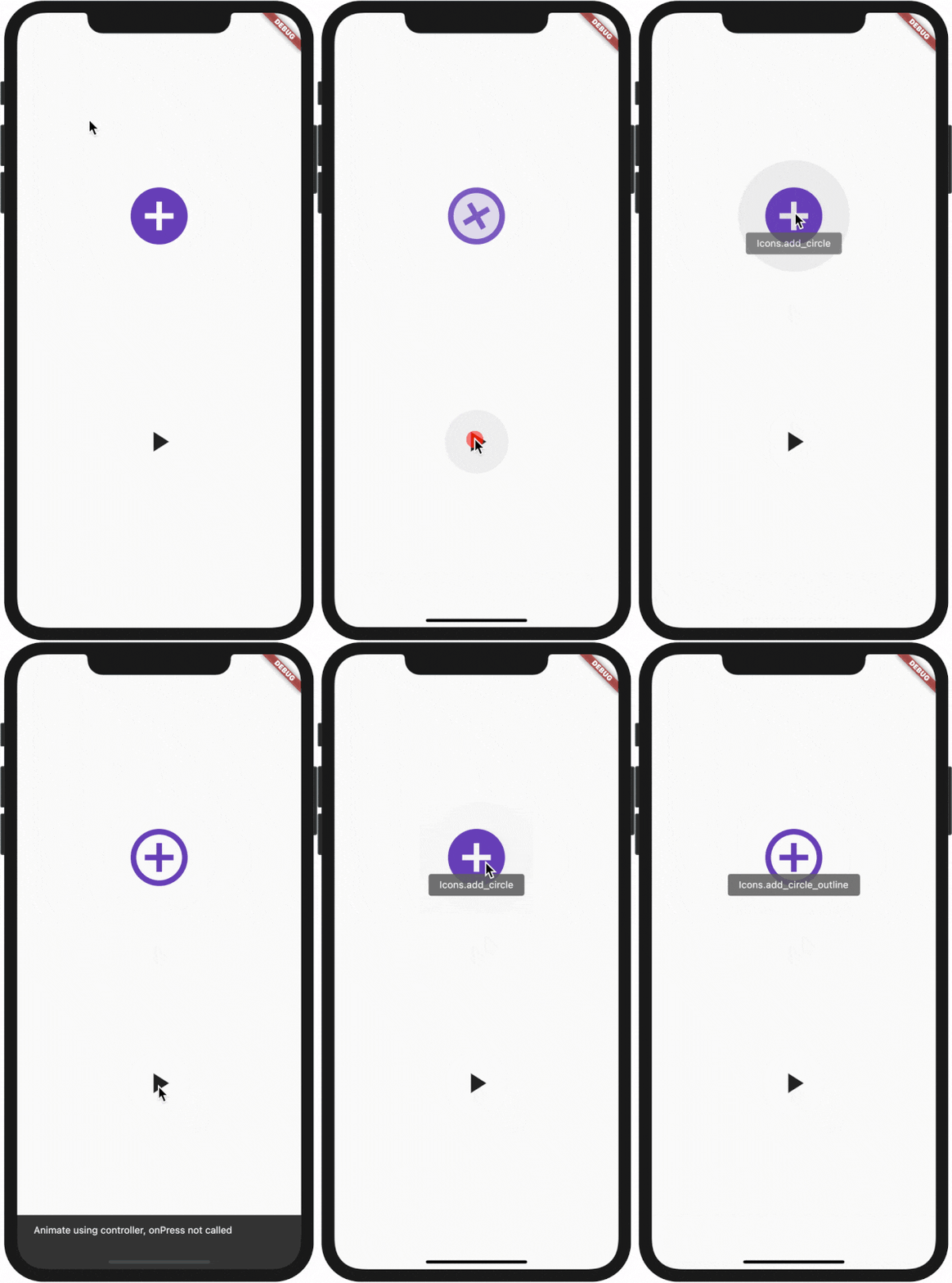
이 플러그인을 사용하면 기본적으로 제공되는 AnimatedIcon 위젯처럼 임의의 두 아이콘 사이를 애니메이션으로 전환할 수 있습니다.
210좋아요 2.7천30일 다운로드140Pub 점수
AndroidiOSWebmacOSWindowsLinux
이 플러그인을 사용하여 내장된 AnimatedIcons처럼 두 개의 아이콘을 애니메이션화하세요

의존성 목록 2 개
{"sdk":"flutter"}{"sdk":"flutter"}아래는 영문 원문 스냅샷입니다. 최신 내용은 GitHub에서 확인하세요.
All plugin in your pubspec.yaml
animate_icons:
Make the import:
import 'package:animate_icons/animate_icons.dart';
Use the following widget:
AnimateIcons(
    startIcon: Icons.add_circle,
    endIcon: Icons.add_circle_outline,
    size: 100.0,
    controller: controller,
    // add this tooltip for the start icon
    startTooltip: 'Icons.add_circle',
    // add this tooltip for the end icon
    endTooltip: 'Icons.add_circle_outline',
    size: 60.0,
    onStartIconPress: () {
        print("Clicked on Add Icon");
        return true;
    },
    onEndIconPress: () {
        print("Clicked on Close Icon");
        return true;
    },
    duration: Duration(milliseconds: 500),
    startIconColor: Colors.deepPurple,
    endIconColor: Colors.deepOrange,
    clockwise: false,
),
Define AnimateIconController to animate b/w start and end icons without onIco press, check which icon is there on top - start or end.
AnimateIconController controller;
controller = AnimateIconController();
AnimateIcons(
    startIcon: Icons.add,
    endIcon: Icons.close,
    controller: controller,
    size: 60.0,
    onStartIconPress: () {
        print("Clicked on Add Icon");
        return true;
    },
    onEndIconPress: () {
        print("Clicked on Close Icon");
        return true;
    },
    duration: Duration(milliseconds: 500),
    startIconColor: Colors.deepPurple,
    endIconColor: Colors.deepOrange,
    clockwise: false,
),
if (controller.isStart()) {
    controller.animateToEnd();
} else if (controller.isEnd()) {
    controller.animateToStart();
}