
v0.1.4
keyboard_shortcuts
애플리케이션용 단축키를 사용할 수 있는 위젯입니다. 자신이 정의한 사용자 지정 단축키와 하단 및 상단으로 자동 스크롤과 같은 전역 단축키가 있습니다.
47좋아요 5430일 다운로드40Pub 점수
플랫폼 정보 없음
Flutter 애플리케이션에 바로가기를 추가하는 위젯
아래는 영문 원문 스냅샷입니다. 최신 내용은 GitHub에서 확인하세요.
Keyboard shortcuts to add where you want
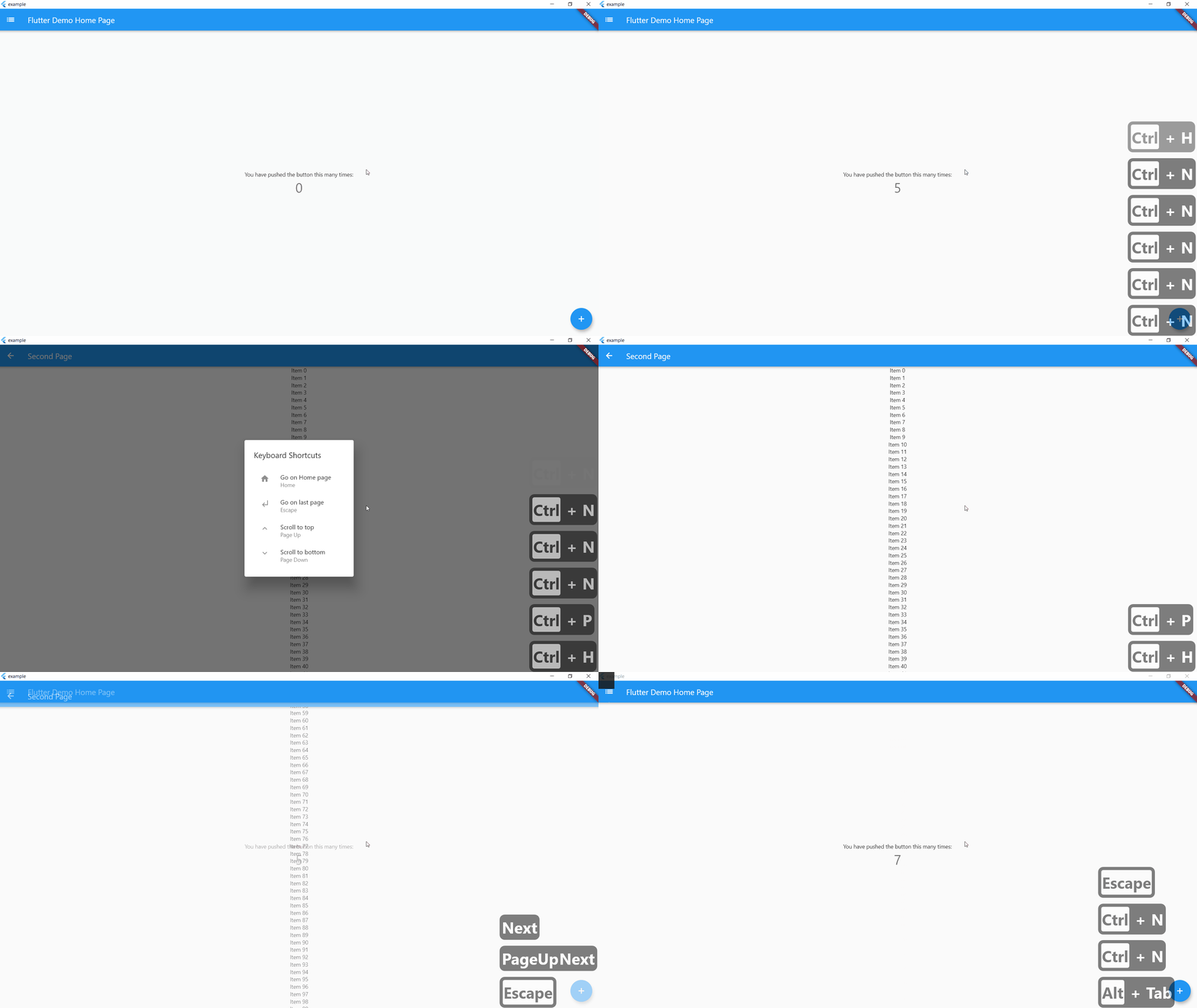
On controlLeft + key P are pressed, user navigate to SecondPage() helpLabel will be display on help menu
    KeyBoardShortcuts(
        keysToPress: {LogicalKeyboardKey.controlLeft, LogicalKeyboardKey.keyP},
        onKeysPressed: () => Navigator.push(
          context,
          MaterialPageRoute(builder: (context) => SecondPage()),
        ),
        helpLabel: "Go to Second Page",
        child: Center(
          child: Column(
            mainAxisAlignment: MainAxisAlignment.center,
            children: <Widget>[
              Text(
                'You have pushed the button this many times:',
              ),
              Text(
                '$_counter',
                style: Theme.of(context).textTheme.headline4,
              ),
            ],
          ),
        ),
      ),
If globalShortcuts is set to true, user can use Home Button to go on Homepage, up and down button to go on top or bottom of the page and escape to go on last page
    KeyBoardShortcuts(
        globalShortcuts: true,
        child: Center(
          child: Column(
            mainAxisAlignment: MainAxisAlignment.center,
            children: <Widget>[
              Text(
                'You have pushed the button this many times:',
              ),
              Text(
                '$_counter',
                style: Theme.of(context).textTheme.headline4,
              ),
            ],
          ),
        ),
      ),
initShortCuts() is used to customize shortcuts, you can set home page, title of help menu, icon on custom shortcuts and custom help menu
initShortCuts(HomePage(), helpTitle : "Help Menu", helpIcon : Icons.menu);
You can also use initShortCuts to create your own global shortcuts, they will be allow in all page were globalShortcuts is true without rewriting these shortcuts
  initShortCuts(
    HomePage(),
    keysToPress: {
      {LogicalKeyboardKey.controlLeft, LogicalKeyboardKey.keyP},
    },
    onKeysPressed: {() => print("Work")},
    helpLabel: {"Print Work"},
  );

의존성 목록 4 개
{"sdk":"flutter"}^0.1.5^1.0.3{"sdk":"flutter"}사용 목적에 따라 검색하고 개발 활동을 비교한 뒤 원본 저장소에서 요구 사항을 확인하세요.
“A repository is the most basic element of GitHub.”
GitHub Docs — About repositories ↗