
 v2.1.0
flutter_sliding_tutorial
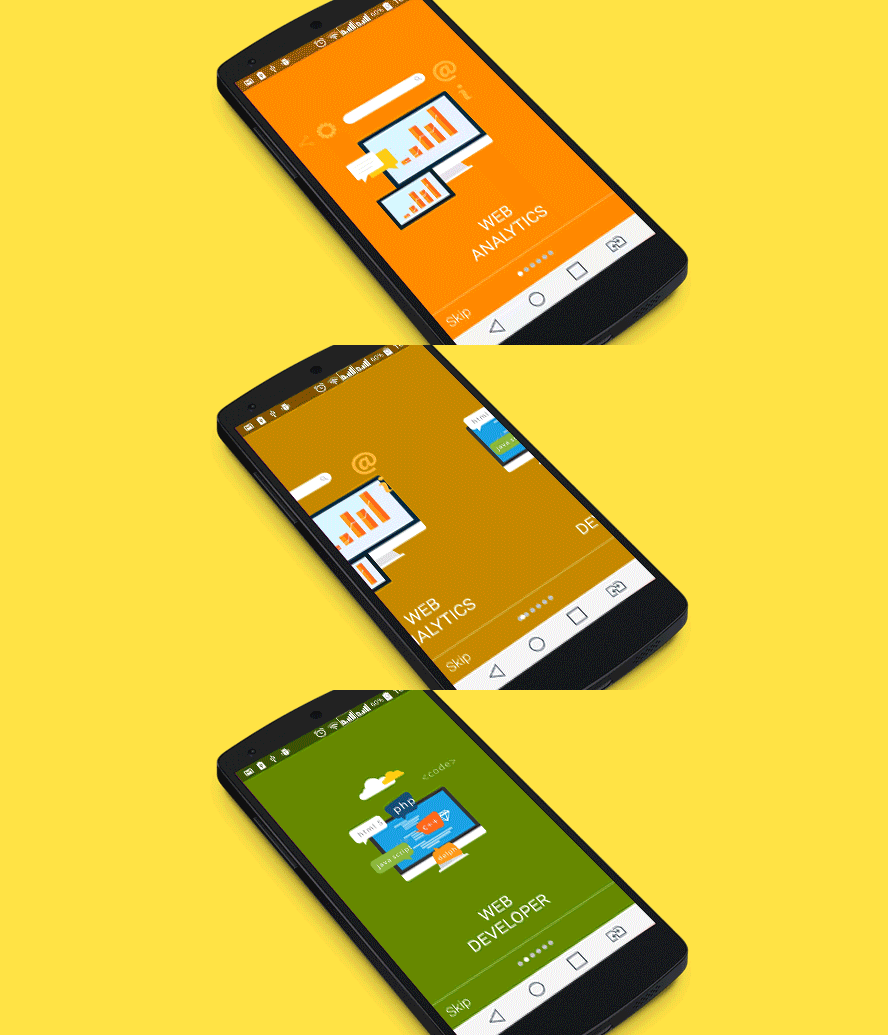
파라럭스 효과를 적용하면 제품 소개가 구글 앱 튜토리얼처럼 보입니다.
195좋아요 2.4천30일 다운로드160Pub 점수
AndroidiOSWebmacOSWindowsLinux
객체 및 배경 색상의 부드러운 애니메이션을 갖춘 사용자 온보딩 라이브러리

{"sdk":"flutter"}{"sdk":"flutter"}^6.0.0아래는 영문 원문 스냅샷입니다. 최신 내용은 GitHub에서 확인하세요.
Header image
Hey guys, hope you haven’t started developing a tutorial for your Flutter app yet, as we have already completed a part of your job. Don’t worry, we act from good motives only. Our aim is to help you create a sliding tutorial in a fast and simple manner. So we’ve done some work and voila!. A simple Flutter Sliding Tutorial library is at your service.
Open tutorial in the browser
Demo image
The invention is going to ease the problem of structural design but not to limit a stretch of your imagination at the same time. We took care of the suitability aspect. So, your app is not going to look alien among other Flutter elements.
Applied parallax effects will make your product presentation look like Google apps tutorial.
All you need to do is:
1. Create background designs for each screen of your tutorial (assistance with mobile design)
2. Create icons for each screen of your tutorial
3. Follow the instructions below
In the pubspec.yaml of your flutter project, add the following dependency:
dependencies:
  ...
  flutter_sliding_tutorial: "^2.0.0+1"
In your library add the following import:
import 'package:flutter_sliding_tutorial/flutter_sliding_tutorial.dart';
See changelog history.
If you have any questions regarding the use of this tutorial, please contact us for support at info@cleveroad.com (email subject: «Sliding Tutorial: Flutter. Support request.»)
or
Use our contacts:
Cleveroad.com
Facebook account
Twitter account
Google+ account
    The MIT License (MIT)

    Copyright (c) 2021 Cleveroad

    Permission is hereby granted, free of charge, to any person obtaining a copy
    of this software and associated documentation files (the "Software"), to deal
    in the Software without restriction, including without limitation the rights
    to use, copy, modify, merge, publish, distribute, sublicense, and/or sell
    copies of the Software, and to permit persons to whom the Software is
    furnished to do so, subject to the following conditions:

    The above copyright notice and this permission notice shall be included in all
    copies or substantial portions of the Software.

    THE SOFTWARE IS PROVIDED "AS IS", WITHOUT WARRANTY OF ANY KIND, EXPRESS OR
    IMPLIED, INCLUDING BUT NOT LIMITED TO THE WARRANTIES OF MERCHANTABILITY,
    FITNESS FOR A PARTICULAR PURPOSE AND NONINFRINGEMENT. IN NO EVENT SHALL THE
    AUTHORS OR COPYRIGHT HOLDERS BE LIABLE FOR ANY CLAIM, DAMAGES OR OTHER
    LIABILITY, WHETHER IN AN ACTION OF CONTRACT, TORT OR OTHERWISE, ARISING FROM,
    OUT OF OR IN CONNECTION WITH THE SOFTWARE OR THE USE OR OTHER DEALINGS IN THE
    SOFTWARE.
For help getting started with Flutter, view our online documentation, which offers tutorials, samples, guidance on mobile development, and a full API reference.