
v3.5.0
stacked
테스트 가능하고 확장 가능하며 유지보수 가능한 Flutter 앱을 구축하기 위한 프레임워크
1.5천좋아요 6.2만30일 다운로드120Pub 점수
AndroidiOSWebmacOSWindowsLinux
OET(오픈 영어 번역)을 포함한 오프라인 성경 앱

테스트 가능하고 확장 가능하며 유지보수 가능한 Flutter 앱을 구축하기 위한 프레임워크
Stacked Generator는 스택된 애플리케이션을 설정하는 데 필요한 반복 코드를 줄이는 데 전념한 패키지입니다
Stacked 아키텍처의 더 깔끔한 구현을 위해 필요한 서비스에 대한 일부 기본 구현을 포함하는 패키지입니다.
 v2.1.0
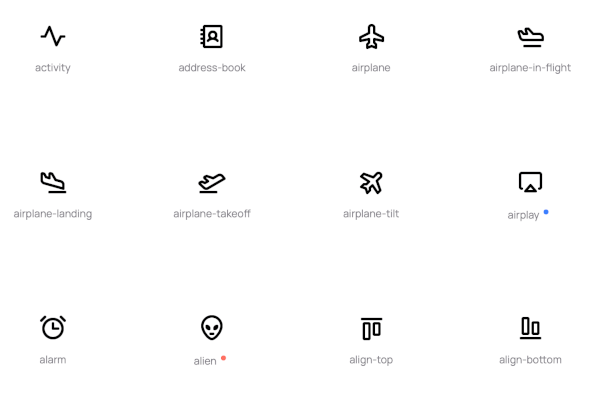
Flutter용 Phosphoricons 구현. 772개의 아이콘과 그 이상. 얇은, 라이트, 정규, 굵은, 채워짐.
Flutter에서 테마를 더 잘 관리하는 데 도움이 되는 클래스 세트
stacked 패키지를 사용할 때 훅을 활용하는 데 도움이 되는 클래스
{"sdk":"flutter"}^3.4.3{"path":"./stacked_themes"}^1.6.0^0.2.4^0.20.5^9.0.0^2.5.3^4.10.0^4.9.1^9.0.0^6.3.2^2.1.0^2.4.13{"sdk":"flutter"}^6.0.0^5.4.4^1.6.1아래는 영문 원문 스냅샷입니다. 최신 내용은 GitHub에서 확인하세요.
Bibleside
Bibleside is an offline Bible app featuring the OET (Open English Translation).
The OET (Open English Translation) is a new, open-licensed Bible translation (currently in draft state) featuring multiple versions intended to be used together. Read it here. Please see the OET website for more info on what makes it different than other translations.
Bibleside implements the OET's "Reader's" version in the main area and a toggle to show the "Literal" and "Reader's" versions side-by-side. The two can be scrolled together for easy comparison.
Get Bibleside (alpha version) on F-droid or from the GitHub releases page here.
Others?
Feedback and contributions are welcome. To help out, ask questions, or share feedback please join the Bibleside chat on Matrix.
Bibleside is built with Flutter using Stacked Architecture.
flutter pub get to install the dependencies.F5 to run the code in the emulator, or open a terminal and run with flutter run.See the wiki for helpful information.
Bible versions are treated as separate Bibles. e.g: The OET-RV and OET-LV are treated as a separate bible version.
There is a Python script in /assets/bibles that will automatically update the json files from the GitHub sources.
The ESFM (a subset of USFM) files from here (OET Reader's version) and here (OET Literal version) are run through usfm-grammar for conversion to JSON (USJ).
Navigate to /assets/bibles and run the file with python update_OET_json.py.
After converting the OET ESFM to json, navigate to the folder with cd assets/bibles and run python update_OET_sections.py. This will generate a dart file mapping the OET sections for use in Bibleside. Move back to the root folder with cd ../.. and run dart format ./lib -l 120 to format the file.
There is a Python script in /assets/bibles that will update the json files for the WEB. Since the WEB (The World English Translation) is complete, updating would only be to fix typos, etc. See the update_WEB_json.py file for instructions.
Bibleside is licensed under the GPL-3.0 license. See LICENSE for more information.