패키지, 저장소 및 앱 카테고리 검색

fluttertoast 표지
패키지 상세v10.0.2

fluttertoast

Flutter용 토스트 라이브러리, 단 한 줄의 코드로 쉽게 토스트 메시지를 생성할 수 있습니다

AndroidiOSWeb
30일 다운로드
64.2만
좋아요
4.1천
Pub 점수
140

패키지 설치

flutter pub add fluttertoast

패키지 개요

공개 정보를 바탕으로 생성한 선택 가이드입니다.

FlutterToast는 개발자가 최소한의 노력으로 토스트 메시지를 표시할 수 있도록 해주는 가벼운 Flutter 패키지입니다. 단 한 줄의 코드만으로도 가능합니다. 이는 안드로이드, iOS, 웹 플랫폼에서 일관된 방식으로 임시 알림을 표시하는 간단한 방법을 제공합니다. 메시지의 외관, 위치, 지속 시간 등을 사용자 정의할 수 있어 앱 내 사용자 피드백에 이상적입니다. 사용하기 쉬운 API와 활발한 유지보수를 통해 FlutterToast는 미묘하고 방해가 되지 않는 경고를 제공함으로써 사용자 경험을 향상시킵니다.

사용 사례

  • 성공 또는 오류 메시지 표시
  • 빠른 사용자 피드백 표시
  • 사용자에게 취한 조치에 대해 알리기
  • 상태 업데이트 제공
  • UI 반응성 향상

주요 기능

  • 단일 줄 토스트 생성
  • 사용자 정의 메시지 스타일
  • 크로스 플랫폼 지원
  • 사용자 지정 가능한 기간 및 위치
  • 최소 설정으로 간단한 API

적합한 대상

  • 초보자 플러터 개발자
  • 빠른 피드백이 필요한 앱
  • 경량 알림 시스템
  • 최소 종속성 프로젝트
  • 복잡성 없이 UI 개선

고려 사항

  • 기본 토스트 디자인에 제한됨
  • 고급 애니메이션 옵션이 없음
  • 외부 저장소에 의존합니다
  • 지속적인 알림에 적합하지 않습니다
  • 경계 사례에 대한 수동 처리가 필요할 수 있습니다

원본 README

연결된 소스 저장소의 README 원문 스냅샷입니다. 최신 내용은 저장소에서 확인하세요.

fluttertoast

Toast Library for Flutter

Build Checks

Now this toast library supports two kinds of toast messages one which requires BuildContext other with No BuildContext

Toast with no context

Supported Platforms

This one has limited features and no control over UI

Toast Which requires BuildContext

Supported Platforms

  • ALL
  1. Full Control of the Toast
  2. Toasts will be queued
  3. Remove a toast
  4. Clear the queue

How to Use

# add this line to your dependencies
fluttertoast: ^10.0.0
import 'package:fluttertoast/fluttertoast.dart';

Toast with No Build Context (Android & iOS)

Fluttertoast.showToast(
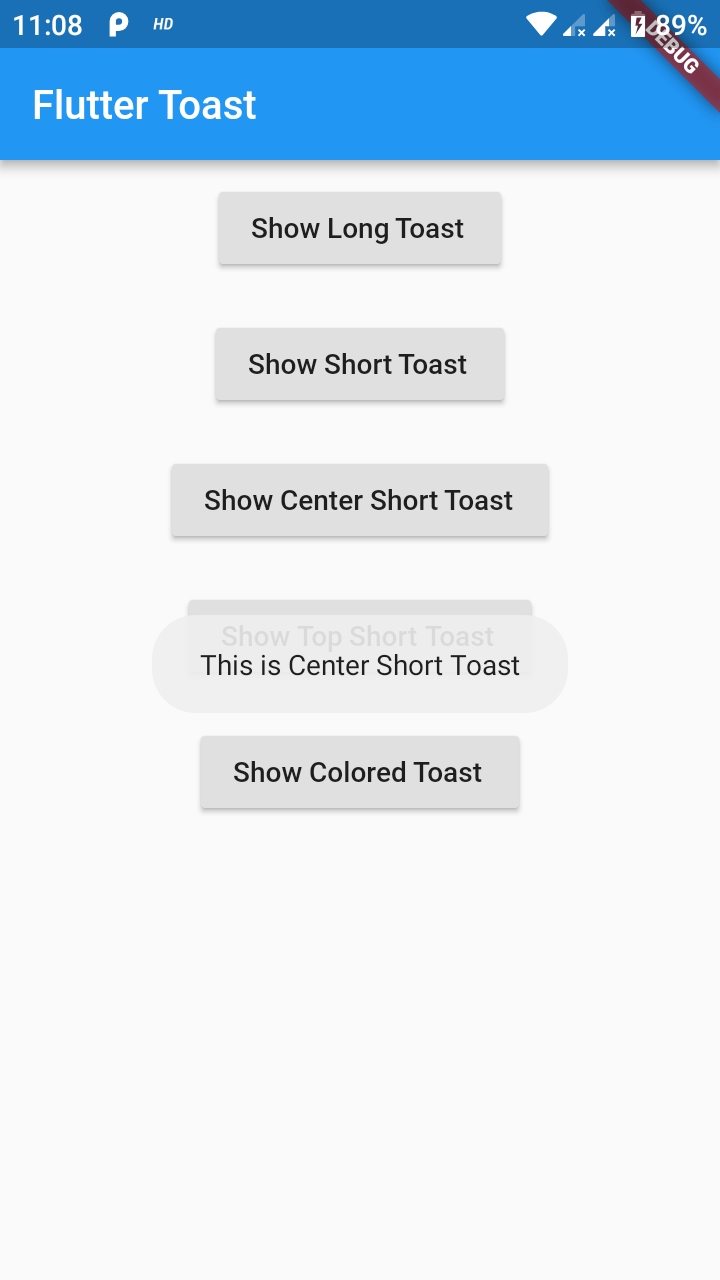
        msg: "This is Center Short Toast",
        toastLength: Toast.LENGTH_SHORT,
        gravity: ToastGravity.CENTER,
        timeInSecForIosWeb: 1,
        backgroundColor: Colors.red,
        textColor: Colors.white,
        fontSize: 16.0
    );
property description default
msg String (Not Null)(required) required
toastLength Toast.LENGTH_SHORT or Toast.LENGTH_LONG (optional) Toast.LENGTH_SHORT
gravity ToastGravity.TOP (or) ToastGravity.CENTER (or) ToastGravity.BOTTOM (Web Only supports top, bottom) ToastGravity.BOTTOM
timeInSecForIosWeb int (for ios & web) 1 (sec)
backgroundColor Colors.red null
textcolor Colors.white null
fontSize 16.0 (float) null
fontAsset Path to a font file in the Flutter app assets folder, e.g. 'assets/path/to/some-font.ttf' (String) null
webShowClose false (bool) false
webBgColor String (hex Color) linear-gradient(to right, #00b09b, #96c93d)
webPosition String (left, center or right) right
To cancel all the toasts call
Fluttertoast.cancel()
Note Android

Custom Toast will not work on android 11 and above, it will only use msg and toastLength remaining all properties are ignored

Custom Toast For Android

Create a file named toast_custom.xml in your project app/res/layout folder and do custom styling

<?xml version="1.0" encoding="utf-8"?>
<FrameLayout xmlns:android="http://schemas.android.com/apk/res/android"
    xmlns:tools="http://schemas.android.com/tools"
    android:layout_width="wrap_content"
    android:layout_height="wrap_content"
    android:layout_gravity="center_horizontal"
    android:layout_marginStart="50dp"
    android:background="@drawable/corner"
    android:layout_marginEnd="50dp">

    <TextView
        android:id="@+id/text"
        android:layout_width="wrap_content"
        android:layout_height="wrap_content"
        android:background="#CC000000"
        android:paddingStart="16dp"
        android:paddingTop="10dp"
        android:paddingEnd="16dp"
        android:paddingBottom="10dp"
        android:textStyle="bold"
        android:textColor="#FFFFFF"
        tools:text="Toast should be short." />
</FrameLayout>

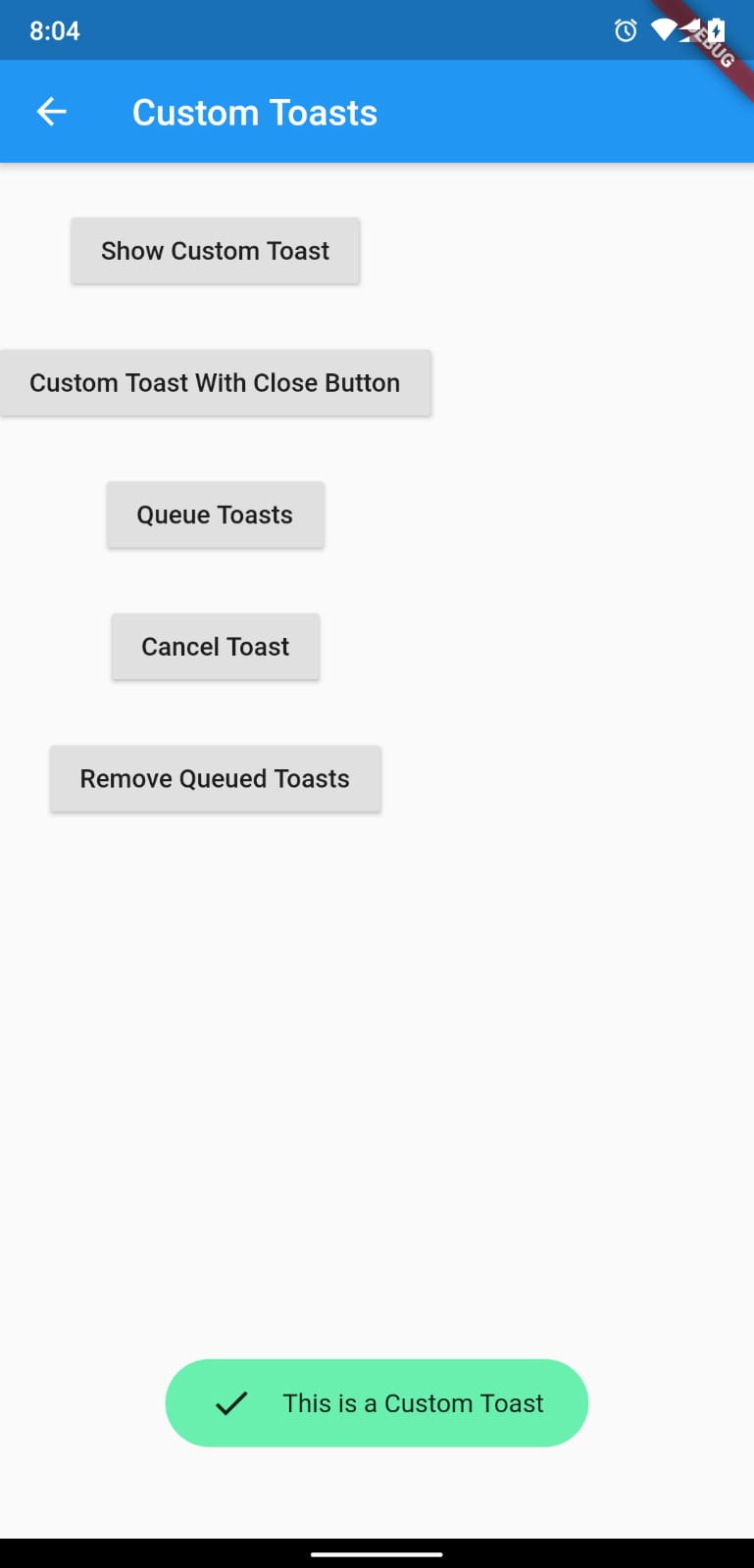
Toast with BuildContext (All Platforms)

Update your MaterialApp with builder like below for the use of Context globally check doc section Use NavigatorKey for Context(to access context globally)

MaterialApp(
    builder: FToastBuilder(),
    home: MyApp(),
    navigatorKey: navigatorKey,
),
FToast fToast;

@override
void initState() {
    super.initState();
    fToast = FToast();
    // if you want to use context from globally instead of content we need to pass navigatorKey.currentContext!
    fToast.init(context);
}

_showToast() {
    Widget toast = Container(
        padding: const EdgeInsets.symmetric(horizontal: 24.0, vertical: 12.0),
        decoration: BoxDecoration(
        borderRadius: BorderRadius.circular(25.0),
        color: Colors.greenAccent,
        ),
        child: Row(
        mainAxisSize: MainAxisSize.min,
        children: [
            Icon(Icons.check),
            SizedBox(
            width: 12.0,
            ),
            Text("This is a Custom Toast"),
        ],
        ),
    );


    fToast.showToast(
        child: toast,
        gravity: ToastGravity.BOTTOM,
        toastDuration: Duration(seconds: 2),
    );

    // Custom Toast Position
    fToast.showToast(
        child: toast,
        toastDuration: Duration(seconds: 2),
        positionedToastBuilder: (context, child) {
          return Positioned(
            child: child,
            top: 16.0,
            left: 16.0,
          );
        });
}

Now Call _showToast()

For more details check example project

property description default
child Widget (Not Null)(required) required
toastDuration Duration (optional)
gravity ToastGravity.*
positionedToastBuilder PositionedToastBuilder
fadeDuration Duration Duration(milliseconds: 350)
ignorePointer boolean false
isDismissible boolean false
Use NavigatorKey for Context(to access context globally)

To use NavigatorKey for Context first define the GlobalKey<NavigatorState> at top level in your main.dart file

GlobalKey<NavigatorState> navigatorKey = GlobalKey<NavigatorState>();

At the time of initializing the FToast we need to use context from globally defined GlobalKey<NavigatorState>

FToast fToast = FToast();
fToast.init(yourNavKey.currentContext!);
To cancel all the toasts call
// To remove present shwoing toast
fToast.removeCustomToast()

// To clear the queue
fToast.removeQueuedCustomToasts();

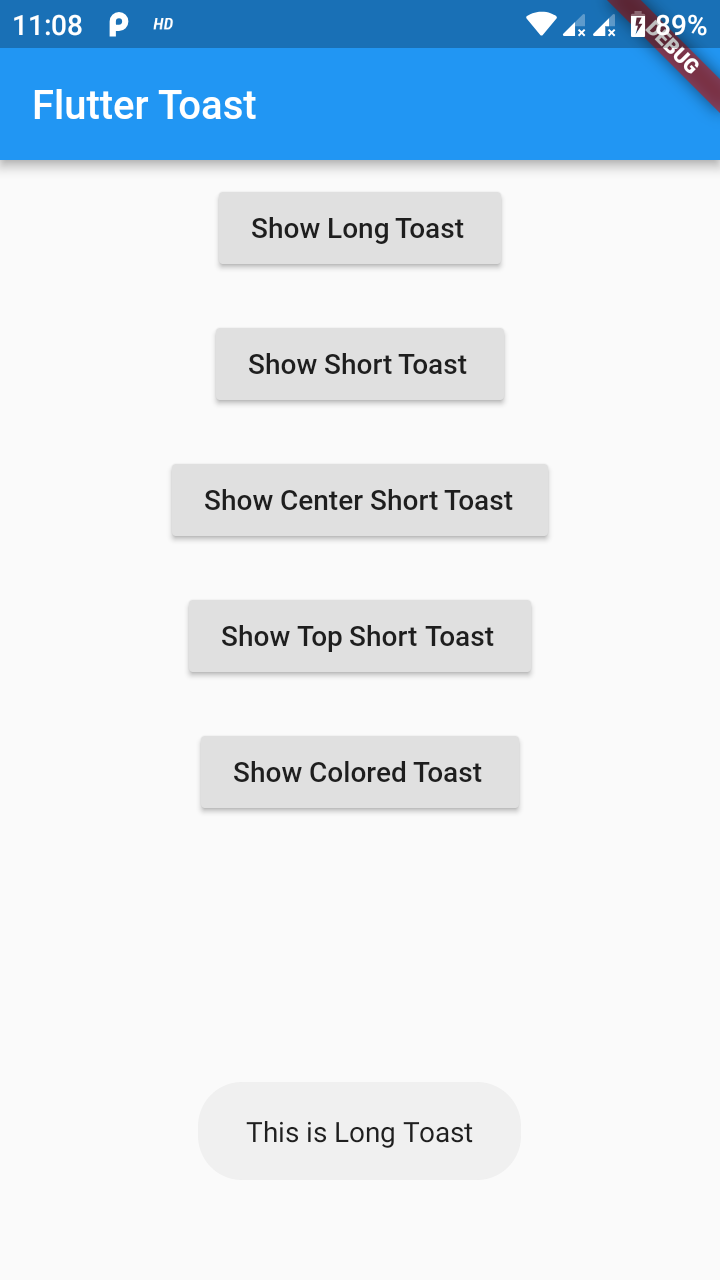
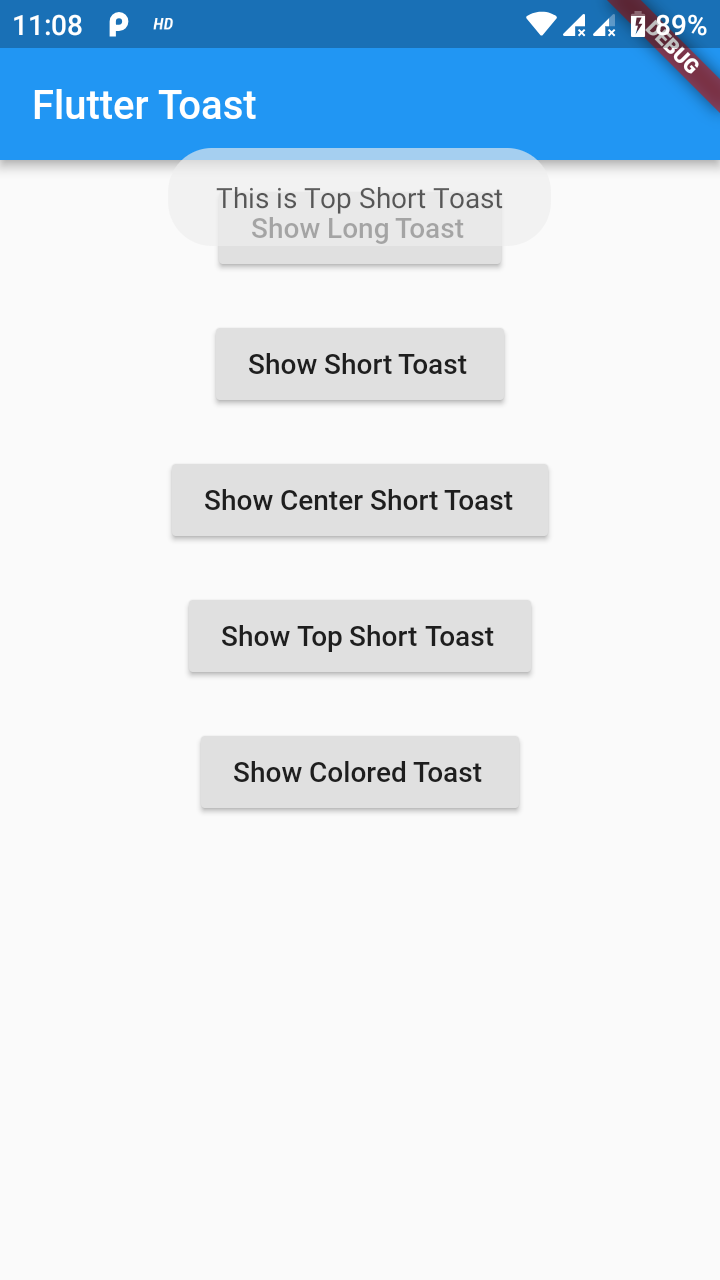
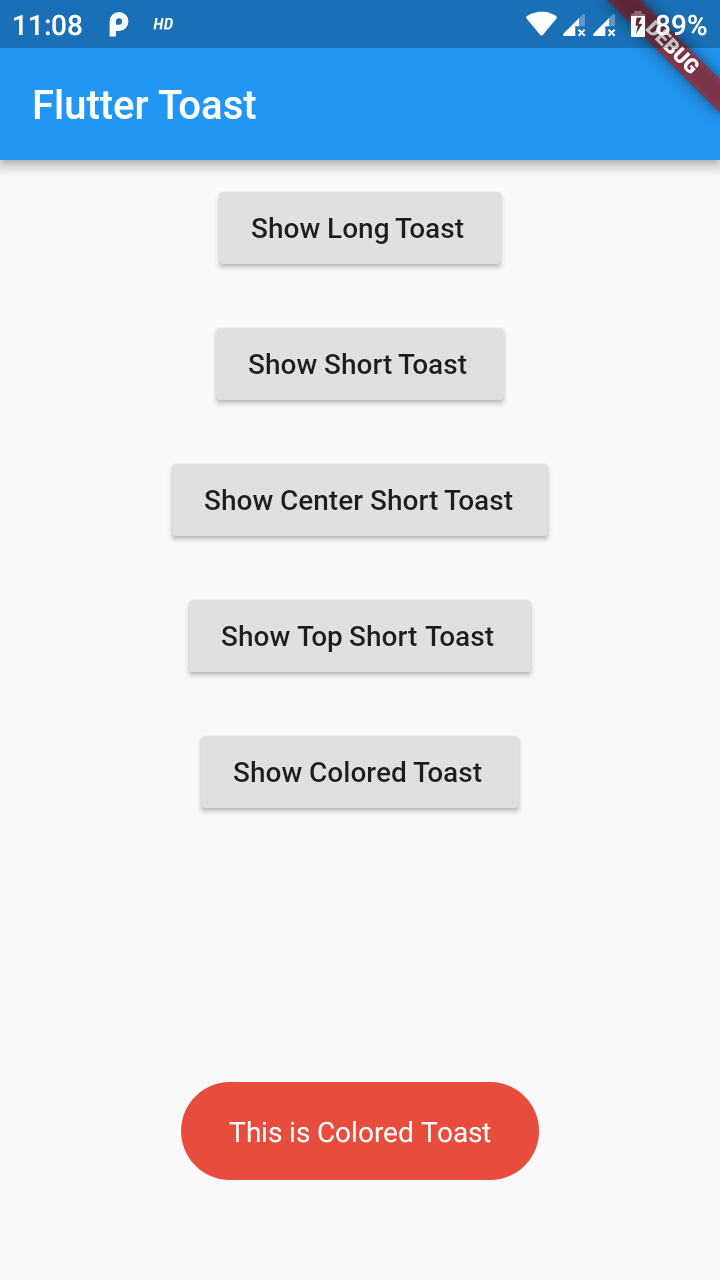
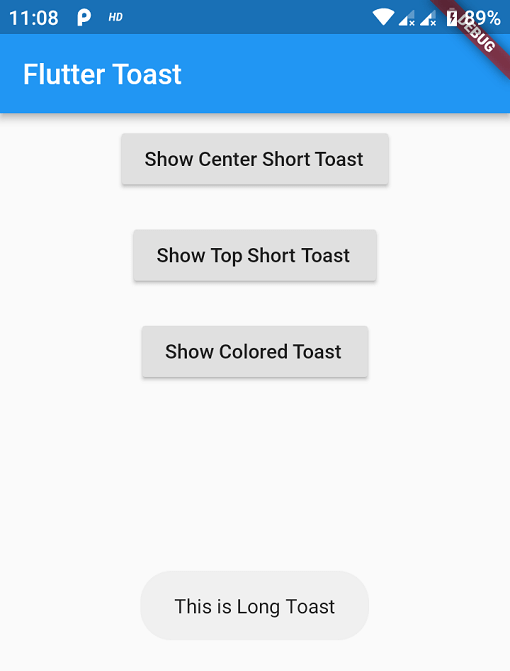
Preview Images (No BuildContext)

Preview Images (BuildContext)

If you need any features suggest

...

Buy Me a Coffee

Buy Me A Coffee

카테고리

의존성

의존성 목록 1 개

  • web>=1.0.0 <2.0.0

소스 저장소

이 패키지를 사용하는 프로젝트