
 v1.1.5
flutter_json_view
사용자 지정 옵션을 사용하여 Flutter 위젯에서 JSON 모델 표시.
145좋아요 1.5만30일 다운로드160Pub 점수
AndroidiOSWebmacOSWindowsLinux
:page_facing_up: Flutter 위젯에서 JSON 모델 표시하기

{"sdk":"flutter"}{"sdk":"flutter"}>=2.0.0 <4.0.0아래는 영문 원문 스냅샷입니다. 최신 내용은 GitHub에서 확인하세요.
https://github.com/Frezyx/flutter_json_view/blob/main/example/repo/json_view_logo.png?raw=true
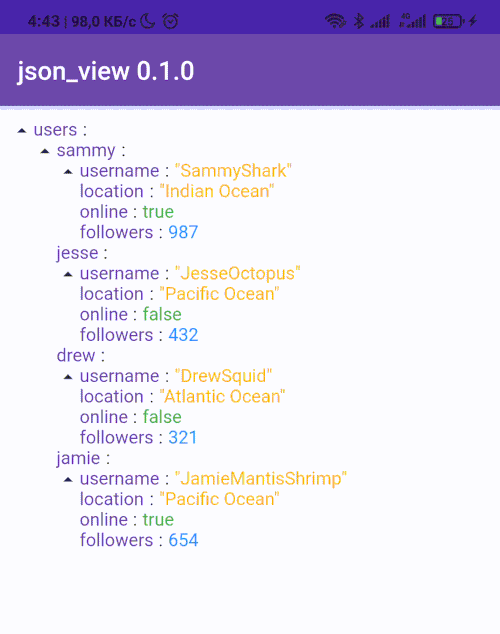
😎 Cool solution for viewing models in debug working
Show some ❤️ and star the repo to support the project!
Pub License: MIT Repository views Pub
Pub likes Pub popularity Pub points
| Image | Image | Image |
|---|
dependencies:
  flutter_json_view: ^1.1.5
import 'package:flutter_json_view/flutter_json_view.dart';
Add one of the constructors in your code
JsonView.string('{"key":"value"}'),
JsonView.asset('assets/data.json'),
JsonView.map({"key":"value"}),
🎨 The package was created in order to be able to customize your json view
drawingJsonView.string(
'{"key":"value"}',
theme: JsonViewTheme(
keyStyle: TextStyle(
color: Colors.black54,
fontSize: 16,
fontWeight: FontWeight.w600,
),
doubleStyle: TextStyle(
color: Colors.green,
fontSize: 16,
),
intStyle: TextStyle(
color: Colors.green,
fontSize: 16,
),
stringStyle: TextStyle(
color: Colors.green,
fontSize: 16,
),
boolStyle: TextStyle(
color: Colors.green,
fontSize: 16,
),
closeIcon: Icon(
Icons.close,
color: Colors.green,
size: 20,
),
openIcon: Icon(
Icons.add,
color: Colors.green,
size: 20,
),
separator: Padding(
padding: EdgeInsets.symmetric(horizontal: 8.0),
child: Icon(
Icons.arrow_right_alt_outlined,
size: 20,
color: Colors.green,
),
),
),
),
More examples you can see here
Thanks to all contributors of this package
https://contrib.rocks/image?repo=Frezyx/flutter_json_viewFor help getting started with Flutter, view our online documentation, which offers tutorials, samples, guidance on mobile development, and a full API reference.