


 v0.0.1
bound_location_picker
공식 google_maps_flutter 플러그인에 의해 만들어진 플러터 패키지로, 경계 내 위치를 선택하는 데 도움을 줄 수 있습니다.
3좋아요 4730일 다운로드140Pub 점수
AndroidiOSWeb
HasanToufiqAhamed/bound_location_picker open-source repository details.

아래는 영문 원문 스냅샷입니다. 최신 내용은 GitHub에서 확인하세요.
A Flutter package created by the official google_maps_flutter plugin, which can help you to picked locations within a boundary.
Made by @Hasan
| Android | iOS | Web | |
|---|---|---|---|
| Support | SDK 20+ | iOS 11+ | Same as Flutter's |
| Regular Picker | Circle Boundary | Polygon Boundary |
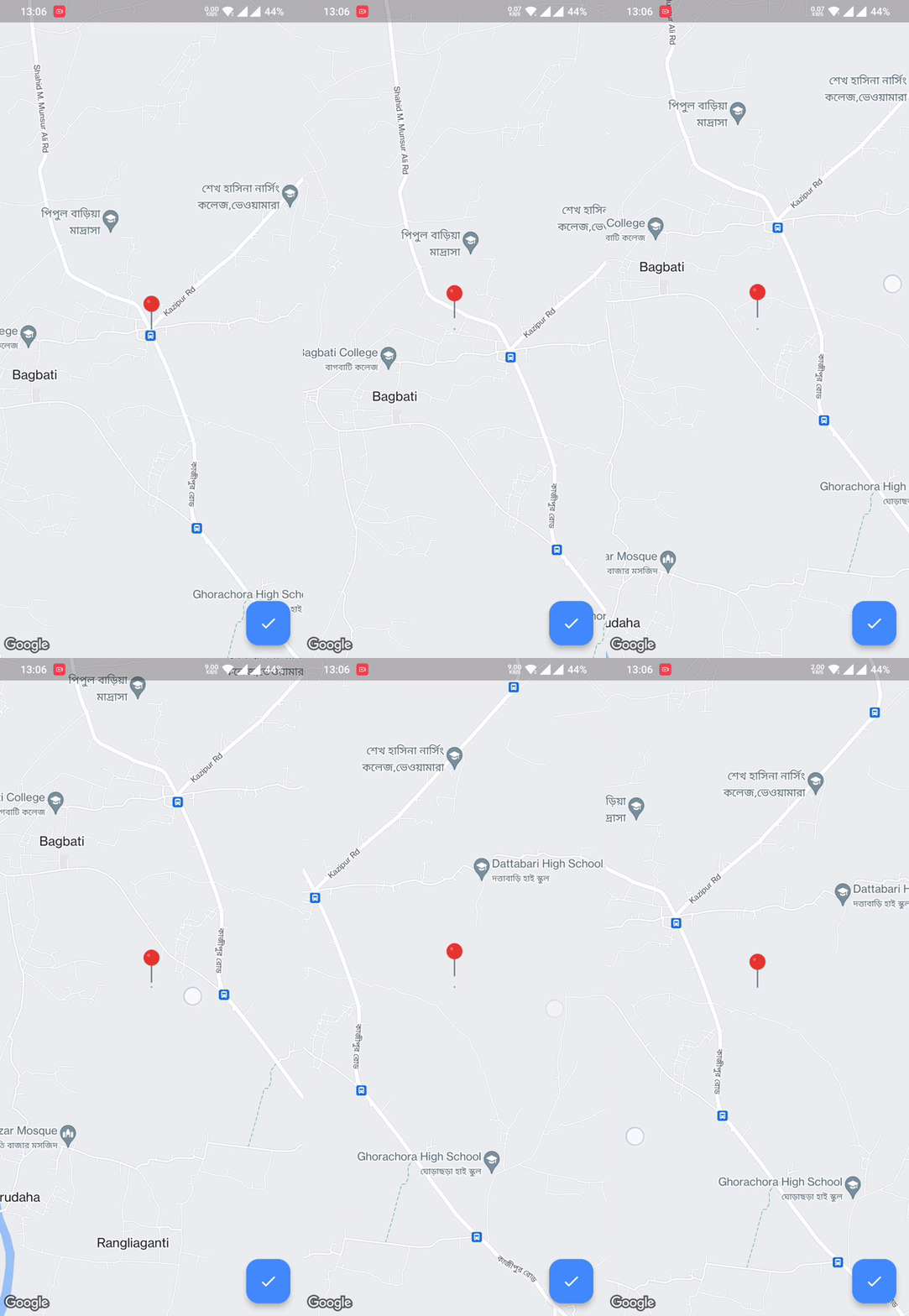 |
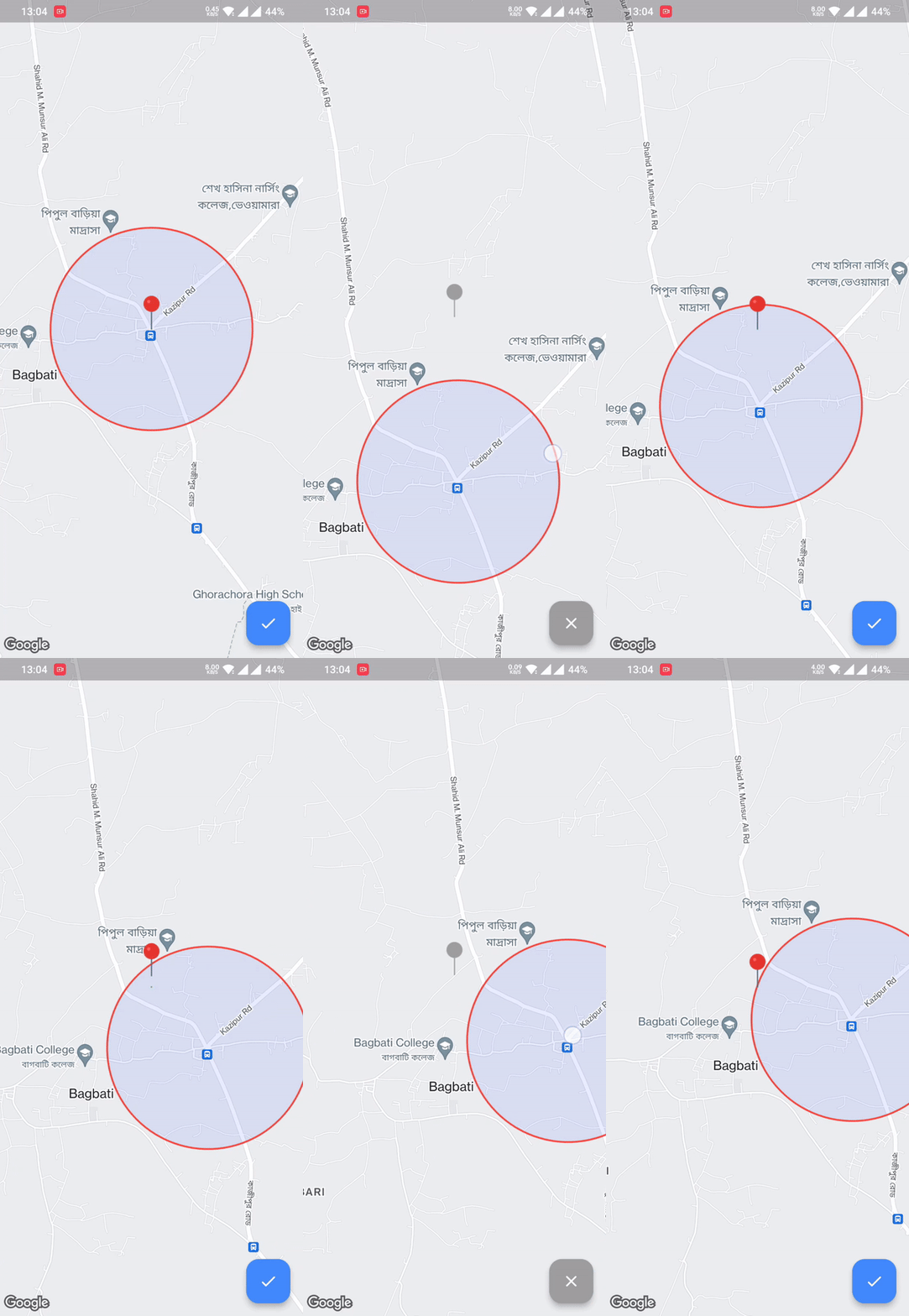
| 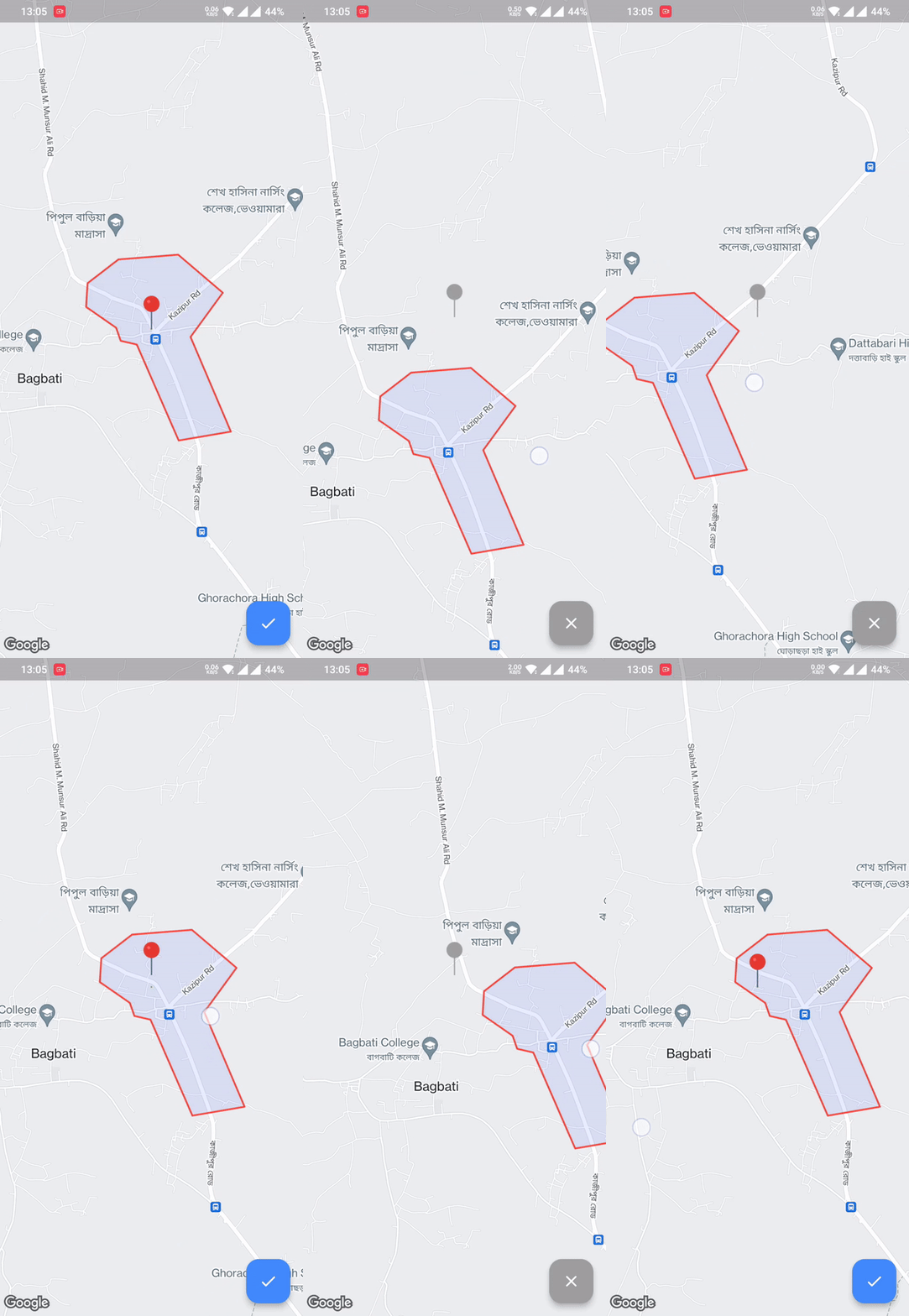 |
First, add bound_location_picker as a dependency in your pubspec.yaml file.
dependencies:
  flutter:
    sdk: flutter

  bound_location_picker: ^update_version
Don't forget to flutter pub get.
minSdkVersion in android/app/build.gradle:android {
defaultConfig {
minSdkVersion 20
}
}
This means that app will only be available for users that run Android SDK 20 or higher.
android/app/src/main/AndroidManifest.xml:<manifest ...
<application ...
<meta-data android:name="com.google.android.geo.API_KEY"
android:value="YOUR KEY HERE"/>
To set up, specify your API key in the application delegate ios/Runner/AppDelegate.m:
#include "AppDelegate.h"
#include "GeneratedPluginRegistrant.h"
#import "GoogleMaps/GoogleMaps.h"

@implementation AppDelegate

- (BOOL)application:(UIApplication *)application
    didFinishLaunchingWithOptions:(NSDictionary *)launchOptions {
  [GMSServices provideAPIKey:@"YOUR KEY HERE"];
  [GeneratedPluginRegistrant registerWithRegistry:self];
  return [super application:application didFinishLaunchingWithOptions:launchOptions];
}
@end
Or in your swift code, specify your API key in the application delegate ios/Runner/AppDelegate.swift:
import UIKit
import Flutter
import GoogleMaps

@UIApplicationMain
@objc class AppDelegate: FlutterAppDelegate {
  override func application(
    _ application: UIApplication,
    didFinishLaunchingWithOptions launchOptions: [UIApplication.LaunchOptionsKey: Any]?
  ) -> Bool {
    GMSServices.provideAPIKey("YOUR KEY HERE")
    GeneratedPluginRegistrant.register(with: self)
    return super.application(application, didFinishLaunchingWithOptions: launchOptions)
  }
}
You'll need to modify the web/index.html file of your Flutter Web application
to include the Google Maps JS SDK.
Check the google_maps_flutter_web README
for the latest information on how to prepare your App to use Google Maps on the
web.
class MyApp extends StatefulWidget {
  const MyApp({super.key});

  @override
  State<MyApp> createState() => _MyAppState();
}

class _MyAppState extends State<MyApp> {
  @override
  Widget build(BuildContext context) {
    return MaterialApp(
      debugShowCheckedModeBanner: false,
      home: Scaffold(
        body: BoundLocationPicker(
          initialCameraPosition: const LatLng(24.540725, 89.631088),
          onPickedLocation: (LatLng? location) {
            ///TODO do something using location
          },
          onLocationUpdateListener: (LatLng? location) {
            ///TODO do something with current location
          },
          locationPickerImage: const AssetImage("assets/pin_point.png"),
          circleBoundary: CircleBoundary(radius: 800),
          enablePickedButton: true,
        ),
      ),
    );
  }
}
All contributions are welcome.
의존성 목록 8 개
{"sdk":"flutter"}^2.10.0^2.5.0{"sdk":"flutter"}^0.5.1^2.0.2{"sdk":"flutter"}^4.0.0사용 목적에 따라 검색하고 개발 활동을 비교한 뒤 원본 저장소에서 요구 사항을 확인하세요.
“A repository is the most basic element of GitHub.”
GitHub Docs — About repositories ↗