패키지, 저장소 및 앱 카테고리 검색

bound_location_picker 표지
패키지 상세v0.0.1

bound_location_picker

공식 google_maps_flutter 플러그인에 의해 만들어진 플러터 패키지로, 경계 내 위치를 선택하는 데 도움을 줄 수 있습니다.

AndroidiOSWeb
30일 다운로드
47
좋아요
3
Pub 점수
140

패키지 설치

flutter pub add bound_location_picker

패키지 개요

공개 정보를 바탕으로 생성한 선택 가이드입니다.

Google Maps 통합을 통해 정의된 경계 내에서 위치를 선택할 수 있도록 해주는 플러터 패키지입니다. 공식 google_maps_flutter 플러그인의 확장으로 제작되어 특정 지리적 영역에 선택을 제한함으로써 위치 선택에 대한 강화된 제어 기능을 제공합니다. 배달 서비스나 이벤트 체크인과 같이 사전 정의된 영역 내에서 정확한 위치 입력이 필요한 애플리케이션에 적합합니다. Android, iOS 및 웹 플랫폼을 지원하여 크로스플랫폼 일관성을 보장합니다.

사용 사례

  • 배송 지역 선택
  • 이벤트 위치 등록
  • 지오펜스 영역 내비게이션
  • 지도 기반 폼 입력
  • 경계 내 위치 검증

주요 기능

  • 경계 제한된 위치 선택
  • google_maps_flutter와의 통합
  • 크로스 플랫폼 지원 (Android, iOS, Web)
  • 사용자 정의 가능한 지도 경계
  • 실시간 위치 피드백

적합한 대상

  • 지오펜싱이 필요한 앱
  • 위치 인식 폼
  • 배송 및 물류 앱
  • 이벤트 관리 도구
  • 지도 중심 사용자 인터페이스

고려 사항

  • Google Maps API 키가 필요합니다
  • 제한된 영역 선택에 제한
  • google_maps_flutter에 종속됨
  • 웹 지원에는 렌더링 차이가 있을 수 있습니다
  • 사용자는 위치 권한을 활성화해야 합니다

원본 README

연결된 소스 저장소의 README 원문 스냅샷입니다. 최신 내용은 저장소에서 확인하세요.

Bound Location Picker for Flutter

Pub Version

A Flutter package created by the official google_maps_flutter plugin, which can help you to picked locations within a boundary.

Highlighted feature
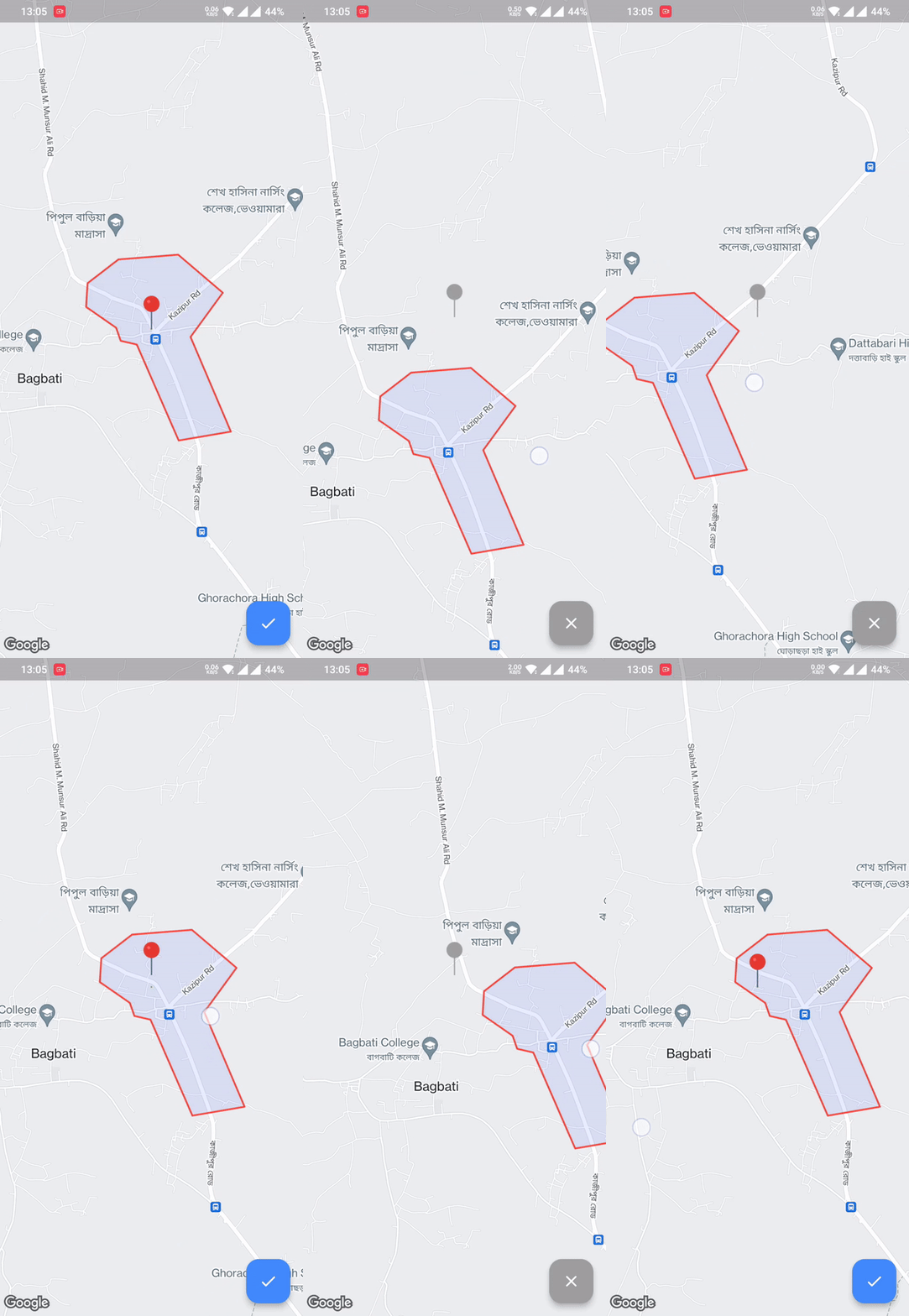
  • Pick location within the Polygon boundary
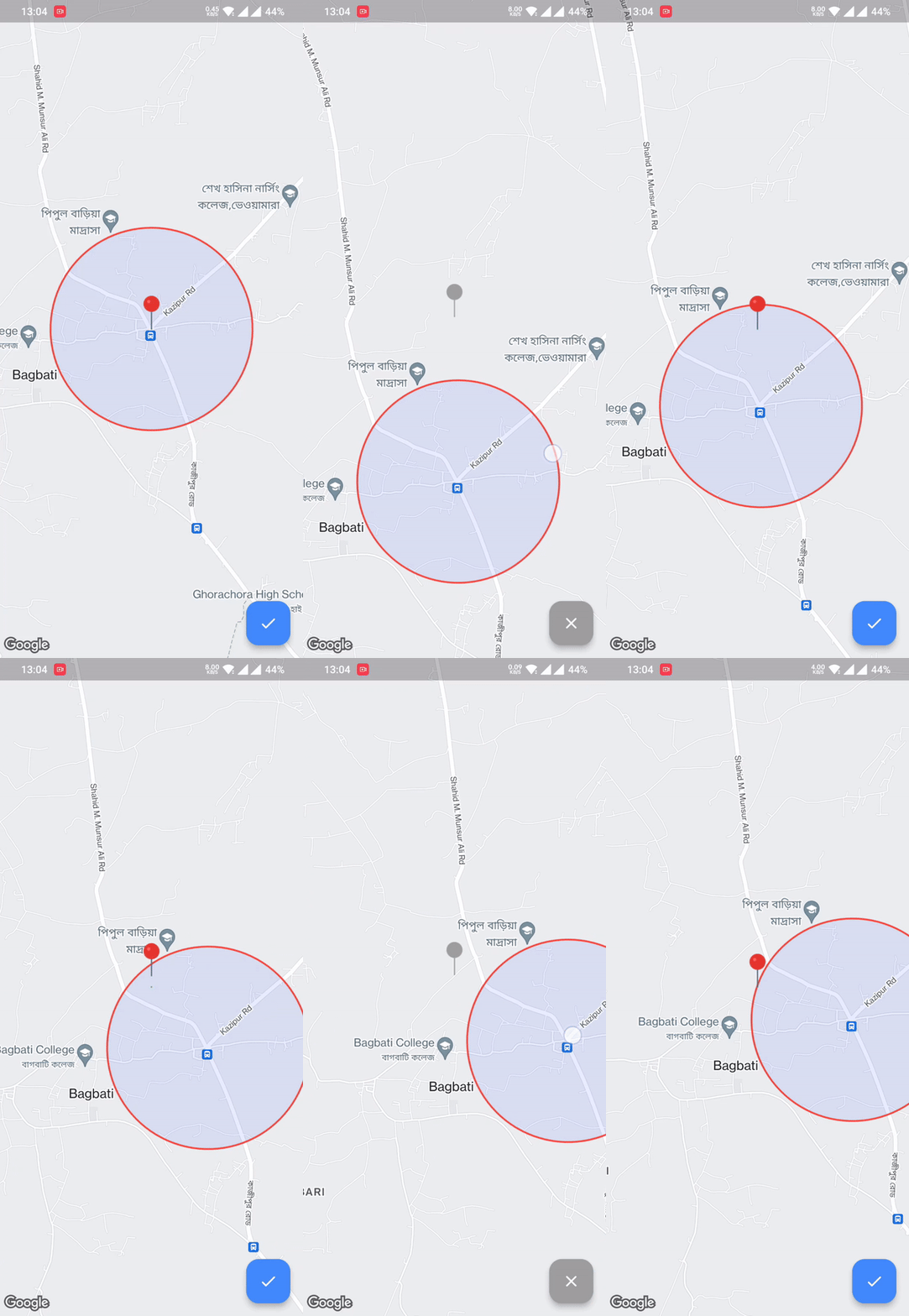
  • Pick location within the Circular Radius boundary

Made by @Hasan

Android iOS Web
Support SDK 20+ iOS 11+ Same as Flutter's
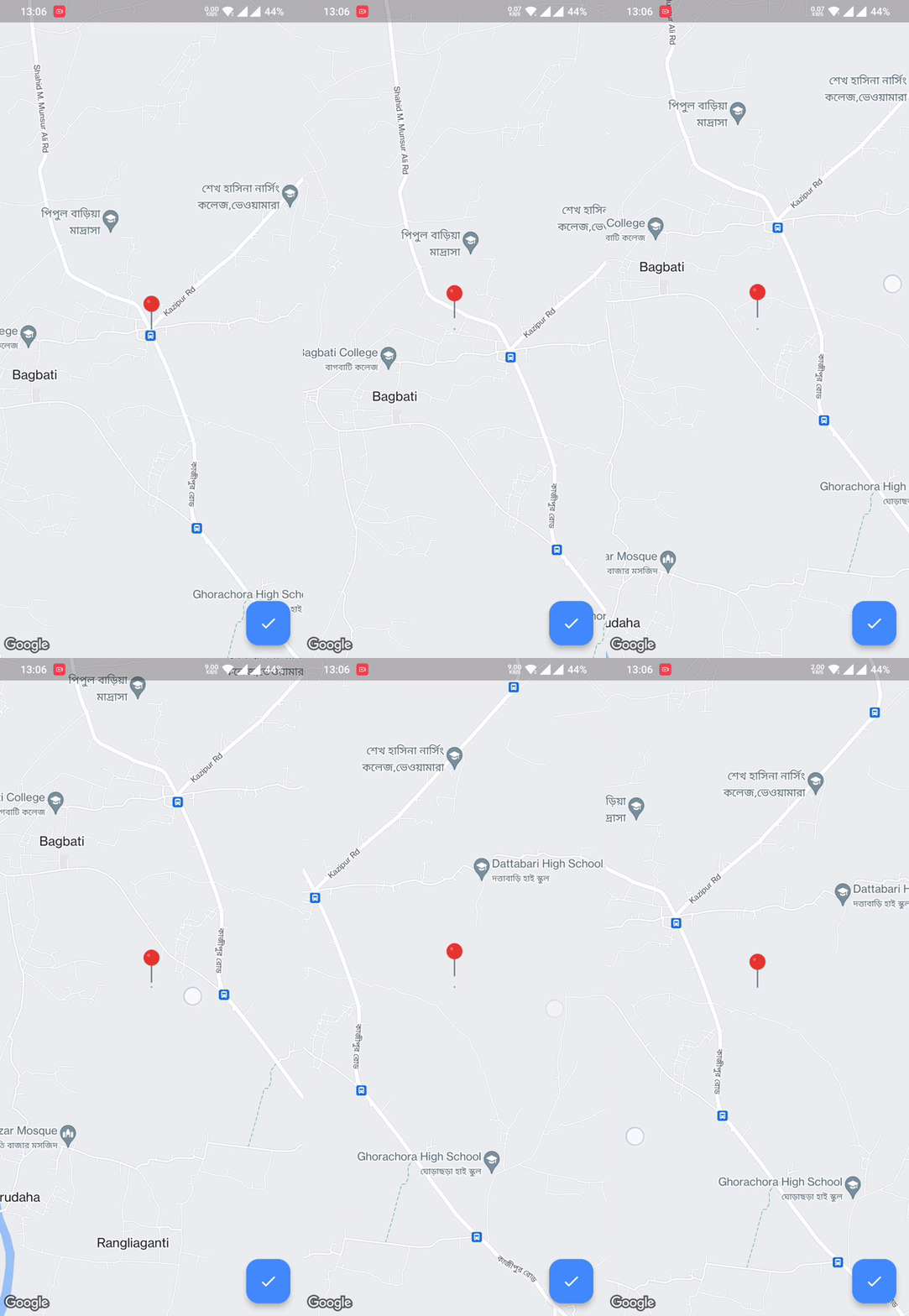
Regular Picker Circle Boundary Polygon Boundary

💻 Usage

First, add bound_location_picker as a dependency in your pubspec.yaml file.

dependencies:
  flutter:
    sdk: flutter

  bound_location_picker: ^update_version

Don't forget to flutter pub get.

Android
  1. Set the minSdkVersion in android/app/build.gradle:
android {
    defaultConfig {
        minSdkVersion 20
    }
}

This means that app will only be available for users that run Android SDK 20 or higher.

  1. Specify your API key in the application manifest android/app/src/main/AndroidManifest.xml:
<manifest ...
  <application ...
    <meta-data android:name="com.google.android.geo.API_KEY"
               android:value="YOUR KEY HERE"/>
iOS

To set up, specify your API key in the application delegate ios/Runner/AppDelegate.m:

#include "AppDelegate.h"
#include "GeneratedPluginRegistrant.h"
#import "GoogleMaps/GoogleMaps.h"

@implementation AppDelegate

- (BOOL)application:(UIApplication *)application
    didFinishLaunchingWithOptions:(NSDictionary *)launchOptions {
  [GMSServices provideAPIKey:@"YOUR KEY HERE"];
  [GeneratedPluginRegistrant registerWithRegistry:self];
  return [super application:application didFinishLaunchingWithOptions:launchOptions];
}
@end

Or in your swift code, specify your API key in the application delegate ios/Runner/AppDelegate.swift:

import UIKit
import Flutter
import GoogleMaps

@UIApplicationMain
@objc class AppDelegate: FlutterAppDelegate {
  override func application(
    _ application: UIApplication,
    didFinishLaunchingWithOptions launchOptions: [UIApplication.LaunchOptionsKey: Any]?
  ) -> Bool {
    GMSServices.provideAPIKey("YOUR KEY HERE")
    GeneratedPluginRegistrant.register(with: self)
    return super.application(application, didFinishLaunchingWithOptions: launchOptions)
  }
}
Web

You'll need to modify the web/index.html file of your Flutter Web application to include the Google Maps JS SDK.

Check the google_maps_flutter_web README for the latest information on how to prepare your App to use Google Maps on the web.

Sample Usage
class MyApp extends StatefulWidget {
  const MyApp({super.key});

  @override
  State<MyApp> createState() => _MyAppState();
}

class _MyAppState extends State<MyApp> {
  @override
  Widget build(BuildContext context) {
    return MaterialApp(
      debugShowCheckedModeBanner: false,
      home: Scaffold(
        body: BoundLocationPicker(
          initialCameraPosition: const LatLng(24.540725, 89.631088),
          onPickedLocation: (LatLng? location) {
            ///TODO do something using location 
          },
          onLocationUpdateListener: (LatLng? location) {
            ///TODO do something with current location
          },
          locationPickerImage: const AssetImage("assets/pin_point.png"),
          circleBoundary: CircleBoundary(radius: 800),
          enablePickedButton: true,
        ),
      ),
    );
  }
}
👨🏻‍💻Contribute to the project

All contributions are welcome.

GitHub

카테고리

의존성

의존성 목록 4 개

소스 저장소

이 패키지를 사용하는 프로젝트

아직 데이터가 없습니다.