
 v0.3.0
avoid_keyboard
이 패키지는 편리한 키보드 회피를 가능하게 합니다. 전체 뷰를 압축하지 않고 특정 뷰 영역에 대해 키보드 회피를 활성화할 수 있습니다.
26좋아요 84230일 다운로드150Pub 점수
AndroidiOSWebmacOSWindowsLinux
Flutter 앱에서 키보드 회피를 좀 더 쉽게 만들어주는 패키지입니다.

^1.1.0{"sdk":"flutter"}{"sdk":"flutter"}아래는 영문 원문 스냅샷입니다. 최신 내용은 GitHub에서 확인하세요.
pub version pub points likes popularity
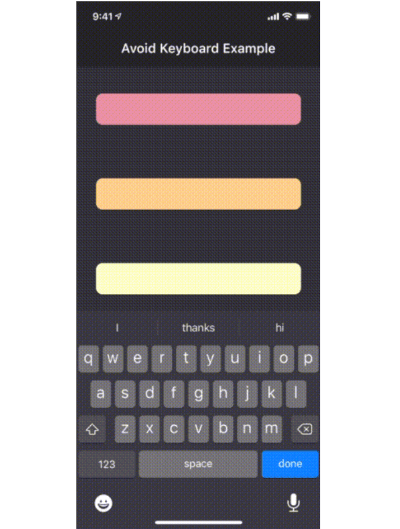
The avoid_keyboard package includes a widget (AvoidKeyboard) in which you can wrap your text fields and other input controls, such that they will scroll out of the way when the keyboard pops up. Using this widget has an advantage over using the default Scaffold behavior, in that you can specify exactly which areas of your app will scroll in response to the keyboard, rather than having your entire viewport compressed (which won't work anyway for fixed height columns).
Another advantage, is that AvoidKeyboard will only shift its contents in the case that the keyboard is actually overlapping the focused input control.
demonstration gif
To get started, simply wrap the input controls (along with any surrounding portion of the widget tree which should move out of the way):
class AvoidKeyboardExample extends StatelessWidget {
  @override
  Widget build(BuildContext context) {
    return AvoidKeyboard(
      child: Column(
        children: [
          TextField(),
          TextField(),
        ],
      ),
    );
  }
}
Having done this, the view will now scroll out of the way when the keyboard overlaps an active control.