
홈피
Flutter, Adafruit IO 및 Esp32 개발 보드를 사용한 홈 오토메이션 앱.

- 스타
- 173
- 포크
- 66
- 최근 푸시(UTC)
- 2024. 11. 5.
- 프로젝트 상태
- 활성
원본 README
아래는 영문 원문 스냅샷입니다. 최신 내용은 GitHub에서 확인하세요.
Home-Fi: Smart Home Automation System


A modern home automation solution combining Flutter's beautiful UI with ESP32's powerful capabilities and Adafruit IO's reliable cloud infrastructure.
✨ Features
- 🏠 Control multiple home appliances remotely
- 💡 RGB light control with color picker
- 📊 Real-time device status monitoring
- 🌡️ Temperature and humidity sensing
- 🔐 Secure communication with Adafruit IO
- 📱 Beautiful, responsive Flutter UI
- ⚡ Low-latency ESP32 control
🎯 System Architecture
Mobile App (Flutter) <-> Adafruit IO Cloud <-> ESP32 Device <-> Home Appliances
- Flutter App: Handles user interface and cloud communication
- Adafruit IO: Manages device state and real-time data
- ESP32: Controls physical devices and sensors
🚀 Getting Started
Prerequisites
- Flutter SDK (2.0 or higher)
- Arduino IDE
- ESP32 Development Board
- Adafruit IO Account
- Basic electronic components (relays, RGB LED, sensors)
Installation
-
Clone the repository
git clone https://github.com/yourusername/home-fi.git cd home-fi -
Set up Flutter app
flutter pub get -
Configure Adafruit IO
- Create an Adafruit IO account
- Set up required feeds (switches, RGB values, sensor data)
- Copy your AIO Key
-
ESP32 Setup
- Install required libraries in Arduino IDE
- Update credentials in ESP32 code
#define IO_USERNAME "your_username" #define IO_KEY "your_aio_key" -
Run the app
flutter run
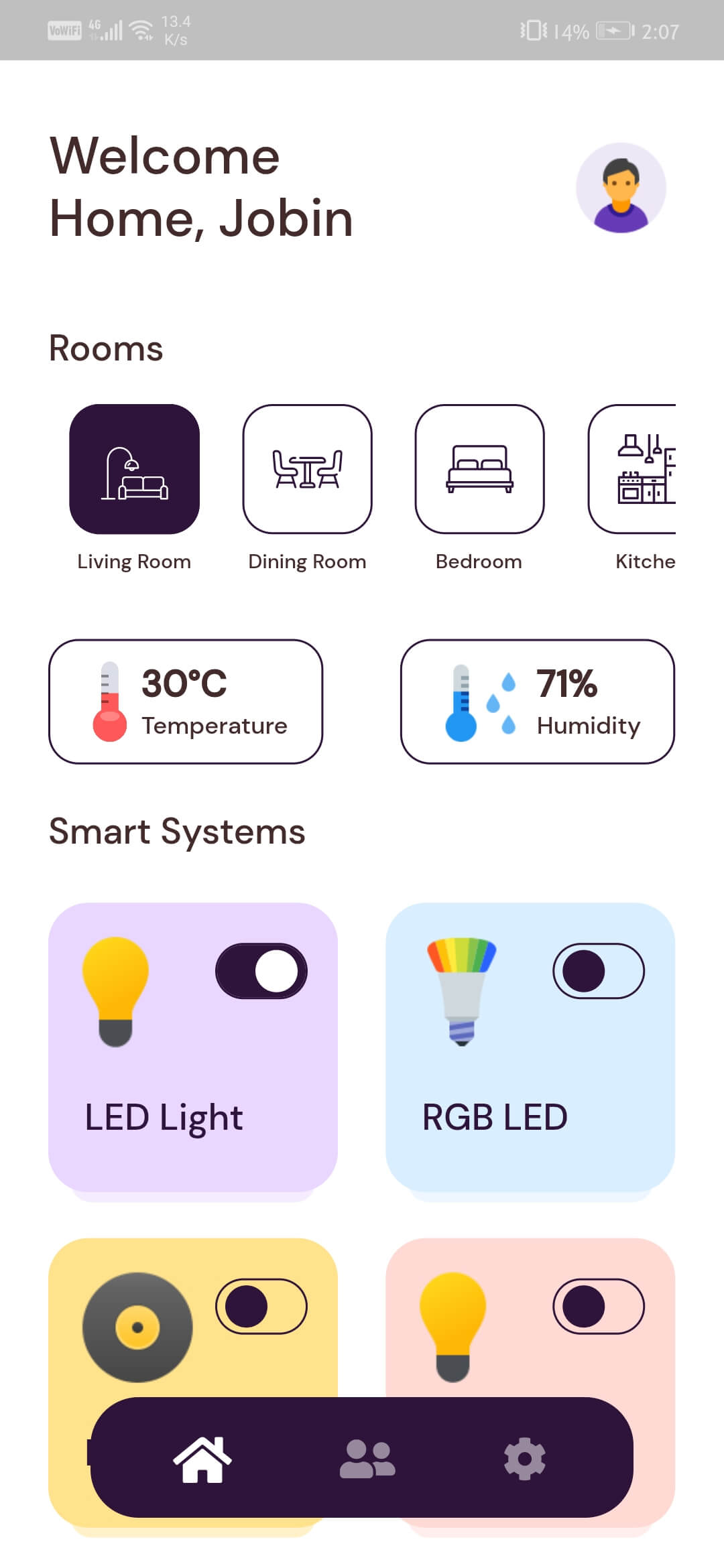
📱 User Interface
 |
 |
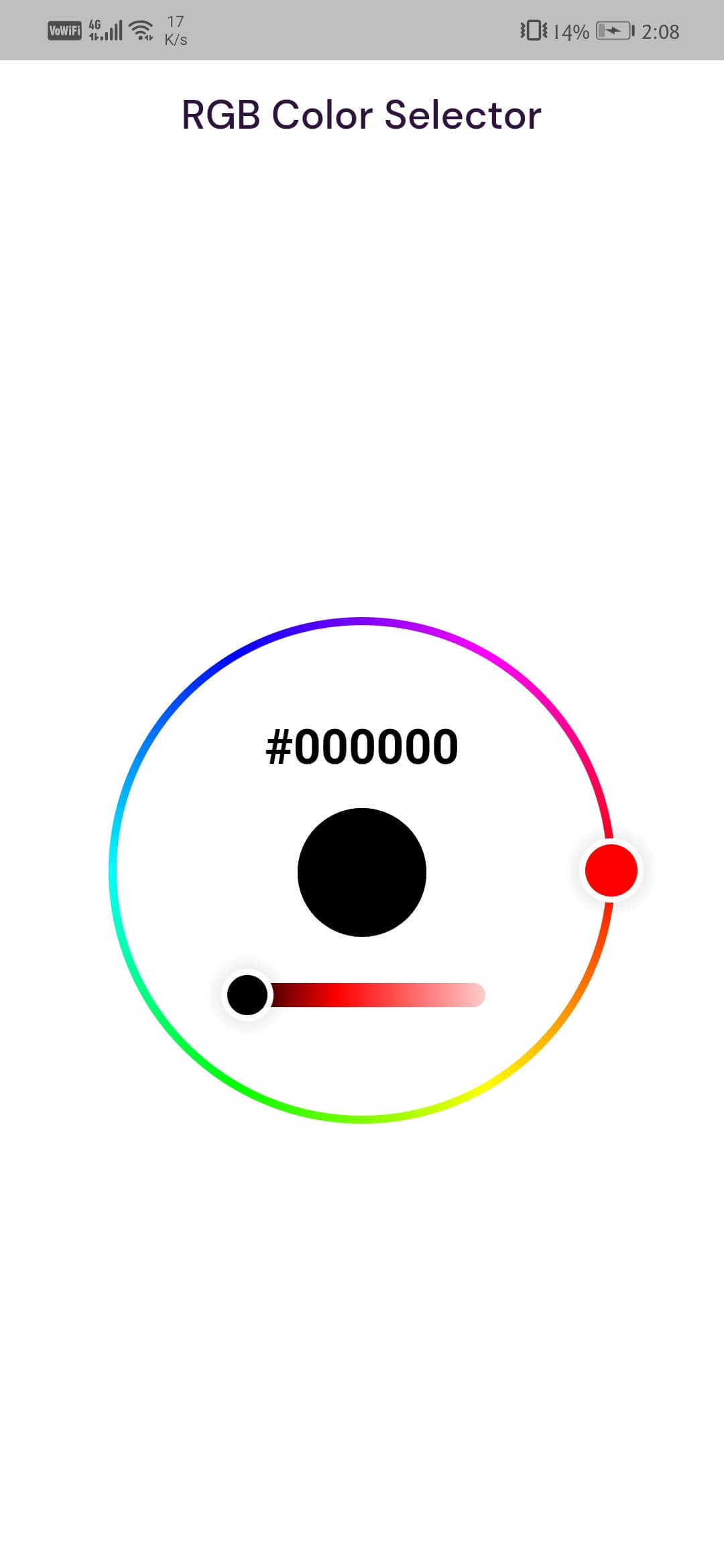 |
| Splash Screen | Dashboard | RGB Control |
🛠️ Hardware Setup
Components Required
- ESP32 Development Board
- Relay Module (for appliance control)
- RGB LED Strip
- DHT11/DHT22 Sensor (optional)
- Power Supply
- Connecting Wires
📡 Communication Protocol
The system uses MQTT protocol for communication:
- Topics: Organized by device type (switches/rgb/sensors)
- Message Format: JSON payloads for complex data
- Update Frequency: Real-time for switches, 1s for sensor data
🤝 Contributing
Contributions are welcome! Please feel free to submit a Pull Request.
- Fork the project
- Create your feature branch (
git checkout -b feature/AmazingFeature) - Commit your changes (
git commit -m 'Add some AmazingFeature') - Push to the branch (
git push origin feature/AmazingFeature) - Open a Pull Request
📝 License
This project is licensed under the MIT License - see the LICENSE file for details.
🙏 Acknowledgments
- Flutter team for the amazing framework
- Adafruit for their reliable IoT platform
- ESP32 community for their extensive documentation
☕ Support


GitHub 작성자
Jobin Biju ↗
언어DartC++SwiftKotlinObjective-C
분류
사용 중인 의존성
의존성 목록 13 개
- flutter
{"sdk":"flutter"} - cupertino_icons
^1.0.3 - flutter_circle_color_picker
^0.3.0 - flutter_dotenv
^5.0.0 - flutter_svg
^0.22.0 - font_awesome_flutter
^9.1.0 - get
^4.1.4 - get_storage
^2.0.2 - google_fonts
^2.1.0 - http
^0.13.3 - lottie
^1.0.1 - mqtt_client
^9.3.1 - flutter_test개발 의존성
{"sdk":"flutter"}
순위
프로젝트에 맞는 저장소를 선택하려면?
사용 목적에 따라 검색하고 개발 활동을 비교한 뒤 원본 저장소에서 요구 사항을 확인하세요.
- 이름, 작성자 또는 설명으로 검색하고 기술 주제로 범위를 좁힙니다.
- 스타, 포크, 최근 푸시를 함께 비교하세요. 스타는 관심의 지표이며 품질을 보장하지 않습니다.
- 사용하기 전에 GitHub에서 README, 라이선스, Issues를 확인하세요.
출처 및 관리
“A repository is the most basic element of GitHub.”
GitHub Docs — About repositories ↗