
 v3.1.1
assets_audio_player
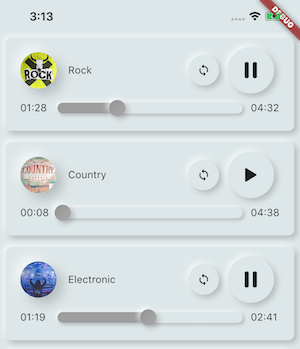
Flutter 및 네트워크, 라디오, 라이브 스트리밍, 로컬 파일에서 자산 파일에 저장된 음악/오디오를 직접 재생합니다. Android, iOS, 웹, macOS와 호환됩니다.
1.2천좋아요 2.2천30일 다운로드110Pub 점수
AndroidiOSWebmacOS
InnerQuest는 자기 발견, 개인적 성장, 생산성 향상의 여정을 시작하는 데 도움이 되는 앱입니다. 이 플러터 기반 애플리케이션은 개별적인 성격 유형에 맞춰진 독특한 기능 조합을 제공합니다. 열정적인 두 명의 대학생으로 구성된 팀이 개발한 소규모 프로젝트입니다.
 v3.1.1
Flutter 및 네트워크, 라디오, 라이브 스트리밍, 로컬 파일에서 자산 파일에 저장된 음악/오디오를 직접 재생합니다. Android, iOS, 웹, macOS와 호환됩니다.
 v3.0.1
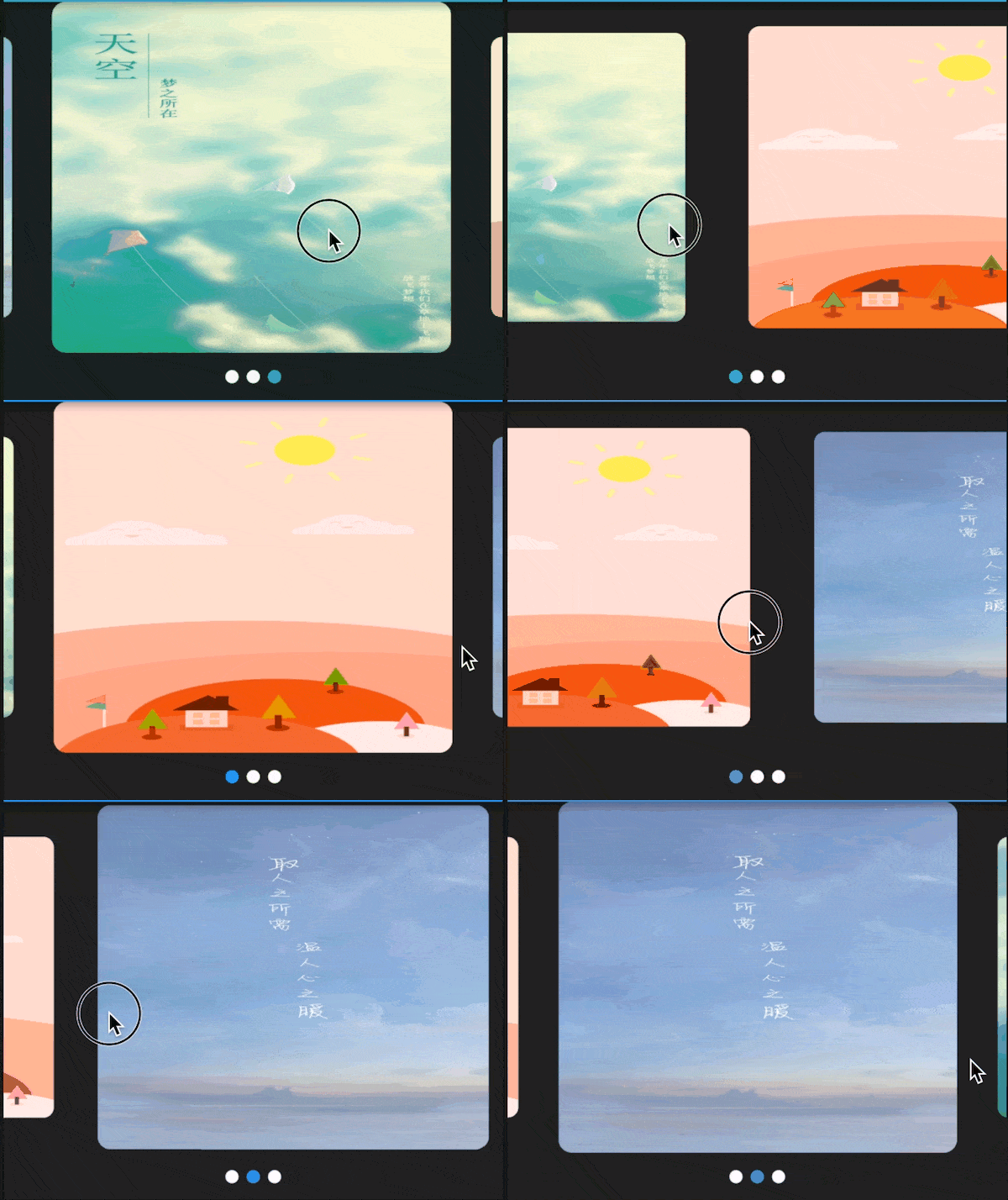
다양한 레이아웃과 무한 루프를 지원하는 플러터용 스와이퍼/카루셀. 안드로이드 및 iOS와 호환됩니다.
의존성 목록 8 개
{"sdk":"flutter"}^1.0.2^6.1.0^3.0.1^4.6.6^3.1.1{"sdk":"flutter"}^2.0.0아래는 영문 원문 스냅샷입니다. 최신 내용은 GitHub에서 확인하세요.
InnerQuest is an app designed to help you embark on a journey of self-discovery, personal growth, and increased productivity. This Flutter-based application offers a unique blend of features that are tailored to your individual personality type. It's a small but passionate project developed by a dedicated team of two college students.
Personalized Extensions: InnerQuest offers a variety of plug-and-play extensions that are customized to align with your unique personality type. These extensions help you enhance your personal development and productivity.
Mood Points System: Stay motivated with our mood point system. Earn points by being productive, and use them to unlock further features, extensions, and rewards.
Empowerment Through NFTs: Every achievement in InnerQuest is backed by real Non-Fungible Tokens (NFTs) on the blockchain. This not only gamifies your personal growth but also offers a tangible representation of your accomplishments.
Open Source Community: We are strong advocates of open-source development. InnerQuest is a project designed for the community and by the community. We encourage other developers to contribute and help us shape the future of InnerQuest.
To get started with InnerQuest, follow these steps:
git clone https://github.com/Kushalrock/innerquest.git
flutter pub get
flutter run
Now, you're all set to explore the InnerQuest app and begin your journey of personal growth and productivity.
If you're looking for a convenient way to mirror your Android device's screen onto your computer for testing and development, we recommend using Vysor. Vysor is a reliable tool that can streamline your Flutter app testing process.
To set up Vysor:
Download and install Vysor on your computer.
Connect your Android device to your computer via USB or enable ADB over Wi-Fi.
Open Vysor and select your Android device from the available devices.
You'll now see your Android device's screen mirrored on your computer, making it easier to test and debug your Flutter app.
Vysor is a valuable tool for developers working with Flutter, and we highly recommend integrating it into your workflow.
Our future plans for InnerQuest include:
Expanding Extensions: We are working on creating more plug-and-play extensions to cater to various aspects of personal growth and productivity.
Mainnet Integration: We aim to take the project to the mainnet, enhancing the user experience and reliability.
Community Involvement: We are actively encouraging other developers and the community to contribute to the project's development and growth.
Addressing Youth Issues: We will continue to focus on our mission to address issues like drug abuse and mental health, providing support and resources to the youth.
We welcome contributions from the community to make InnerQuest even better. If you'd like to contribute, please fork the repository, make your changes, and submit a pull request. We appreciate your support in enhancing this project.
This project is open-source and available under the GNU GPL V3.0.
We're excited to have you join us on this journey of personal growth and productivity. If you have any questions, suggestions, or feedback, please feel free to reach out. Together, we can make the world a better place, one step at a time.