

 v1.2.0
direct_select_flutter
https://dribbble.com/shots/3876250-DirectSelect-Dropdown-ux 에서 영감을 받은 직접 선택 위젯 구현
321좋아요 1천30일 다운로드160Pub 점수
AndroidiOSWebmacOSWindowsLinux
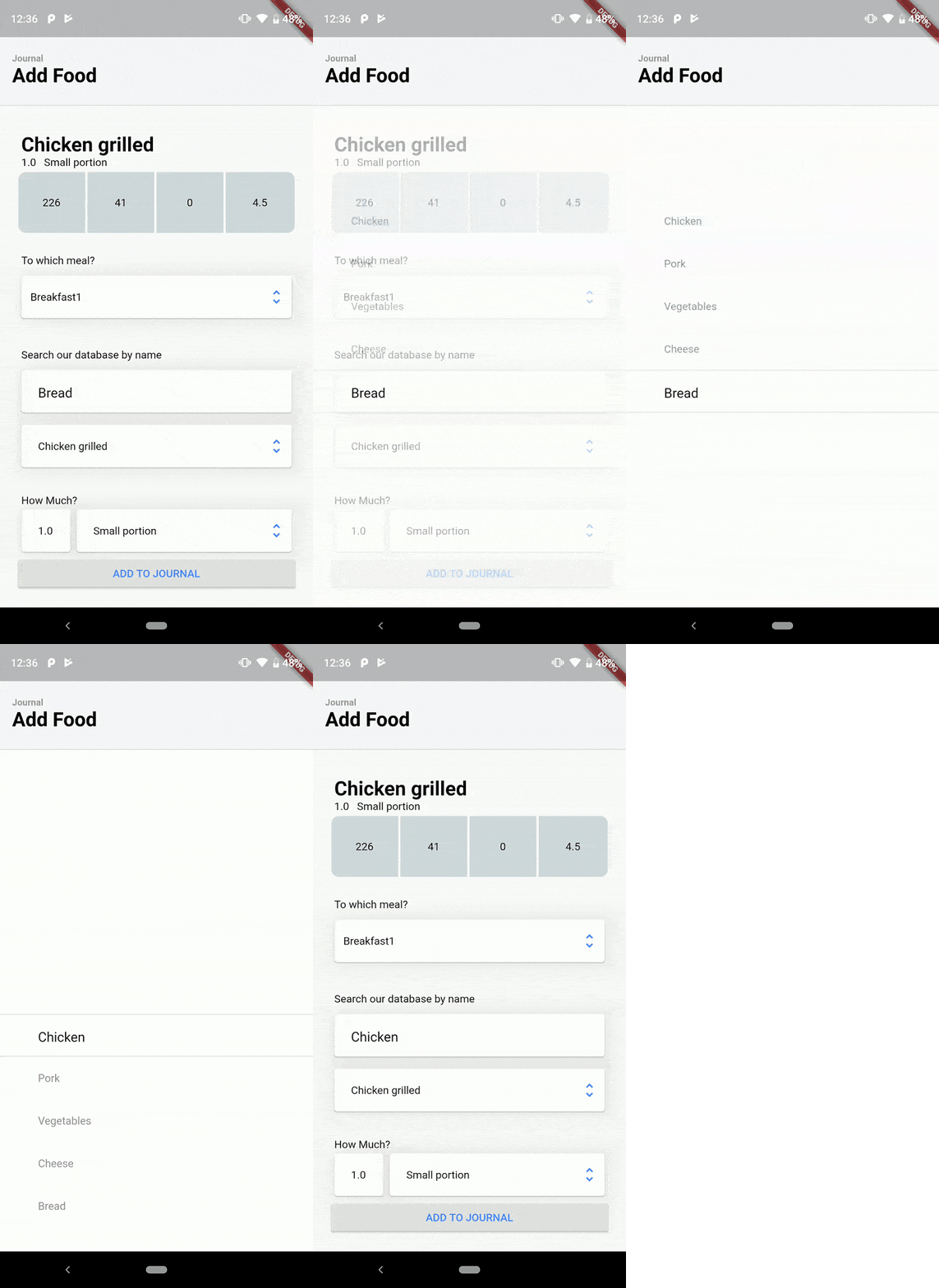
DirectSelect는 사용자가 위젯과 상호작용할 때 가시적인 전체 화면 모달 팝업을 통해 사용 가능한 선택 항목을 표시하는 선택 위젯입니다. https://dribbble.com/shots/3876250-DirectSelect-Dropdown-ux

아래는 영문 원문 스냅샷입니다. 최신 내용은 GitHub에서 확인하세요.
DirectSelect is a selection widget with an ethereal, full-screen modal popup displaying the available choices when the widget is interact with. Inspired by dribble shot.
Made in lanars.com.


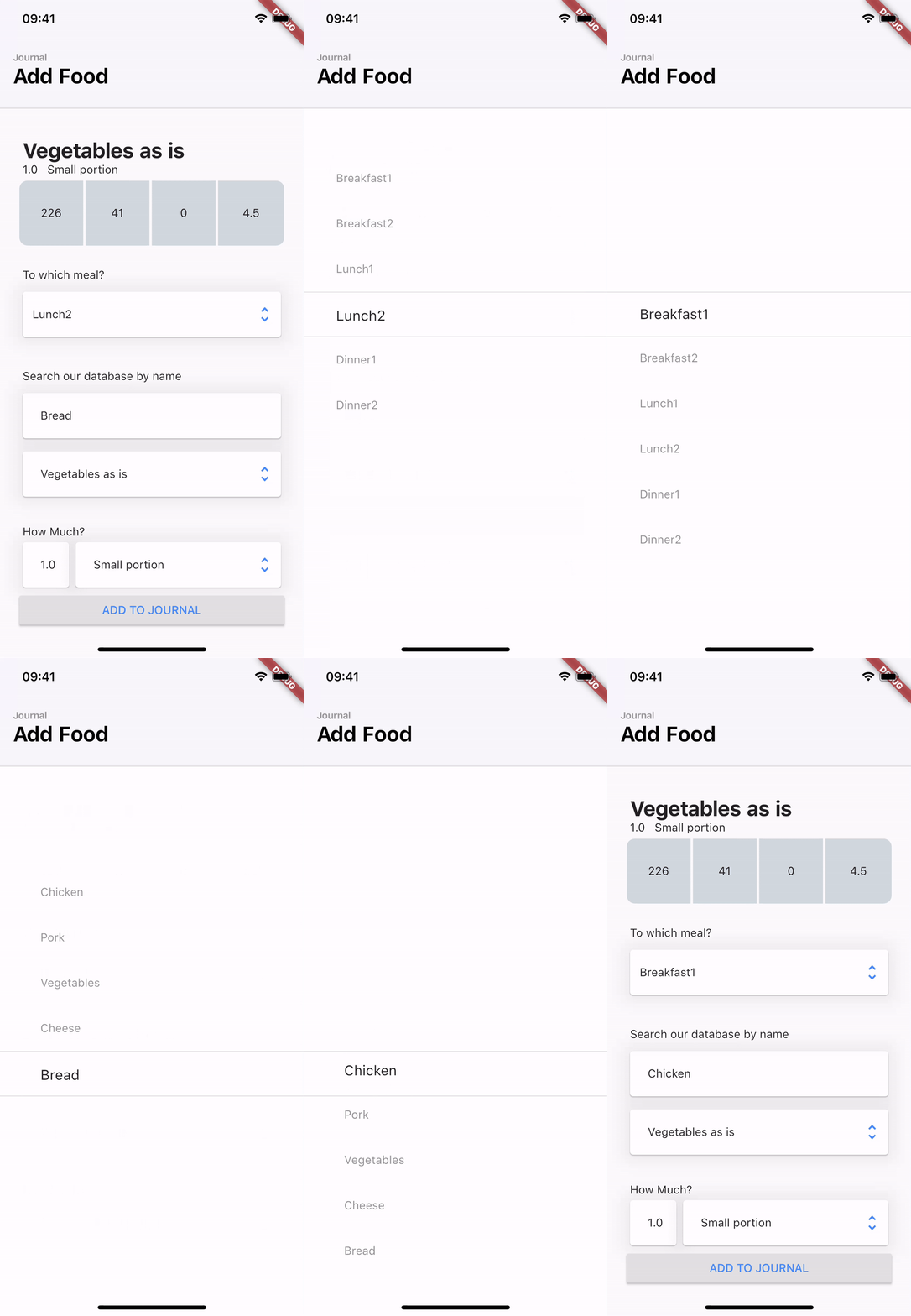
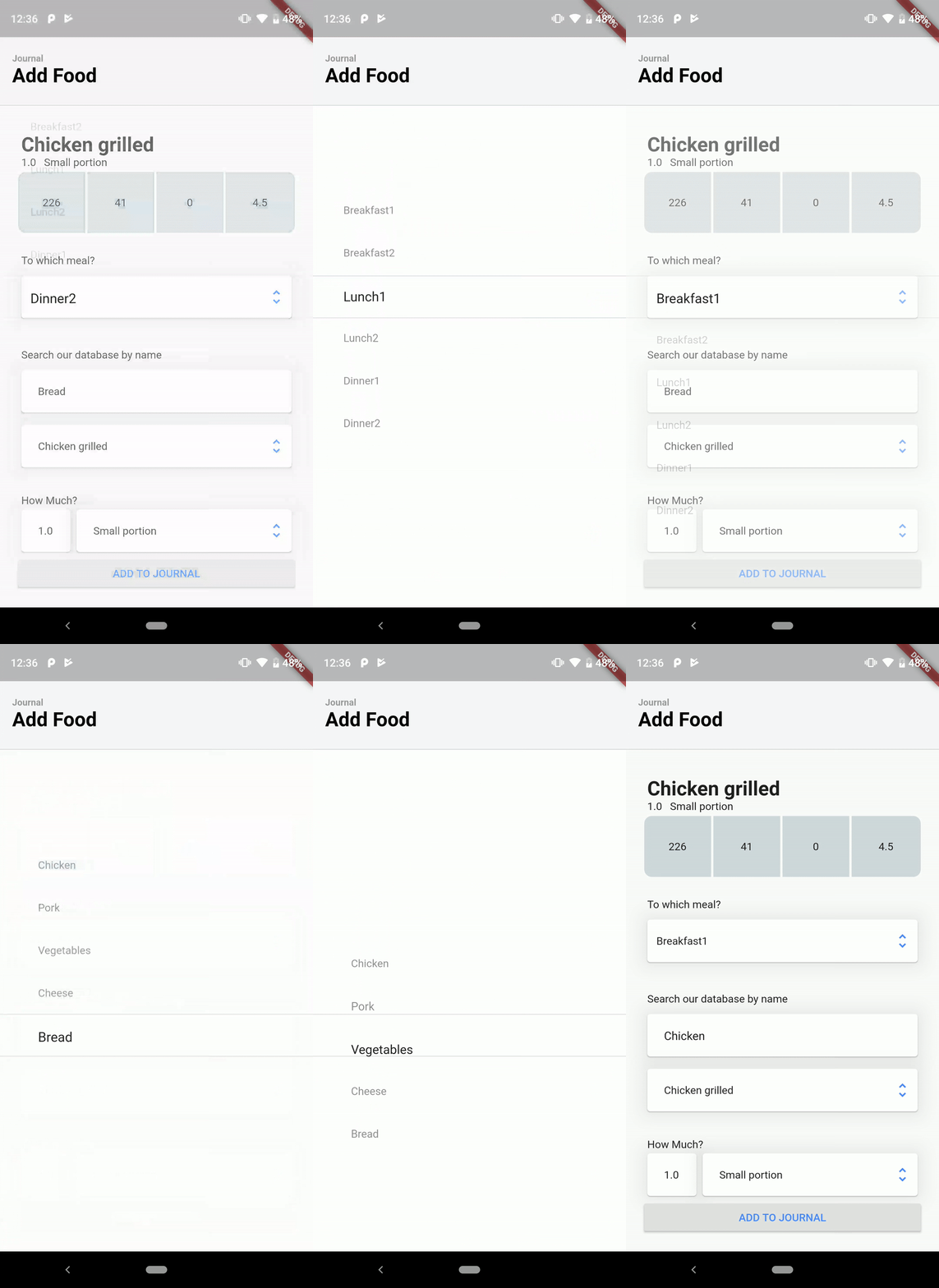
Create DirectSelectList and fill it with items using itemBuilder
    final dsl = DirectSelectList<String>(
        values: _cities,
        defaultItemIndex: 3,
        itemBuilder: (String value) => getDropDownMenuItem(value),
        focusedItemDecoration: _getDslDecoration(),
        onItemSelectedListener: (item, index, context) {
          Scaffold.of(context).showSnackBar(SnackBar(content: Text(item)));
        });
Create items like this
  DirectSelectItem<String> getDropDownMenuItem(String value) {
    return DirectSelectItem<String>(
        itemHeight: 56,
        value: value,
        itemBuilder: (context, value) {
          return Text(value);
        });
  }
Create decorations for focused items
  _getDslDecoration() {
   return BoxDecoration(
     border: BorderDirectional(
       bottom: BorderSide(width: 1, color: Colors.black12),
       top: BorderSide(width: 1, color: Colors.black12),
     ),
   );
 }
Create DirectSelectContainer and fill it with your data
Scaffold(
      appBar: appBar,
      body: DirectSelectContainer(
        child: Padding(
          padding: const EdgeInsets.all(16.0),
          child: Column(
            mainAxisSize: MainAxisSize.min,
            verticalDirection: VerticalDirection.down,
            children: <Widget>[
              SizedBox(height: 150.0),
              Padding(
                padding: const EdgeInsets.all(8.0),
                child: Column(
                  children: <Widget>[
                    Container(
                      alignment: AlignmentDirectional.centerStart,
                      margin: EdgeInsets.only(left: 4),
                      child: Text("City"),
                    ),
                    Padding(
                      padding: const EdgeInsets.fromLTRB(0, 8, 0, 0),
                      child: Card(
                        child: Row(
                          mainAxisSize: MainAxisSize.max,
                          children: <Widget>[
                            Expanded(
                                child: Padding(
                                    child: DirectSelectList<String>(
                                                     values: _cities,
                                                     defaultItemIndex: 3,
                                                     itemBuilder: (String value) => getDropDownMenuItem(value),
                                                     focusedItemDecoration: _getDslDecoration(),
                                                     onItemSelectedListener: (item, index, context) {
                                                       Scaffold.of(context).showSnackBar(SnackBar(content: Text(item)));
                                                     }),
                                    padding: EdgeInsets.only(left: 12))),
                            Padding(
                              padding: EdgeInsets.only(right: 8),
                              child: Icon(
                                Icons.unfold_more,
                                color: Colors.black38,
                              ),
                            )
                          ],
                        ),
                         ),
                    ),
                  ],
                ),
              ),
            ],
          ),
        ),
      ),
    );
의존성 목록 2 개
{"sdk":"flutter"}{"sdk":"flutter"}사용 목적에 따라 검색하고 개발 활동을 비교한 뒤 원본 저장소에서 요구 사항을 확인하세요.
“A repository is the most basic element of GitHub.”
GitHub Docs — About repositories ↗