v0.3.0
bloc_concurrency
ember concurrency를 영감으로 삼은 사용자 정의 이벤트 변환기입니다. bloc 상태 관리 패키지와 함께 사용하도록 설계되었습니다.
594좋아요 77만30일 다운로드160Pub 점수
AndroidiOSWebmacOSWindowsLinux
🎨 강력하고 미니멀한 크로스 플랫폼 오픈소스 노트 앱

아래는 영문 원문 스냅샷입니다. 최신 내용은 GitHub에서 확인하세요.

🎨 Take notes, draw freely, and organize ideas across an endless workspace 🎨


Website • Download • Crowdin • Matrix • Discord • Mastodon • Bluesky • Linwood • Contribute
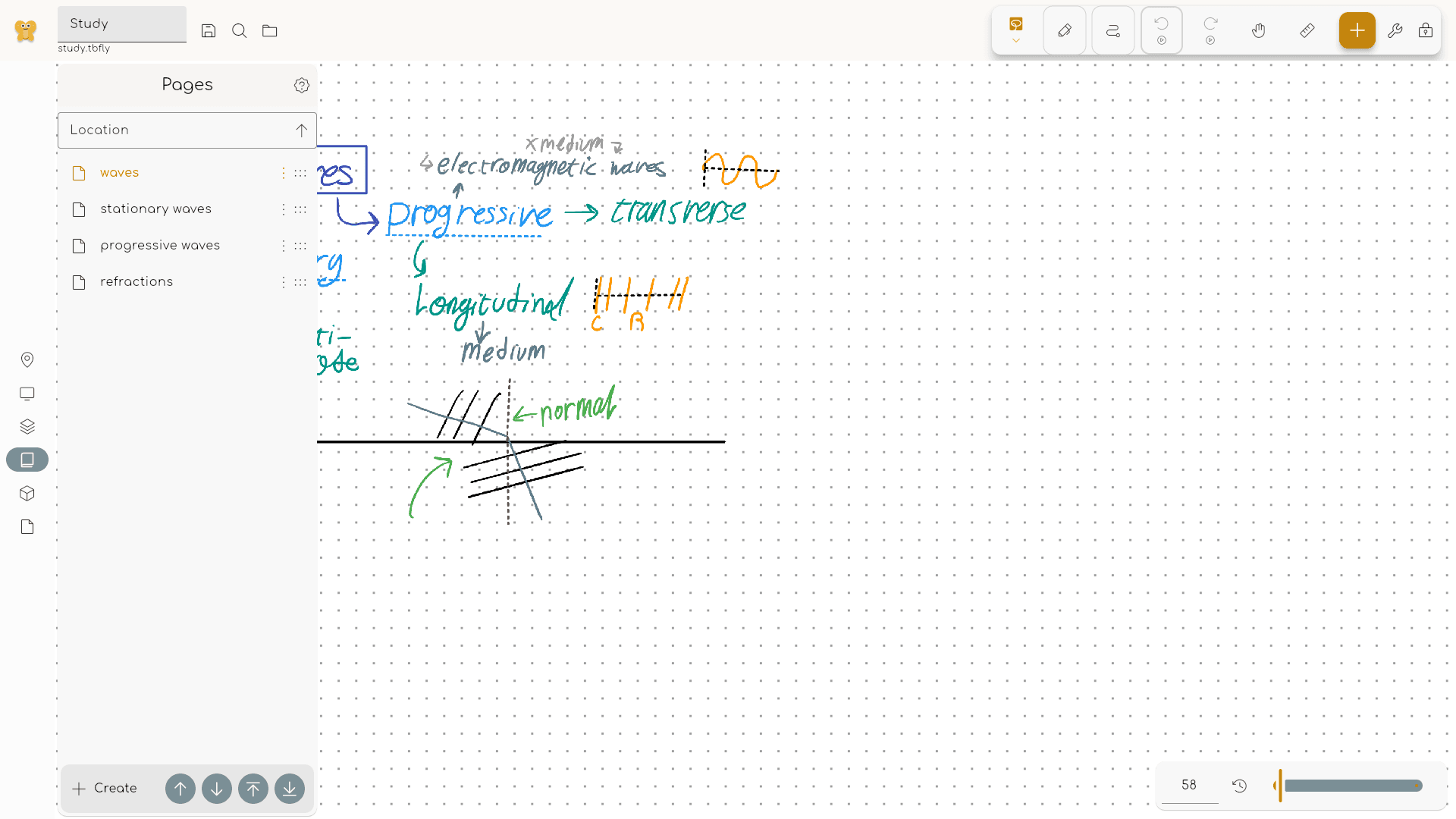
Butterfly is an open-source app for people who think better with space around their ideas. Instead of writing everything from top to bottom on a fixed page, you get an endless workspace where you can place notes, sketches, diagrams, images, and documents wherever they make sense.
Use it for class notes, meeting notes, research, math, worksheets, planning, whiteboarding, storyboards, product sketches, or any project that starts messy and needs room to grow. Write by hand with a stylus, touch, or mouse, type text and Markdown, add shapes and lines, place images and photos, import PDFs, SVGs, and image files, then export your work as PDF, SVG, images, or portable Butterfly files.
Your files stay under your control. Work offline, store documents on your device, choose a different data directory, or connect WebDAV and Nextcloud if you want your own sync setup. There is no required account, no required subscription, and no required proprietary cloud.
Butterfly is free, community translated, available on phones, tablets, desktops, and the web, and developed in public under the AGPL-3.0 license.
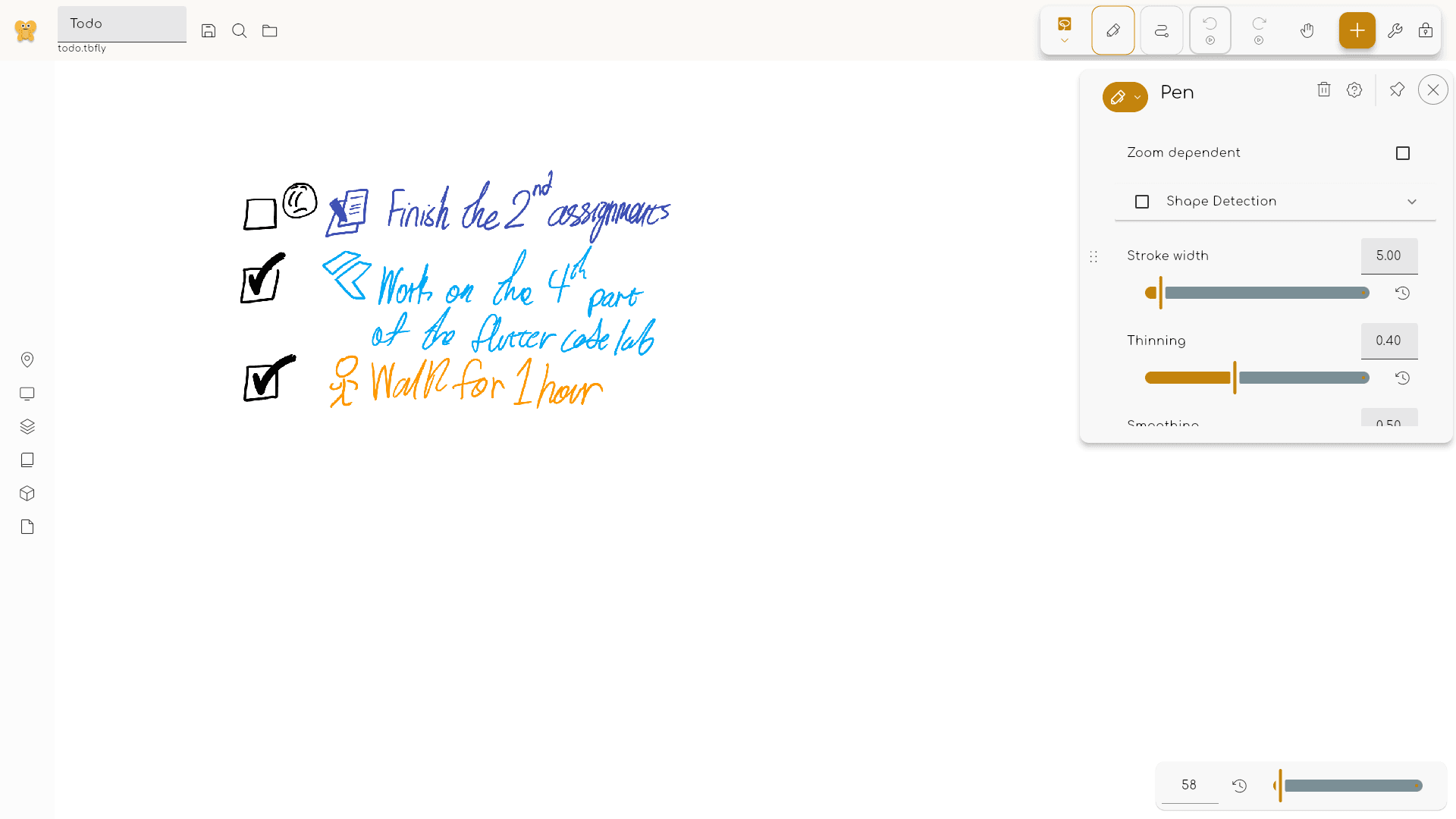
Try Butterfly in your browser, install it on your devices, or explore the documentation:
We are happy to see that you are interested in contributing to Butterfly. To get started, visit the contributing guide.
The code is open source and licensed under the AGPL-3.0 license.
All images in app/images/ and content in docs/ are licensed under the CC-BY-SA-4.0 license.
The files in api are licensed under the Apache-2.0 license instead of the AGPL-3.0 license to allow the use of the API without the need to open source the code (for example for extensions or other external services).
ember concurrency를 영감으로 삼은 사용자 정의 이벤트 변환기입니다. bloc 상태 관리 패키지와 함께 사용하도록 설계되었습니다.
BLoC(Business Logic Component) 디자인 패턴을 쉽게 구현할 수 있도록 도와주는 Flutter 위젯입니다. bloc 상태 관리 패키지와 함께 사용하도록 설계되었습니다.
bloc 상태 관리 라이브러리의 확장으로 되돌리기 및 다시 실행 기능을 추가합니다.
어떤 Flutter 애플리케이션에도 쉽게 통합할 수 있는 고급 사전 구축 애니메이션.
카메라를 제어하기 위한 플러터 플러그인입니다. 카메라 피드 미리보기, 이미지 및 비디오 캡처, Dart로 이미지 버퍼 스트리밍을 지원합니다.
Windows에서 카메라에 대한 정보를 가져오고 제어하기 위한 Flutter 플러그인입니다.
여러 플랫폼에서 파일을 다룰 수 있도록 해주는 추상화입니다.
Navigation 2를 기반으로 하는 Flutter용 선언적 라우터로 깊은 링크, 데이터 기반 경로 등 지원
RxDart는 비동기 프로그래밍을 위한 인기 있는 ReactiveX API의 구현으로, 네이티브 Dart Streams API를 활용합니다.
기능을 희생하지 않고 간단한 구문/API를 가진 불변 클래스에 대한 코드 생성.
Android 및 iOS에서 네트워크(Wi-Fi 및 모바일/셀룰러) 연결 상태를 탐지하기 위한 Flutter 플러그인입니다.
네트워크 정보(예: Wi-Fi 세부 정보)를 탐색하기 위한 Flutter 플러그인입니다.
사용 목적에 따라 검색하고 개발 활동을 비교한 뒤 원본 저장소에서 요구 사항을 확인하세요.
“A repository is the most basic element of GitHub.”
GitHub Docs — About repositories ↗