

 v0.5.0
pencil_field
다양한 기기 및 플랫폼에서 연필/스티커 상호작용(쓰기 및 지우기). 입력의 버전 관리된 지속성과 함께 제공됩니다.
17좋아요 20030일 다운로드150Pub 점수
AndroidiOSmacOSWindowsLinux
ManfredM/pencil_field open-source repository details.

아래는 영문 원문 스냅샷입니다. 최신 내용은 GitHub에서 확인하세요.
Widget for pencil / stylus input on different devices and platforms. This widget is intended for any freehand input like signatures or drawings.
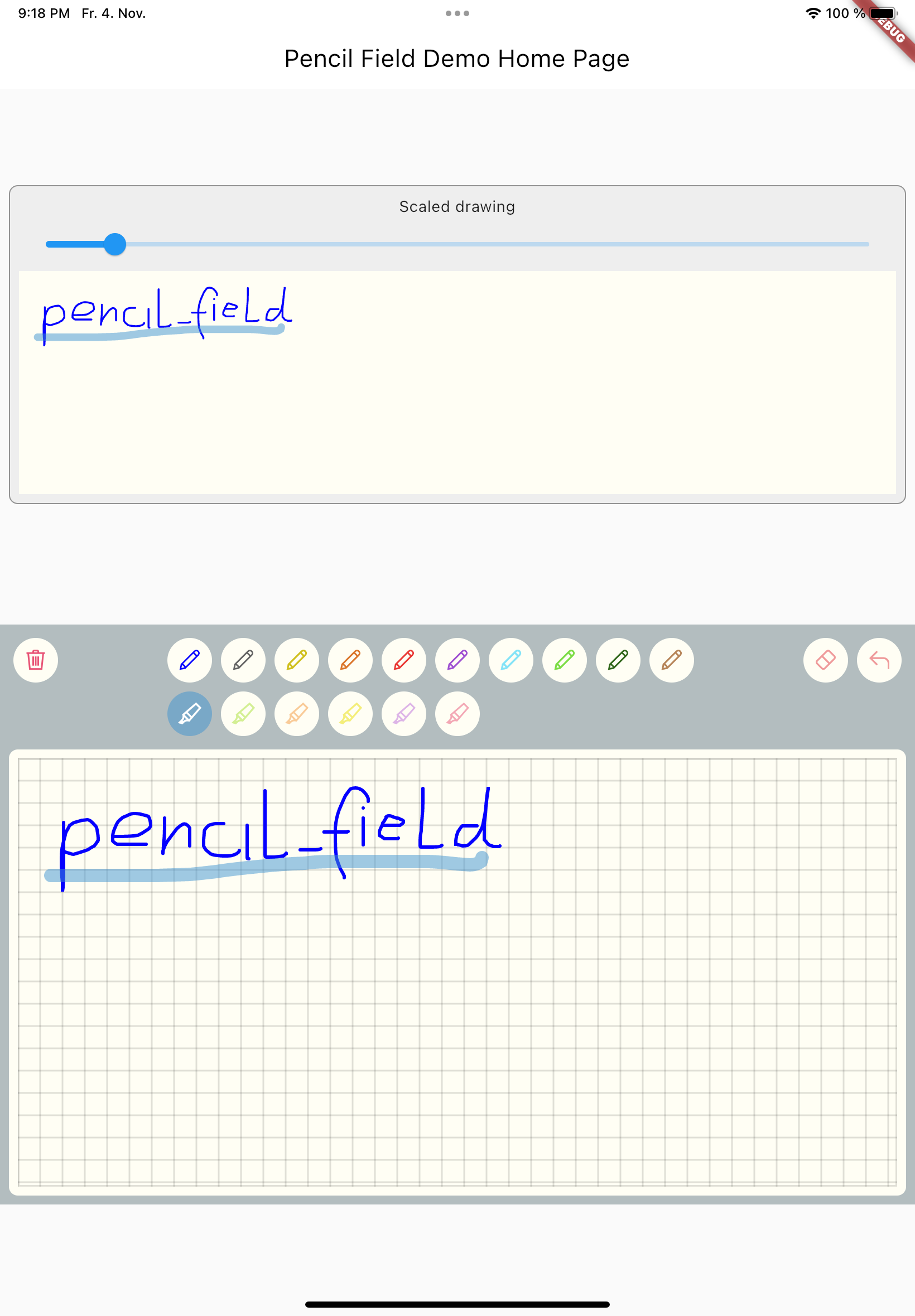
Just create PencilField widget and embedd it into your page:
PencilField(
  controller: widget.controller,
  pencilPaint: pencilPaint,
  onPencilDrawingChanged: widget.onPencilDrawingChanged,
  decoration: PencilDecoration(
    type: PencilDecorationType.chequered,
    backgroundColor: Colors.white,
    patternColor: Colors.grey[300]!,
    numberOfLines: 10,
    strokeWidth: 2,
    padding: const EdgeInsets.all(10),
  ),
  pencilOnly: true,
)
And resulting input can be displayed like so. As everything is stored in vector format scaling (e.g. for creating previews) is easy:
PencilDisplay(
  pencilDrawing: widget.controller.drawing.scale(
    scale: scale,
  ),
  decoration: PencilDecoration(backgroundColor: Colors.white),
)
The actual widget that provides the capability to capture and store freehand / pencil input. Each PencilField requires a controller that builds the bridge between the widget and PencilDrawing that stores the input.
PencilDrawing stores the actual content captured by PencilField. You can store and retrieve this data in a versioned format, so that future version of PencilField can load old data.
A full example is provided. This example shows how to use PencilField and its litte sibling PencilDisplay. It also shows how to define pens for input and interactions like erase, undo and clear.
의존성 목록 3 개
{"sdk":"flutter"}{"sdk":"flutter"}^5.0.0사용 목적에 따라 검색하고 개발 활동을 비교한 뒤 원본 저장소에서 요구 사항을 확인하세요.
“A repository is the most basic element of GitHub.”
GitHub Docs — About repositories ↗