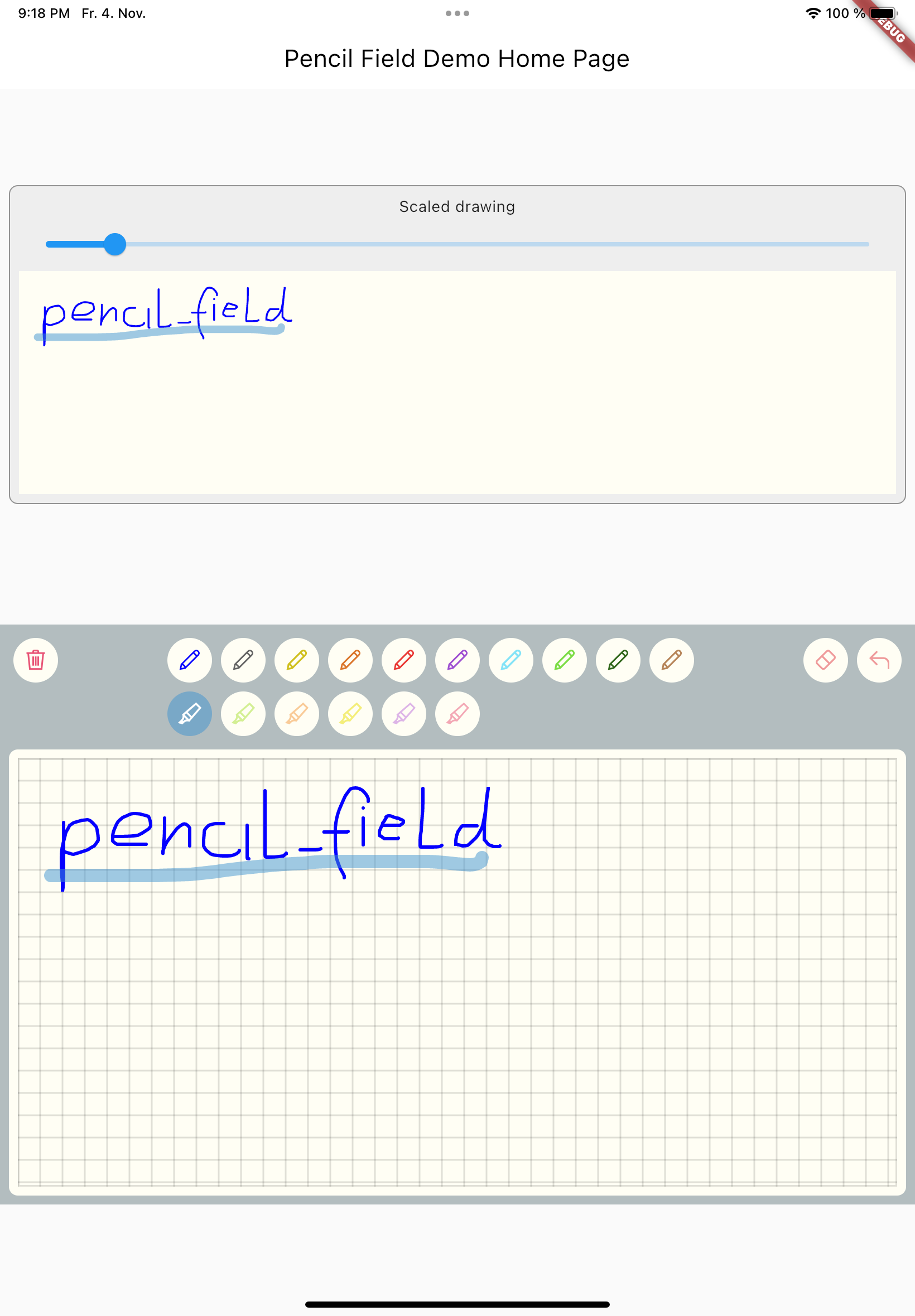
Pencil_Field는 Android, iOS, macOS, Windows, Linux 등 여러 플랫폼에서 그림 그리기, 글쓰기, 지우기 위한 정밀한 스타일러스 및 연필 상호작용을 가능하게 하는 Flutter 패키지입니다. 사용자 입력의 버전 기반 지속성을 지원하여 스케치와 주석을 신뢰할 수 있게 저장하고 복원할 수 있습니다. 다양한 하드웨어 차이에도 불구하고 일관된 성능을 제공하도록 설계되었으며, 노트 작성, 서명 캡처 또는 창의적인 드로잉 도구와 같은 디지털 잉크 기능이 필요한 앱에 적합합니다.
사용 사례
디지털 노트 작성
서명 캡처
크리에이티브 스케치
주석 도구
크로스 플랫폼 드로잉 앱
주요 기능
스틸러스 및 터치 입력 지원
버전화된 입력 지속성
다중 플랫폼 호환성
부드러운 펜 압력 처리
실시간 삭제 기능
적합한 대상
그리기 및 페인팅 앱
교육 소프트웨어
전자 서명 솔루션
노트 작성 애플리케이션
인터랙티브 화이트보드
고려 사항
완전한 스타일러스 기능을 사용하려면 호환되는 하드웨어가 필요합니다
저사양 기기에서 성능이 다를 수 있습니다
패키지에 나열된 플랫폼에 한정
고급 사용 사례를 위해 추가 구성이 필요할 수 있습니다
입력 지속성은 적절한 상태 관리가 필요합니다
원본 README
연결된 소스 저장소의 README 원문 스냅샷입니다. 최신 내용은 저장소에서 확인하세요.
FLUTTER PENCIL FIELD
pencil_field
Widget for pencil / stylus input on different devices and platforms. This widget is intended
for any freehand input like signatures or drawings.
How to use
Just create PencilField widget and embedd it into your page:
The actual widget that provides the capability to capture and store freehand / pencil input. Each PencilField requires a controller that builds the bridge between the widget and PencilDrawing that stores the input.
PencilDrawing
PencilDrawing stores the actual content captured by PencilField. You can store and retrieve this data in a versioned format, so that future version of PencilField can load old data.
Example
A full example is provided. This example shows how to use PencilField and its litte sibling PencilDisplay. It also shows how to define pens for input and interactions like erase, undo and clear.
Upcoming features
Additional eraser that only erases strokes within a circle
Pan support for the input widget and the display widget
Pinch support for the display widget
Input widget decoration that supports images as background