


 v0.2.5
updater
Flutter용 사용자 지정 앱 내 업데이트를 확인하기 위한 패키지입니다.
41좋아요 18330일 다운로드150Pub 점수
Android
Flutter용 사용자 지정 앱 내 업데이트를 확인하기 위한 패키지입니다.

아래는 영문 원문 스냅샷입니다. 최신 내용은 GitHub에서 확인하세요.
A package to check for the custom in-app updates for Flutter.
dependencies:
    updater: ^0.2.5
import 'package:updater/updater.dart';
| Android | IOS | |
|---|---|---|
| Supported | ✔️ | ❌ |
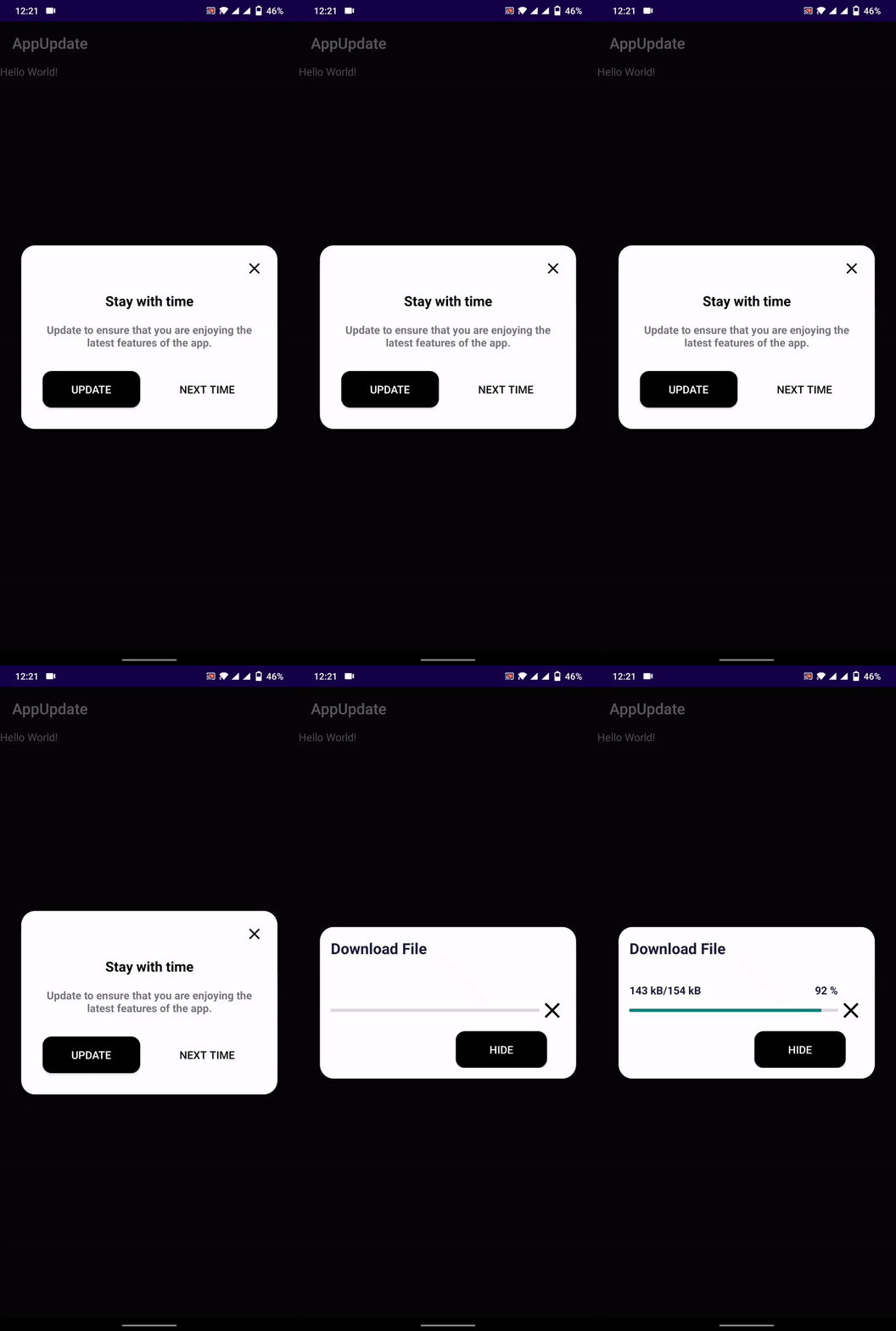
context → BuildContext
url → String
titleText → String
contentText → String
confirmText → String
cancelText → String
elevation → double
rootNavigator → bool
allowSkip → bool
backgroundDownload → bool
callBack → Function(String, int, String, int String)
controller → UpdaterController
delay → Duration
enableResume → bool
UpdateStatus.Checking
UpdateStatus.Pending
UpdateStatus.Available
UpdateStatus.Dowloading
UpdateStatus.Paused
UpdateStatus.Resume
UpdateStatus.Cancelled
UpdateStatus.Completed
UpdateStatus.DialogDismissed
UpdateStatus.Failed
versionCode → int
versionName → String
minSupport → int
contentText → String
url → String
{
  "versionCode":3,
  "versionName":"1.0.0",
  "contentText":"Please update your app",
  "minSupport":2,
  "url":"/*App Download Url*/"
}
versionCode:   //Specify new version code
versionName:   //specify version name
minSuppor:     //specify minimum supported version to force update
contentText:   //specify content text, if contentText is not defined in app then this will be use
url:          //App file download link
REQUEST_INSTALL_PACKAGES permission to open and install apk file<uses-permission android:name="android.permission.REQUEST_INSTALL_PACKAGES" />
Inside pubspec.yaml file
# Specify version code using +VersionCode
version: 1.0.0+1  #Like here the VersionCode is 1
    //Controller
    UpdaterController controller = UpdaterController(
        listener: (UpdateStatus status) {
            print('Listener: $status');
        },
        onChecked: (bool isAvailable) {
            print(isAvailable);
        },
        progress: (current, total) {
            print('Progress: $current -- $total');
        },
        onError: (status) {
            print('Error: $status');
        },
    );


    Updater updater = Updater(
        context: context,
        controller: controller,
        url: 'JSON_FILE_URL',
        titleText: 'Update available',
        // backgroundDownload: false,
        // allowSkip: false,
        contentText:
            'Update your app to the latest version to enjoy new feature.',
        callBack: (UpdateModel model) {

          print(model.versionName);
          print(model.versionCode);
          print(model.contentText);

        },

        enableResume: false,
    );
    updater.check();


    //To cancel the download
    //controller.cancel();


    //To pause the download
    //controller.pause();

    //To resume the download
    //controller.resume();
의존성 목록 9 개
{"sdk":"flutter"}^5.9.0^4.7.0^2.1.5^3.1.6{"sdk":"flutter"}^5.0.0^5.5.0^2.6.0사용 목적에 따라 검색하고 개발 활동을 비교한 뒤 원본 저장소에서 요구 사항을 확인하세요.
“A repository is the most basic element of GitHub.”
GitHub Docs — About repositories ↗