
 v0.0.4
animated_segment
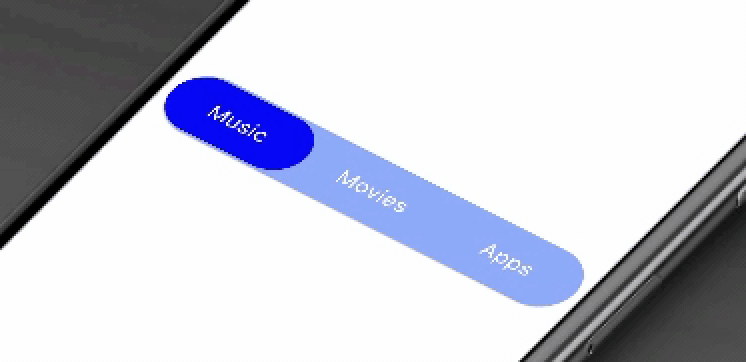
이 패키지는 현대적인 애니메이션 효과가 있는 세련된 세그먼트를 제공합니다. 탭 선택을 탄성 방식의 애니메이션으로 표시합니다.
72좋아요 5030일 다운로드150Pub 점수
AndroidiOSWebmacOSWindowsLinux
이 패키지는 세그먼트를 애니메이션화합니다. 이 패키지는 현대적이고 애니메이션 효과가 있는 멋진 세그먼트를 제공합니다. 탭 선택을 탄성 방식 애니메이션으로 표시합니다.

{"sdk":"flutter"}{"sdk":"flutter"}^1.0.0아래는 영문 원문 스냅샷입니다. 최신 내용은 GitHub에서 확인하세요.
animated_segment version MIT License https://img.shields.io/badge/platform-android-blue https://img.shields.io/badge/platform-iOS-blue https://img.shields.io/badge/platform-Linux-blue https://img.shields.io/badge/platform-Mac-blue https://img.shields.io/badge/platform-web-blue https://img.shields.io/badge/platform-Windows-blue MIT License
This package will animates a segment. Package provides you a modern animated fancy segment. Show selection of tab using elastic way animation.
Animated Segment
AnimatedSegment(
  segmentNames: [Strings.tab_1, Strings.tab_2, Strings.tab_3],
  onSegmentChanged: (index) {
    print('Selected Segment Index is: $index');
  },
  backgroundColor: AppColors.bgColor,
  segmentTextColor: AppColors.white,
  rippleEffectColor: AppColors.primary,
  selectedSegmentColor: AppColors.primary,
);
This property takes List as a parameter and segmentNames is useful to display items in segment.
Call back called when the user select the new segment and return the selected segment index. Index for the initial selected segment is 0.
This property takes int value as a parameter. This is use to set the initial segment from [segmentNames].
This property takes Color value as a parameter. You can change the background color of animated segment. default value is Color(0xff8AADFB)
This property takes Color value as a parameter. You can change the text color of segmented text color. default value is Color(0xff0217FD)
This property takes Color value as a parameter. You can change the ripple color of segment. default value is Colors.white
This property takes Color value as a parameter. You can change the selected segment color of animated segment. default value is Colors.white
Contribution towards our repository is always welcome, we request contributors to create a pull request to the develop branch only.
It would be great for us if the reporter can share the below things to understand the root cause of the issue.
Animated Segment is MIT-licensed.
We’d be really happy if you send us links to your projects where you use our component. Just send an email to sales@mindinventory.com And do let us know if you have any questions or suggestion regarding our work.