


v1.0.3
vimeo_video_player
비메오 비디오 ID를 사용하여 비디오를 재생하는 플러터 패키지입니다. InAppWebView를 활용하여 플러터 앱 내에서 원활한 비디오 재생을 제공합니다.
81좋아요 1.1만30일 다운로드140Pub 점수
AndroidiOSWebmacOSWindows
Flutter용 Vimeo 비디오를 위한 비디오 플레이어입니다. 이 플러그인을 사용하면 Vimeo에서 비디오를 재생할 수 있으며, 안드로이드 및 iOS 플랫폼을 지원합니다.

아래는 영문 원문 스냅샷입니다. 최신 내용은 GitHub에서 확인하세요.








A Flutter package to play Vimeo videos using their Video ID. Utilizes InAppWebView for smooth video playback directly in your Flutter app.
isAutoPlay, isLooping, isMuted, showTitle,
showByline,
showControls, enableDNT, backgroundColor.onReady, onPlay, onPause, onFinish, onSeek,
onInAppWebViewCreated, onInAppWebViewLoadStart, onInAppWebViewLoadStop, and
onInAppWebViewReceivedError.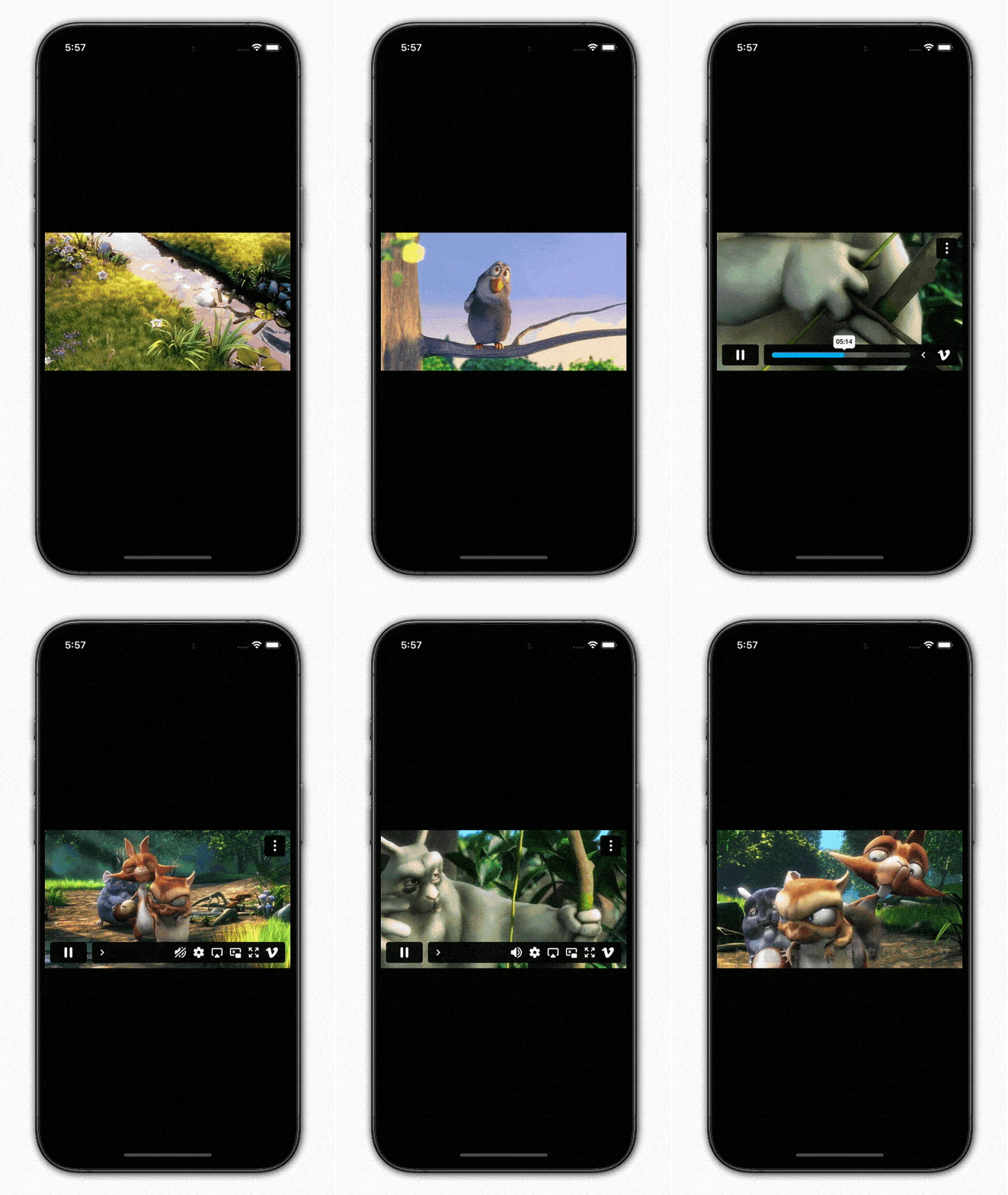
Import it to your project file
import 'package:vimeo_video_player/vimeo_video_player.dart';
And add it in its most basic form like it:
@override
Widget build(BuildContext context) {
  return VimeoVideoPlayer(
    videoId: '12860646',
  );
}
| Parameter | Description |
|---|---|
| String videoId | Defines the vimeo video ID to be played, it is required and cannot be empty |
| Parameter | Default | Description |
|---|---|---|
| bool isAutoPlay | false | Used to auto-play the video once initialized |
| bool isLooping | false | Used to play the video in a loop after it ends |
| bool isMuted | false | Used to play the video with the sound muted |
| bool showTitle | false | Used to display the video title |
| bool showByline | false | Used to display the video byline/author |
| bool showControls | true | Used to display the video playback controls |
| bool enableDNT | true | Used to enable Do Not Track (DNT) mode, When enabled, the player will not track any viewing information |
| bool portrait | false | Used to display the profile avatar |
| bool badge | false | Used to display the vimeo logo |
| bool enableFullScreenOnPlay | false | Used to enable fullscreen mode when playing. When enabled, the player go full screen when play is hit |
| Color backgroundColor | Colors.black | Defines the background color of the InAppWebView |
| Parameter | Description |
|---|---|
| String? privacyHash | Used to define the the hash for the unlisted vimeo video |
| VoidCallback? onReady | Used to define a callback function triggered when the player is ready to play the video |
| VoidCallback? onPlay | Used to define a callback function triggered when the video begins playing |
| VoidCallback? onPause | Used to define a callback function triggered when the video is paused |
| VoidCallback? onFinish | Used to define a callback function triggered when the video playback finishes |
| VoidCallback? onSeek | Used to define a callback function triggered when the video playback position is modified |
| Function(InAppWebViewController controller)? onInAppWebViewCreated | Used to define a callback function triggered when the WebView is created |
| Function(InAppWebViewController controller, WebUri? uri)? onInAppWebViewLoadStart | Used to define a callback function triggered when the WebView starts to load an url |
| Function(InAppWebViewController controller, WebUri? uri)? onInAppWebViewLoadStop | Used to define a callback function triggered when the WebView finishes loading an url |
| Function(InAppWebViewController controller, WebResourceRequest request, WebResourceError? error)? onInAppWebViewReceivedError | Used to define a callback function triggered when the WebView encounters an error loading a request |
| final void Function(InAppWebViewController controller)? onEnterFullscreen | Used to define a callback function triggered when the WebView enters full screen |
| final void Function(InAppWebViewController controller)? onExitFullscreen | Used to define a callback function triggered when the WebView exits full screen |
| final ValueChanged? currentPositionInSeconds | Used to define a callback function that notifies current video position |
| int? initialPositionInSeconds | Used to define the initial video position in seconds |
It would be great for us if the reporter can share the below things to understand the root cause of the issue.
vimeo_video_player is MIT-licensed.
We’d be really happy if you send us links to your projects where you use our open-source libraries. Just send an email to [sales@mindinventory.com](mailto:sales@mindinventory.com) And do let us know if you have any questions or suggestion regarding our work.
Visit our website mindinventory.com
Let us know if you are interested to building Apps or Designing Products.

의존성 목록 5 개
{"sdk":"flutter"}^6.1.5^1.0.0{"sdk":"flutter"}^5.0.0사용 목적에 따라 검색하고 개발 활동을 비교한 뒤 원본 저장소에서 요구 사항을 확인하세요.
“A repository is the most basic element of GitHub.”
GitHub Docs — About repositories ↗