
 v1.2.0
story_maker
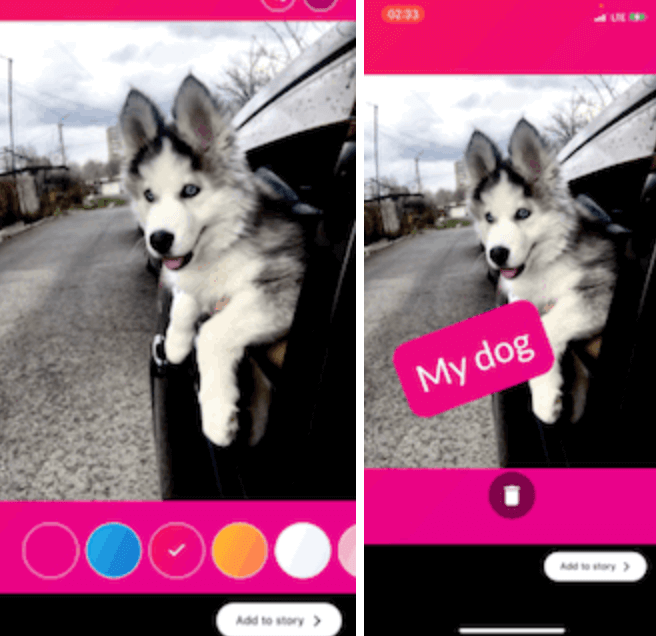
인스타그램 스토리처럼 만들 수 있는 패키지로, 이미지를 편집하고 텍스트, 스티커, 필터 등의 콘텐츠를 추가하여 스토리용으로 준비할 수 있습니다.
69좋아요 3630일 다운로드140Pub 점수
AndroidiOSmacOSWindowsLinux
인스타그램 스토리처럼 만들 수 있는 패키지입니다. 이미지를 편집하고 텍스트 및 그라데이션과 같은 다른 콘텐츠를 추가하여 스토리 준비 상태로 만들 수 있습니다.

{"sdk":"flutter"}^2.1.5^6.3.2^0.15.0{"sdk":"flutter"}아래는 영문 원문 스냅샷입니다. 최신 내용은 GitHub에서 확인하세요.
A package for creating instagram like story, you can use this package to edit images and make it story ready by adding other contents over it like text, stickers, gradients, and color filters.
GIF 1 GIF 2
Add this to your package's pubspec.yaml file:
dependencies:
  story_maker: ^1.2.0
import 'package:story_maker/story_maker.dart';

class _MyAppState extends State<MyApp> {
  File? image;

  @override
  Widget build(BuildContext context) {
    return Scaffold(
      appBar: AppBar(
        title: const Text('Story Designer Example'),
      ),
      body: Center(
        child: Column(
          mainAxisAlignment: MainAxisAlignment.center,
          children: [
            ElevatedButton(
              onPressed: () async {
                await [
                  Permission.photos,
                  Permission.storage,
                ].request();
                final picker = ImagePicker();
                await picker
                    .pickImage(source: ImageSource.gallery)
                    .then((file) async {
                  final File editedFile = await Navigator.of(context).push(
                    MaterialPageRoute(
                      builder: (context) => StoryMaker(
                        filePath: file!.path,
                      ),
                    ),
                  );
                  setState(() {
                    image = editedFile;
                  });
                  print('editedFile: ${image!.path}');
                });
              },
              child: const Text('Pick Image'),
            ),
            if (image != null)
              Expanded(
                child: Image.file(image!),
              ),
          ],
        ),
      ),
    );
  }
}
import 'package:story_maker/story_maker.dart';

// Example with custom theme, stickers, and done button
StoryMaker(
  filePath: imagePath,
  theme: StoryMakerTheme.dark(), // or StoryMakerTheme.light()
  customStickers: [
    StickerItem.emoji('🎉'),
    StickerItem.emoji('🔥'),
    StickerItem.image('/path/to/sticker.png'),
  ],
  customFontList: ['Roboto', 'Open Sans', 'Lato'],
  customTextColors: [
    Colors.red,
    Colors.blue,
    Colors.green,
  ],
  customGradients: [
    [Colors.purple, Colors.pink],
    [Colors.blue, Colors.cyan],
  ],
  doneButtonBuilder: (theme, onDone, isLoading) {
    return ElevatedButton(
      onPressed: isLoading ? null : onDone,
      style: ButtonStyle(
        backgroundColor: WidgetStateProperty.all(theme.buttonColor),
      ),
      child: isLoading
          ? CircularProgressIndicator()
          : Text('Save Story', style: TextStyle(color: theme.buttonTextColor)),
    );
  },
)
[x] Image Editing:
[x] Text Editing:
google_fonts package)[x] Background Gradients:
customGradients parameter[x] Stickers Support:
StickerItem.image()customStickers parameter[x] Color Filters:
[x] Theme Customization:
StoryMakerTheme[x] Customization Options:
customFontList parametercustomTextColors parametercustomGradients parameteranimationsDuration parameter[x] User Experience:
[x] Developer Experience: