
 v3.2.0
smart_auth
안드로이드 SMS 사용자 동의 API, SMS 리트리버 API의 래퍼로 일회용 SMS 코드 읽기, 사용자 전화번호 얻기, OTP, OTC, SMS 자동 채우기, 안드로이드 자동 채우기
208좋아요 11.1만30일 다운로드160Pub 점수
Android
Android에서 SMS 코드를 듣기 위한 Flutter 패키지, 전화번호, 이메일 제안, 자격 증명 저장.

{"sdk":"flutter"}{"sdk":"flutter"}^22.7.0^5.0.0아래는 영문 원문 스냅샷입니다. 최신 내용은 GitHub에서 확인하세요.
Flutter package for listening SMS code on Android, suggesting phone number, email, saving a credential.
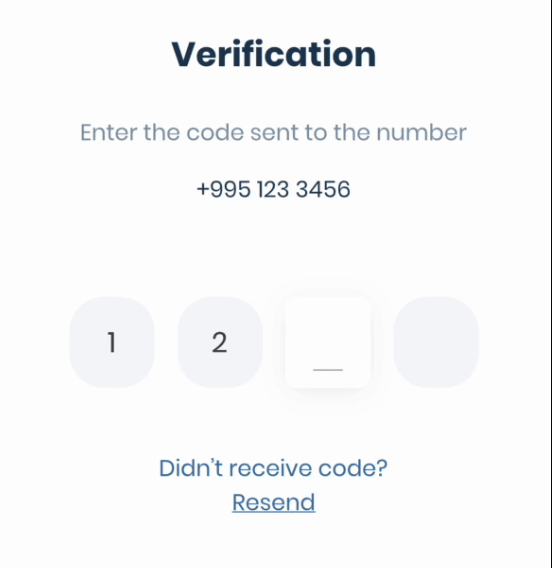
If you need pin code input like shown below, take a look at the Pinput package.
https://user-images.githubusercontent.com/26390946/155599527-fe934f2c-5124-4754-bbf6-bb97d55a77c0.gifDiscord Channel
Don't forget to give it a star ⭐
If you want to contribute to this project, please read the contribution guide.
If you are using legacy imperative apply
// android/build.gradle
buildscript {
    ext.kotlin_version = '1.8.0'
    ...others

    dependencies {
        classpath 'com.android.tools.build:gradle:8.3.2'
        classpath "org.jetbrains.kotlin:kotlin-gradle-plugin:$kotlin_version"
    }
}
If you are using new declarative plugin approach
// android/settings.gradle
plugins {
    id "org.jetbrains.kotlin.android" version "1.8.0" apply false
    id "com.android.application" version "8.3.2" apply false
    ...others
}
// android/gradle/wrapper/gradle-wrapper.properties
distributionUrl=https\://services.gradle.org/distributions/gradle-8.4-all.zip
// android/app/build.gradle
compileOptions {
    sourceCompatibility = JavaVersion.VERSION_11
    targetCompatibility = JavaVersion.VERSION_11
}

kotlinOptions {
    jvmTarget = '11'
}
final smartAuth = SmartAuth.instance;
The Phone Number Hint API, a library powered by Google Play services, provides a frictionless way to show a user’s (SIM-based) phone numbers as a hint.
The benefits to using Phone Number Hint include the following:
void requestPhoneNumberHint() async {
  final res = await smartAuth.requestPhoneNumberHint();
  if (res.hasData) {
    // Use the phone number
  } else {
    // Handle error
  }
}
The SMS User Consent API complements the SMS Retriever API by allowing an app to prompt the user to grant access to the content of a single SMS message. When a user gives consent, the app will then have access to the entire message body to automatically complete SMS verification. The verification flow looks like this:
requestPhoneNumberHint method.getSmsWithUserConsentApi to show the user a dialog to
grant access to the SMS message.getSmsWithUserConsentApi will extract the
one-time code from the message text and you have to send it back to your server.void getSmsWithUserConsentApi() async {
final res = await smartAuth.getSmsWithUserConsentApi();
if (res.hasData) {
final code = res.requireData.code;
/// The code can be null if the SMS was received but the code was not extracted from it
if (code == null) return;
// Use the code
} else if (res.isCanceled) {
// User canceled the dialog
} else {
// handle the error
}
}
With the SMS Retriever API, you can perform SMS-based user verification in your Android app automatically, without requiring the user to manually type verification codes, and without requiring any extra app permissions. When you implement automatic SMS verification in your app, the verification flow looks like this:
https://github.com/user-attachments/assets/7daa8895-14d4-460f-b9e7-4710446788d3requestPhoneNumberHint method.getSmsWithRetrieverApi to begin listening for an SMS
response from your server.getSmsWithRetrieverApi will extract the one-time code from the message text and you have to
send it back to your server.void getSmsWithRetrieverApi() async {
final res = await smartAuth.getSmsWithRetrieverApi();
if (res.hasData) {
final code = res.requireData.code;
/// The code can be null if the SMS was received but the code was not extracted from it
if (code == null) return;
// Use the code
} else {
// handle the error
}
}
The plugin automatically removes listeners after receiving the code, if not you can remove them by
calling the removeUserConsentApiListener or removeSmsRetrieverApiListener method.
void removeSmsListener() {
  smartAuth.removeUserConsentApiListener();
  // or
  smartAuth.removeSmsRetrieverApiListener();
}