
 v3.2.0
widget_with_codeview
측면에 소스 코드 보기와 함께하는 위젯.
67좋아요 39730일 다운로드120Pub 점수
AndroidiOSWebmacOSWindowsLinux
측면에 소스 코드 보기와 함께하는 위젯.

의존성 목록 8 개
{"sdk":"flutter"}^0.7.0^7.0.0^8.0.1^0.5.2^1.2.0^6.3.2{"sdk":"flutter"}아래는 영문 원문 스냅샷입니다. 최신 내용은 GitHub에서 확인하세요.
pub package GitHub
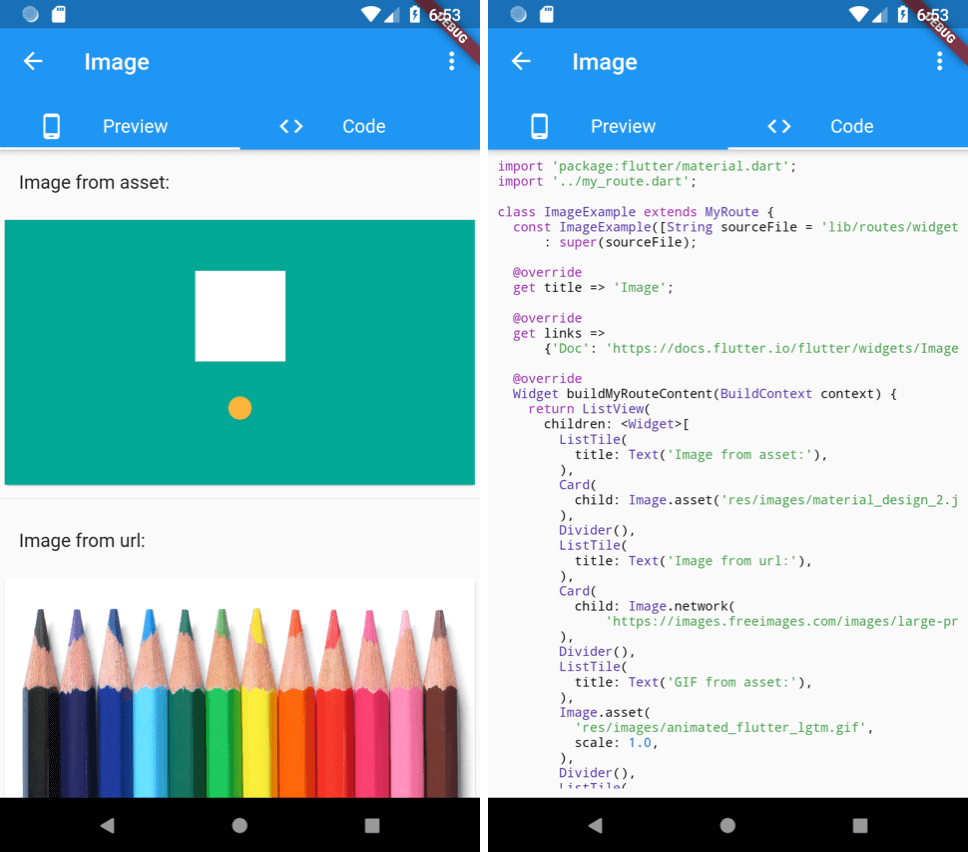
A widget with side-by-side source code view. Extracted from the flutter-catalog open-source app.
https://github.com/X-Wei/flutter_catalog/blob/master/screenshots/Screenshot_1541613193.png?raw=true https://github.com/X-Wei/flutter_catalog/blob/master/screenshots/Screenshot_1541613197.png?raw=trueFirst make sure to add the source file to the app's assets by editing pubspec.yaml:
dependencies:
  flutter:
    sdk: flutter
  widget_with_codeview:
flutter:
  assets:
    # Include a single source code file:
    - lib/my_awesome_source_code.dart
    # Include all files under a subfoler by adding trailing "/":
    - lib/my_awesome_source_code_subdir/
    - ...
Then wrap the widget from that source file by a WidgetWithCodeView:
WidgetWithCodeView(
  child: MyAwesomeWidget(), // ⚡️ If null, will only show the source code view.
  filePath: 'lib/my_awesome_source_code.dart',
  /// [codeLinkPrefix] is optional. When it's specified, two more buttons
  /// (open-code-in-browser, copy-code-link) will be added in the code view.
  codeLinkPrefix: 'https://github.com/<my_username>/<my_project>/blob/master/',
),
You can also choose to only show the code by not setting the child argument.
See example/lib/main.dart for a concrete example.